
1. Inleiding
Thank you for choosing the Baseus Portable Charger. This 10000mAh slim battery pack is designed to provide fast and efficient charging for your mobile devices on the go. Featuring 20W Power Delivery (PD) and Quick Charge (QC) capabilities, it ensures your devices are powered quickly and safely. This manual provides essential information on product features, setup, operation, maintenance, and troubleshooting.

Beeld: Voorkant view of the Baseus Portable Charger, showcasing its sleek design, LED indicator lights, and charging ports.
2. Veiligheidsinligting
Lees asseblief alle veiligheidswaarskuwings en instruksies voordat u hierdie produk gebruik om veilige werking te verseker en skade te voorkom. Bewaar hierdie handleiding vir toekomstige verwysing.
- Moenie die kragbank aan uiterste temperature (bo 60°C/140°F) of direkte sonlig blootstel nie.
- Vermy dit om die toestel self te laat val, uitmekaar te haal of te probeer herstel.
- Hou weg van water, vog en vlambare materiale.
- Moenie gebruik as die kragbank beskadig, geswel of lek is nie.
- Gebruik slegs gesertifiseerde laaikabels en adapters.
- Hou buite bereik van kinders.
- Gooi die produk verantwoordelik volgens plaaslike regulasies weg.

Image: Diagram illustrating the 8 built-in safety protections of the Baseus Portable Charger, including overcharge, overdischarge, overvoltage, overheating, overpower, restoration, short circuit, and overcurrent protection.
3. Pakketinhoud
Verifieer dat alle items in jou pakket teenwoordig is:
- 1x Baseus 20W Power Bank
- 1x 30cm USB A to USB C cable

Image: Visual representation of the package contents, showing the power bank, USB-A to USB-C cable, and user manual.
4. Produk verbyview
The Baseus Portable Charger features a compact design with multiple ports for versatile charging.
4.1. Fisiese kenmerke
- LED-aanwyserligte: Four blue LED lights indicate the remaining battery capacity. Each light represents approximately 25% charge.
- Kragknoppie: Aktiveer die kragbank en kontroleer batteryvlak.

Beeld: Nabyskoot view of the power bank's LED indicator lights and the orange power button.
4.2. Hawens
- USB-C-poort: Supports 20W Power Delivery output and 18W input for fast recharging.
- USB-A-poort: Supports 18W output for charging devices.
- Mikro -USB -poort: Supports 18W input for recharging the power bank.

Beeld: Oorview of the power bank's ports (Micro USB, USB-A, USB-C) and a list of widely compatible devices including iPhones, Samsung Galaxy, Google Pixel, Nintendo Switch, earbuds, and handheld fans.
5. Opstelling
5.1. Aanvanklike laai van die kragbank
Before first use, fully charge your Baseus Portable Charger.
- Connect the included USB-A to USB-C cable to the USB-C input port of the power bank.
- Connect the other end of the cable to a compatible 18W (or higher) wall charger (not included).
- The LED indicator lights will illuminate to show charging progress. All four lights will be solid when fully charged.
A full charge takes approximately 2 hours and 48 minutes with an 18W charger.

Image: The Baseus Portable Charger connected to a wall adapter for recharging, with an indication that it fully recharges in 2.8 hours.
6. Bedryfsinstruksies
6.1. Laai u toestelle op
The power bank supports fast charging for a wide range of devices.
- Connect your device's charging cable to either the USB-C output port or the USB-A output port on the power bank.
- Verbind die ander punt van die kabel met u toestel.
- Die kragbank sal outomaties jou toestel begin laai.
- To check the power bank's remaining battery, press the power button once.
The 20W PD USB-C output can charge an iPhone 15 up to 50% in approximately 30 minutes.
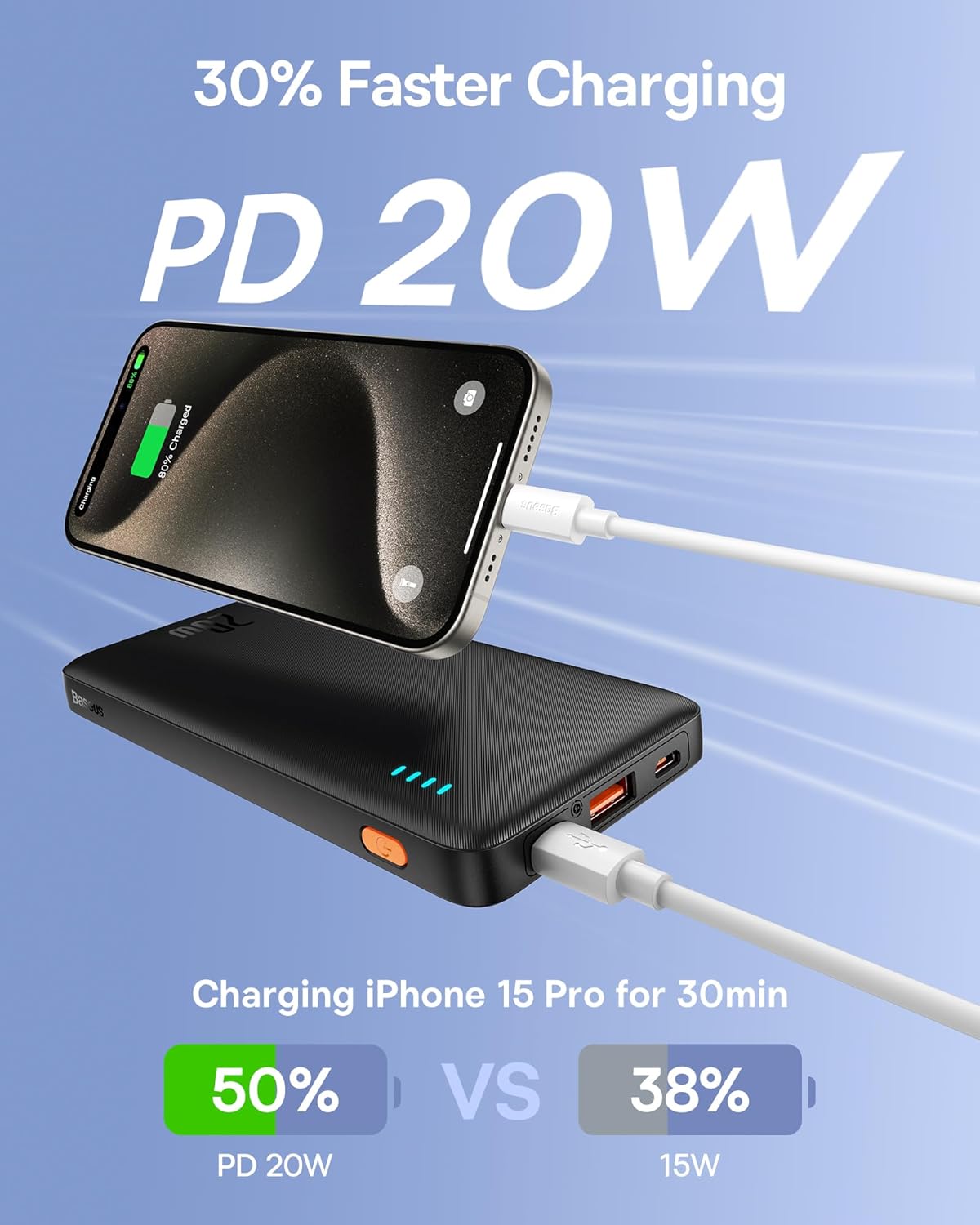
Image: An iPhone 15 Pro being fast-charged by the Baseus Portable Charger, demonstrating 50% charge in 30 minutes compared to 38% with 15W charging.
6.2. Gelyktydige laai
You can charge two devices simultaneously using both the USB-C and USB-A output ports.

Image: The Baseus Portable Charger connected to and simultaneously charging two smartphones, one via USB-C and one via USB-A.
7. Onderhoud
- Maak die kragbank skoon met 'n sagte, droë lap. Moenie harde chemikalieë of skuurmiddels gebruik nie.
- Berg in 'n koel, droë plek weg van direkte sonlig en uiterste temperature.
- Indien dit nie vir lang tye gebruik word nie, laai die kragbank ten minste een keer elke drie maande om die batterygesondheid te handhaaf.
- Avoid physical shocks or impacts to the device.
8. Probleemoplossing
| Probleem | Moontlike oorsaak | Oplossing |
|---|---|---|
| Kragbank laai nie. | Kabel- of adapterprobleem; kragbank volledig gelaai; foutiewe poort. | Try a different cable or wall adapter. Ensure the power bank is not already full. Try a different input port if available. |
| Toestel laai nie vanaf kragbank nie. | Power bank is empty; cable issue; device incompatibility; power bank in standby. | Recharge the power bank. Try a different charging cable. Ensure your device supports charging from a power bank. Press the power button to activate output. |
| Stadige laai. | Non-fast charging cable/adapter; device not supporting fast charge; multiple devices charging. | Use a fast-charging compatible cable and adapter. Ensure your device supports PD/QC. Charging multiple devices simultaneously may reduce individual charging speeds. |
| LED-aanwysers werk nie. | Kragbank is af; interne wanfunksie. | Press the power button. If still unresponsive, contact customer support. |
9. Spesifikasies
| Kenmerk | Detail |
|---|---|
| Modelnommer | PPAP10 |
| Battery kapasiteit | 10000 miljoenamp Ure |
| Produk afmetings | 6 x 0.7 x 2.7 duim |
| Item gewig | 11.4 onse |
| Invoer (USB-C) | 18W Fast Re-charging |
| Uitset (USB-C) | 20W Kraglewering (PD) |
| Uitset (USB-A) | 18W Quick Charge (QC) |
| Kleur | Obsidian Swart |
| Spesiale kenmerke | LED Indicator Lights, 9 Built-in Safety Protections |

Image: Diagram showing the dimensions of the Baseus Portable Charger: 6 inches in length, 0.7 inches in thickness, and 2.7 inches in width.
10. Waarborg en Ondersteuning
Baseus products come with a standard warranty. For specific warranty terms and conditions, please refer to the warranty card included with your product or visit the official Baseus webwebwerf.
For technical support, troubleshooting assistance, or warranty claims, please contact Baseus customer service through their official channels. You can often find contact information on the product packaging or the Baseus brand store on Amazon.
Baseus Handelsmerkwinkel: Besoek die Baseus-winkel op Amazon