
1. Inleiding
The Dangbei Neo Smart Projector is a compact, portable device designed to deliver a high-quality home theater experience. Featuring official Netflix licensing, 1080P Full HD resolution, HDR10 support, and intelligent adjustment technologies, this projector offers versatile entertainment options with ease of use. This manual provides essential information for setting up, operating, and maintaining your projector.

Figure 1: Dangbei Neo Smart Projector.
2. Wat is in die boks
Upon unboxing your Dangbei Neo Smart Projector, verify that all the following items are included:
- Dangbei Neo slim projektor
- Afstandbeheer
- Kragadapter
- Kragkabel
- Gebruikershandleiding
- Skoonmaakdoek

Figure 2: Projector and included accessories.
3. Opstelling
3.1 Aanvanklike aanskakeling
- Connect the power cable to the power adapter, then plug the adapter into the projector's DC input port.
- Steek die kragkabel in 'n geskikte elektriese aansluiting.
- Druk die kragknoppie op die projektor of die afstandbeheerder om die toestel aan te skakel.
3.2 Netwerkverbinding
The projector supports 5GHz Wi-Fi and Bluetooth 5.0 for seamless connectivity.
- Navigate to the 'Settings' menu on the projector's home screen.
- Select 'Network' and choose your desired Wi-Fi network. Enter the password if prompted.
- For Bluetooth devices, select 'Bluetooth' in the 'Settings' menu and pair your device.
3.3 Intelligent Adjustment Technologies
The Dangbei Neo features 4-in-1 smart adjustment for an optimal viewondervinding:
- Outomatiese fokus: The projector automatically adjusts for a clear and sharp image.
- Outo-sleutelsteen-korreksie: The image is automatically adjusted to a rectangular shape, correcting for angled projections.
- Intelligente skermpassing: The projector automatically aligns the image with the screen boundaries.
- Hindernisvermyding: The projection automatically adjusts to avoid obstacles in its path.
These features typically activate automatically upon startup or movement of the projector. Manual adjustments are also available in the settings menu.
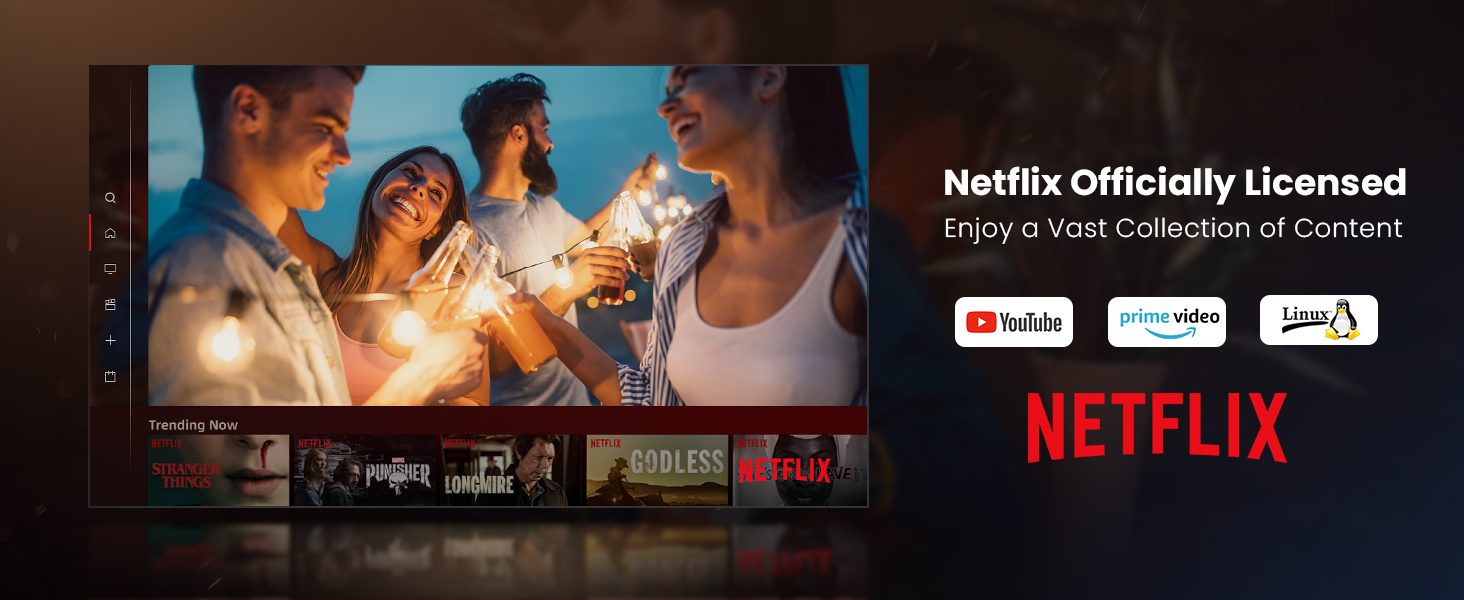
Figure 3: Visual representation of auto-focus and auto-keystone correction.
3.4 Eksterne Toestelle Koppel
Die projektor bied verskeie konnektiwiteitsopsies:
- HDMI: Connect gaming consoles, laptops, or other HDMI-enabled devices. One HDMI port supports ARC for enhanced audio return.
- USB: Use the USB ports for multimedia playback from external storage devices.
- SPDIF: For digital audio output to compatible sound systems.
- LAN: Vir 'n bedrade internetverbinding.
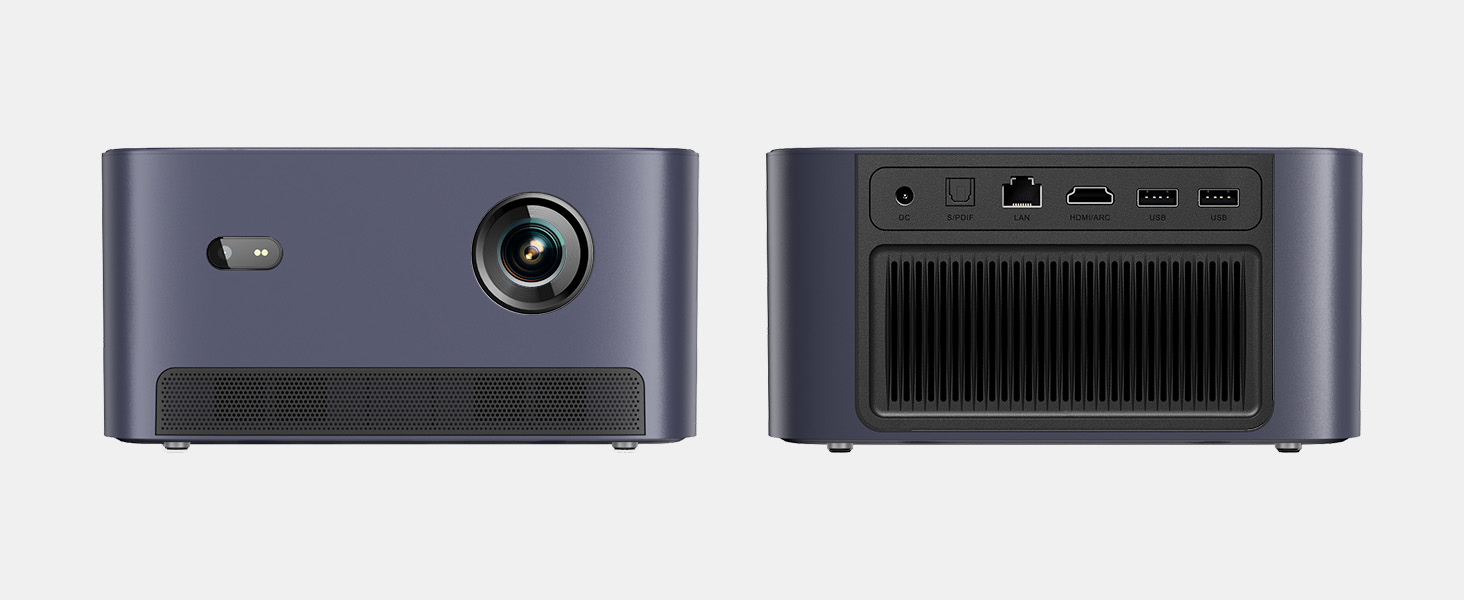
Figuur 4: Agter view of the projector showing various input/output ports.
5. Bedryfsinstruksies
5.1 Navigasie deur die koppelvlak
The projector runs on a Linux-based operating system with a user-friendly interface. Use the remote control's directional pad and 'OK' button to navigate through menus and select options.
5.2 Pre-installed Applications
Enjoy a variety of streaming content with pre-installed and officially licensed applications:
- Netflix: Access your Netflix subscription directly.
- YouTube: Stream videos from YouTube.
- Prime Video: Watch content from Amazon Prime Video.
- Additional apps are available through the integrated app store.

Figure 5: Projector displaying the Netflix interface.
5.3 Beeld- en klankinstellings
Optimaliseer jou viewondervinding met die volgende kenmerke:
- Resolusie: Native 1080P Full HD with support for HDR10/HLG for sharp, crisp images.
- Projeksie grootte: Up to 120 inches for an immersive cinematic experience.
- Oudio: Integrated 2x6W speakers with Dolby Audio support provide 360° surround sound.
- AI Brightness Adjustment: Automatically optimizes brightness based on ambient light.

Figure 6: Large projected image from the Dangbei Neo.

Figure 7: Illustration of 360° surround sound from the projector.
6. Onderhoud
- Skoonmaak: Use the provided cleaning cloth to gently wipe the lens and exterior surfaces. Avoid abrasive materials or harsh chemicals.
- Ventilasie: Ensure the projector's ventilation ports are clear and unobstructed to prevent overheating.
- Lamp Lewe: The laser light source has a lifespan of up to 30,000 hours, providing long-term use without frequent lamp vervanging.
7. Probleemoplossing
| Probleem | Moontlike oorsaak | Oplossing |
|---|---|---|
| No image/blurry image | Power issue, focus/keystone incorrect, lens obstructed | Check power connection. Use auto-focus/keystone or adjust manually. Clean the lens. |
| Geen klank nie | Volume too low, audio output settings, external device issue | Increase volume. Check audio settings. Ensure external device audio is working. |
| Wi-Fi/Bluetooth-verbindingsprobleme | Incorrect password, device out of range, interference | Verify password. Move closer to router/device. Reduce interference. |
| Projektor oorverhit | Blocked ventilation, prolonged use | Ensure vents are clear. Allow projector to cool down. |
8. Spesifikasies
| Kenmerk | Detail |
|---|---|
| Handelsmerk | Dangbei |
| Model | Neo |
| Vertoon resolusie | 1920 x 1080 (1080P FHD) |
| HDR Ondersteuning | HDR10/HLG |
| Ligbron | Laser (ALPD) |
| Lamp Lewe | Tot 30,000 uur |
| Helderheid | 2100 ISO Lumen |
| Kontrasverhouding | 12,000:1 (dinamies) |
| Bedryfstelsel | Linux OS |
| Vooraf geïnstalleerde toepassings | Netflix, YouTube, Prime Video |
| Konnektiwiteit | 5GHz Wi-Fi, Bluetooth 5.0, HDMI (ARC), USB, SPDIF, LAN |
| Oudio | 2x6W Dolby Audio Speakers, 360° Surround Sound |
| Intelligente funksies | Auto Focus, Auto Keystone Correction, Intelligent Screen Fit, Obstacle Avoidance, AI Brightness Adjustment |
| Afmetings | 7.87 x 6.18 x 3.94 duim |
| Gewig | 0.141 onse |
9. Waarborg en Ondersteuning
The Dangbei Neo Smart Projector comes with a standard manufacturer's warranty. For detailed warranty information, product support, or service inquiries, please refer to the warranty card included in your package or visit the official Dangbei webwebwerf.
Aanlyn ondersteuning: www.dangbei.com
10. Amptelike Produkvideo
Kyk na die amptelike produkvideo vir 'n visuele oorsigview of the Dangbei Neo Smart Projector's features and capabilities.
Video: Dangbei Neo Netflix Officially-Licensed Smart Projector. This video highlights key features and usage scenarios.