
1. Inleiding
Thank you for choosing the BYINTEK U70 Pro Portable 4K 3D DLP Projector. This manual provides essential information for the safe and efficient operation of your device. Please read it thoroughly before use and retain it for future reference.

Image 1.1: The BYINTEK U70 Pro Portable Projector and its remote control.
2. Veiligheidsinligting
- Moenie direk in die projektorlens kyk wanneer die lamp is aan.
- Verseker behoorlike ventilasie om oorverhitting te voorkom. Moenie ventilasie-openinge blokkeer nie.
- Gebruik slegs die meegeleverde kragadapter.
- Hou die toestel weg van water, vog en uiterste temperature.
- Moenie probeer om die projektor self uitmekaar te haal of te herstel nie. Kontak gekwalifiseerde dienspersoneel.
- Hou buite bereik van kinders.
3. Pakketinhoud
Verifieer dat alle items in jou pakket teenwoordig is:
- 1 x BYINTEK U70 Pro Projector
- 1 x afstandbeheer
- 1 x HD-kabel
- 1 x Gebruikershandleiding (hierdie dokument)
- 1 x DC 19V 3.42A Kragadapter
4. Produk verbyview
Maak jouself vertroud met die projektor se komponente en koppelvlakke.
Beeld 4.1: Voor en agter views of the BYINTEK U70 Pro Projector, highlighting its various ports and controls.
Sleutelkomponente:
- Lens: Projeksie-uitset.
- klavier: Manual control buttons on top.
- IR -ontvanger: Vir afstandbeheerseine.
- DC 12V-in: Kraginvoerpoort.
- USB 3.0 / USB 2.0: For connecting USB storage devices, mouse, or keyboard.
- Krag skakelaar: Om die projektor aan/af te skakel.
- Audio-out (3.5mm Jack): For external speakers or headphones.
- HD-in (HDMI): Vir die koppeling van eksterne videobronne.
- 5W Speakers: Ingeboude stereo luidsprekers.
- Detachable Dust Filter: Vir maklike skoonmaak en onderhoud.
- Universele hakiegat (d=1/4 duim, 6 mm): Vir montering op driepootte of plafonmonterings.
5. Opstelling
5.1 Aan-/afskakel
- Connect the DC 19V 3.42A Power Adapter to the projector's DC 12V-in port.
- Press the Power Switch to turn the projector on. The indicator light will illuminate.
- To power off, press the Power Switch again.
5.2 Plasing en Projeksie
The BYINTEK U70 Pro supports a projection size of 30-300 inches with a projection distance of 1-8 meters. The optimal aspect ratio is 16:9, but 16:10 and 4:3 are also supported.
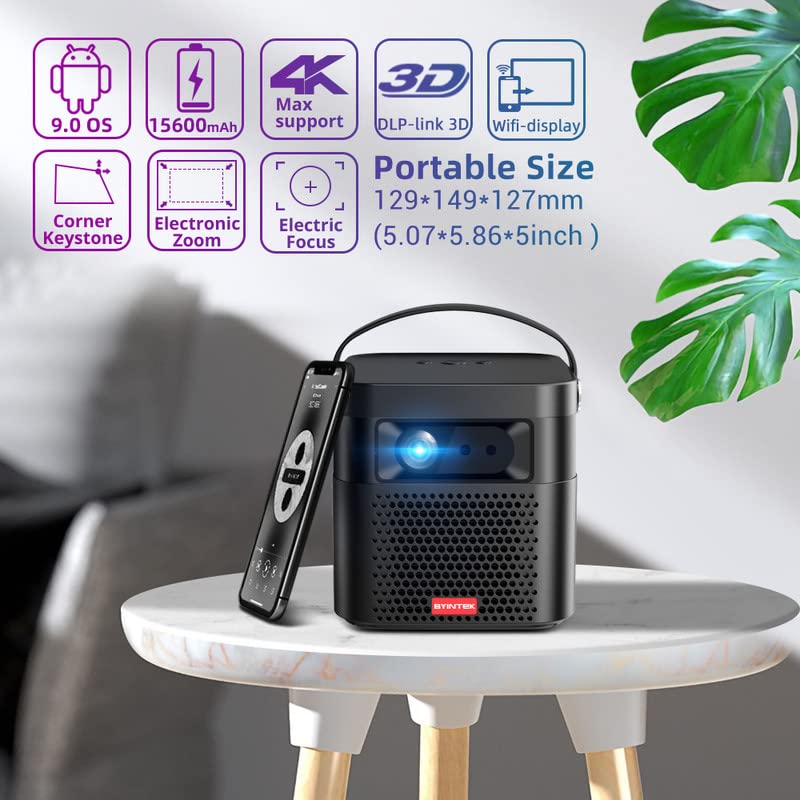
Image 5.1: The BYINTEK U70 Pro Projector highlighting its portable size and advanced features.
5.3 Fokus- en Keystone-korreksie
- Die projektor kenmerke Outofokus for quick image clarity.
- For fine-tuning, use the Elektriese fokus function via the remote control or on-device keypad.
- Auto Manual Vertical Keystone Correction is available to adjust image distortion when the projector is not perfectly perpendicular to the screen.
- Corner Keystone correction allows for individual corner adjustments.
5.4 Konnektiwiteit
The projector offers various connection options:
- HDMI: Connect external devices like TV sticks, X-BOX, PS4, PCs, or laptops using the provided HD Cable.
- USB: Insert USB sticks or SSD hard drives for media playback. Supports USB 2.0 and USB 3.0.
- Wi-Fi: Connect to your wireless network for online content and wireless projection.
- Bluetooth: For connecting external Bluetooth speakers or headphones (if supported by the Android OS).
6. Bedryfsinstruksies
6.1 Android 9.0 Smart OS
The BYINTEK U70 Pro runs on Android 9.0, providing a smart interface with 32GB internal storage. Navigate the interface using the remote control or by connecting a USB mouse/keyboard.

Image 6.1: The Android 9.0 operating system interface, allowing access to various applications.
6.2 Draadlose projeksie
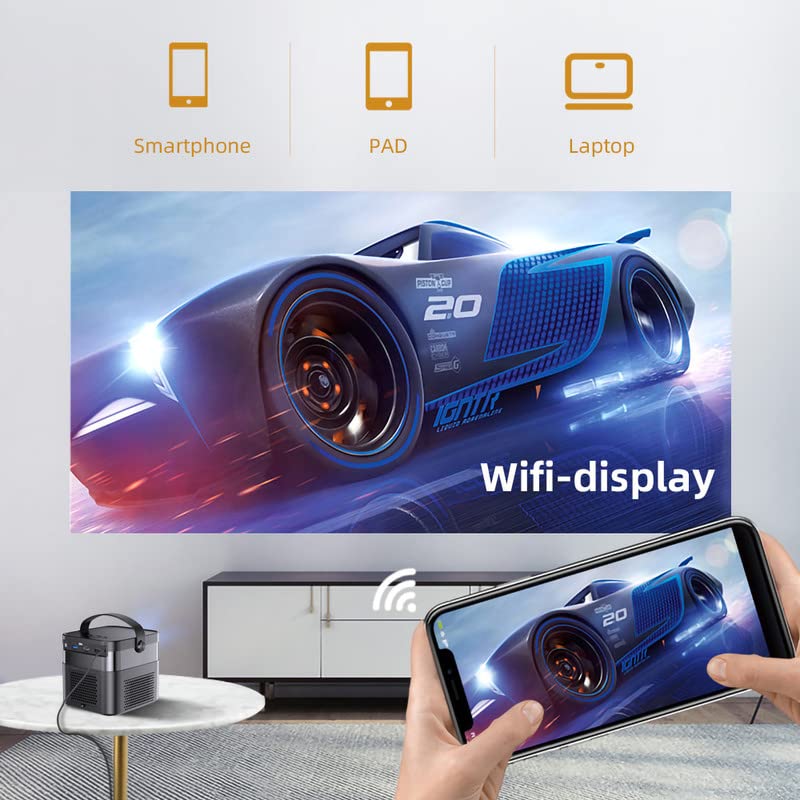
Wirelessly connect your Android or iOS devices for screen mirroring.

Image 6.2: Wireless display functionality, enabling screen mirroring from smartphones, tablets, and laptops.
- Ensure both the projector and your mobile device are connected to the same Wi-Fi network.
- Select the appropriate wireless projection app (e.g., Airplay, Miracast, DLNA, Eshare) on the projector's home screen.
- Follow the on-screen instructions to connect your smartphone, tablet, or laptop.
6.3 3D-funksionaliteit
Die projektor ondersteun Regte 3D content for an immersive viewondervinding.
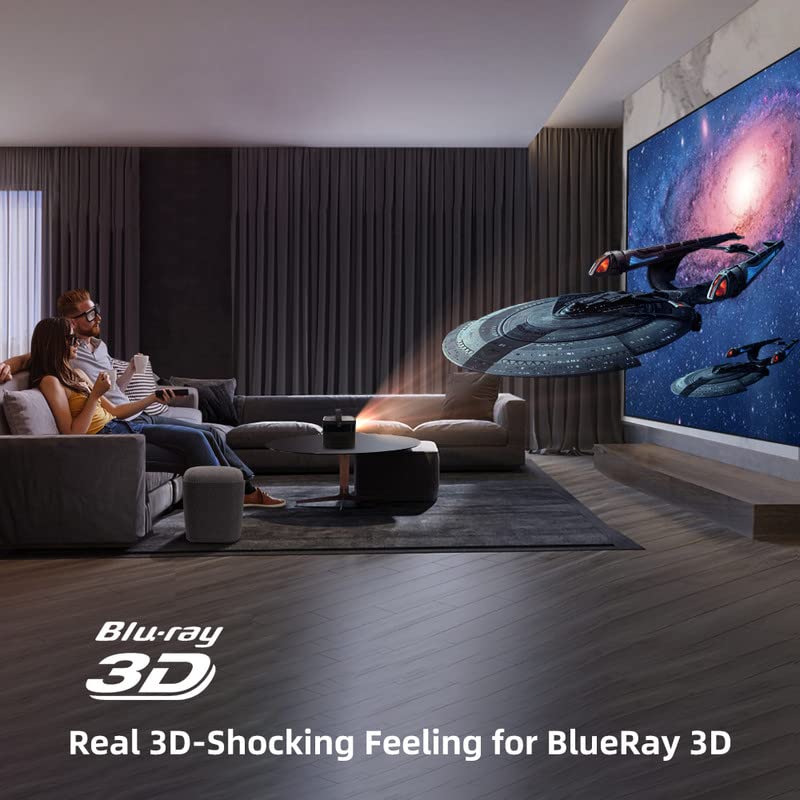
Image 6.3: The projector displaying 3D content for an immersive home theater experience.
- To enjoy 3D content, you will need compatible 3D glasses (sold separately).
- Play 3D-enabled media (e.g., Blu-ray 3D) through a connected device.
- Activate the 3D mode on the projector via the settings menu.
6.4 Klankuitset
The projector has built-in 2 x 5W speakers. For enhanced audio, connect external speakers or headphones via the 3.5mm Audio Jack or Bluetooth.
7. Onderhoud
7.1 Skoonmaak van die lens
Gebruik 'n sagte, pluisvrye lap wat spesifiek vir optiese lense ontwerp is. Moenie skuurmiddels of oormatige krag gebruik nie.
7.2 Skoonmaak van die stoffilter
The projector features a detachable dust filter. Regularly remove and clean it to maintain optimal performance and prevent overheating. Refer to Image 4.1 for the location of the detachable dust filter.
7.3 Batterysorg
The projector includes a rechargeable battery. To prolong battery life:
- Vermy om die battery gereeld heeltemal te ontlaai.
- Store the projector in a cool, dry place if not used for extended periods.
- Charge the battery periodically if stored for a long time.
8. Probleemoplossing
Indien u probleme ondervind, verwys na die volgende algemene probleme en oplossings:
| Probleem | Moontlike oorsaak | Oplossing |
|---|---|---|
| Geen prent word vertoon nie | Power cable loose, input source incorrect, lens cap on | Check power connection, select correct input source, remove lens cap |
| Beeld vaag | Focus not adjusted, keystone incorrect | Adjust focus using remote/keypad, correct keystone settings |
| Geen klank nie | Volume too low, external audio device not connected, source audio issue | Increase volume, check external audio connections, verify source audio output |
| Afstandbeheer werk nie | Batteries dead, IR receiver blocked | Replace batteries, ensure clear line of sight to IR receiver |
| Waarskuwing oor oorverhitting | Blocked ventilation, dusty filter | Ensure clear ventilation, clean dust filter |
9. Spesifikasies
Detailed technical specifications for the BYINTEK U70 Pro Projector:
| Kenmerk | Spesifikasie |
|---|---|
| Handelsmerk | BYINTEK |
| Model | BYINTEK-UFO-U70-PRO |
| Vertoon tegnologie | DLP (LED) |
| Beeldhelderheid | 500 ANSI lumen |
| Inheemse resolusie | 1280 x 800 (supports 1080p Full HD Pixels, Max supports 4K signal input) |
| Beeldkontrasverhouding | 15000:1 |
| Aspekverhouding | 16:9 (also 16:10, 4:3) |
| Projeksie grootte | 30-300 duim |
| Projeksie afstand | 1-8 meter |
| Bedryfstelsel | Android 9.0 |
| Interne berging | 32 GB |
| Spesiale kenmerke | Built-In 3D, Auto Focus, Short Throw, Built-in Speakers, Rechargeable Battery, Wireless Projection |
| Hardeware-koppelvlak | HDMI, USB 2.0, USB 3.0 |
| Verbindingstegnologie | Wi-Fi |
| Oudio-uitset | 3.5mm Audio Jack, Built-in 2 x 5W Speakers |
| Kragbron | DC 19V 3.42A, Rechargeable Battery |
| Wattage | 65 Watt |
| Produk afmetings | 12.9 x 14.9 x 12.7 cm |
| Item gewig | 1.36 kg |
| Modeljaar | 2023 |
10. Waarborg en Ondersteuning
10.1 Waarborginligting
The BYINTEK U70 Pro Projector comes with a 1 jaar waarborg vanaf die aankoopdatum. Bewaar asseblief u aankoopbewys vir waarborgeise. Die waarborg dek vervaardigingsdefekte onder normale gebruiksomstandighede.
10.2 Kliëntediens
For technical assistance, warranty claims, or any other inquiries, please contact BYINTEK customer support:
- Telefoonnommer: +91 8885241706
- E-pos: sorg@justshop24x7.com