
1. Inleiding
Thank you for choosing the Ytonet Rolling Laptop Bag. This manual provides essential information for the proper use, care, and maintenance of your new rolling briefcase. Please read it thoroughly to ensure optimal performance and longevity of your product.
This versatile bag is designed for convenience and organization, suitable for various uses including work, travel, and college. It accommodates laptops up to 17.3 inches and offers ample berging met veelvuldige kompartemente.
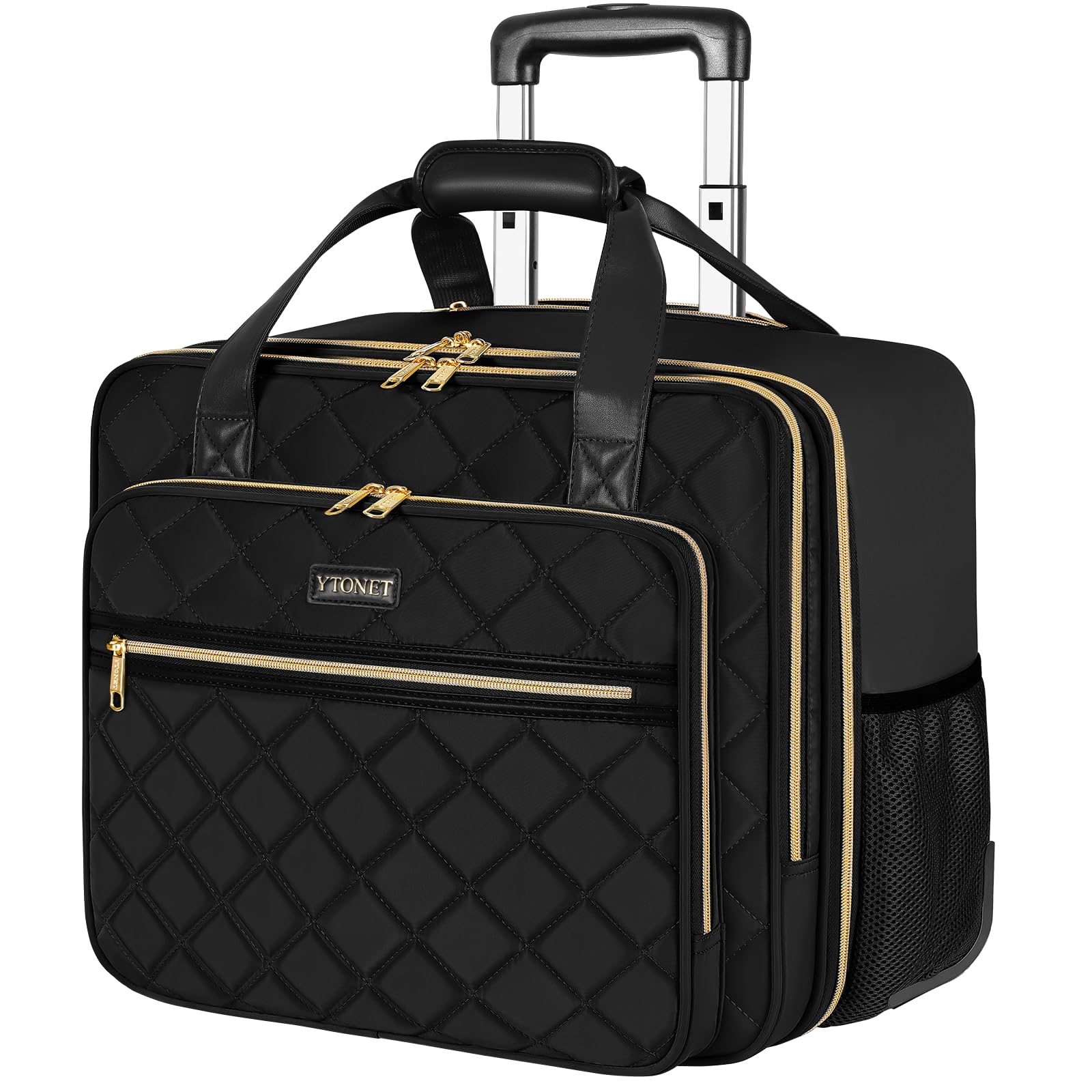
Figure 1: Ytonet Rolling Laptop Bag in use.
2. Produkkenmerke en -komponente
The Ytonet Rolling Laptop Bag is engineered for durability and functionality. Key features include:
- Long-Lasting Telescopic Handle: Constructed from lightweight and solid aluminum alloy for smooth extension and retraction.
- Sturdy Silent Smooth Wheels: High-density rubber wheels designed for quiet and effortless gliding across various surfaces.
- Groot kapasiteit: Over 10 pockets, including a thickened computer compartment for 17.3-inch laptops, quick-access front pockets, and side pockets.
- Waterbestande materiaal: Fashion black water-resistant nylon fabric with a quilted texture.
- Gold-Plated Zippers: Sturdy and smooth for reliable closure.
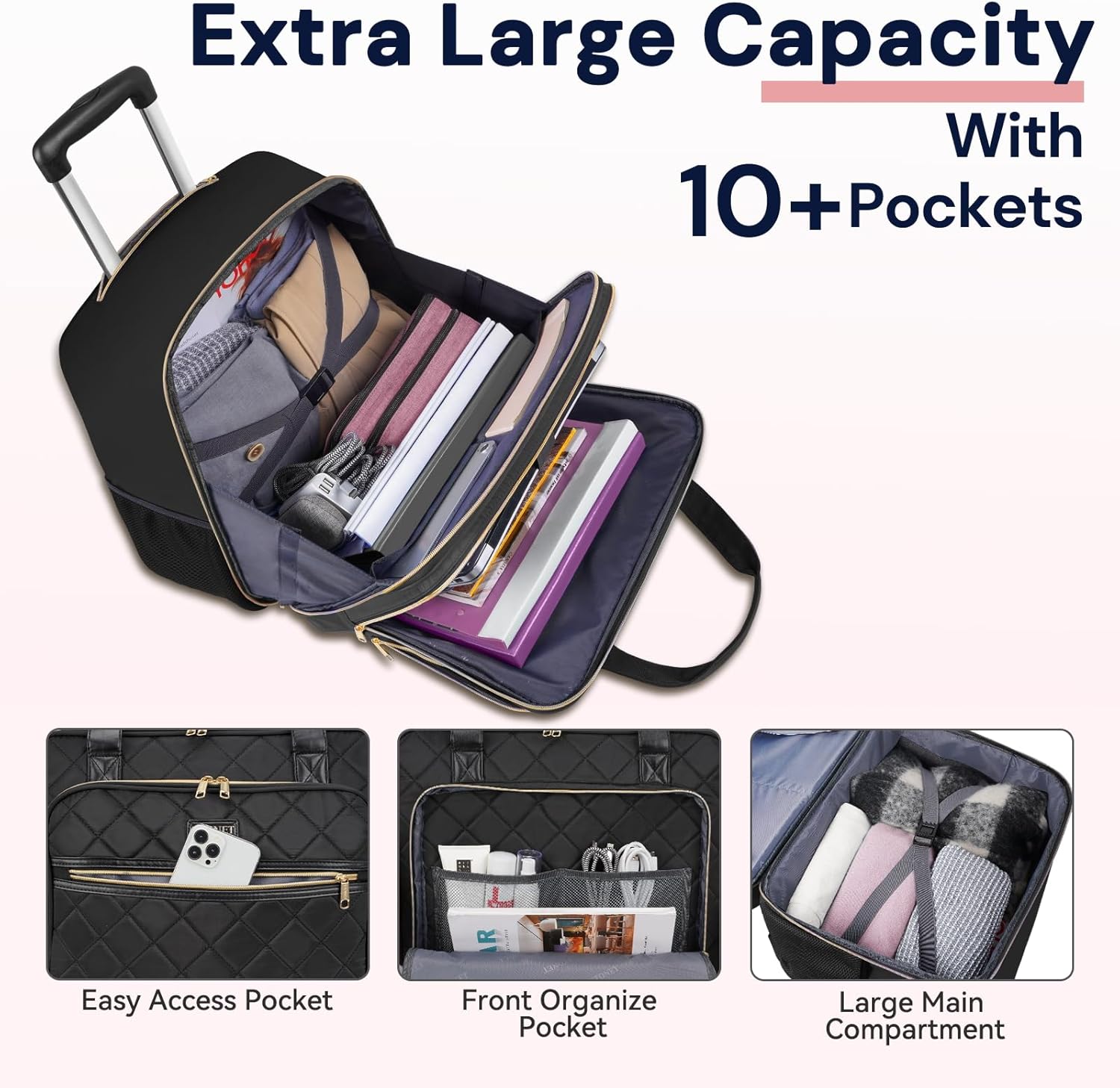
Figuur 2: oorview of the bag's large capacity and internal organization.

Figuur 3: Gedetailleerd view of the bag's internal organization and pockets.
3. Opstelling
3.1 Verlenging van die teleskopiese handvatsel
- Locate the handle release button on the top of the telescopic handle.
- Druk en hou die knoppie in.
- Gently pull the handle upwards until it extends to your desired height. Release the button to lock it in place.

Figure 4: Extending the telescopic handle.
3.2 Retracting the Telescopic Handle
- Druk en hou die handvatsel-vrystellingsknoppie in.
- Push the handle downwards until it is fully retracted into the bag.
- Laat die knoppie los.
3.3 Voorbereiding vir gebruik
Before first use, ensure all zippers operate smoothly. Familiarize yourself with the various compartments to optimize your packing strategy.
4. Operating the Bag
4.1 Utilizing Main Compartments
The bag features a large main compartment with internal straps to secure clothing or larger items. The padded laptop compartment is designed to safely hold laptops up to 17.3 inches.
Video 1: Demonstrates the laptop and main compartment.
Video 2: Shows the organization and capacity of each compartment.
4.2 Using External Pockets
- Front Quick-Access Pockets: Ideal for small items like phones, keys, or travel documents.
- Sy-gaas sakke: Geskik vir waterbottels of sambrele.
4.3 Rolling and Carrying
The bag can be easily rolled using the telescopic handle and silent wheels. For short distances or when navigating stairs, use the reinforced top handles for hand-carrying.
Video 3: Demonstrates the two ways to carry the bag: rolling and by hand.
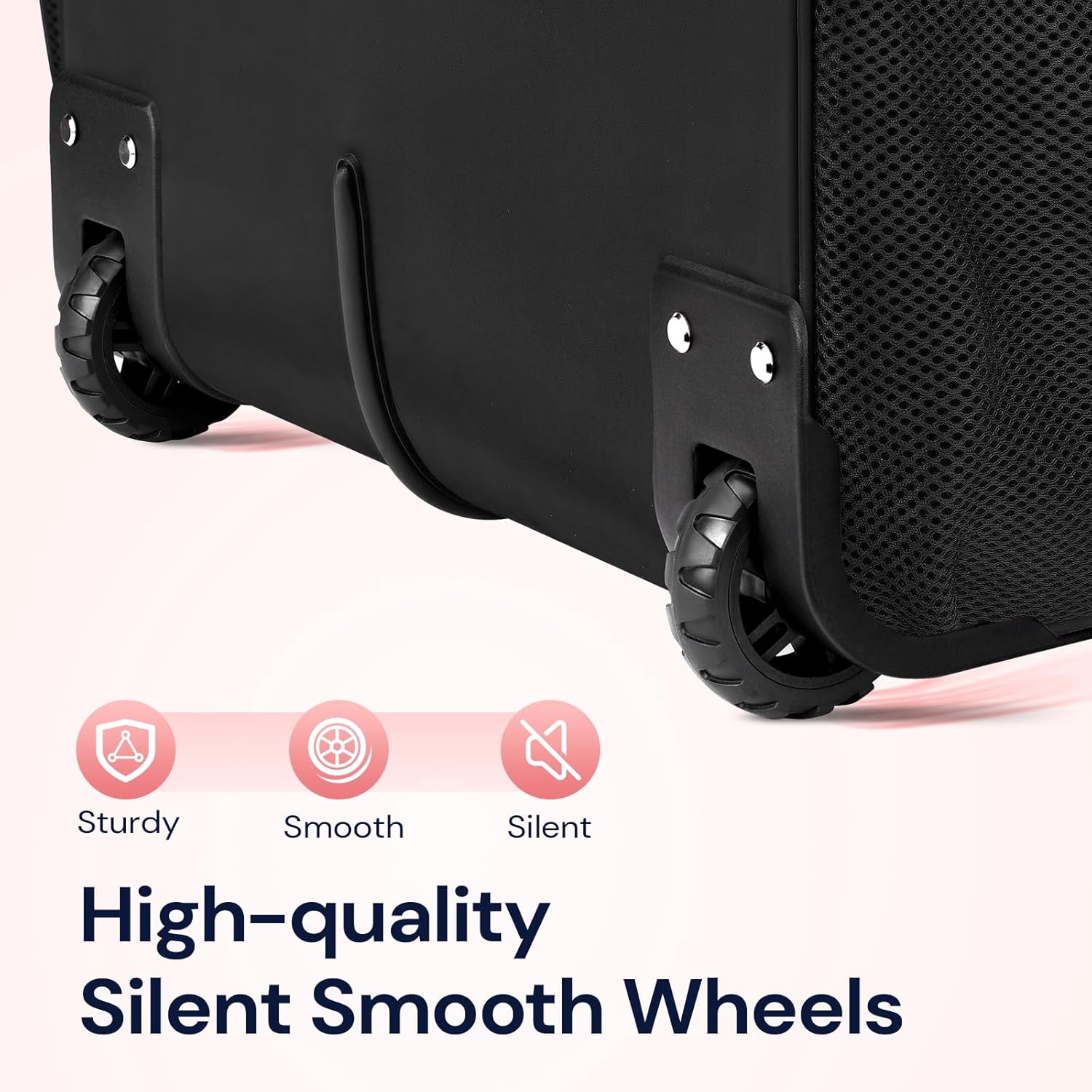
Figure 5: Detail of the silent smooth wheels.
Video 4: Generaal oorview of the Ytonet rolling laptop bag in action.
Video 5: A 360-degree display of the bag, highlighting its features from all angles.
5. Onderhoud
5.1 Skoonmaakinstruksies
- For minor spills or dirt, wipe the exterior with a damp lap en sagte seep.
- Moenie in die wasmasjien was of tuimeldroog gebruik nie.
- Allow the bag to air dry completely before storing.
5.2 Berging
Store the bag in a cool, dry place away from direct sunlight when not in use. Ensure the telescopic handle is fully retracted.
6. Probleemoplossing
6.1 Handle Issues
- Handle sticks or is difficult to extend/retract: Ensure the release button is fully pressed. Check for any obstructions in the handle mechanism. Avoid forcing the handle.
6.2 Wheel Issues
- Wiele rol nie glad nie: Check for debris (e.g., hair, lint) caught in the wheel axles. Clean as necessary. Avoid rolling over extremely rough surfaces.
6.3 Ritssluitingsprobleme
- Zipper snags or gets stuck: Gently pull the fabric away from the zipper teeth. Avoid overfilling compartments, which can put stress on zippers.
7. Spesifikasies
| Kenmerk | Spesifikasie |
|---|---|
| Handelsmerk | Ytonet |
| Model | B0BX9MMP8L |
| Itemafmetings (L x B x H) | 10.2 cm L x 16.5 cm B x 15 cm H |
| Item gewig | 2.3 kilogram |
| Materiaal tipe | Polyester |
| Kleur | Swart |
| Tipe wiel | Spinner |
| Aantal wiele | 2 |
| Tipe handvatsel | Telescopic Extendable Handle |
| Tipe band | Hand-Carry |
| Waterweerstandvlak | Waterbestand |
| Aantal sakke | 12 |
| Bergingsvolume | 5 liter |

Figure 6: Product dimensions and size reference.
8. Waarborg en Ondersteuning
Ytonet products are manufactured with quality and customer satisfaction in mind. For specific warranty information or technical support, please refer to the product packaging or contact Ytonet customer service directly. Keep your purchase receipt for warranty claims.