
1. Opstelling en installering
1.1 Kontrolelys voor die installasie
- Stelselversoenbaarheid: Ensure your motherboard has an available PCI Express 4.0 x16 slot.
- Kragtoevoer: Verifieer dat jou kragtoevoereenheid (PSU) aan die minimum watt voldoentage requirements for the RTX 3060 Ti and has the necessary PCIe power connectors. Consult your PSU manual for details.
- Opruiming: Confirm your PC case has adequate space for the graphics card dimensions.
- Bestuurders: Download the latest NVIDIA drivers from the official NVIDIA webwebwerf voor installasie.
1.2 Fisiese installasie
- Skakel af: Skakel jou rekenaar heeltemal af en ontkoppel die kragkabel.
- Oop Saak: Maak jou rekenaarkas oop om toegang tot die moederbord te kry.
- Vind PCIe-gleuf: Identify an available PCI Express 4.0 x16 slot. Remove any expansion slot covers if necessary.
- Voeg grafiese kaart in: Rig die grafiese kaart versigtig met die PCIe-gleuf en druk stewig vas totdat dit stewig vas is. Jy behoort 'n klik van die gleuf se retensieklem te hoor.
- Veilige kaart: Fasten the graphics card to the case using the screw or latch mechanism.
- Koppel krag: Connect the appropriate PCIe power cables from your PSU to the graphics card. The PNY GeForce RTX 3060 Ti typically requires one 8-pin PCIe power connector. Ensure all pins are fully seated.
- Sluit Saak: Close your computer case and reconnect the power cable.
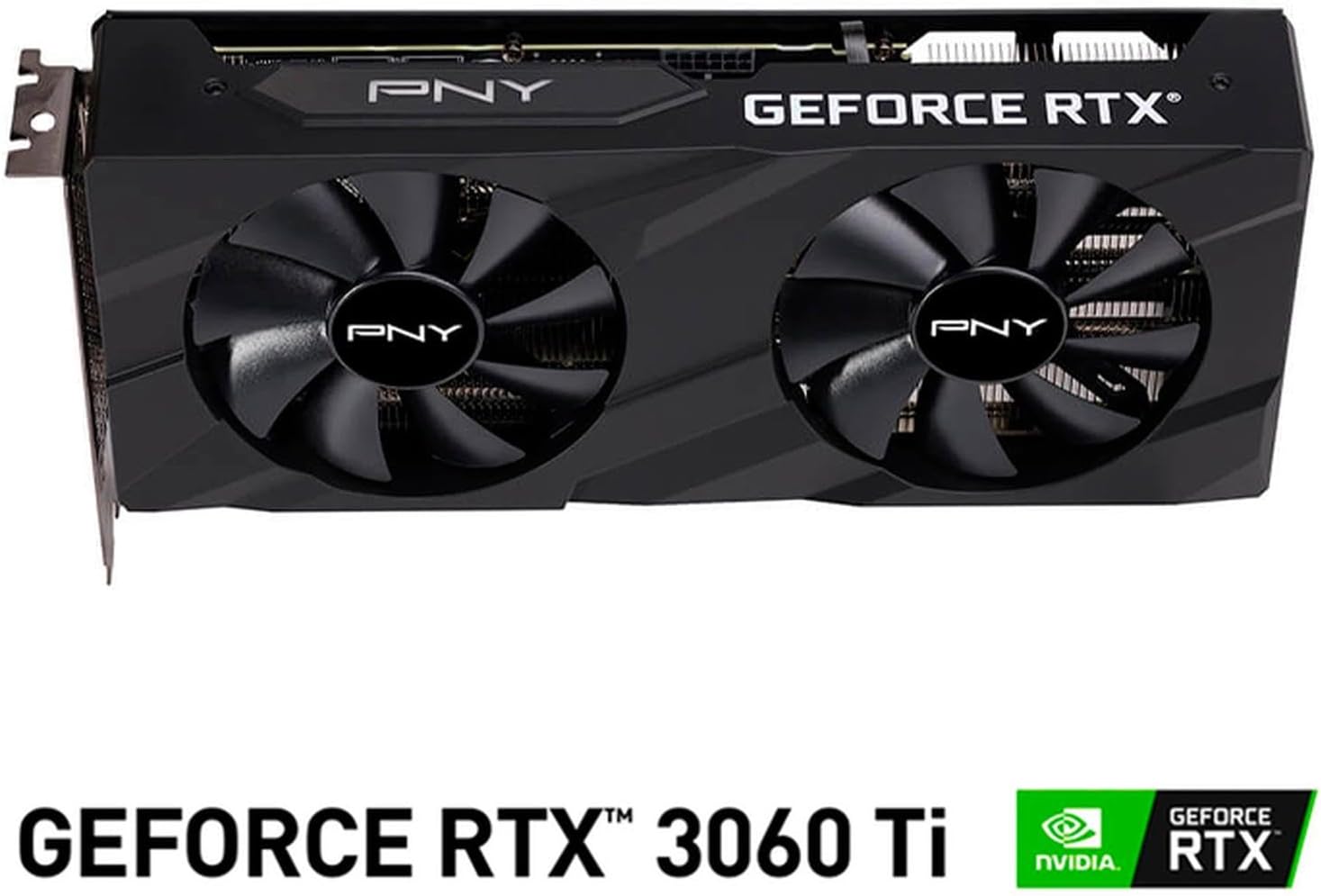
Beeld: Voorkant view of the PNY GeForce RTX 3060 Ti Verto Dual Fan Graphics Card, showing the dual fans and PNY branding.
1.3 Bestuurderinstallasie
- Opstartstelsel: Power on your computer. It may boot into a lower resolution or use generic display drivers initially.
- Installeer drywers: Run the NVIDIA driver installer downloaded earlier. Follow the on-screen prompts to complete the installation. A restart may be required.
- Verifieer installasie: After restarting, open NVIDIA GeForce Experience or the NVIDIA Control Panel to confirm the graphics card is recognized and drivers are up to date.
2. Operasie
2.1 Verbinding van skerms
The PNY GeForce RTX 3060 Ti features multiple video output interfaces for connecting displays:
- DisplayPort 1.4a: Vir monitors met hoë resolusie en hoë verversingstempo.
- HDMI 2.1: For connecting to TVs or monitors supporting 4K at higher refresh rates.
Connect your display cables to the appropriate ports on the graphics card. The card supports a maximum display resolution of 7680 x 4320 @60Hz.

Beeld: Hoekig view of the PNY GeForce RTX 3060 Ti Verto Dual Fan Graphics Card, highlighting the cooling solution and overall design.
2.2 NVIDIA GeForce Experience
NVIDIA GeForce Experience is a companion application for your graphics card. It allows you to:
- Optimize Game Settings: Automatically configure game settings for the best experience.
- Keep Drivers Up to Date: Receive notifications and easily install the latest NVIDIA Game Ready Drivers.
- Capture & Share: Record gameplay, take screenshots, and livestream with friends using features like ShadowPlay.
2.3 Prestasie Oorview
The GeForce RTX 3060 Ti is built on NVIDIA’s 2nd generation RTX architecture (Ampere), featuring enhanced Ray Tracing Cores and Tensor Cores for advanced graphics and AI acceleration. Key performance specifications include:
- Kernklok: 1410 MHz
- Versterk klok: 1665 MHz
- Geheue: 8GB GDDR6X (256-bit) with up to 608GB/sec bandwidth.
- CUDA-kerns: 4864
3. Onderhoud
3.1 Cleaning Your Graphics Card
Regular cleaning helps maintain optimal performance and extends the lifespan of your graphics card. Always power off your computer and disconnect the power cable before cleaning.
- Stofverwydering: Use compressed air to gently blow dust from the fans and heatsink fins. Hold the fans to prevent them from spinning rapidly during cleaning.
- Oppervlakte skoonmaak: Wipe the exterior surfaces with a soft, dry, lint-free cloth. Avoid using liquid cleaners directly on the card.
3.2 Dryweropdaterings
Keep your graphics drivers updated to ensure compatibility with the latest games and applications, and to benefit from performance improvements and bug fixes. Use NVIDIA GeForce Experience or visit the official NVIDIA webwebwerf om die nuutste drywers af te laai en te installeer.
4. Probleemoplossing
4.1 Algemene kwessies en oplossings
- Geen skermuitvoer:
- Maak seker dat die skermkabels stewig aan beide die grafiese kaart en die monitor gekoppel is.
- Verify the graphics card is fully seated in the PCIe slot and all power connectors are attached.
- Toets met 'n ander skermkabel of monitor indien moontlik.
- Stelselonstabiliteit of -ineenstortings:
- Maak seker dat jou kragtoevoer aan die aanbevole watt voldoentage.
- Check for overheating. Monitor GPU temperatures using software like MSI Afterburner or HWMonitor.
- Perform a clean installation of the latest graphics drivers.
- Poor Performance in Games:
- Maak seker dat jy die nuutste grafiese drywers geïnstalleer het.
- Gaan die instellings in die spel na; verminder die resolusie of grafiese kwaliteit indien nodig.
- Verify that your system is not bottlenecked by other components (CPU, RAM).

Beeld: Sykant view of the PNY GeForce RTX 3060 Ti Verto Dual Fan Graphics Card, showing the heatsink fins and power connectors.
5. Spesifikasies
Below are the detailed technical specifications for the PNY GeForce RTX 3060 Ti 8GB GDDR6X Verto Dual Fan Graphics Card:
| Kenmerk | Spesifikasie |
|---|---|
| Grafiese medeverwerker | NVIDIA GeForce RTX 3060 Ti |
| Handelsmerk | PNY |
| Grafiese RAM-grootte | 8 GB |
| Grafiese RAM Tipe | GDDR6X |
| GPU-klokspoed | 1410 MHz |
| Geheue Klokspoed | 1410 MHz (Effective 19000 MHz) |
| Video-uitset-koppelvlak | DisplayPort, HDMI |
| Grafiese kaart koppelvlak | PCI-Express x16 |
| Aantal waaiers | 2 |
| Maksimum vertoonresolusie | 7680 x 4320 @ 60Hz |
| Versoenbare toestelle | Desktop |
| Model Naam | VERTO Dual Fan |
| Modelnommer | VCG3061T8LDFBPB1 |
| UPC | 751492767314 |
| Item gewig | 1 Kilogram |

Beeld: Agterkant view of the PNY GeForce RTX 3060 Ti Verto Dual Fan Graphics Card, showing the backplate and PCB.
6. Waarborg en Ondersteuning
6.1 Produkwaarborg
This PNY GeForce RTX 3060 Ti Graphics Card comes with a 3 jaar waarborg. For specific terms and conditions, please refer to the warranty documentation included with your product or visit the official PNY webwebwerf.
6.2 Tegniese Ondersteuning
If you encounter any issues not covered in this manual or require further assistance, please contact PNY Technical Support. You can typically find support contact information, FAQs, and driver downloads on the official PNY webwebwerf: