
Inleiding
This manual provides essential instructions for the proper use and maintenance of your Kawai Universal Mini HD Satellite Remote Control. This remote is designed for seamless compatibility with various Kawai satellite receiver models, including Kw 900, Kw 6820, Kn 650, Kw 2000, 6850, 6950, and 8400. Please read this manual thoroughly before operating the device to ensure optimal performance and longevity.
Produk verbyview
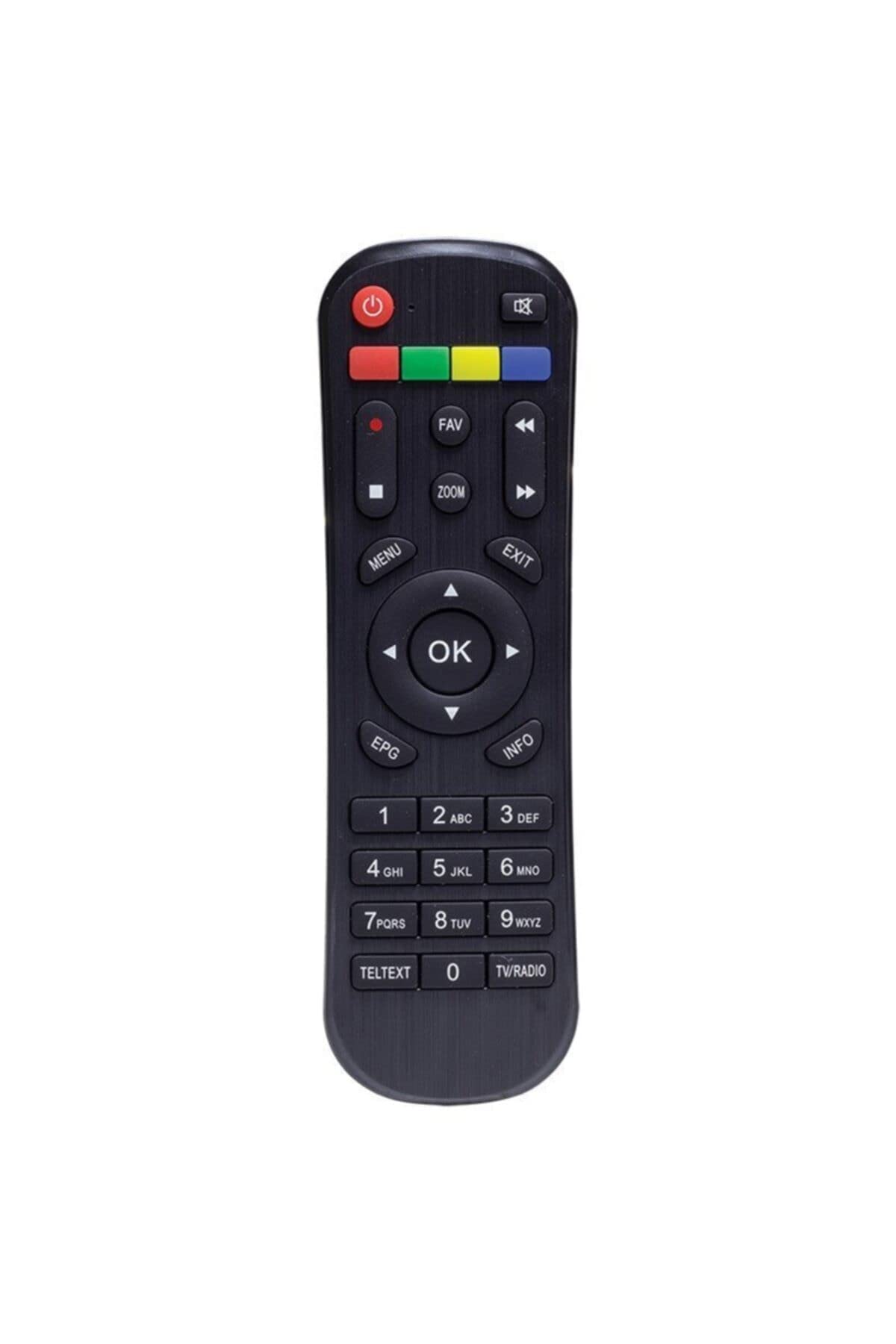
Figuur 1: Voorkant view of the Kawai Universal Mini HD Satellite Remote Control. This image displays the ergonomic design and button layout of the remote, highlighting its compact size and standard control functions.
The Kawai Universal Mini HD Satellite Remote Control is a compact and efficient device designed to provide full control over your compatible Kawai satellite receiver. Its intuitive button layout ensures ease of use for channel navigation, volume control, menu access, and other essential functions.
Opstelling
1. Battery Installasie
- Vind die batterykompartement aan die agterkant van die afstandbeheer.
- Skuif die batteryklep afwaarts of in die rigting wat deur die pyl aangedui word om dit oop te maak.
- Plaas twee AAA-batterye (nie ingesluit nie) in en maak seker dat die positiewe (+) en negatiewe (-) terminale ooreenstem met die diagramme binne-in die kompartement.
- Plaas die batteryklep terug deur dit terug in posisie te skuif totdat dit stewig klik.
2. Aanvanklike gebruik
This remote control is pre-programmed for compatibility with the listed Kawai satellite receiver models. No additional pairing or setup is typically required. Simply point the remote at your satellite receiver and begin operation.
- Ensure there are no obstructions between the remote control and the satellite receiver.
- Confirm that the satellite receiver is powered on.
Bedryfsinstruksies
Familiarize yourself with the primary functions of the remote control buttons:
- Kragknoppie (●): Turns the satellite receiver on or off.
- Kanaal op/af (CH +/-): Verander die televisiekanaal.
- Volume op/af (VOL +/-): Pas die klankvolume aan.
- Demp (DEM): Maak die klankuitvoer stil.
- Getalknoppies (0-9): Voer kanaalnommers direk in.
- Spyskaart (SPYSKAART): Accesses the satellite receiver's main menu.
- Navigasie knoppies (▲ ▼ ◀ ▶): Navigeer deur menu-opsies.
- OK/Enter (OK): Bevestig keuses in spyskaarte.
- Exit/Back (EXIT): Exits current menu or returns to the previous screen.
- Inligting (INLIGTING): Wys programinligting.
Specific button functions may vary slightly depending on your Kawai satellite receiver model. Refer to your receiver's manual for detailed information on advanced features.
Onderhoud
Skoonmaak
Om die afstandbeheerder skoon te maak, gebruik 'n sagte, droë lap. Vir hardnekkige vuiligheid, vee liggies afampen the cloth with water or a mild, non-abrasive cleaner. Avoid using harsh chemicals, solvents, or abrasive materials, as these can damage the remote's surface and internal components.
Battery vervanging
Replace batteries when the remote control's response becomes sluggish or stops functioning. Always replace both batteries simultaneously with new ones of the same type (AAA). Do not mix old and new batteries, or different types of batteries, as this can lead to leakage or damage.
- Remove old batteries promptly to prevent leakage.
- Gooi gebruikte batterye weg volgens plaaslike regulasies.
Probleemoplossing
| Probleem | Moontlike oorsaak | Oplossing |
|---|---|---|
| Afstandbeheer werk nie. |
|
|
| Sommige knoppies funksioneer nie. |
|
|
Spesifikasies
- Handelsmerk: Kawai (Listed as Generic by seller)
- Vervaardiger: Generies
- ASIN: B0BW4KLTDS
- Eerste Beskikbare Datum: 17 Februarie 2023
- Verenigbaarheid: Kawai Kw 900, Kw 6820, Kn 650, Kw 2000, 6850, 6950, 8400 Mini HD Satellite Receivers
- Kragbron: 2 x AAA-batterye (nie ingesluit nie)
Waarborg en Ondersteuning
For warranty information and technical support, please refer to the documentation provided with your original Kawai satellite receiver or contact the retailer from whom you purchased this remote control. Keep your purchase receipt as proof of purchase.
For further assistance, you may also visit the official Kawai website or contact their customer service department if available in your region.