
Neo STM-MOP
Neo 10-in-1 1500W Steam Mop
Model: STM-MOP
1. Belangrike veiligheidsinstruksies
Please read all instructions carefully before using the Neo 10-in-1 Steam Mop. Failure to follow these instructions may result in electric shock, fire, or serious personal injury.
- Always disconnect the appliance from the power supply before filling with water, cleaning, or performing maintenance.
- Moenie die stoommop sonder toesig laat wanneer dit ingeprop is nie.
- Moenie stoom op mense, diere of elektriese afsetpunte rig nie. Stoom is baie warm en kan brandwonde veroorsaak.
- Gebruik slegs gedistilleerde of gedemineraliseerde water in die watertenk om mineraalopbou te voorkom en die lewensduur van die toestel te verleng.
- Hou die toestel buite bereik van kinders en troeteldiere.
- Do not immerse the steam mop in water or any other liquid.
- Ensure the power cord is not damaged. Do not operate the appliance with a damaged cord or plug.
- Hierdie toestel is slegs vir huishoudelike gebruik. Moenie buite of vir kommersiële doeleindes gebruik nie.
2. Produk verbyview
The Neo 10-in-1 Steam Mop is a versatile cleaning appliance designed for various surfaces. It features a powerful 1500W heating element, a 400ml water tank, and a comprehensive 10-piece accessory kit.

Image: The Neo 10-in-1 Steam Mop shown with its full range of included accessories, highlighting its versatility.
Sleutel kenmerke:
- 1500W krag: Ensures quick heating and powerful steam output.
- Vinnige opwarming: Gereed vir gebruik in ongeveer 30 sekondes.
- Groot watertenk: 400ml capacity for extended cleaning sessions (up to 30 minutes of steam per tank).
- Veranderlike stoombeheer: Adjust steam intensity for different cleaning tasks and surfaces.
- 2-in-1 ontwerp: Functions as both a steam mop for floors and a detachable handheld steamer for various surfaces.
- 10-stuk bykomstigheidstel: Includes various nozzles, brushes, and tools for comprehensive cleaning.
- Lang kragkabel: Equipped with a 5-meter cable for extended reach.
- Ergonomiese handvatsel: Designed for comfortable grip and ease of use.
- Swivel Head: 180-degree swivel head for easy maneuverability around furniture.

Image: The steam mop demonstrating its dual functionality as an upright mop and a detachable handheld unit, alongside icons for ergonomic handle, 5m cable, and 180-degree swivel head.
Ingesluit bykomstighede:

Beeld: 'n Gedetailleerde view of the 10-piece accessory set, including various nozzles, brushes, a measuring cup, and mop pads.
- Maatbeker
- Jet spuitstuk
- Klein ronde kwas
- Groot ronde kwas
- Grout Tool
- Skraapwerktuig
- Fabric Tool with Microfiber Pad
- Window/Glass Cleaning Tool
- Tapyt sweeftuig
- Microfiber Mop Pads (2 included)
3. Opstelling
Vergadering:
- Heg die handvatsel aan: Steek die handvatsel in die hoofliggaam van die stoommop totdat dit stewig in plek klik.
- Heg die mopkop aan: Connect the mop head to the main body. Ensure it is firmly attached.
- Heg mikroveselkussing aan: Securely attach a clean microfiber mop pad to the bottom of the mop head. The pad typically attaches with hook-and-loop fasteners.
Vul die watertenk:
- Ensure the steam mop is unplugged from the power outlet.
- Locate the water tank cap, usually on the front or side of the main unit. Unscrew or open the cap.
- Using the provided measuring cup, fill the water tank with distilled or demineralized water. Do not overfill beyond the maximum fill line.
- Maak die watertenk se dop stewig toe.
Note: Using tap water may lead to mineral buildup, reducing the appliance's efficiency and lifespan. Regular descaling may be required if tap water is used.
4. Bedryfsinstruksies
Using as a Steam Mop:
- Ensure the water tank is filled and a clean mop pad is attached.
- Plug the power cord into a grounded electrical outlet. The indicator light will illuminate.
- Wait approximately 30 seconds for the steam mop to heat up. The indicator light may change color or turn off when ready.
- To activate steam, pump the handle or press the steam trigger (depending on model). Move the mop slowly and steadily over the floor surface.
- Adjust the steam intensity using the variable steam control dial if available.
- When finished, unplug the unit and allow it to cool before emptying any remaining water and removing the mop pad.

Image: Multiple Neo Steam Mops demonstrating their suitability for various floor types including carpet, tile, stone, and hard floors.
Gebruik as 'n handstoomboot:
- Unplug the steam mop. Detach the main handheld unit from the mop base by pressing the release button.
- Select the appropriate accessory for your cleaning task (e.g., jet nozzle for crevices, brush for scrubbing, fabric tool for upholstery). Attach it firmly to the handheld unit.
- Ensure the water tank is filled. Plug in the handheld unit.
- Wait for the unit to heat up. Direct the steam towards the surface to be cleaned, maintaining a safe distance.
- For stubborn areas, hold the steam over the spot for a few seconds.
- When finished, unplug and allow to cool before removing accessories and storing.
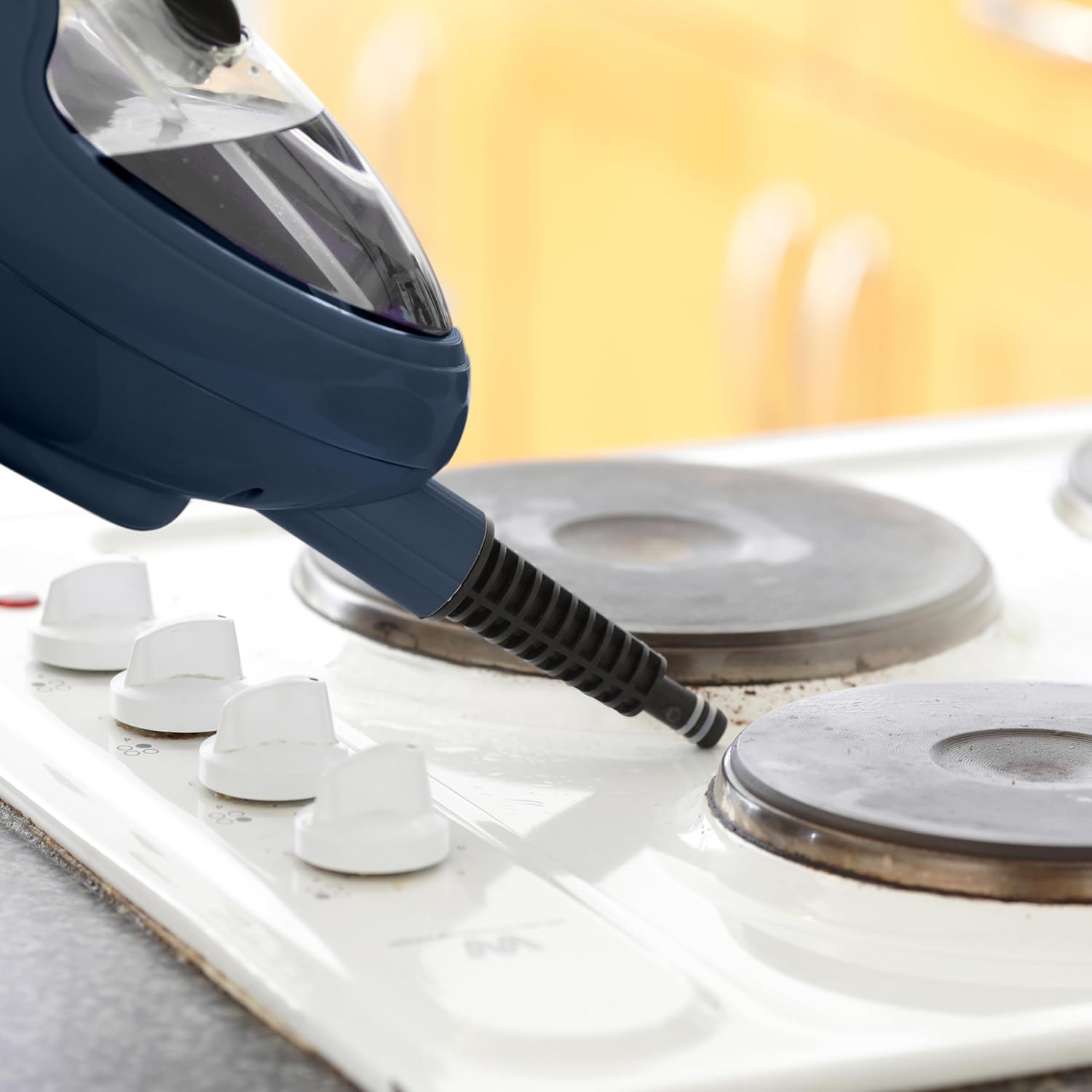
Image: The handheld steam unit being used to clean a stovetop, demonstrating its ability to target specific areas.

Image: The handheld steam unit cleaning a bathroom faucet, illustrating its use for sanitizing fixtures.

Image: The handheld steam unit with a brush attachment cleaning the interior of a microwave, showing its effectiveness on tough grime.
5. Onderhoud
Maak die eenheid skoon:
- Maak altyd seker dat die toestel afgeskakel en heeltemal afgekoel is voordat jy dit skoonmaak.
- Wipe the exterior of the steam mop with a soft, damp lap. Moenie skuur skoonmaakmiddels of oplosmiddels gebruik nie.
- Remove and wash microfiber mop pads after each use. They can typically be machine washed with mild detergent and air dried. Do not use bleach or fabric softeners.
- Empty any remaining water from the tank after each use to prevent stagnantwater en mineraalopbou.
Descaling (Mineral Buildup Removal):
Over time, mineral deposits can accumulate inside the steam mop, especially if tap water is used. This can reduce steam output. Descale your unit regularly (e.g., every 1-3 months depending on water hardness and usage).
- Prepare a descaling solution: Mix 1 part white vinegar with 2 parts distilled water.
- Ensure the unit is unplugged and cool. Empty any water from the tank.
- Gooi die ontkalkingsoplossing in die watertenk.
- Plug in the unit and allow it to heat up. Run the steam mop until half of the solution has been used.
- Unplug the unit and let it sit for 30 minutes to allow the solution to work.
- Plug it back in and run the remaining solution through.
- Empty the tank and rinse thoroughly with fresh distilled water. Run one full tank of fresh distilled water through the unit to flush out any remaining solution.
Berging:
- Ensure the steam mop is completely cool and dry before storing.
- Maak die watertenk leeg.
- Bêre die toestel op 'n koel, droë plek, weg van direkte sonlig en uiterste temperature.
- Wrap the power cord neatly around the designated cord wraps if available.
6. Probleemoplossing
| Probleem | Moontlike oorsaak | Oplossing |
|---|---|---|
| Geen stoom of lae stoomuitset. |
|
|
| Water lek uit die eenheid. |
|
|
| Mopblokkie maak nie effektief skoon nie. |
|
|
| Eenheid skakel nie aan nie. |
|
|
7. Spesifikasies
| Handelsmerk: | Neo |
| Modelnommer: | STM-MOP |
| Krag: | 1500 Watt |
| Voltage: | 2.3E+2 Volt (230V) |
| Watertenk kapasiteit: | 400 Milliliter |
| Item gewig: | 2.3 kilogram |
| Pakket afmetings: | 40 x 20 x 20 cm |
| Spesiale kenmerke: | Afneembaar, Draagbaar |
| Aanbevole oppervlak: | Floor, Window |
| Ingesluit komponente: | Nozzle, Nylon Brush, Measuring Cup, Dosing Glass (refer to Product Overview for full accessory list) |
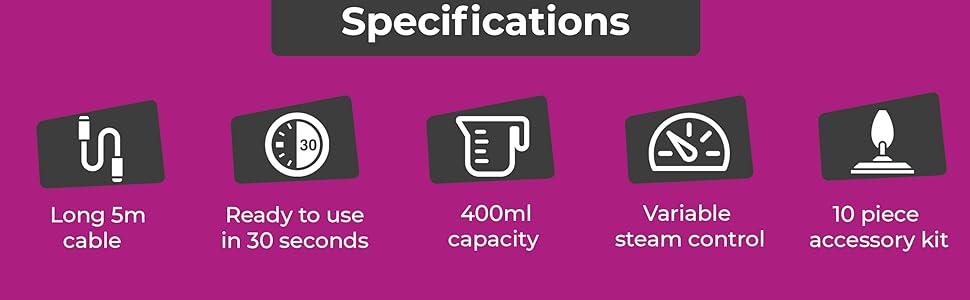
Image: An infographic summarizing key specifications including 5m cable, 30-second heat-up time, 400ml capacity, variable steam control, and the 10-piece accessory kit.
8. Waarborg en Ondersteuning
Specific warranty details are not provided in this manual. For warranty information, product support, or to purchase replacement parts and accessories, please contact the manufacturer or your retailer directly.
When contacting support, please have your product model number (STM-MOP) and purchase date available.
Manufacturer: Neo
Ask a question about this manual
Ask about setup, troubleshooting, compatibility, parts, safety, or missing instructions. Manuals+ will review the question and use this page’s manual context to help answer it.