
1. Inleiding
This manual provides comprehensive instructions for the safe and efficient use of your ALITOVE 12V 3A 36W Universal AC/DC Power Adapter. Please read this manual thoroughly before operating the device and retain it for future reference.
2. Produk verbyview
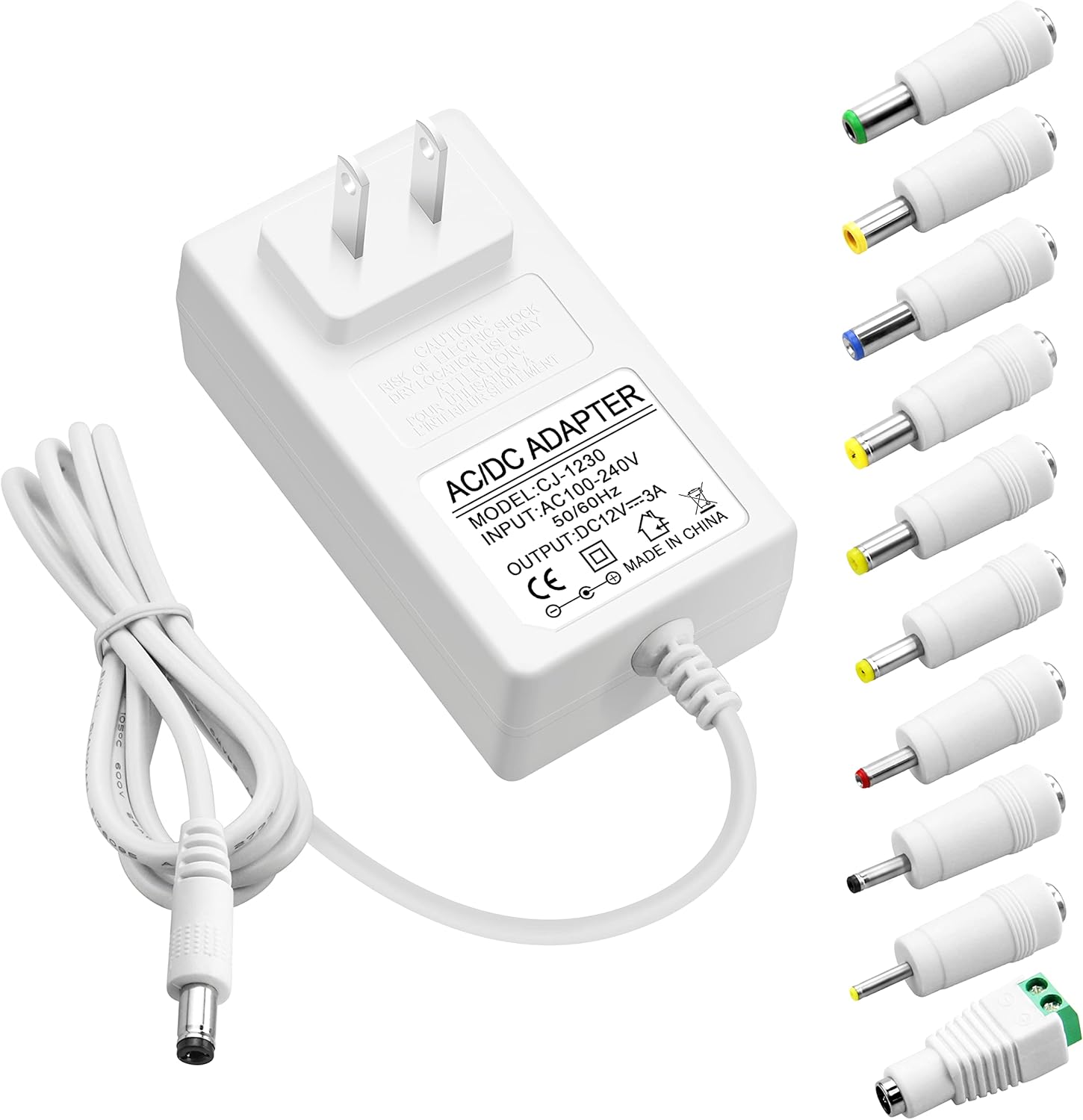
The ALITOVE 12V 3A 36W Universal AC/DC Power Adapter is designed to provide stable power to a wide range of 12V electronic devices. It features multiple safety protections and comes with 10 interchangeable DC tips for broad compatibility.
2.1 Pakketinhoud
- 1x ALITOVE 12V 3A Power Supply Adapter
- 10x DC Connector Tips
2.2 Adapter Features
- Invoer: 100V-240V AC, 50/60Hz
- Uitset: 12V DC, 3A (36W Max)
- Verenigbaarheid: Works with 12V devices requiring less than 3A (e.g., 500mA, 1000mA, 1.5A, 1.8A, 2A, 2.5A, 2.8A).
- Materiaal: Robust PC & ABS shell for durability and flame resistance.
- Kragkabel: Made of high-quality oxygen-free copper for better conductivity and reliability.
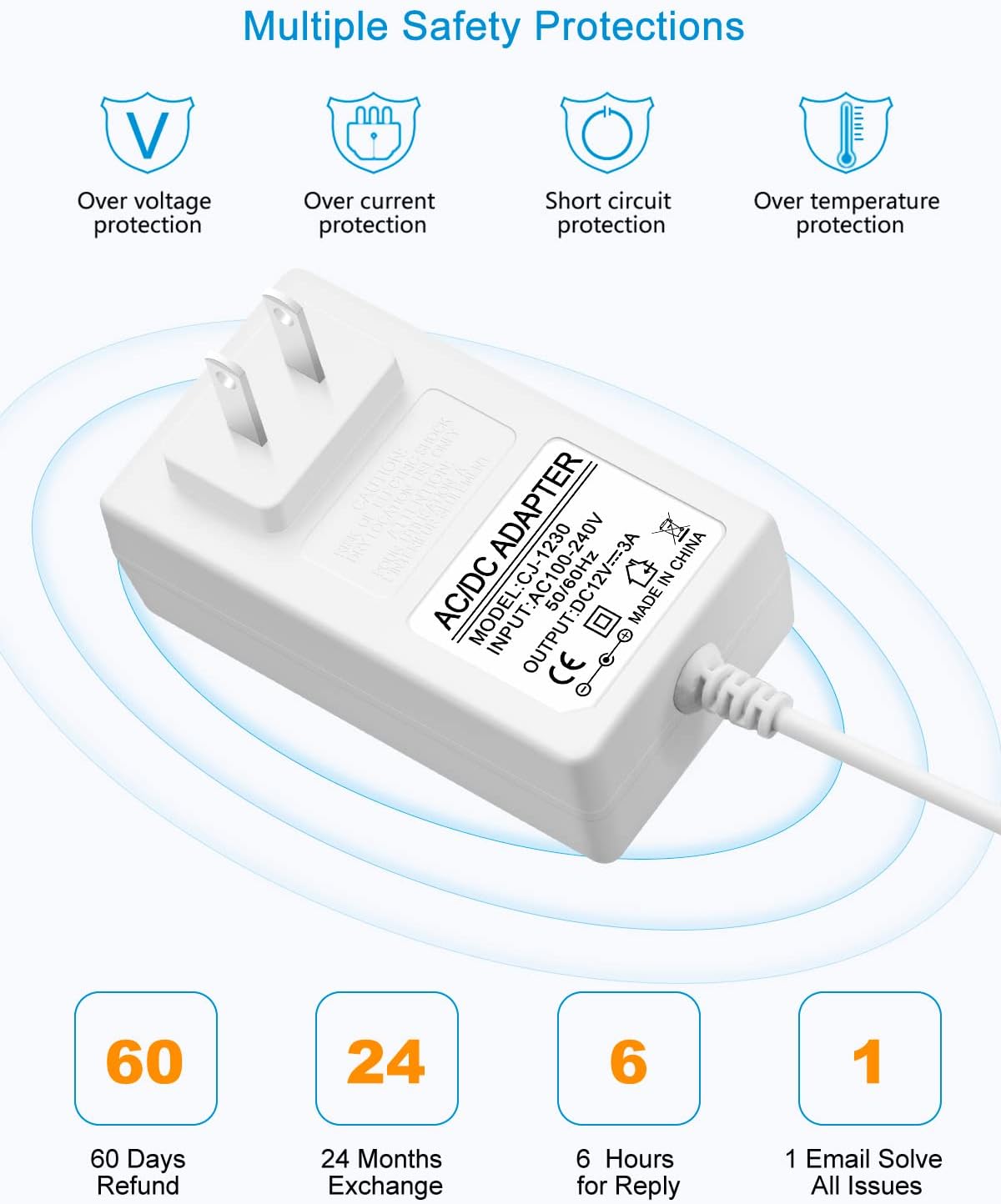
- Veiligheid: Ingeboude oorstroom, oorvoltage, oortemperatuur- en kortsluitingbeskerming.
2.3 DC Connector Tips
The adapter includes an original 5.5x2.5mm tip and 10 additional frequently used tips. The polarity for all tips is internal "+" and external "-".
- 5.5x2.1 mm
- 5.5x3.0mm + Pin
- 5.5x1.7 mm
- 4.8x1.7 mm
- 4.0x1.7 mm
- 3.5x1.35 mm
- 3.0x1.1 mm
- 2.5x0.7 mm
- 6.3x3.0 mm
- Terminale verbinding

3. Opstelinstruksies
Follow these steps to correctly set up your power adapter:
- Identify Device Requirements: Before connecting, verify the voltage en amperage requirements of your electronic device. This adapter is suitable for 12V devices requiring 3A or less.
- Select the Correct DC Tip: Choose the DC connector tip that matches the input port of your device. Ensure a snug fit.
- Connect Tip to Adapter: Firmly insert the selected DC tip onto the output cable of the ALITOVE power adapter.
- Koppel aan toestel: Plug the DC tip into your electronic device's power input port.
- Koppel aan kraguitlaat: Plug the AC power adapter into a standard 100-240V wall outlet.


4. Bedryfsinstruksies
Once connected, the power adapter will supply power to your device. Observe the following guidelines for optimal performance and safety:
- Moenie oorlaai nie: Ensure the connected device's current draw does not exceed 3A. Overloading can damage the adapter and the connected device.
- Aanbevole vrag: For prolonged lifespan and stable operation, it is recommended that the maximum power usage should not exceed 80% of the adapter's full load (i.e., for a 36W adapter, use with devices requiring up to 29W).
- Stal Voltage: The adapter is designed to provide a stable 12V output, protecting your devices from fluctuating voltage.

5. Veiligheidsinligting
Your ALITOVE power adapter is equipped with multiple safety features to protect both the adapter and your connected devices.
5.1 Built-in Protections
- Oorvoltage Beskerming: Voorkom skade as gevolg van oormatige volumetage.
- Oorstroombeskerming: Automatically cuts off power if current exceeds safe limits.
- Kortsluitingbeskerming: Beskermingsmaatreëls teen kortsluitings.
- Oortemperatuurbeskerming: Voorkom oorverhitting.
5.2 Algemene Veiligheidswaarskuwings
- Moenie die adapter aan water of oormatige vog blootstel nie.
- Do not disassemble or attempt to repair the adapter. Refer servicing to qualified personnel.
- Avoid using the adapter in extremely hot or cold environments.
- Hou buite bereik van kinders.
- Verseker behoorlike ventilasie rondom die adapter tydens gebruik.

6. Spesifikasies
| Kenmerk | Spesifikasie |
|---|---|
| Modelnommer | ALT-1203 |
| Invoer Voltage | 100-240V AC, 50/60Hz |
| Uitset Voltage | 12V GS |
| Uitsetstroom | 3A Maks |
| Uitset Wattage | 36W Maks |
| Polariteit | Internal "+", External "-" |
| Connector Tipe | Barrel Connector (with 10 interchangeable tips) |
| Produk afmetings | 3.94 x 3.15 x 2.36 duim |
| Item gewig | 4.9 onse |
| Kleur | Wit |
| Spesiale kenmerke | Short Circuit Protection, Over-voltage Protection, Over-current Protection, Over-temperature Protection |
7. Onderhoud
Proper maintenance ensures the longevity and reliable operation of your power adapter.
- Skoonmaak: Disconnect the adapter from the power outlet and device before cleaning. Use a soft, dry cloth to wipe the surface. Do not use liquid cleaners or sprays.
- Berging: Wanneer dit nie gebruik word nie, stoor die adapter in 'n koel, droë plek weg van direkte sonlig en uiterste temperature.
- Kabelversorging: Avoid bending or crimping the power cord excessively, especially at the stress points, to prevent internal wire damage.

8. Probleemoplossing
If you encounter issues with your ALITOVE power adapter, refer to the following common problems and solutions:
| Probleem | Moontlike oorsaak | Oplossing |
|---|---|---|
| Toestel word nie aangeskakel nie | Incorrect DC tip selected Adapter nie volledig ingeprop nie Device requires more than 3A Foutiewe kragaansluiting | Ensure correct tip is used Gaan alle verbindings na Verify device's current requirements (must be ≤3A) Toets met 'n ander uitlaat |
| Adapter feels hot | Normal operation (slight warmth) Oorlading Swak ventilasie | If excessively hot, disconnect immediately Ensure device current is ≤3A Provide adequate space around adapter |
| Intermitterende krag | Los verbinding Damaged cable/tip | Kontroleer alle verbindings vir styfheid Inspect cable and tips for visible damage; replace if necessary |
9. Waarborg en Ondersteuning
ALITOVE provides the following support for this product:
- 60 Days Refund: If you are not satisfied with the product.
- 24 Months Exchange: For product defects or malfunctions.
- Kliëntediens: Expect a reply within 6 hours for inquiries. All issues aim to be resolved via email.
For further assistance or to claim warranty, please contact ALITOVE customer support through the retailer where the product was purchased or visit the official ALITOVE store online.