
Inleiding
Thank you for choosing the Baseus Adaman Digital Display Power Bank (Model: PPAD070001). This portable power bank is designed to provide reliable and efficient charging for your electronic devices. Please read this manual carefully before use to ensure proper operation and to maximize the lifespan of your device.
Veiligheidsinligting
- Moenie die kragbank aan uiterste temperature, direkte sonlig of vuur blootstel nie.
- Vermy die val, demontage of wysiging van die toestel.
- Hou weg van water en ander vloeistowwe.
- Gebruik slegs gesertifiseerde laaikabels en adapters.
- Hou buite bereik van kinders.
- If the power bank swells, leaks, or emits an unusual odor, discontinue use immediately.
Pakketinhoud
- Baseus Adaman Digital Display Power Bank (PPAD070001)
- USB-laaikabel
- Gebruikershandleiding
Produk verbyview
The Baseus Adaman Power Bank (Model PPAD070001) is a portable charging solution featuring a digital display for battery status and multiple ports for wide compatibility. Its slim design makes it convenient for travel.

Prent: Top view of the Baseus Adaman Power Bank showing its various input and output ports. From left to right: Type-C (Input/Output), IP/IN (Input), Micro/IN (Input), USB2 (Output), USB1 (Output).

Prent: Side profile of the Baseus Adaman Power Bank, highlighting its slim and portable design.
- Tipe C-poort: Supports both input and output (PD 3.0).
- USB1/USB2 Ports: Output ports for charging devices (QC 3.0).
- Mikro-USB-poort: Input port for charging the power bank.
- IP/IN Port: Input port for charging the power bank (e.g., for Apple Lightning cables).
- Digitale skerm: Wys batterypersentasie intydstage.
Opstelling
Before first use, fully charge the power bank. This ensures optimal battery performance.
Laai die Power Bank
- Connect the provided USB charging cable to one of the input ports on the power bank (Type-C, Micro-USB, or IP/IN).
- Connect the other end of the cable to a USB wall charger (not included).
- Die digitale skerm sal die laaistatus en batterypersentasie wystage.
- Once the display shows 100%, the power bank is fully charged. Disconnect it from the charger.
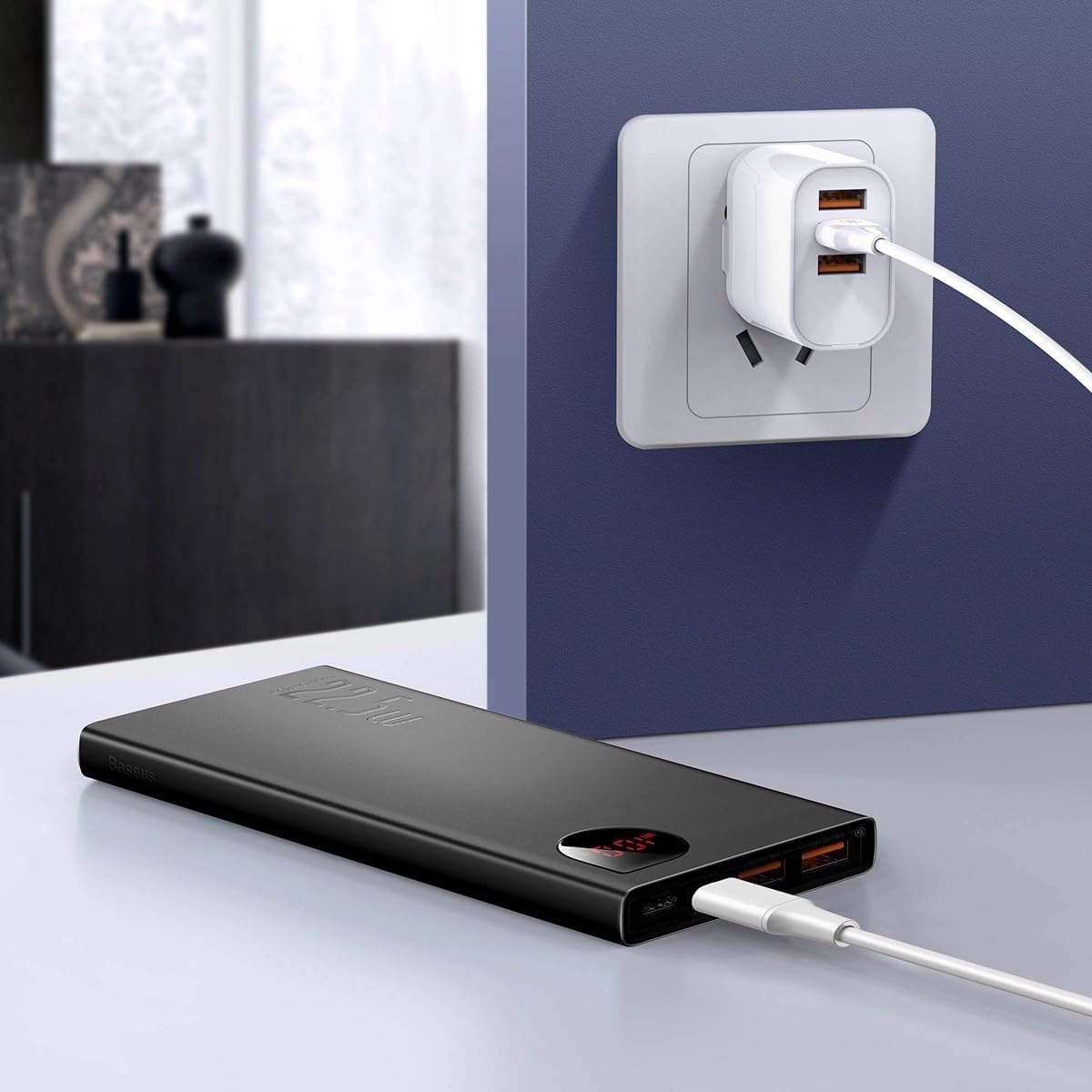
Prent: The Baseus Adaman Power Bank connected to a wall charger via a USB cable, illustrating the process of recharging the power bank itself.
Bedryfsinstruksies
Laai jou toestelle
- Connect your device's charging cable to one of the output ports on the power bank (Type-C, USB1, or USB2).
- Verbind die ander punt van die kabel met u toestel.
- Die kragbank sal outomaties jou toestel begin laai. Die digitale skerm sal die oorblywende batterypersentasie wys.tage.
- Om die laai te stop, ontkoppel eenvoudig jou toestel van die kragbank.

Prent: A smartphone being charged by the Baseus Adaman Power Bank, demonstrating the device's charging capability for mobile phones.
Kontroleer batteryvlak
The digital display on the power bank will show the current battery percentage when it is in use or when a device is connected. If the power bank is idle, you may need to briefly press the power button (if available, not explicitly mentioned but common) to activate the display.
Onderhoud
- Maak die kragbank skoon met 'n sagte, droë lap. Moenie harde chemikalieë of skuurmiddels gebruik nie.
- Berg die kragbank op 'n koel, droë plek wanneer dit nie gebruik word nie.
- For optimal battery health, fully charge and discharge the power bank at least once every three months if it's not used regularly.
Probleemoplossing
| Probleem | Moontlike oorsaak | Oplossing |
|---|---|---|
| Kragbank laai nie toestelle nie. | Low battery, faulty cable, incompatible device. | Charge the power bank. Try a different cable. Ensure your device is compatible. |
| Kragbank herlaai nie. | Faulty charging cable/adapter, damaged port. | Try a different charging cable and wall adapter. Check ports for damage. |
| Digitale skerm werk nie. | Power bank is off, low battery, malfunction. | Ensure power bank is on or connected to a device. Charge the power bank. If issue persists, contact support. |
Spesifikasies
| Kenmerk | Detail |
|---|---|
| Modelnommer | PPAD070001 |
| Handelsmerk | Baseus |
| Battery kapasiteit | 10000 mAh |
| Spesiale kenmerke | Digitale vertoning |
| Connector Tipes | Input: USB Type-C, Micro-USB, IP/IN; Output: USB Type-C, USB-A (x2) |
| Voltage | 5 Volt |
| Huidige | 5 Amps |
| Kraguitset | Up to 22.5W (PD 3.0, QC 3.0) |
| Battery sel samestelling | Litium polimeer |
| Aantal uitvoerpoorte | 3 (1x Tipe-C, 2x USB-A) |
| Number of Input Ports | 3 (1x Type-C, 1x Micro-USB, 1x IP/IN) |
| Versoenbare toestelle | All Smartphones and other USB-powered devices |
| Draagbaar | Ja |
Waarborg en Ondersteuning
Hierdie produk kom saam met Geen waarborg nie as per the provided specifications. For any technical support or inquiries, please refer to the official Baseus webwebwerf of kontak jou handelaar.
Vir meer inligting, besoek: www.baseus.com