
1. Inleiding
The Nobsound VFD253 is a versatile audio device that integrates multiple functions into a single unit. It serves as an audio spectrum analyzer, a Bluetooth receiver, an audio switcher, and a high-precision clock. This manual provides essential information for setting up, operating, and maintaining your VFD253 to ensure optimal performance.

Prent 1.1: The Nobsound VFD253 Audio Spectrum Analyzer Receiver displaying the time.
2. Sleutel kenmerke
- Multifunksionele ontwerp: Combines an audio spectrum analyzer, Bluetooth 5.0 receiver, 3.5mm AUX audio switcher, and a high-precision clock.
- High-Resolution VFD Display: Features a 25x15 dedicated green VFD display for accurate visualization of audio frequency bands.
- Veelsydige oudio-insette: Includes a built-in microphone pickup, Bluetooth 5.0 connectivity, and two 3.5mm AUX inputs for compatibility with various audio sources like smartphones, PCs, game players, amplewers en sprekers.
- Adjustable Display Modes & Brightness: Offers 5 decorative music spectrum display modes and 2 clock display modes. The VFD backlight brightness can be adjusted manually (3 levels) or automatically to suit different environments.
- High-Precision Clock: Equipped with an RX8025T built-in crystal oscillator, providing a clock accuracy of ±3ppm, resulting in an annual error of less than 1 minute.
- Wide Frequency Range & AGC Display: Supports an 80Hz-16KHz frequency sweep. A special Automatic Gain Control (AGC) algorithm and customized output curve ensure optimal visual effects across a wide range of input signal levels, preventing under-display for low inputs and over-display for high inputs.
- Customizable Display Effects: Individual adjustments for gain, brightness, main light column fall speed, hold time, and peak fall speed.
- Afskakelgeheue: All settings are saved automatically and retained after power cycling, eliminating the need for re-configuration.
- Gerieflike afstandbeheer: Allows easy adjustment of all settings from a distance.

Prent 2.1: verbyview of the VFD253's multi-functional capabilities, including audio spectrum analysis, Bluetooth, and AUX inputs.

Prent 2.2: The VFD253 displaying an audio spectrum in a typical home audio environment, highlighting its wide frequency range and AGC display.
3. Pakketinhoud
Kontroleer asseblief die pakket vir die volgende items:
- 1 × Nobsound VFD253 Audio Spectrum Analyzer Receiver
- 1 × USB Tipe-C-kabel
- 1 × Remote Control (Batterye nie ingesluit nie)

Prent 3.1: The Nobsound VFD253 package contents: the main unit, a USB Type-C cable, and a remote control.
4. Produk verbyview (Kontroles en Poorts)
Familiarize yourself with the various controls and connection ports on your VFD253 unit.

Prent 4.1: Front panel buttons and rear panel connections of the VFD253. Front buttons include 'Mode -', 'Mode +', and 'Audio source selection / Power switch'. Rear ports include 3.5mm AUX output, microphone pickup, 3.5mm AUX input (IN1), 3.5mm AUX input (IN2), and DC IN (Type-C).
- Knoppies op die voorpaneel:
- Mode -: Decreases display mode or setting value.
- Mode +: Increases display mode or setting value.
- Audio Source Selection / Power Switch: Short press to cycle through audio inputs; long press to power on/off.
- Agterpaneelpoorte:
- 3.5mm AUX Output: Koppel aan 'n amplifier of aktiewe luidsprekers.
- Mikrofoonoptel: Built-in microphone for ambient sound analysis.
- 3.5mm AUX Input (IN1): Connects to an audio source via 3.5mm cable.
- 3.5mm AUX Input (IN2): Connects to a second audio source via 3.5mm cable.
- DC IN (Type-C): Power input for the unit.
5. Opstelling
- Kragverbinding: Connect the provided USB Type-C cable to the DC IN port on the rear of the VFD253 and plug the other end into a suitable USB power adapter (5V DC, not included).
- Krag aan: Long press the 'Audio Source Selection / Power Switch' button on the front panel or press the power button on the remote control to turn on the unit.
- Oudio-invoerverbinding:
- Bluetooth: Select Bluetooth input using the front panel button or remote. Enable Bluetooth on your audio source (e.g., smartphone, PC) and pair with 'VFD253'.
- AUX-invoer: Connect your audio source (e.g., CD player, PC) to either the IN1 or IN2 3.5mm AUX input port using a 3.5mm audio cable. Select the corresponding AUX input.
- Mikrofoon: Select the microphone input to analyze ambient sound.
- Audio Output Connection (Optional): If using the VFD253 as an audio switcher, connect the 3.5mm AUX Output port to your amplifier of aktiewe luidsprekers.
6. Bedryfsinstruksies
6.1. Basiese werking
- Krag aan/af: Long press the 'Audio Source Selection / Power Switch' button on the front panel or press the Krag knoppie op die afstandbeheer.
- Invoerkeuse: Short press the 'Audio Source Selection / Power Switch' button on the front panel or use the Invoer button on the remote to cycle through AUX1, AUX2, Bluetooth, and Microphone inputs.
- Keuse van vertoonmodus: Gebruik die Modus button on the remote to switch between the 5 music spectrum display modes and 2 clock display modes.
- Helderheid aanpassing: Gebruik die Helderheid button on the remote to adjust the VFD display brightness manually (3 levels). The unit also supports automatic brightness adjustment.
6.2. Advanced Settings (via Remote Control)
The remote control provides access to various advanced settings for customizing the display effects.
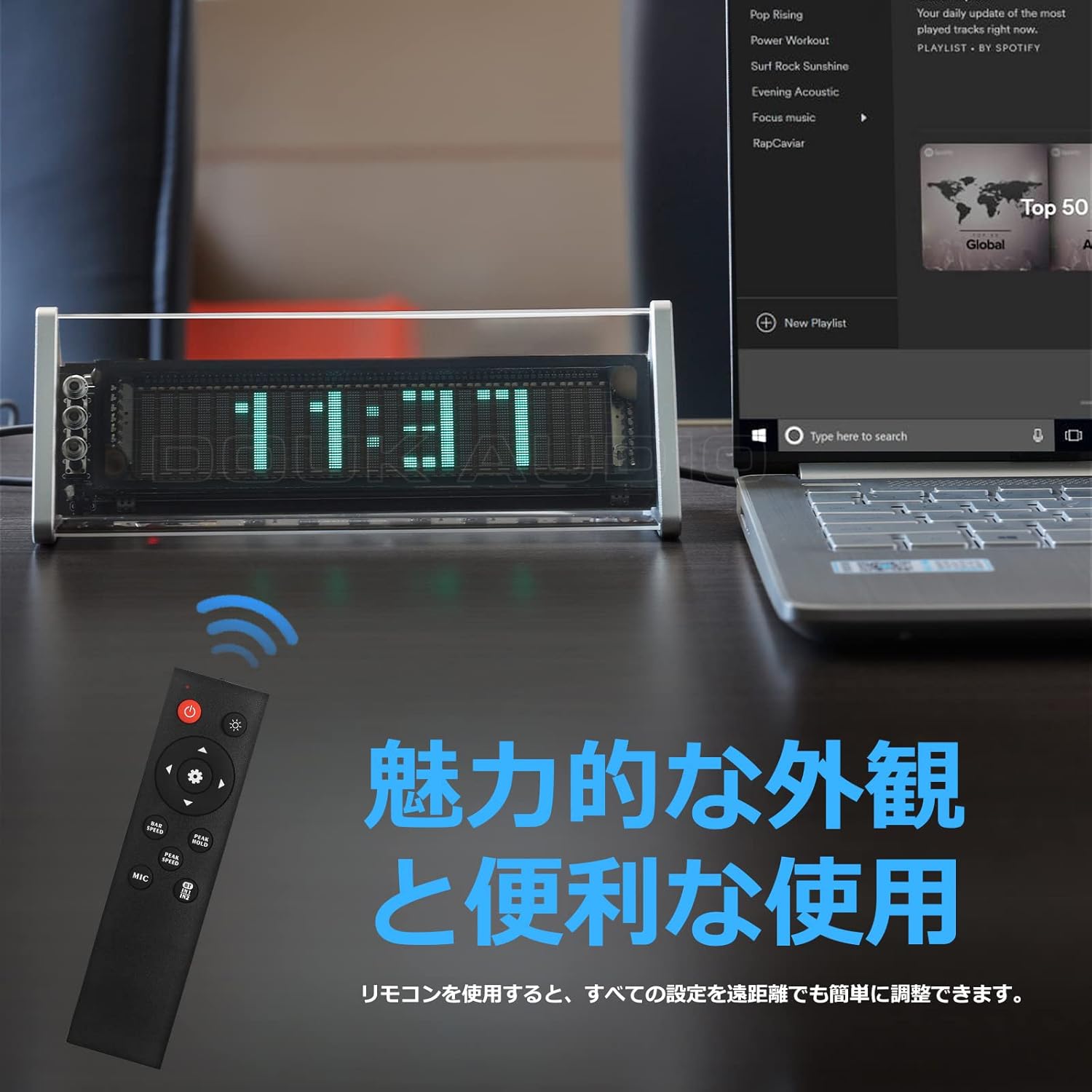
Prent 6.1: The remote control for the Nobsound VFD253, showing buttons for power, input, mode, brightness, gain, and speed adjustments.
- Winsaanpassing: Gebruik die Gain +/- buttons to adjust the input sensitivity, affecting the height of the spectrum display.
- Fall Speed Adjustment: Gebruik die Spoed +/- buttons to adjust the fall speed of the main light column and peak indicators.
- Hold Time Adjustment: Adjust the duration for which peak indicators remain on screen.
- MIC Input Toggle: Gebruik die MIC button to enable or disable the built-in microphone input.
- Instellingsgeheue: All adjustments are automatically saved thanks to the power-off memory function.
7. Vertoonmodusse
The VFD253 offers a variety of visual display options to enhance your audio experience or provide time information.
7.1. Music Spectrum Display Modes (5 Types)
These modes visualize the audio input in different dynamic patterns on the VFD screen.

Prent 7.1: Examples of various music spectrum display modes available on the VFD253.

Prent 7.2: 'n Gedetailleerde view of one of the music spectrum display modes.
7.2. Clock Display Modes (2 Types)
When no audio signal is detected for a period, or when manually selected, the unit can display the time.

Prent 7.3: 'n Gedetailleerde view of one of the clock display modes.
8. Spesifikasies
| Kenmerk | Spesifikasie |
|---|---|
| Handelsmerk | Geen geluid nie |
| Model | VFD253 |
| Tipe vertoon | Digital VFD (25 × 15 resolution) |
| Frekwensiereeks | 80Hz - 16KHz |
| Klok akkuraatheid | ±3ppm (annual error < 1 minute) |
| Konnektiwiteit | Bluetooth 5.0, 2 × 3.5mm AUX Input, 1 × 3.5mm AUX Output |
| Krag Invoer | DC 5V (USB Tipe-C) |
| Afmetings (L × H × D) | 184mm × 66mm × 75mm (approx. 7.24in × 2.60in × 2.95in) |
| Netto gewig | 322 g (0.71 lb) |
| Raammateriaal | ABS |
9. Probleemoplossing
If you encounter any issues with your VFD253, please refer to the following common problems and solutions:
- Geen skerm:
- Ensure the USB Type-C power cable is securely connected and receiving power.
- Press the power button on the unit or remote to ensure it is turned on.
- No Audio Output (when using AUX Out):
- Verify that the correct input source (AUX1, AUX2, or Bluetooth) is selected.
- Check all 3.5mm audio cable connections between the source, VFD253, and your amplifier/luidsprekers.
- Verseker jou ampDie luidsprekers/versterker is aangeskakel en op die korrekte invoer gestel.
- Display Not Reacting to Audio:
- Maak seker dat 'n oudiobron speel en korrek gekoppel is.
- If using microphone input, ensure the MIC input is enabled and there is ambient sound.
- Pas die Wins setting via the remote control to increase sensitivity.
- Probleme met Bluetooth-paring:
- Ensure the VFD253 is set to Bluetooth input mode.
- Disable and re-enable Bluetooth on your audio source device.
- Move the audio source closer to the VFD253 to ensure a strong signal.
- Afstandbeheer werk nie:
- Kontroleer en vervang die batterye in die afstandbeheerder.
- Ensure there is a clear line of sight between the remote and the VFD253.
10. Onderhoud
To ensure the longevity and proper functioning of your Nobsound VFD253, follow these maintenance guidelines:
- Skoonmaak: Use a soft, dry cloth to wipe the unit. Avoid using abrasive cleaners, solvents, or chemical sprays, as these can damage the finish or internal components.
- Omgewing: Place the unit in a dry, well-ventilated area away from direct sunlight, high temperatures, humidity, and strong magnetic fields.
- Hantering: Hanteer die eenheid versigtig. Vermy dit om te laat val of aan harde impakte bloot te stel.
- demontage: Do not attempt to disassemble or modify the unit. This will void the warranty and may cause damage or injury.
11. Waarborg en Ondersteuning
Nobsound products are designed for reliability and performance. For warranty information, technical support, or service inquiries, please refer to the official Nobsound webwebwerf of kontak u gemagtigde handelaar.
- Aanlyn ondersteuning: Visit the official Nobsound website for FAQs, product updates, and contact information.
- Kliëntediens: If you require further assistance, please contact Nobsound customer support with your product model and purchase details.