
Tecno SC01 - Black
Tecno Sonic 1 TWS Earbuds User Manual
Model: SC01 - Black | Brand: Tecno
Inleiding
The Tecno Sonic 1 TWS Earbuds are designed to provide a superior audio experience with extended battery life and versatile wearing options. Featuring advanced call noise cancellation and a durable, water-resistant design, these earbuds are perfect for on-the-go use.
Sleutel kenmerke:
- Up to 50 hours ultra-long battery life (with charging case)
- Free switching between in-ear and half in-ear wearing styles
- Effective call noise cancellation for clear communication
- Kompakte en liggewig ontwerp vir maklike draagbaarheid
- Dual connection and synchronous fast pairing
- IPX5 water resistance for worry-free use
Opstelgids
1. Aanvanklike laai
Before first use, fully charge the Tecno Sonic 1 earbuds and their charging case. Place both earbuds into the charging case and connect the case to a power source using the provided USB cable. The indicator lights on the case will show charging status.
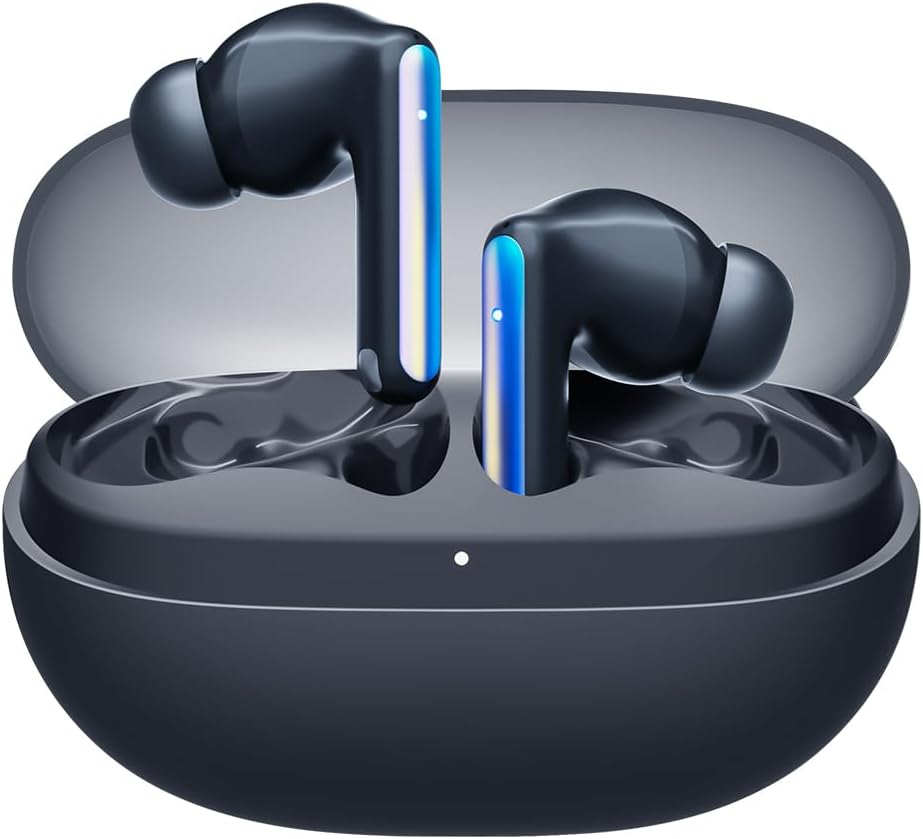
Image: Tecno Sonic 1 TWS Earbuds resting inside their charging case, indicating readiness for charging or storage.
2. Koppel met 'n Toestel
- Maak seker dat die oorfone in die laaikas is en dat die deksel oop is.
- Aktiveer Bluetooth op jou toestel (slimfoon, tablet, ens.).
- Select "Tecno Sonic 1" from the list of available Bluetooth devices.
- Sodra dit gekoppel is, sal 'n stemboodskap die suksesvolle paring bevestig.
Note: The earbuds support dual connection, allowing them to be paired with two devices simultaneously.
Bedryfsinstruksies
Dra die oordopjes
The Tecno Sonic 1 earbuds offer flexible wearing options: in-ear and half in-ear. Choose the ear tips that provide the most comfortable and secure fit for optimal sound quality and noise cancellation.
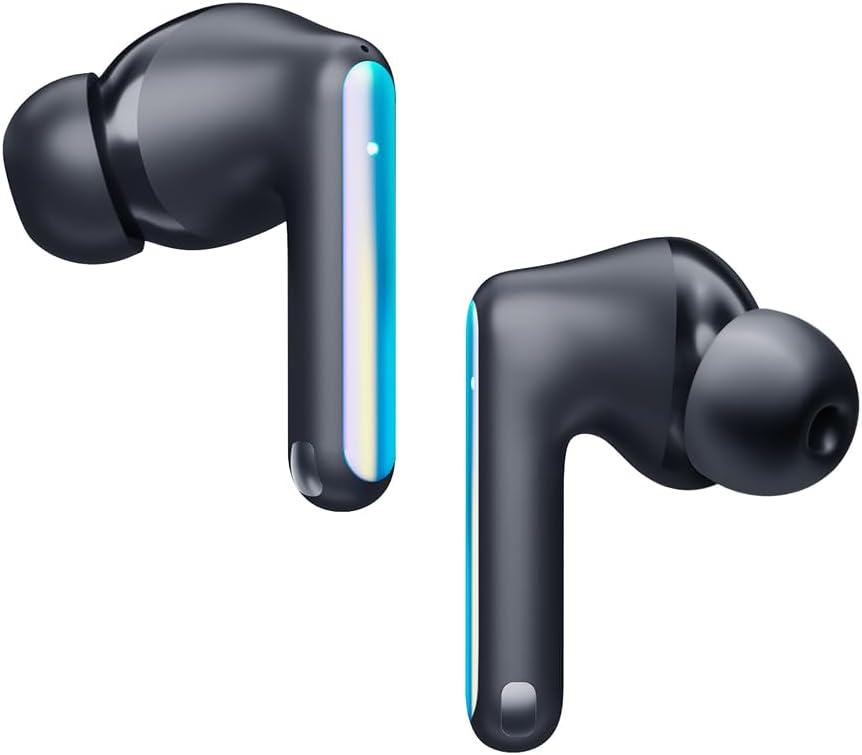
Image: Individual Tecno Sonic 1 TWS Earbuds, highlighting their sleek design and showing the different ear tip options for in-ear and half in-ear fit.
Raak kontroles
| Aksie | Funksie |
|---|---|
| Enkele tik (links/regs) | Speel/Pauseer Musiek, Beantwoord/Beëindig Oproep |
| Dubbeltik (Regs) | Volgende Snit |
| Dubbeltik (links) | Vorige Snit |
| Drievoudige tik (links/regs) | Aktiveer stemassistent |
| Long Press (2s, Left/Right) | Verwerp oproep |
Onderhoud
Skoonmaak
- Maak die oordopjes en laaikas gereeld skoon met 'n sagte, droë, pluisvrye lap.
- Verwyder die oordoppe en maak dit skoon met sagte seep en water, droog dit dan deeglik af voordat jy dit weer vasmaak.
- Moenie skuur skoonmaakmiddels of oplosmiddels gebruik nie.
Berging
When not in use, store the earbuds in their charging case to protect them from dust and damage, and to ensure they remain charged.
Probleemoplossing
Algemene kwessies en oplossings:
- Oordopjes koppel of verbind nie:
- Maak seker dat die oorfone gelaai is.
- Skakel Bluetooth op jou toestel af en aan.
- Forget "Tecno Sonic 1" from your device's Bluetooth list and try pairing again.
- Place earbuds back in the case, close the lid for 5 seconds, then open to reset.
- Geen geluid of lae volume:
- Kontroleer die volumevlakke op beide oorfone en jou gekoppelde toestel.
- Maak seker dat die oorfone behoorlik in jou ore sit.
- Maak enige puin van die oordopjesroosters skoon.
- Laai kwessies:
- Verifieer dat die laaikabel en adapter korrek werk.
- Ensure charging contacts on earbuds and case are clean and dry.
Spesifikasies
| Kenmerk | Detail |
|---|---|
| Handelsmerk | Tegnologie |
| Model Naam | Sonic - 1 |
| Item Modelnommer | SC01 - Black |
| Verbindingstegnologie | Draadloos (Bluetooth) |
| Oorplasing | In Oor |
| Oorfone vorm faktor | In Oor |
| Geraasbeheer | Sound Isolation (Call Noise Cancellation) |
| Impedansie | 3 ohm |
| Koptelefoonaansluiting | Geen Jack |
| Kleur | Swart |
| Produk afmetings | 7.5 x 5.2 x 2.7 cm |
| Item gewig | 52 gram |
| Batterye | 1 Litium-ioonbattery (ingesluit) |
| Waterweerstand | IPX5 |
Waarborg en Ondersteuning
For warranty information and technical support, please refer to the documentation included with your purchase or visit the official Tecno webwebwerf. Bewaar u bewys van aankoop vir enige waarborgeise.
Jy kan besoek die Tecno Store on Amazon vir meer produkinligting en ondersteuningsbronne.
Ask a question about this manual
Ask about setup, troubleshooting, compatibility, parts, safety, or missing instructions. Manuals+ will review the question and use this page’s manual context to help answer it.