
BUFFBEE BK11
BUFFBEE Sound Machine & Alarm Clock
Model: BK11 - User Manual
Inleiding
Thank you for choosing the BUFFBEE Sound Machine & Alarm Clock. This versatile 2-in-1 device combines a high-quality sound machine with a fully functional alarm clock, designed to help you achieve restful sleep and wake up refreshed. Its intuitive controls and customizable features make it an essential addition to any bedroom.

Image: The Buffbee Sound Machine and Alarm Clock highlighting its dual functionality as both a sound machine and an alarm clock.
Veiligheidsinligting
- Moenie die toestel aan water of oormatige humiditeit blootstel nie.
- Hou weg van hittebronne en direkte sonlig.
- Gebruik slegs die meegeleverde kragadapter.
- Moenie probeer om die toestel self uitmekaar te haal of te herstel nie. Kontak kliëntediens vir bystand.
- Maak seker dat die toestel op 'n stabiele, plat oppervlak geplaas word.
Pakketinhoud
- BUFFBEE Sound Machine & Alarm Clock (Model: BK11)
- Kragadapter
- Gebruikershandleiding
Produk verbyview
Familiarize yourself with the device's components and controls:

Image: A detailed diagram illustrating the top panel controls (Alarm, Volume Control, Sound Machine, Night Light) and the rear panel (Display Dimmer, Adapter port).
- Toppaneelkontroles: Alarm button, Timer button, Volume Up/Down, Previous/Next Sound, Sound Machine button, Night Light button.
- Voorskerm: Digitale horlosie vertoon.
- Onderste lig: Integrated colored light.
- Agter Paneel: DC 5V Adapter port, 0-100% Display Dimmer knob.
Opstelling
- Plasing: Place the device on a stable surface, such as a nightstand or desk.
- Kragverbinding: Insert the power adapter into the DC 5V port on the rear of the device, then plug it into a standard electrical outlet.
- Aanvanklike krag aan: Die klokskerm sal verlig.
- Stel tyd: Refer to the 'Operating Instructions' section for setting the current time.
Bedryfsinstruksies
Stel die tyd in
- Druk en hou die Tyd button (clock icon) on the top panel until the hour digits flash.
- Gebruik die Vorige (◀︎) or Volgende (▶︎) buttons to adjust the hour.
- Druk die Tyd button again to confirm the hour and move to minute setting.
- Gebruik die Vorige (◀︎) or Volgende (▶︎) buttons to adjust the minutes.
- Druk die Tyd button one more time to confirm the minutes and exit time setting.
Stel die alarm
- Druk en hou die Alarm button (bell icon) on the top panel until the alarm hour digits flash.
- Gebruik die Vorige (◀︎) or Volgende (▶︎) buttons to adjust the alarm hour.
- Druk die Alarm button again to confirm the hour and move to alarm minute setting.
- Gebruik die Vorige (◀︎) or Volgende (▶︎) buttons to adjust the alarm minutes.
- Druk die Alarm button one more time to confirm the minutes. The alarm icon will appear on the display, indicating the alarm is set.
- Om die alarm af te skakel, druk die Alarm knoppie een keer. Die alarmikoon sal verdwyn.
Using the Sound Machine
The device offers 18 soothing sounds, including 5 white noises, 3 fan sounds, and 10 nature sounds (ocean, lullaby, waves, rain, thunderstorm, brook, croaking, bird chirping, summer night, and campvuur).
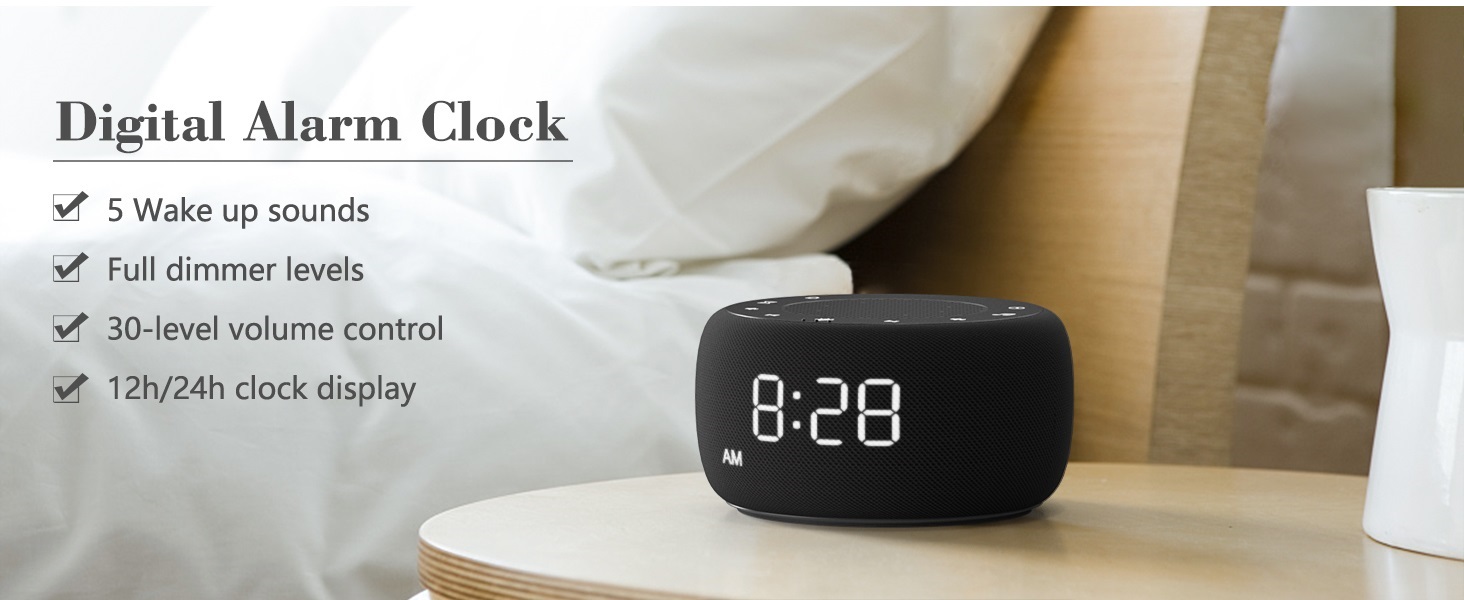
Image: An infographic displaying the 18 soothing sounds categorized into 3 fan sounds, 5 white noises, and 10 nature sounds, including ocean, lullaby, waves, rain, thunderstorm, brook, croaking, bird chirping, summer night, and campvuur.
- Druk die Klankmasjien button (music note icon) to cycle through the available sounds.
- Gebruik die Volume op (▲) en Volume af (▼) buttons to adjust the volume (30 levels).
- To turn off the sound, press the Klankmasjien button until no sound is playing.
Slaap Timer
Set a timer for the sound machine to automatically turn off.

Image: The top panel of the Buffbee Sound Machine, highlighting the Auto-Off Timer button and the Volume Control buttons.
- Druk die Afteller button (hourglass icon) to cycle through timer options: 15, 30, 60, 90, 120 minutes, or continuous play.
- The selected timer duration will be displayed on the screen.
Adjusting Clock Face Brightness
The clock display brightness can be adjusted from 0% (completely dark) to 100%.

Image: The Buffbee Sound Machine demonstrating its 0-100% display dimmer feature, showing the clock face at 0%, partial, and 100% brightness.
- Vind die Vertoon dimmer knob on the rear of the device.
- Rotate the knob to increase or decrease the brightness of the clock display to your preference.
Using the Bottom Colored Light
The device features a bottom light with 7 color options to create a relaxing ambiance.

Image: The Buffbee Sound Machine displaying its bottom colored light feature, showing various color options and the ability to turn it on or off.
- Druk die Naglig button (light bulb icon) to cycle through the 7 color options.
- Continue pressing the button to turn the light off.
Onderhoud
- Skoonmaak: Vee die toestel af met 'n sagte, droë lap. Moenie skuurmiddels of oplosmiddels gebruik nie.
- Berging: Wanneer dit nie vir lang tye gebruik word nie, bêre die toestel op 'n koel, droë plek.
Probleemoplossing
| Probleem | Moontlike oorsaak | Oplossing |
|---|---|---|
| Toestel skakel nie aan nie. | Kragadapter nie behoorlik gekoppel nie of kragaansluitingsprobleem. | Ensure the power adapter is securely plugged into the device and a working electrical outlet. Try a different outlet. |
| Clock display is too bright/dim. | Display dimmer setting needs adjustment. | Adjust the 0-100% Display Dimmer knob on the rear of the device. |
| Klank is nie hard genoeg nie. | Volume is te laag gestel. | Druk die Volume op (▲) button to increase the volume. The device has 30 volume levels. |
| Die alarm lui nie. | Alarm is not set or is turned off. | Ensure the alarm is set correctly and the alarm icon is visible on the display. |
Spesifikasies
| Kenmerk | Detail |
|---|---|
| Modelnommer | BK11 |
| Afmetings | 5.63 x 4.57 x 3.03 duim |
| Gewig | 11.64 onse |
| Kragbron | Battery Powered (for backup) / AC Adapter |
| Luidspreker Uitset | 5W |
| Klankopsies | 18 (5 white noises, 3 fan sounds, 10 nature sounds) |
| Volumevlakke | 30 |
| Slaap Timer | 15, 30, 60, 90, 120 minutes, or continuous |
| Helderheid van klokskerm | 0-100% verstelbaar |
| Bottom Light Colors | 7 opsies |
| Materiaal | Plastiek, Akrielnitril Butadieen Styreen (ABS) |
Waarborg en Ondersteuning
For warranty information and customer support, please refer to the contact details provided on the product packaging or visit the official BUFFBEE webwerf. Hou jou aankoopkwitansie vir waarborgeise.
Ask a question about this manual
Ask about setup, troubleshooting, compatibility, parts, safety, or missing instructions. Manuals+ will review the question and use this page’s manual context to help answer it.