
Sharp CP-SS30(BK)
Sharp CP-SS30(BK) Aktiewe Boekrakluidsprekers Gebruikershandleiding
Model: CP-SS30(BK)
1. Inleiding
Dankie vir die aankoopasing the Sharp CP-SS30(BK) Active Bookshelf Speakers. These speakers are designed to provide superior sound reproduction with versatile connectivity options. Please read this manual carefully before using the product to ensure proper operation and to maximize your listening experience.
The CP-SS30(BK) features a robust plywood cabinet, 60W RMS (2 x 30W) two-way active sound, and multiple input options including Bluetooth v5.0, USB, Optical, Auxiliary, and RCA. It also includes an equalizer with preset and custom bass/treble adjustments, and a full-function remote control for convenience.
2. Veiligheidsinligting
Please observe the following safety precautions to prevent damage to the product and to ensure your safety:
- Moenie die luidsprekers aan reën of vog blootstel nie.
- Moenie enige ventilasie-openinge blokkeer nie.
- Moenie naby enige hittebronne soos verkoelers, hitteregisters, stowe of ander toerusting (insluitend ampversterkers) wat hitte produseer.
- Beskerm die kragkoord teen geloop of vasgeknyp, veral by proppe, geriefshouers en die punt waar dit uit die apparaat kom.
- Gebruik slegs aanhegsels/bykomstighede gespesifiseer deur die vervaardiger.
- Ontkoppel hierdie apparaat tydens weerligstorms of wanneer dit vir lang tye ongebruik word.
- Verwys alle diens na gekwalifiseerde dienspersoneel. Versorging word vereis wanneer die apparaat op enige manier beskadig is, soos kragtoevoerkoord of prop beskadig is, vloeistof gemors is of voorwerpe in die apparaat geval het, die apparaat aan reën of vog blootgestel is, nie normaal werk nie. , of laat vaar is.
3. Pakketinhoud
Kontroleer asseblief dat alle items teenwoordig en in goeie toestand is:
- 2 x Sharp CP-SS30(BK) Bookshelf Speakers
- 1 x afstandbeheer (batterye ingesluit)
- 1 x RCA Audio Cable (3 meters)
- 1 x AUX Audio Cable (1.2 meters)
- 1 x Power Cable (1.2 meters)
- 1 x Luidsprekerverbindingskabel
- Gebruikersdokumentasie

Image: All components included in the Sharp CP-SS30(BK) package, including two speakers, remote control, and various cables.
4. Produkkenmerke
The Sharp CP-SS30(BK) speakers offer a range of features for an enhanced audio experience:
- Kragtige klankuitvoer: 60W RMS (2 x 30W) two-way active speakers for clear and dynamic sound.
- Premium konstruksie: Plywood cabinet design ensures superior sound reproduction and durability.
- Draadlose konneksie: Seamless audio streaming with Bluetooth v5.0.
- Verskeie insette: Connect various devices via Bluetooth, USB, Optical, Auxiliary (AUX), and RCA inputs.
- Aanpasbare klank: Built-in equalizer with five preset settings and independent bass and treble adjustment.
- Moderne ontwerp: Removable speaker grilles allow for a contemporary aesthetic.
- Gerieflike beheer: Full-function remote control for easy operation from a distance.

Beeld: Voorkant view of the Sharp CP-SS30(BK) speakers with the remote control, showcasing their design and compact size.

Beeld: 'n Nabyskoot view of the front panel of one Sharp CP-SS30(BK) speaker with the grille removed, highlighting the tweeter, woofer, indicator light, and volume/input knob.
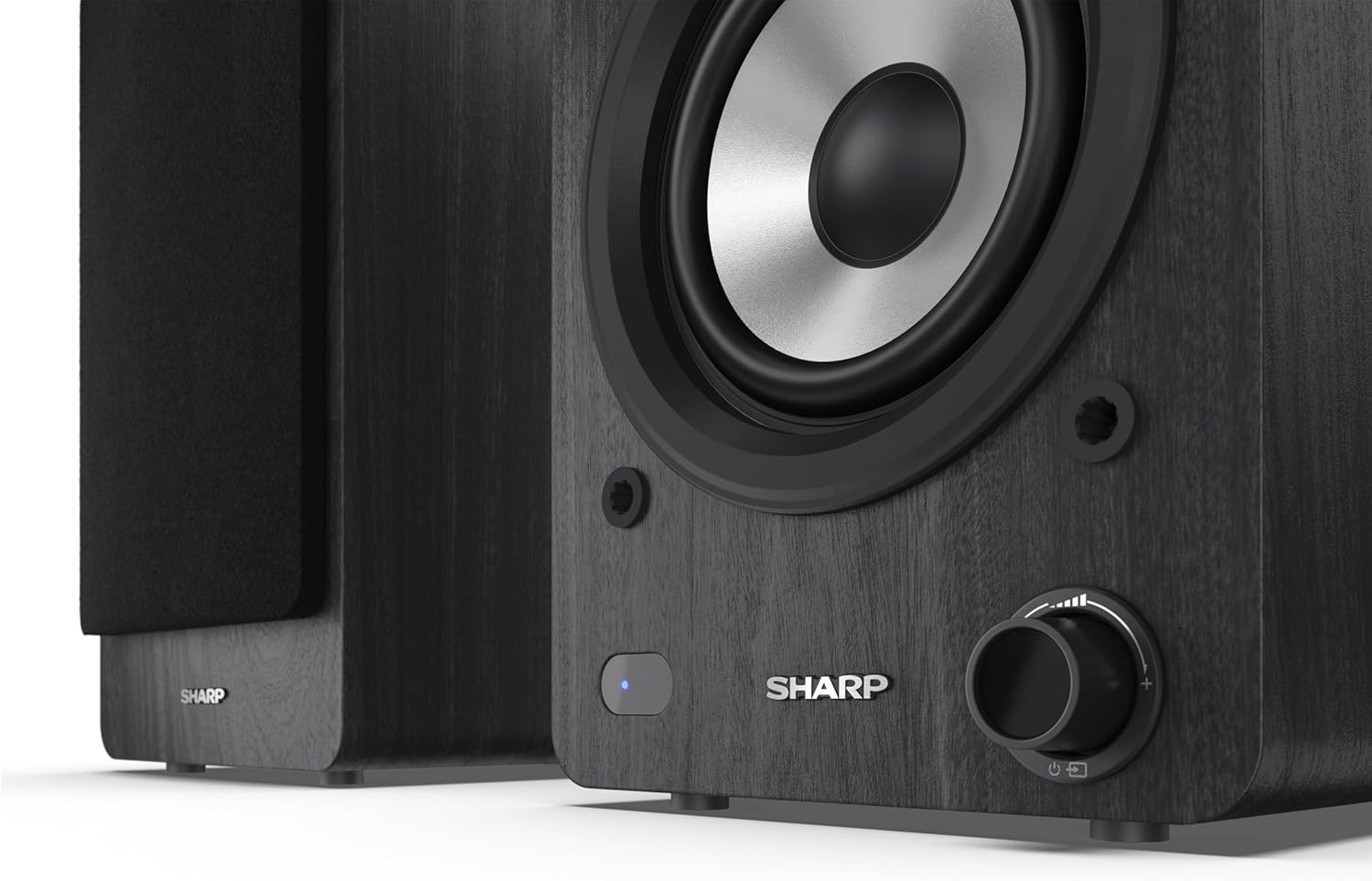
Image: A detailed shot of the control knob and the blue indicator light on the Sharp CP-SS30(BK) speaker, showing the subtle branding.
5. Opstelling
5.1 Luidsprekerplasing
For optimal sound quality, place the speakers on a stable, flat surface. Position them at an equal distance from your listening position, forming an equilateral triangle for the best stereo imaging. Ensure there is adequate space behind the speakers for ventilation and cable connections.
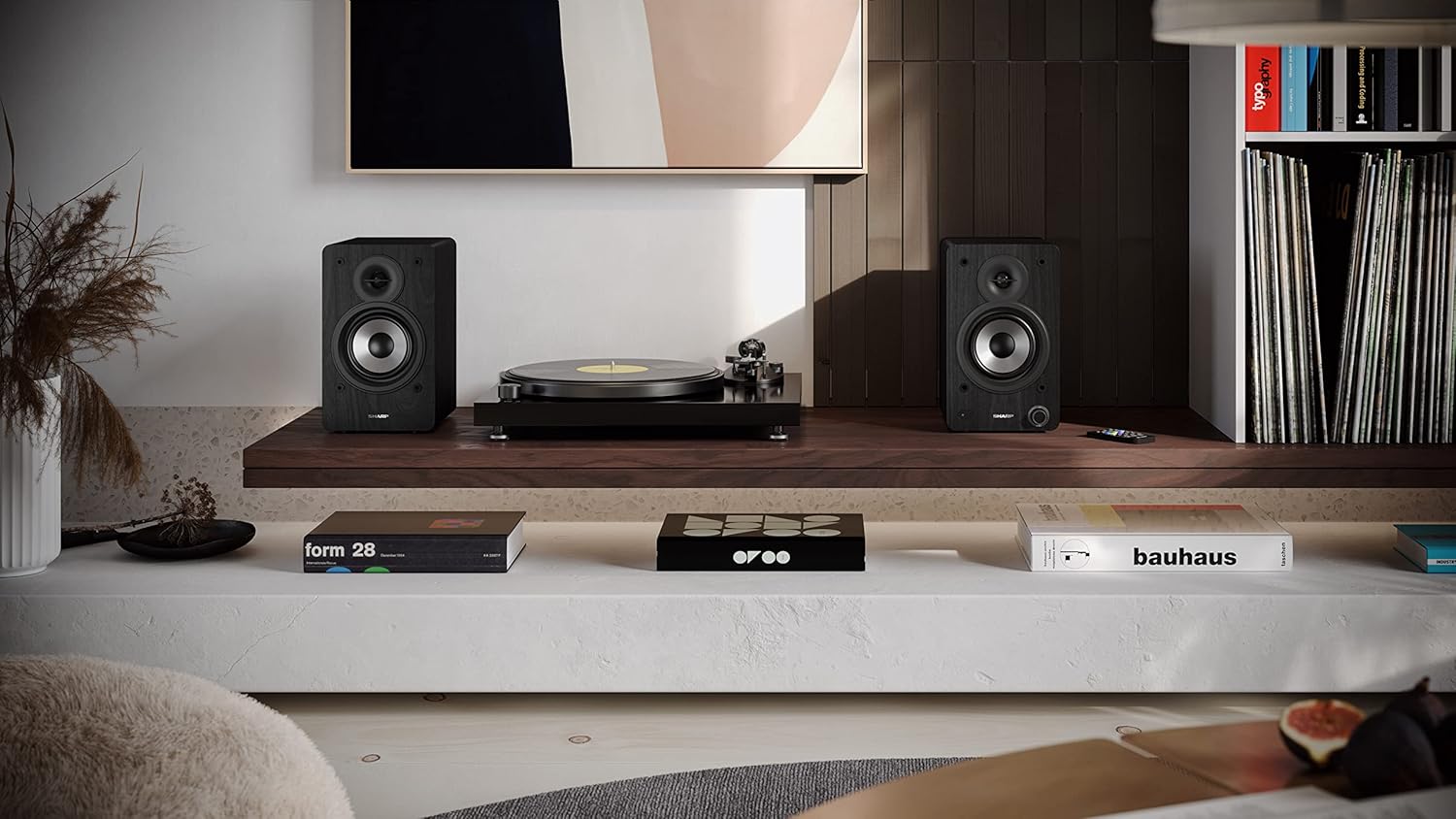
Image: The Sharp CP-SS30(BK) speakers positioned on a shelf in a living room setting, demonstrating a typical setup with a turntable.
5.2 Die luidsprekers koppel
The CP-SS30(BK) consists of one active (main) speaker and one passive (secondary) speaker. Connect them using the provided speaker connection cable.
- Identify the active speaker (with controls and input ports) and the passive speaker.
- Connect one end of the speaker connection cable to the speaker terminals on the active speaker, ensuring correct polarity (+ to + and - to -).
- Connect the other end of the speaker connection cable to the speaker terminals on the passive speaker, maintaining correct polarity.

Image: The rear panel of the Sharp CP-SS30(BK) speakers, illustrating the various input ports (USB, Optical, RCA, AUX) and the speaker connection terminals.
5.3 Kragverbinding
- Ensure the power switch on the active speaker is in the OFF position.
- Connect the provided power cable to the AC input on the active speaker.
- Steek die ander kant van die kragkabel in 'n geskikte muuraansluiting.
6. Bedryfsinstruksies
6.1 Aan-/afskakel
To power on the speakers, flip the power switch on the active speaker to the ON position. The indicator light on the front will illuminate. To power off, flip the switch back to OFF.
6.2 Invoerkeuse
You can select the input source using the remote control or the knob on the front of the active speaker. Available inputs include Bluetooth, USB, Optical, Auxiliary (AUX), and RCA.
- Bluetooth: Select Bluetooth input. The indicator light will flash, indicating pairing mode. Soek vir "SHARP CP-SS30(BK)" on your device and connect. The light will become solid once paired.
- USB: Plaas 'n USB-stasie met oudio files into the USB port on the active speaker.
- Opties: Connect an optical cable from your audio source (e.g., TV, game console) to the Optical input.
- AUX: Connect an AUX cable from your audio source (e.g., smartphone, tablet) to the AUX input.
- RCA: Connect RCA cables from your audio source (e.g., turntable, CD player) to the RCA inputs.
6.3 Volumebeheer
Adjust the volume using the remote control's volume buttons or by rotating the knob on the front of the active speaker.
6.4 Gelykmakerinstellings
The speakers feature an equalizer to tailor the sound to your preference. Use the remote control to:
- Select from five preset equalizer modes (e.g., Flat, Rock, Pop, Classical, Jazz).
- Adjust bass and treble levels independently for a customized sound profile.
7. Onderhoud
To ensure the longevity and optimal performance of your Sharp CP-SS30(BK) speakers, follow these maintenance guidelines:
- Skoonmaak: Gebruik 'n sagte, droë lap om die luidsprekerkaste skoon te maak. Moenie vloeibare skoonmaakmiddels of aërosolsproei gebruik nie, aangesien dit die afwerking of interne komponente kan beskadig.
- Roosters: The speaker grilles are removable for cleaning. Gently pull them off to clean any dust accumulation on the drivers. Reattach them carefully.
- Ventilasie: Ensure that the ventilation openings on the back of the active speaker are not obstructed to prevent overheating.
- Berging: Indien die luidsprekers vir 'n lang tydperk gestoor word, ontkoppel hulle van die krag en bêre hulle op 'n koel, droë plek weg van direkte sonlig en uiterste temperature.
8. Probleemoplossing
If you encounter any issues with your speakers, please refer to the following common problems and solutions:
| Probleem | Moontlike oorsaak | Oplossing |
|---|---|---|
| Geen krag nie | Power cable not connected; Power outlet not active; Power switch off. | Ensure power cable is securely connected. Check power outlet with another device. Flip power switch to ON. |
| Geen klank nie | Incorrect input selected; Volume too low; Cables not connected properly; Source device issue. | Select the correct input source. Increase volume. Check all audio cables (RCA, AUX, Optical, USB) and speaker connection cable for secure fit and correct polarity. Test with a different audio source. |
| Bluetooth-saambinding het misluk | Luidsprekers nie in paringsmodus nie; Toestel te ver; Interferensie. | Ensure Bluetooth input is selected and indicator light is flashing. Move device closer to speakers. Avoid strong electromagnetic interference. Try unpairing and re-pairing. |
| Verwronge klank | Volume too high; Source audio quality is poor; Speaker placement. | Reduce volume. Check the audio source quality. Adjust speaker placement to avoid reflections or resonance. |
| Afstandbeheer werk nie | Batteries depleted; Obstruction between remote and speaker; Remote not pointed correctly. | Replace remote control batteries. Remove any obstructions. Point the remote directly at the active speaker's sensor. |
9. Spesifikasies
| Kenmerk | Detail |
|---|---|
| Modelnommer | CP-SS30(BK) |
| Uitset krag | 60 Watts RMS (2 x 30W) |
| Tipe luidspreker | Active Bookshelf, 2-Way |
| Kabinetmateriaal | Wood (Plywood) |
| Verbindingstegnologie | Bluetooth v5.0, USB, Optical, Auxiliary (AUX), RCA |
| Bluetooth weergawe | v5.0 |
| Klankuitvoermodus | Stereo (2.0-kanaal) |
| Frekwensierespons | 60 Hz |
| Tipe beheerder | Knoppie, afstandbeheer |
| Produk Afmetings (elke luidspreker) | 19D x 15.8W x 24.8H cm (7.5D x 6.2W x 9.8H inches) |
| Item gewig | 4.3 kilogram (9.5 lbs) |
| Kleur | Swart |
| Aanbevole gebruike | Gaming console, Music player, Smartphone/Tablet, Ambient sound system, Television |
| Versoenbare toestelle | Skootrekenaar, slimfoon, tablet |

Image: Diagram showing the dimensions of one Sharp CP-SS30(BK) speaker (Height: 248mm, Width: 158mm, Depth: 190mm).
10. Waarborg en Ondersteuning
Waarborg: This product comes with a 1-year warranty for spare parts availability from the date of purchase. Please retain your proof of purchase for warranty claims.
For technical support, troubleshooting assistance beyond this manual, or warranty inquiries, please contact Sharp customer service. Refer to the contact information provided in the user documentation included in your package or visit the official Sharp webwebwerf.
Note: Software updates guaranteed until information is not available.
Ask a question about this manual
Ask about setup, troubleshooting, compatibility, parts, safety, or missing instructions. Manuals+ will review the question and use this page’s manual context to help answer it.