
1. Belangrike veiligheidsinstruksies
Lees asseblief alle instruksies sorgvuldig deur voordat u die toestel gebruik. Bewaar hierdie handleiding vir toekomstige verwysing.
- Verseker die voltage wat op die toestel aangedui word, stem ooreen met u plaaslike netvoedingtage voor aansluiting.
- Moenie die toestel, kragsnoer of prop in water of enige ander vloeistof dompel nie.
- Always unplug the coffee maker from the power outlet before cleaning and when not in use. Allow it to cool down before adding or removing parts.
- Moenie enige toestel gebruik met 'n beskadigde koord of prop, of nadat die toestel wanfunksioneer of op enige manier beskadig is nie.
- Die toestel is slegs vir huishoudelike gebruik. Moenie buite gebruik nie.
- Moenie dat die koord oor die rand van 'n tafel of toonbank hang, of aan warm oppervlaktes raak nie.
- Place the coffee maker on a firm, flat surface, away from hot gas or electric burners and heated ovens.
- Moenie aan warm oppervlaktes raak nie. Gebruik handvatsels of knoppe.
- Noukeurige toesig is nodig wanneer enige toestel deur of naby kinders gebruik word.
- Moenie die toestel vir ander gebruik as die beoogde gebruik gebruik nie.
2. Produk verbyview
The Cecotec Coffee 66 Drop & Thermo Time is a drip coffee maker designed for ease of use and consistent coffee brewing. It features a programmable timer, intensity control, and a thermal carafe to keep your coffee warm.

Figuur 2.1: Voorkant view of the Cecotec Coffee 66 Drop & Thermo Time Drip Coffee Maker. This image shows the main body, control panel with LCD display, and the thermal carafe in its position.
Komponente:
- Watertenk: Geleë aan die agterkant, met 'n duidelike watervlak-aanwyser.
- Deksel: Covers the water tank and coffee filter basket.
- Filtermandjie: Holds the reusable mesh filter or paper filter.
- Reusable Mesh Filter: For holding coffee grounds.
- Termiese Karaf: Stainless steel carafe with a capacity of up to 10 cups, designed to keep coffee hot.
- Beheerpaneel: Features an LCD display and buttons for various functions.
- Maatlepel: For accurate coffee ground measurement.
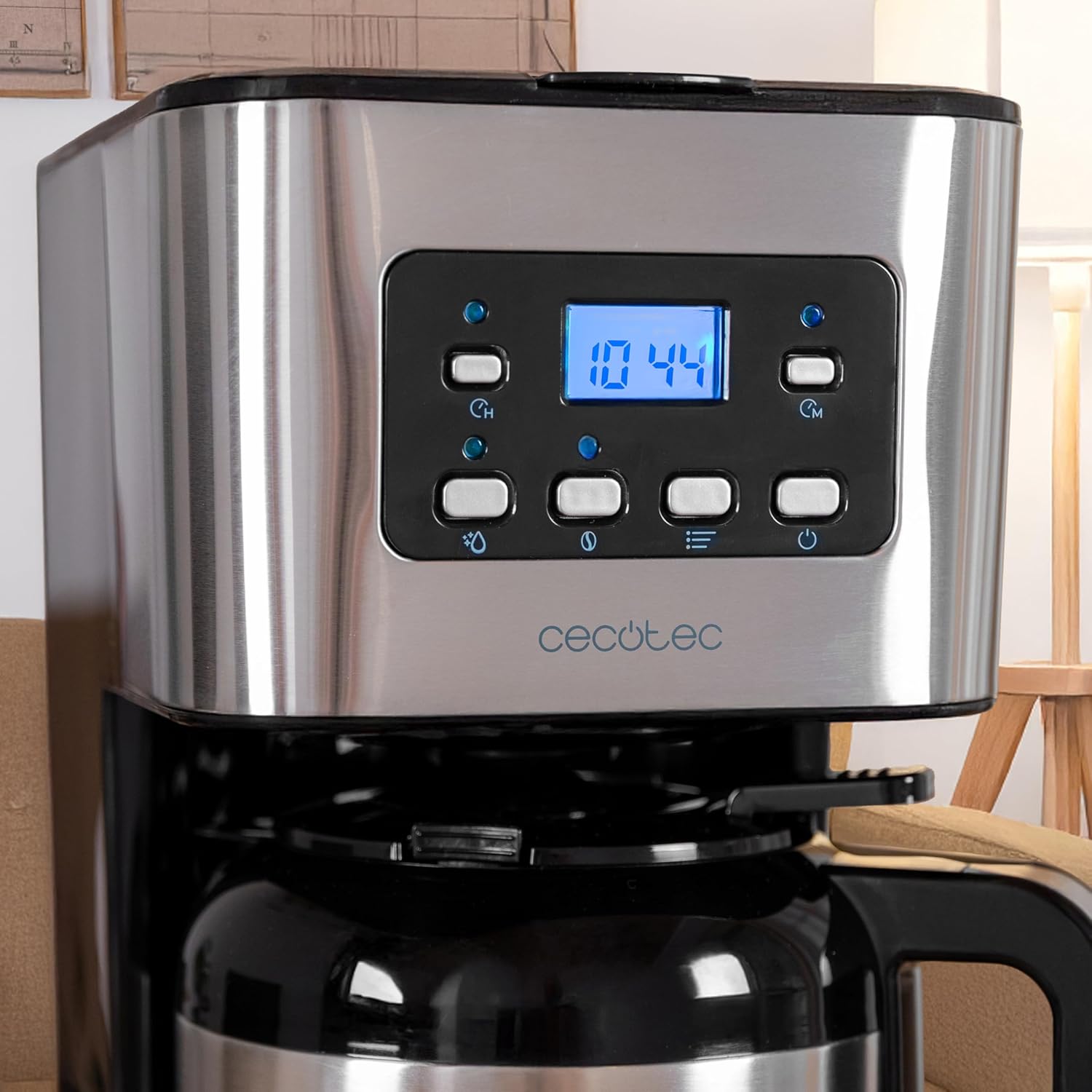
Figuur 2.2: Close-up view of the control panel. The LCD display shows the time, and various buttons for power, intensity, timer, and programming are visible.
3. Opstelling en eerste gebruik
3.1 Uitpak en Aanvanklike Skoonmaak
- Carefully remove all packaging materials and promotional labels.
- Wash the thermal carafe, lid, and reusable mesh filter in warm, soapy water. Rinse thoroughly and dry.
- Vee die buitekant van die koffiemaker met adamp lap.
- Before first use, run a brewing cycle with only water (no coffee grounds) to clean the internal components. Fill the water tank to the MAX level, place the empty filter basket and carafe, and start a cycle. Discard the water.
3.2 Stel die klok
- Plug the coffee maker into a power outlet. The LCD display will show '12:00' or flash.
- Press the 'TIME' button. The hour digits will flash.
- Use the 'MIN' and 'PROG' buttons to adjust the hour.
- Press 'TIME' again. The minute digits will flash.
- Use the 'MIN' and 'PROG' buttons to adjust the minutes.
- Press 'TIME' a third time or wait a few seconds for the setting to be saved.
4. Bedryfsinstruksies
4.1 Koffie brou
- Maak die deksel van die koffiemaker oop.
- Fill the water tank with fresh, cold water up to the desired level, indicated by the water level gauge. Do not exceed the 'MAX' line.
- Place the reusable mesh filter into the filter basket. If using a paper filter, place it inside the mesh filter.
- Add the desired amount of ground coffee into the filter. A general guideline is one level measuring spoon (approximately 7g) per cup. Adjust to your taste.
- Maak die deksel stewig toe.
- Ensure the thermal carafe is correctly placed on the warming plate.
- Druk die 'AAN/AF'-knoppie om te begin brou. Die aanwyserliggie sal brand.
- The brewing process will begin. Once complete, the coffee maker will automatically turn off.
- Carefully remove the carafe and pour your coffee.

Figuur 4.1: A person pouring freshly brewed coffee from the thermal carafe into a mug. The carafe's handle and spout are visible.
4.2 Using the Intensity Function (Aroma)
To adjust the coffee strength:
- After adding water and coffee grounds, but before pressing 'ON/OFF', press the 'INTENSITY' (aroma) button.
- The display will indicate the selected intensity level.
- Press 'ON/OFF' to start brewing with the chosen intensity.
4.3 Programming the Delay Brew Timer
You can set the coffee maker to start brewing at a specific time:
- Prepare the coffee maker with water and coffee grounds as described in section 4.1.
- Press the 'PROG' button. The display will show 'PROG' and the hour digits will flash.
- Use the 'MIN' and 'PROG' buttons to set the desired hour for brewing to start.
- Press 'PROG' again. The minute digits will flash.
- Use the 'MIN' and 'PROG' buttons to set the desired minutes.
- Press 'PROG' a third time or wait a few seconds. The 'PROG' indicator will light up, confirming the timer is set.
- Die koffiemasjien sal outomaties begin brou op die geprogrammeerde tyd.
5. Onderhoud en Skoonmaak
Gereelde skoonmaak verseker optimale werkverrigting en verleng die lewensduur van jou koffiemasjien.
5.1 Daaglikse skoonmaak
- Ontkoppel altyd die toestel en laat dit heeltemal afkoel voordat dit skoongemaak word.
- Remove the thermal carafe, lid, and reusable mesh filter. Wash them in warm, soapy water. Rinse thoroughly and dry.
- Gooi gebruikte koffiegronde weg.
- Vee die buite-oppervlaktes van die koffiemasjien af met 'n sagte, damp lap. Moenie skuurskoonmakers of skuursponsies gebruik nie.
- The thermal carafe is nie skottelgoedwasser veilig.
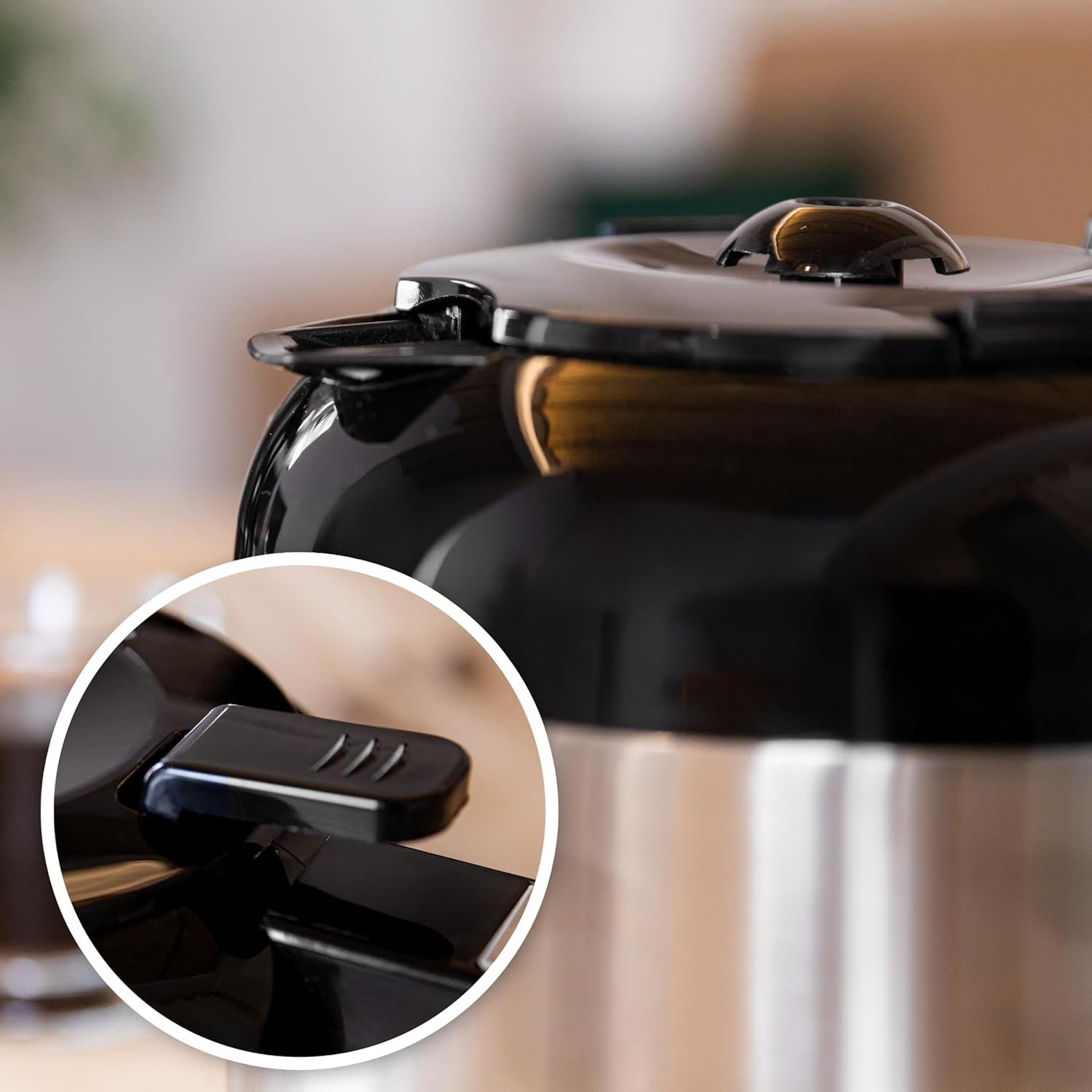
Figuur 5.1: Close-up of the thermal carafe lid, highlighting the drip-stop mechanism. This part should be cleaned regularly to prevent blockages.
5.2 Ontkalking
Mineral deposits (limescale) can build up in your coffee maker over time, affecting its performance. Descale your coffee maker every 2-3 months, or more frequently if you have hard water.
- Fill the water tank with a solution of white vinegar and water (1 part vinegar to 2 parts water).
- Plaas die leë termiese karaf op die warmplaat.
- Begin 'n brousiklus sonder koffiegronde.
- After about half the solution has brewed through, turn off the coffee maker and let it sit for 15-20 minutes to allow the solution to work.
- Skakel die koffiemasjien weer aan om die brou-siklus te voltooi.
- Gooi die asynoplossing uit die karaf weg.
- Run 2-3 cycles with fresh, clean water to rinse out any remaining vinegar taste or odor.
6. Probleemoplossing
If you encounter issues with your coffee maker, refer to the following table:
| Probleem | Moontlike oorsaak | Oplossing |
|---|---|---|
| Koffie brou nie. | No power; water tank empty; carafe not in place; timer set. | Check power connection; fill water tank; ensure carafe is correctly positioned; check timer settings. |
| Koffie is te swak. | Not enough coffee grounds; coarse grind; intensity setting too low. | Add more coffee grounds; use a finer grind; select a higher intensity setting. |
| Koffie loop oor van die filter. | Too many coffee grounds; filter clogged; carafe not in place. | Reduce coffee grounds; clean filter thoroughly; ensure carafe is fully inserted. |
| Unusual noise during brewing. | Kalkaanslag. | Voer 'n ontkalkingsiklus uit (sien Afdeling 5.2). |
7. Spesifikasies
| Kenmerk | Detail |
|---|---|
| Handelsmerk | Cecotec |
| Model Naam | Coffee 66 Drop & Thermo Time |
| Item Modelnommer | 00274 |
| Tik | Drup koffie masjien |
| Kapasiteit | 1.2 Litres (up to 10 cups) |
| Karaf materiaal | Stainless Steel (Thermal) |
| Krag | 950 W |
| Spesiale kenmerke | Removable Tank, Thermal Carafe, Water Filter, Programmable Timer (24 hours), Intensity Function, Drip-free feature, Overheating protection |
| Produk afmetings | 25D x 17B x 32.5H Sentimeter |
| Item gewig | 2 kg 100 g |
| Ingesluit komponente | Filter coffee maker, instruction manual, Measuring spoon |
8. Waarborg en Ondersteuning
This Cecotec appliance is covered by a manufacturer's warranty. Please refer to the warranty card included with your product for specific terms and conditions, including the warranty period and coverage details.
For technical support, spare parts, or warranty claims, please contact Cecotec customer service through their official website or the contact information provided in your product packaging. Ensure you have your model number (00274) and proof of purchase available when contacting support.