
Inleiding
Thank you for choosing the HUPEJOS V7PRO 3 Channel Dash Cam. This manual provides essential information for installing, operating, and maintaining your device. Please read it thoroughly to ensure proper usage and to maximize the benefits of your dash cam.
Pakketinhoud
Verifieer dat al die items wat hieronder gelys word, in jou pakket ingesluit is:
- 1 x V7-Pro Dash Cam
- 1 x Car Charger with Type C USB Cable
- 1 x Suigbeker-bevestiging
- 1 x Motorbedrading Gereedskap
- 1 x 3M Adhesive Mounts
- 1 x GPS Module and 2.5m Cable
- 1 x Gebruikershandleiding
- 1 x 128GB SD Memory card (pre-installed)

Produk verbyview
The HUPEJOS V7PRO is a sophisticated 3-channel dash cam designed to provide comprehensive vehicle surveillance. Key features include:
- Three Channel Recording: Simultaneously records front, left, and right views (1440P+1080P+1080P) or 4K front with 1080P left/right.
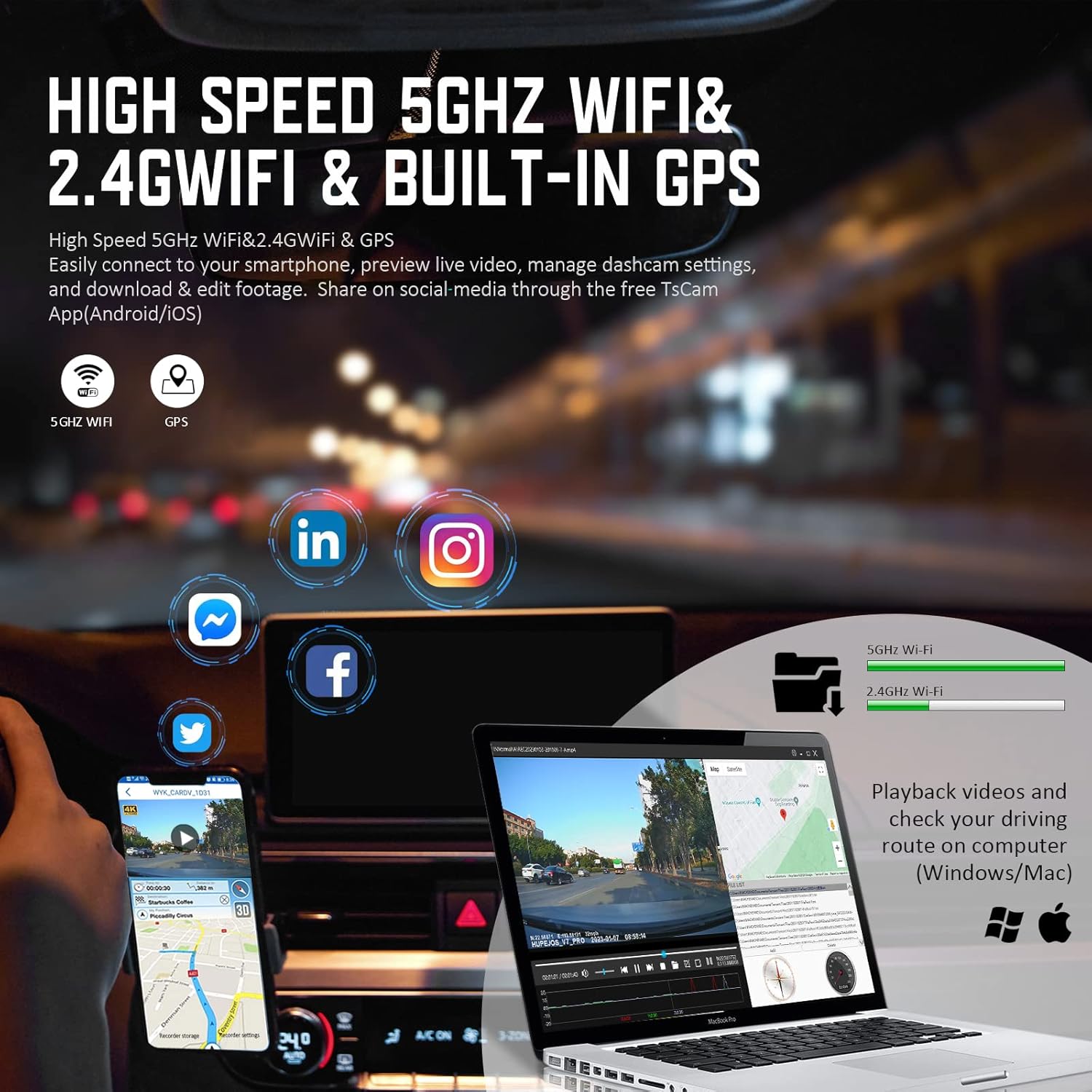
- 5GHz WiFi & GPS: Built-in 5G WiFi for faster app connectivity and GPS for tracking driving trajectory and speed.
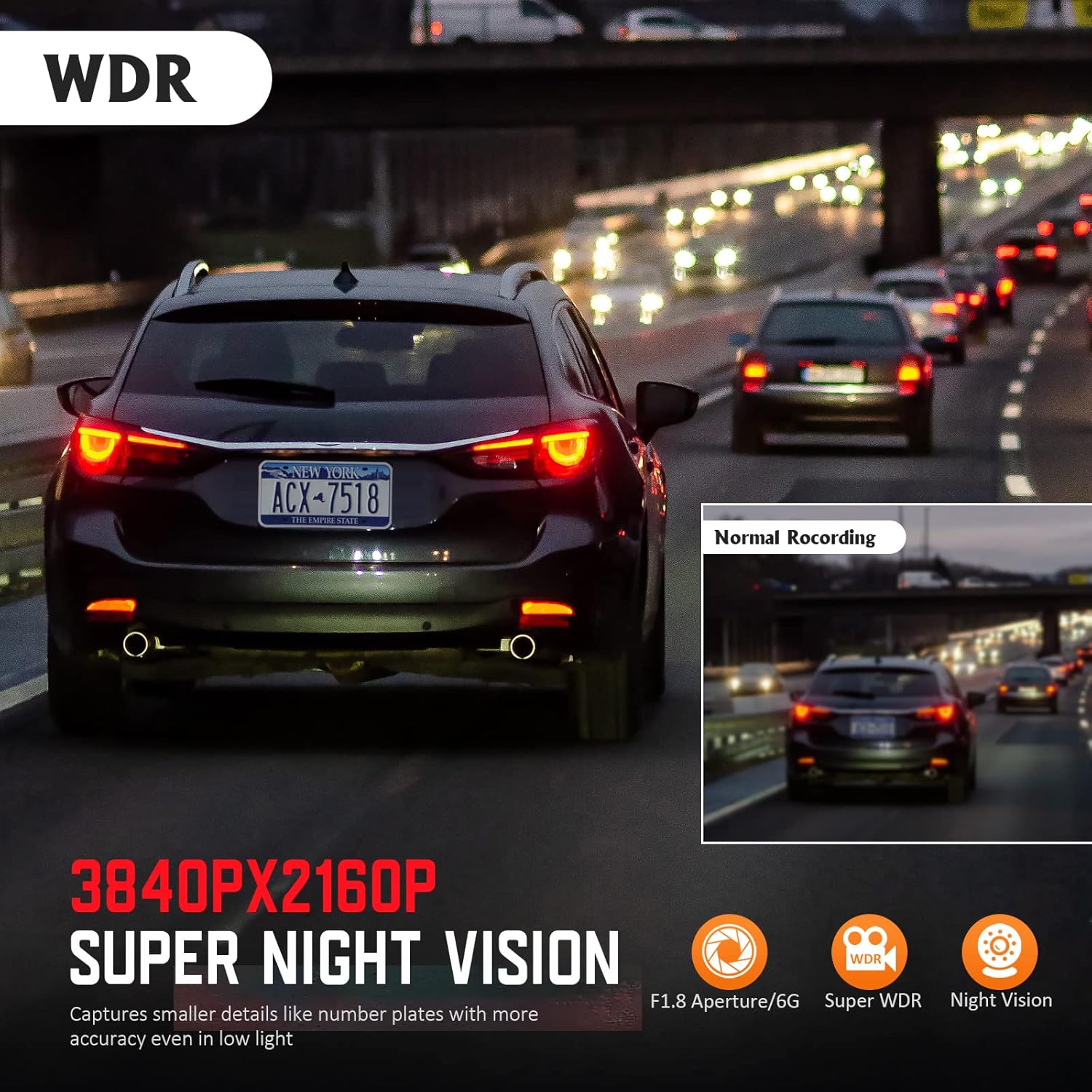
- Super Nag Visie: Equipped with 8 IR lamps and 6-glass lenses for clear recordings in low-light conditions.
- 24-uur parkeermodus: Offers Collision Detection and Radar Intelligent Monitoring (requires optional hardwire kit).
- Dashboard Function: Displays real-time speed (KM/H or MP/H) and synchronizes clock with GPS time.
- Loop opname: Oorskryf outomaties die oudste voedseltage wanneer die geheuekaart vol is.
- Outomatiese voorvalopsporing: G-Sensor detects collisions and locks footage om oorskryf te voorkom.


Opstelling
Installasie stappe
- Monteer die Dash Cam: Attach the suction cup mount to your windshield, ensuring it does not obstruct your view. Securely attach the dash cam to the mount.
- Aansluitkrag: Connect the Type C USB cable to the dash cam and the car charger. Plug the car charger into your vehicle's cigarette lighter socket. Route the cable neatly along the windshield and dashboard using the provided car wiring tool to avoid interference with driving.
- Installing the GPS Module: Connect the GPS module to the designated port on the dash cam. Position the GPS module on your dashboard or near the windshield for optimal signal reception. Route its cable discreetly.
Aanvanklike konfigurasie
- SD kaart: The 128GB SD card is pre-installed. Ensure it is properly seated in the slot. The dash cam will prompt you to format the SD card periodically for optimal performance.
- Krag aan/af: The dash cam will automatically power on when your vehicle starts and power off when the engine is turned off.
Die gebruik van die Dash Cam
Basiese Opname
Once powered on, the dash cam automatically begins recording. It utilizes loop recording, meaning it continuously records and overwrites the oldest files when the memory card is full. Video segments are typically 1-minute long.
Manual Event Recording (G-Sensor)
The built-in G-Sensor detects sudden impacts or collisions. When triggered, it automatically locks the current video segment, preventing it from being overwritten by loop recording. You can also manually lock footage by pressing the designated button on the dash cam.

Wi-Fi en App-verbinding
The dash cam features built-in 5GHz Wi-Fi for fast connection to the TsCam app on your smartphone (iOS/Android). This allows you to:
- View intydse video-feeds.
- Bestuur dash cam instellings.
- Download and edit footage.
GPS -funksionaliteit
The integrated GPS module records your driving trajectory and speed. This information can be viewed later:
- Within the TsCam app for mobile playback.
- On a computer using the GXPlayer software (compatible with Windows and Mac) to view Google Map GPS driving position track.
Skermpaneelbord
The V7PRO features a unique dashboard interface that displays your real-time speed in KM/H or MP/H directly on the screen. The dash cam's clock is automatically synchronized with GPS time.
Nagvisie
The dash cam is equipped with 8 IR lamps and 6-glass lenses, along with WDR technology, to enhance night vision. This ensures clear video and image capture even in low-light conditions. To manually control the IR LED, navigate to the dash cam Menu, select 'IRLED', and choose 'ON' or 'OFF'. If not set, it will operate automatically.
Parkeermonitering
The HUPEJOS V7PRO offers two parking monitor modes to protect your vehicle when parked. Both modes require connection to an optional hardwire kit (sold separately) to draw power directly from your car battery.
- 1. Collision Detection: When the dash cam detects a collision, it automatically powers on and records a 1-minute protected video. (Requires hardwire kit ASIN: B0BLMRPNQT).
- 2. Radar Intelligent Monitoring System: In the car-off state, this system monitors objects approaching the car within a 3-4 meter range. The dash cam automatically records a 1-minute video. If movement continues, it records until the object leaves the monitored area. (Requires hardwire kit ASIN: B0BV2CJ5SW).

Onderhoud
Regular maintenance ensures the longevity and optimal performance of your dash cam:
- SD-kaartformatering: It is recommended to format the SD card at least twice a month to prevent data corruption and ensure continuous recording. This can typically be done through the dash cam's menu settings.
- Skoonmaak: Use a soft, dry cloth to clean the camera lenses and the display screen. Avoid using abrasive cleaners or solvents.
- Firmware -opdaterings: Kontroleer die vervaardiger se gereeld webwebwerf vir enige beskikbare firmware-opdaterings om werkverrigting te verbeter en nuwe funksies by te voeg.
Probleemoplossing
Hier is oplossings vir algemene probleme wat jy mag teëkom:
- Q: Does it include the SD card?
A: Yes, a 128GB SD card is pre-installed inside the dash cam. Please check the dash cam SD card slot. - Q: Why can't I view the live video on the APP?
A: Cellular data can interfere with live video viewing. Please disable the 'Peztio' cellular data for the TsCam app on your cellphone (Settings → Peztio → Disable 'Cellular Data'). - Q: Why the APP won't show real-time recording?
A: The app needs to be connected to the DVR's dedicated wireless network. Switch your mobile WiFi network to 'HUPEJOS_V7PRO_****' and then enter the app to view intydse video. - Q: Can't connect to WiFi or connection failed?
A: Ensure the app has album, location, WLAN, and cellular data permissions. Turn off any VPN, security software, or anti-virus apps on your mobile phone, as these can interfere with the WiFi connection. - Q: Why doesn't WiFi connect automatically?
A: Automatic WiFi connection is disabled to prevent issues with 4G/5G usage on single-channel mobile phones. Manual connection ensures mobile data functionality is not interrupted. - Vraag: Hoe om dit te doen? view GPS information?
A: GPS driving position track can be seen in the TsCam app mobile playback after downloading the video. For computer viewing, install GXPlayer (Windows and Mac compatible) to watch Google Map GPS driving position track. Tablets are not recommended for viewGPS-inligting invoer.
Spesifikasies
| Produk afmetings | 3.86 x 0.8 x 2.76 duim |
| Item gewig | 1.21 pond |
| Modelnommer | V7PRO-3CH-128G |
| Verbindingstegnologie | Wi-Fi (5GHz) |
| Video-opname-resolusie | 4K Front + 1080P Left or Right, 1440P Front + 1080P*2 Left Right |
| Veld van View | 150 grade |
| Spesiale kenmerke | 3 Channel Recording, Built-In GPS, Built-In WiFi, 24 Hours Buffered Parking Mode, Built-In Microphone, Built-In Display, Built-In Supercapacitor, Loop Recording, Automatic Incident Detection, Super Night Vision, 360 Degree, App Control |
| Montage tipe | Windskerm Mount |
| Kleur | Swart |
Waarborg en Ondersteuning
For warranty information, please refer to the documentation included with your purchase or contact the manufacturer directly. If you have any questions or require technical assistance, please contact HUPEJOS customer support.
Kliëntediens -e -pos: hupejos@gmail.com