
1. Opstelling
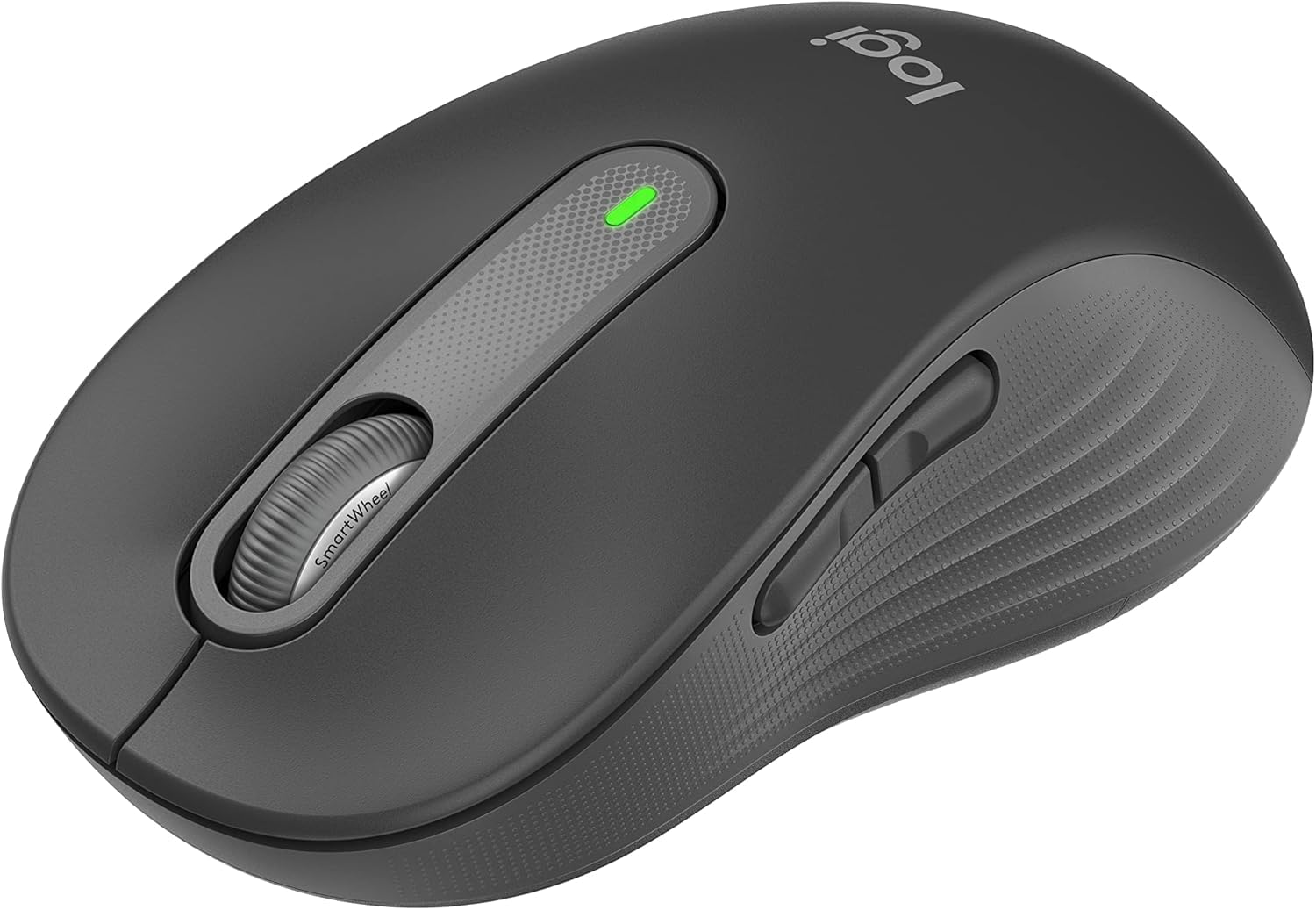
Follow these steps to set up your Logitech Signature M650 L Wireless Mouse.
1.1 Battery installasie
The mouse requires one AA battery. To install or replace the battery:
- Vind die batteryklep aan die onderkant van die muis.
- Skuif die deksel oop.
- Plaas een AA-battery in en maak seker dat die polariteit (+/-) korrek is.
- Maak die batterykompartement se deksel stewig toe.

The underside of the mouse, revealing the battery compartment and the storage slot for the Logi Bolt USB receiver.
1.2 Konnektiwiteit
The mouse offers two connection options: Bluetooth Low Energy or the Logi Bolt USB receiver.
- Gebruik van Logi Bolt USB-ontvanger: Plug the Logi Bolt USB receiver into an available USB port on your computer. The mouse should connect automatically.
- Gebruik Bluetooth: Turn on the mouse. On your computer, navigate to Bluetooth settings and select to add a new device. Choose the Logitech Signature M650 L from the list of available devices to pair.
1.3 Krag aan/af
A power switch is located on the underside of the mouse. Slide the switch to the 'On' position to activate the mouse and to the 'Off' position to conserve battery when not in use.
2. Bediening van die muis
The Logitech Signature M650 L is designed for comfort and efficiency.
2.1 SmartWheel-blaai
The adaptive SmartWheel provides two modes of scrolling:
- Lyn-vir-lyn presisie: Vir gedetailleerde navigasie in dokumente en sigblaaie.
- Supersnelle Gratis Draai: Automatically switches to free spin mode for rapid scrolling through long web pages or documents with a flick of the finger.
2.2 Stille klikke
The mouse features SilentTouch technology, reducing click noise by 90% for a quieter work environment.

A user operating the Logitech Signature M650 L mouse, highlighting its silent click feature.
2.3 Aanpasbare syknoppies
The side buttons can be customized to perform various functions, such as navigating forwards and backwards in web browsers or activating specific application commands. Use the Logitech Options+ software to personalize these buttons.

The Logitech Options+ software interface, demonstrating how to customize the mouse's side buttons.
2.4 Ergonomiese Ontwerp
Designed for larger hands, the contoured shape, soft thumb area, and rubber side grips provide comfort during long hours of use.
3. Onderhoud
Behoorlike onderhoud verseker die lang lewensduur en optimale werkverrigting van jou muis.
3.1 Skoonmaak
Om jou muis skoon te maak:
- Gebruik 'n sagte, pluisvrye lap.
- Dampen the cloth lightly with water or a mild, non-abrasive cleaner.
- Vee die oppervlak van die muis liggies af. Vermy dat vog in openinge kom.
- Vir die optiese sensor, gebruik 'n droë wattestokkie om enige stof of puin versigtig te verwyder.
3.2 Batteryvervanging
Replace the AA battery when the mouse's indicator light signals low power or when performance degrades. Refer to section 1.1 for battery installation instructions.
4. Probleemoplossing
If you encounter issues with your mouse, try the following solutions:
4.1 Konnektiwiteitsprobleme
- Kontroleer krag: Ensure the mouse is turned on and has sufficient battery power.
- Herkoppel toestel: If using Bluetooth, try unpairing and re-pairing the mouse in your computer's Bluetooth settings. If using the USB receiver, try unplugging and re-inserting it into a different USB port.
- Inmenging: Move the mouse closer to your computer and away from other wireless devices that might cause interference.
4.2 Jumpy or Erratic Cursor
- Maak sensor skoon: Maak seker dat die optiese sensor aan die onderkant van die muis skoon en vry van puin is.
- Oppervlak: Use the mouse on a non-reflective, opaque surface. Highly reflective or transparent surfaces can interfere with tracking.
4.3 Knoppe reageer nie
- Battery: Vervang die battery as dit laag is.
- Sagteware: If customizable buttons are not working, check the Logitech Options+ software for correct configuration.
5. Spesifikasies
| Produk afmetings | 4.7 x 2.6 x 0.04 duim |
| Item gewig | 3.92 onse |
| Item Modelnommer | M650 |
| Batterye | 1 AA-battery benodig (ingesluit) |
| Handelsmerk | Logitech |
| Kleur | Grafiet |
| Verbindingstegnologie | Bluetooth, USB, Wireless |
| Spesiale kenmerk | Draadloos |
| Bewegingsopsporingstegnologie | Opties |
6. Waarborg en Ondersteuning
This product is a renewed item. Please refer to the seller's specific return policy for details. The typical return policy for renewed items is a 90-day refund/replacement period.
For further assistance or technical support, please visit the official Logitech support webwebwerf of kontak hul kliëntediens.