
1. Inleiding
Thank you for choosing the fojep Wireless Earbuds BX28. These earbuds are designed to provide a high-quality audio experience with advanced features for daily use and sports activities. This manual will guide you through the setup, operation, and maintenance of your new earbuds.

Figure 1.1: fojep Wireless Earbuds BX28 with charging case. The earbuds feature an ergonomic design with earhooks for a secure fit, and the charging case has an LED digital display.
2. Pakketinhoud
Verifieer asseblief dat alle items in u pakket teenwoordig is:
- fojep Wireless Earbuds (Left and Right)
- Charging Case with LED Digital Display
- USB Type-C laaikabel
- Eartips (3 sizes: S, M, L)
- Gebruikershandleiding
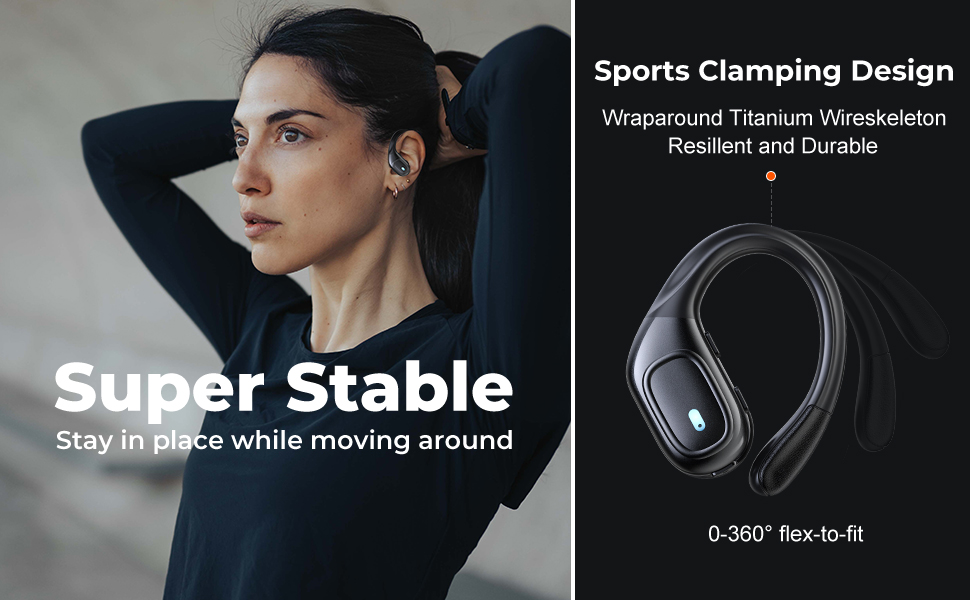
Figure 2.1: Illustration of the items included in the fojep BX28 earbud package, showing the earbuds, charging case, charging cable, and various eartip sizes.
3. Opstelling
3.1 Laai die oordopjes en houer
Before first use, fully charge the earbuds and the charging case. The charging case features an LED digital display that shows the battery percentage of the case and individual battery status bars for each earbud.
- Place both earbuds into the charging case. Ensure they are correctly seated; the indicator lights on the earbuds will illuminate.
- Koppel die USB Tipe-C-laaikabel aan die laaipoort op die omhulsel en die ander kant aan 'n USB-kragbron (bv. muuradapter, rekenaar se USB-poort).
- The LED display on the charging case will show the charging progress. A full charge typically takes approximately 1.5-2 hours.

Figure 3.1: The charging case displays the battery percentage for the case and individual charge levels for the left and right earbuds. The earbuds offer up to 7 hours of playtime, extended to 75 hours with the charging case.
3.2 Koppeling met 'n Bluetooth-toestel
The fojep BX28 earbuds feature one-step auto pairing for convenience.
- Maak die laaikas oop. Die oorfone sal outomaties aanskakel en in paringsmodus gaan.
- On your device (smartphone, tablet, laptop), activate Bluetooth.
- Soek vir available Bluetooth devices. Select "BX28" uit die lys.
- Sodra dit gekoppel is, sal jy 'n bevestigingstoon hoor, en die oorfone sal gereed wees vir gebruik.
Die oorfone sal outomaties weer aan die laaste gekoppelde toestel koppel wanneer dit uit die houer verwyder word, mits Bluetooth op die toestel geaktiveer is.
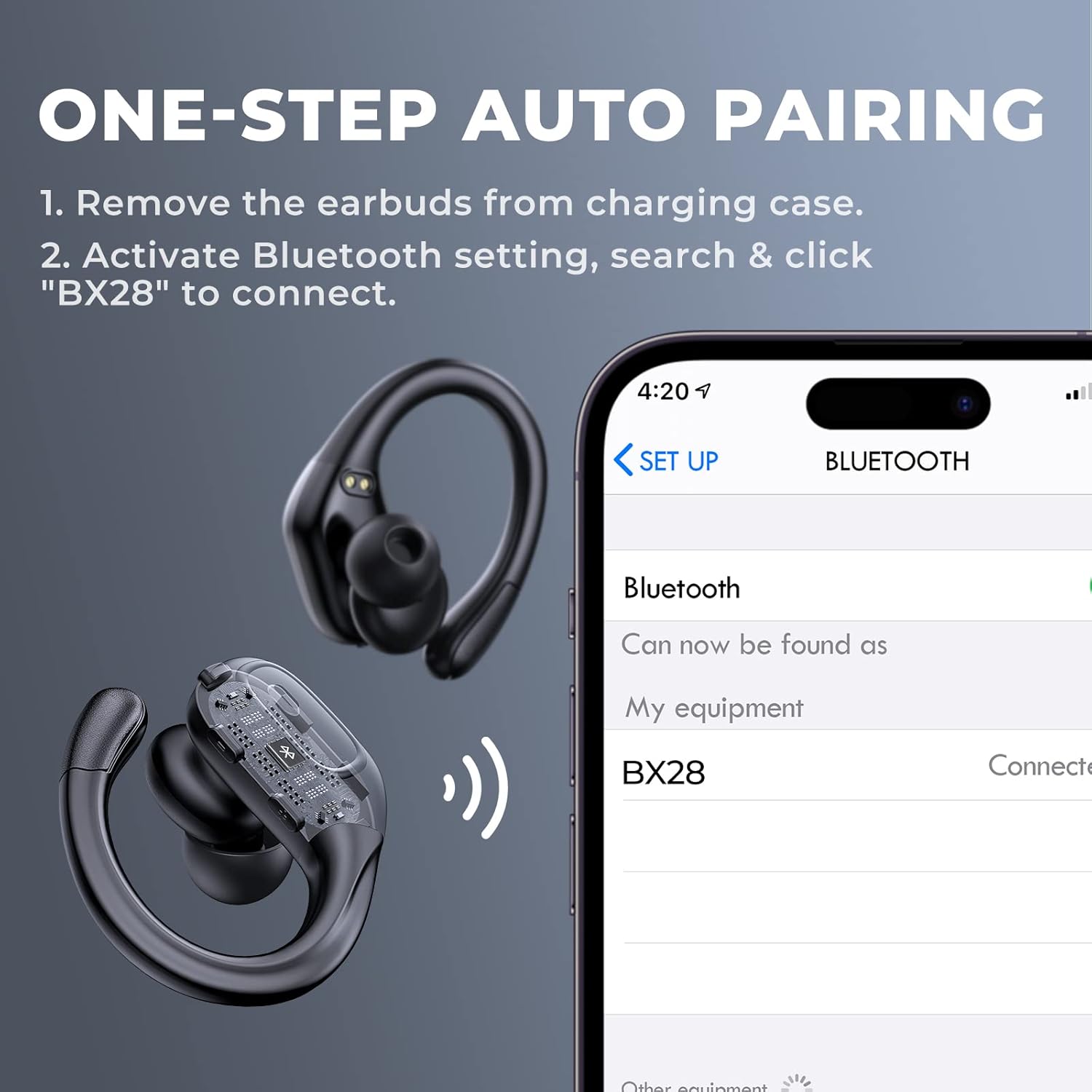
Figure 3.2: Visual guide for the one-step auto pairing process. Simply remove the earbuds from the charging case, and they will appear as "BX28" in your device's Bluetooth settings for connection.
3.3 Dra van die oordopjes
For optimal sound quality and comfort, choose the correct size eartips and adjust the earhooks.
- Select the eartips (S, M, L) that provide a snug and comfortable fit in your ear canal. A good seal enhances bass response and noise isolation.
- Gently place the earbud into your ear, ensuring the earhook wraps securely around the back of your ear. The earhooks are flexible for a customized fit.

Figure 3.3: The ergonomic design of the fojep BX28 earbuds, featuring flexible earhooks and multiple eartip sizes (S/M/L) to ensure a comfortable and secure fit, especially during sports activities.
4. Bedryfsinstruksies
The fojep BX28 earbuds feature intuitive touch controls on each earbud. The controls are mirrored on both earbuds, allowing for single-earbud use.
4.1 Musiekweergawekontroles
| Aksie | Linker oorknoppie | Regter Oordop |
|---|---|---|
| Speel / Pouse | Enkele kraan | Enkele kraan |
| Volgende Liedjie | NVT | Dubbeltik |
| Vorige Liedjie | Dubbeltik | NVT |
| Volume op | NVT | Drievoudige Tik |
| Volume af | Drievoudige Tik | NVT |
4.2 Call Management Controls
| Aksie | Linker oorknoppie | Regter Oordop |
|---|---|---|
| Beantwoord oproep | Enkele kraan | Enkele kraan |
| Beëindig oproep | Enkele kraan | Enkele kraan |
| Verwerp oproep | Lang druk (2 sekondes) | Lang druk (2 sekondes) |
4.3 Stemassistent
Activate your device's voice assistant (Siri, Google Assistant, etc.) by performing a specific tap gesture.
| Aksie | Linker oorknoppie | Regter Oordop |
|---|---|---|
| Aktiveer stemassistent | Lang druk (2 sekondes) | Lang druk (2 sekondes) |
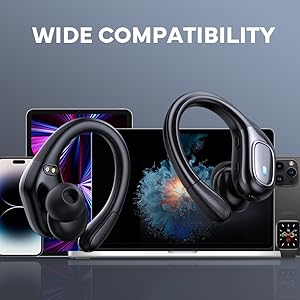
Figure 4.1: Detailed diagram of the touch controls for both left and right fojep BX28 earbuds, illustrating functions for music playback, call management, and voice assistant activation.
5. Onderhoud
Proper maintenance ensures the longevity and optimal performance of your fojep Wireless Earbuds BX28.
5.1 Skoonmaak
- Maak die oordopjes, veral die oordoppe en laaikontakte, gereeld skoon met 'n sagte, droë, pluisvrye lap.
- Vir hardnekkige vuiligheid, effens dampMaak die lap skoon met water of 'n sagte, nie-skurende skoonmaakmiddel. Vermy oormatige vog.
- Moenie harde chemikalieë, alkohol of skuurmiddels gebruik nie.
- Maak seker dat die oorfone heeltemal droog is voordat jy dit terug in die laaikas sit.
5.2 Berging
- Wanneer dit nie gebruik word nie, bêre die oordopjes in hul laaikassie om hulle te beskerm en gelaai te hou.
- Bêre in 'n koel, droë plek weg van uiterste temperature en direkte sonlig.
5.3 Waterbestandheid (IPX7)
The earbuds are rated IPX7 waterproof, meaning they can withstand submersion in up to 1 meter of water for 30 minutes. This makes them suitable for sweat resistance, rain, and splashes.
- Let wel: Die laaikas is NIE waterproof. Do not expose the charging case to water.
- After exposure to water or sweat, ensure the earbuds are completely dry before placing them back into the charging case to prevent damage to the charging contacts.

Figure 5.1: The fojep BX28 earbuds are IPX7 rated, providing protection against rain, sweat, and splashes, making them suitable for various activities.
6. Probleemoplossing
If you encounter issues with your fojep Wireless Earbuds BX28, refer to the following common solutions:
| Probleem | Moontlike oorsaak | Oplossing |
|---|---|---|
| Oordopjes koppel/koppel nie | Bluetooth off, earbuds not in pairing mode, interference, previously paired device. |
|
| Slegs een koptelefoon werk | Low battery, not properly paired, earbud not connected to each other. |
|
| Lae volume of swak klankgehalte | Incorrect eartip size, earwax buildup, low device volume, poor connection. |
|
| Laaikas laai nie | Faulty cable, power source issue, dirty charging port. |
|
7. Spesifikasies
| Kenmerk | Detail |
|---|---|
| Modelnommer | BX28 |
| Bluetooth weergawe | V5.3 |
| Oortelefoon Speeltyd | Tot 7 uur (enkele lading) |
| Totale speeltyd (met laaikas) | Tot 75 uur |
| Waterdigte gradering | IPX7 (slegs oordopjes) |
| Beheer metode | Raak Beheer |
| Mikrofoon | Built-in, CVC Noise Cancelling |
| Laaipoort | USB Tipe-C |
| Materiaal | Plastiek |
| Kleur | Diep Swart |

Figure 7.1: The fojep BX28 earbuds utilize advanced Bluetooth 5.3 technology, offering improved connection stability and efficiency compared to older versions.

Figure 7.2: The fojep BX28 earbuds are widely compatible with various Bluetooth-enabled devices, including smartphones, tablets, laptops, and smartwatches.
8. Waarborg en ondersteuning
fojep products are designed with quality and reliability in mind. For warranty information and customer support, please refer to the following:
- Waarborg: Spesifieke waarborgvoorwaardes en -duur kan per streek en kleinhandelaar verskil. Bewaar asseblief u bewys van aankoop vir waarborgeise.
- Kliëntediens: If you experience any issues or have questions not covered in this manual, please contact fojep customer support through the platform where you purchased the product (e.g., Amazon Message Center).
- Aanlyn hulpbronne: For the latest information, FAQs, and additional support, visit the official fojep store page on Amazon: fojep Amazon Store.
Your satisfaction is important to us. We are committed to providing excellent service and support.