
Inleiding
This manual provides detailed instructions for the setup, operation, maintenance, and troubleshooting of your TECURS Wireless Gaming Keyboard. Please read this manual thoroughly before using the product to ensure proper function and longevity.
Pakketinhoud
Nadat u die pakkie oopgemaak het, maak seker dat al die items wat hieronder gelys word, teenwoordig en in 'n goeie toestand is:
- TECURS Wireless Gaming Keyboard
- USB Receiver (2.4 GHz)
- USB-laaikabel (Mikro-USB)
- Gebruikershandleiding
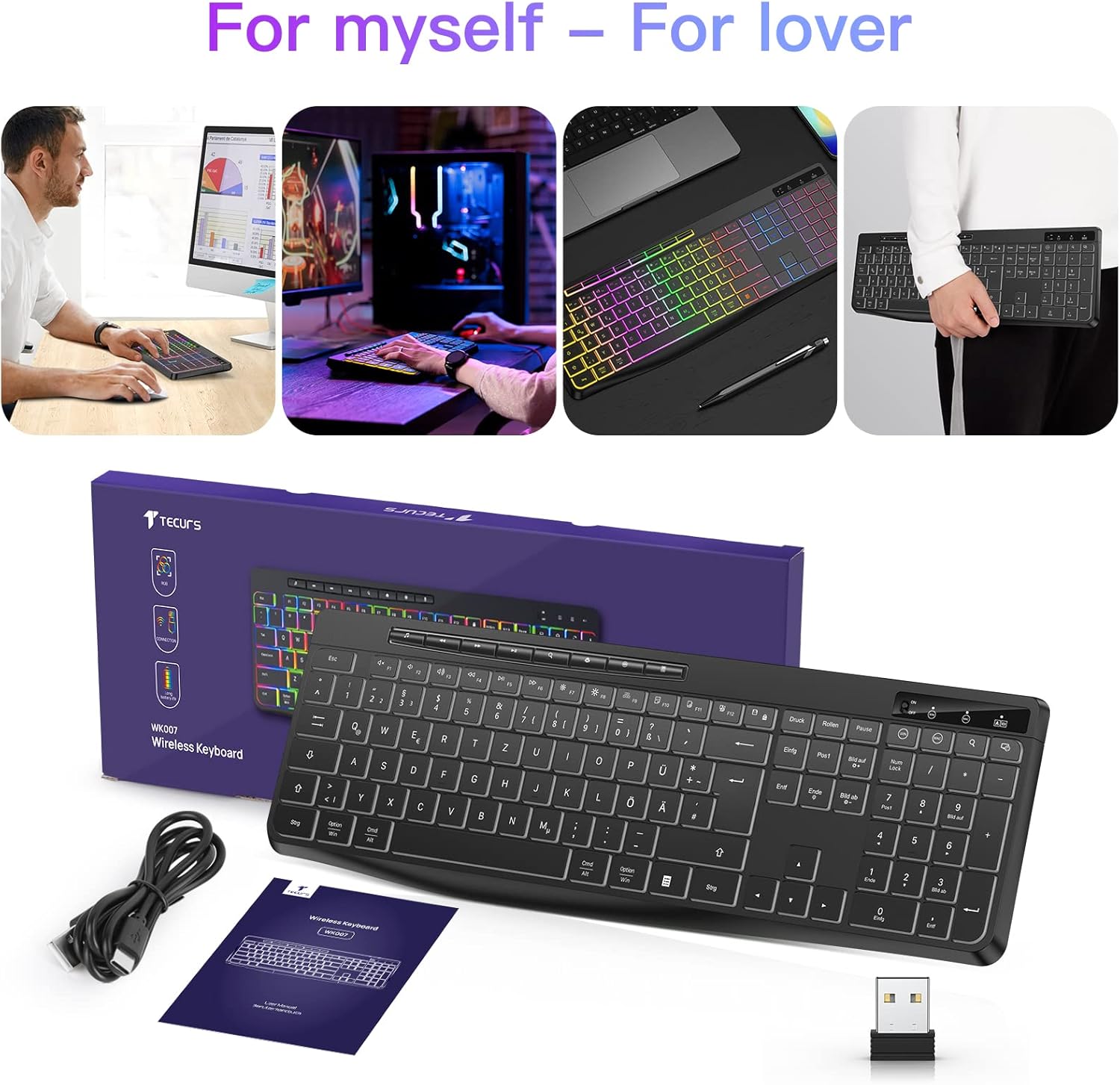
Image: The TECURS Wireless Gaming Keyboard, its USB receiver, USB charging cable, and user manual laid out on a surface.
Opstelling
1. Koppel die sleutelbord
- Locate the USB receiver. It is typically stored in a compartment on the keyboard or included separately in the packaging.
- Insert the USB receiver into an available USB port on your computer, laptop, or compatible gaming console (PS4, PS5).
- Turn on the keyboard using the power switch, usually located on the top edge or underside of the keyboard. The keyboard should automatically connect to the receiver.

Image: The TECURS Wireless Gaming Keyboard shown with its compact USB receiver, illustrating the wireless connection method.
2. Aanvanklike laai
The keyboard comes with a built-in rechargeable Lithium-ion battery. For optimal performance, it is recommended to fully charge the keyboard before first use.
- Connect the Micro USB charging cable to the keyboard's charging port and the other end to a USB power source (e.g., computer USB port, USB wall adapter).
- An indicator light will typically show the charging status. Refer to the keyboard's specific indicator behavior for details.
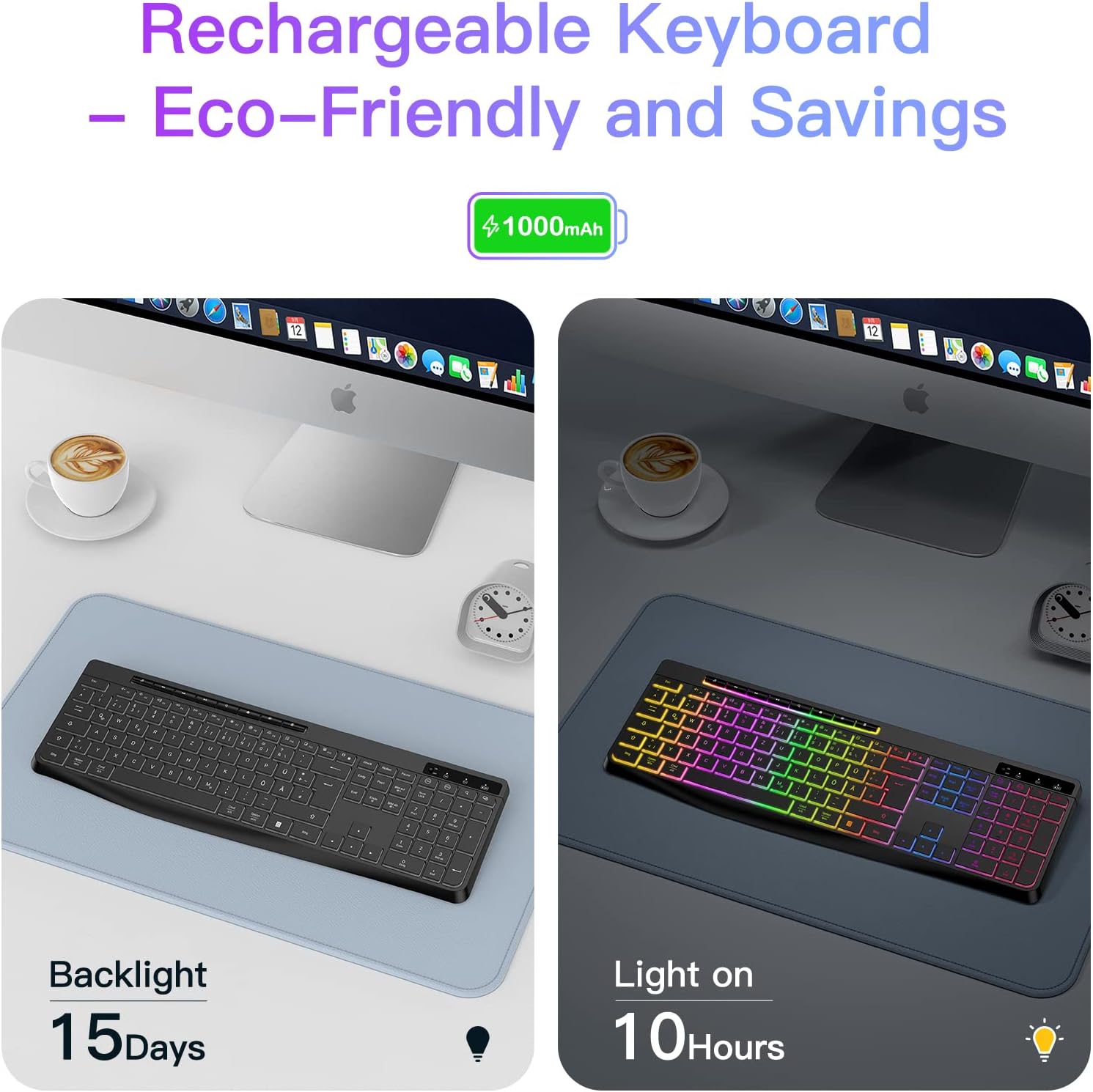
Image: An illustration demonstrating the battery life of the keyboard: up to 15 days with backlight off and 10 hours with backlight on, based on a 1000mAh battery.
3. Draadlose reikwydte
The keyboard operates wirelessly with a receiving distance of 8-10 meters, providing flexibility in your workspace or gaming setup.

Image: A visual representation of the wireless keyboard's effective receiving distance, typically 8-10 meters, highlighting freedom from cables.
Bedryfsinstruksies
1. Basiese Tikwerk
The keyboard features a QWERTZ layout (German layout) with standard key functions. Simply begin typing after successful connection.
2. Agterligbeheer
The keyboard includes an RGB backlight feature. Use the dedicated backlight control keys (often located near the function keys or as a combination with the Fn key) to:
- Skakel die agtergrond aan/af.
- Pas helderheidsvlakke aan.
- Cycle through different color modes or effects.
Refer to the keyboard's specific key legends for exact backlight control combinations.
3. Multimediasleutels
Dedicated multimedia keys are provided for quick access to functions such as volume control, play/pause, and track skipping. These keys are typically located above the function key row.
4. Stelselversoenbaarheid
The keyboard is compatible with various operating systems and devices:
- Bedryfstelsels: Windows, Mac, Linux
- Versoenbare toestelle: PC, Laptops, PS4, PS5, Game Consoles
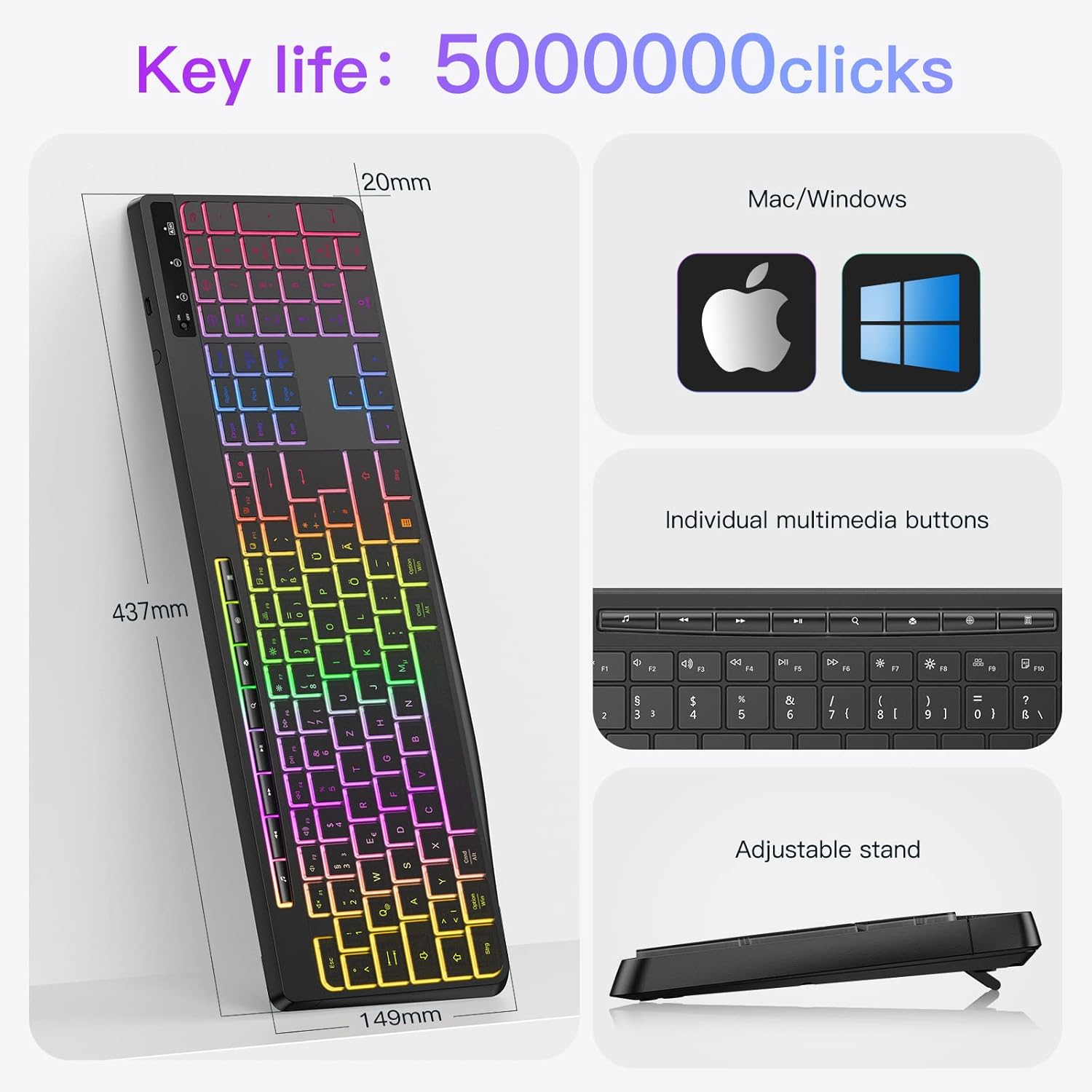
Image: An infographic detailing the keyboard's dimensions (437mm length, 149mm width, 20mm thickness), key life of 50 million clicks, compatibility with Mac/Windows, individual multimedia buttons, and an adjustable stand.
5. Stil werking
The keyboard features silent keys designed to minimize typing noise, making it suitable for quiet environments.

Image: A person typing on the backlit keyboard in a dimly lit room, with a sleeping child in the background, emphasizing the low noise operation.
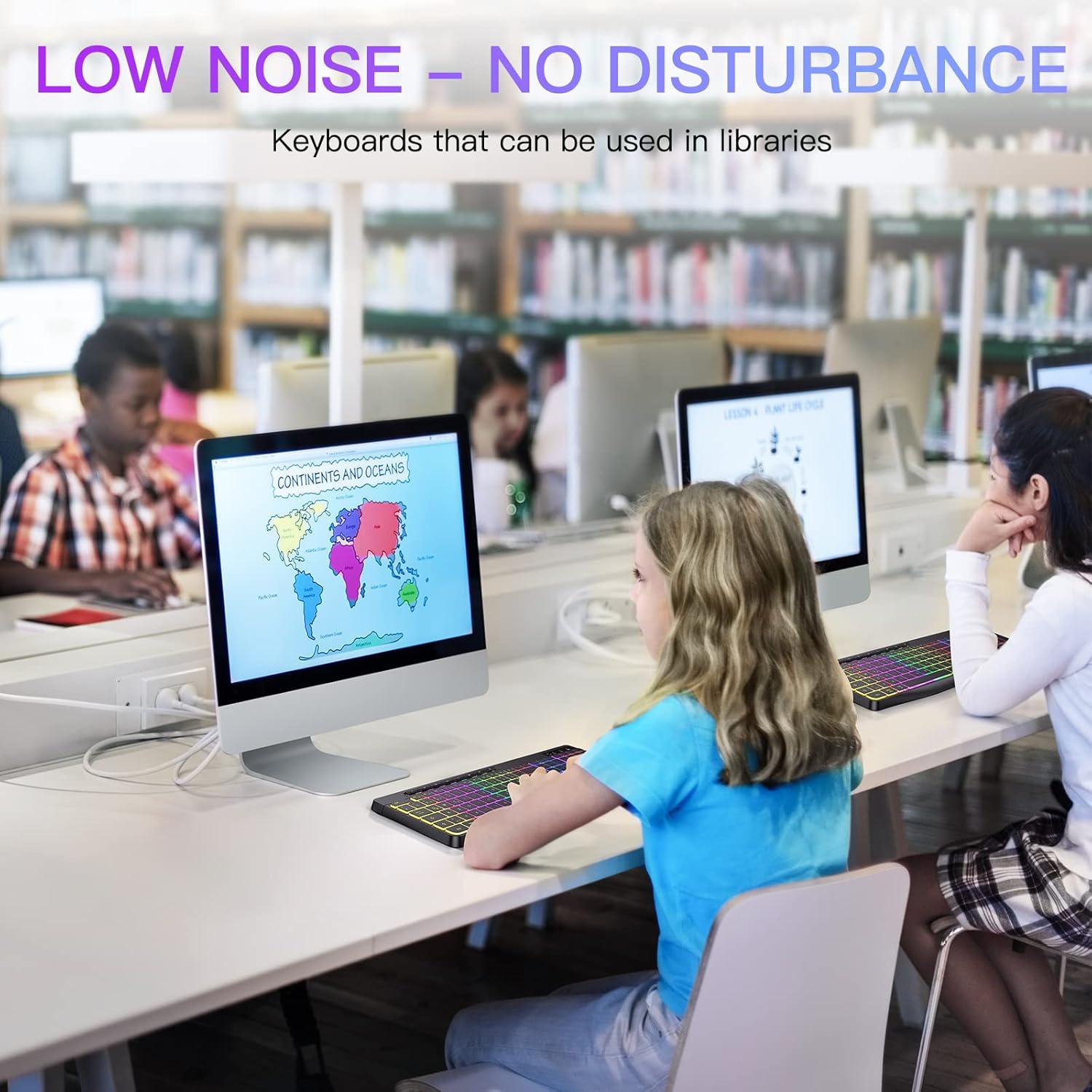
Image: Children using the keyboard in a library setting, illustrating its suitability for environments where low noise is preferred.
Onderhoud
1. Skoonmaak
Om jou sleutelbord skoon te maak:
- Turn off the keyboard and disconnect it from any power source.
- Gebruik 'n sagte, pluisvrye lap liggies dampeindig met water of 'n ligte skoonmaakoplossing.
- Wipe the keycaps and surface gently. Avoid excessive moisture.
- Vir stof en puin tussen sleutels, gebruik saamgeperste lug.
Note: The keyboard is designed to be waterproof, offering protection against accidental spills. However, it is not designed for immersion in water.
2. Batteryversorging
Om die batterylewe te verleng:
- Vermy om die battery gereeld heeltemal te ontlaai.
- Laai die sleutelbord gereeld, veral as dit vir 'n lang tydperk gestoor gaan word.
- Bêre die sleutelbord op 'n koel, droë plek.
Probleemoplossing
| Probleem | Moontlike oorsaak | Oplossing |
|---|---|---|
| Sleutelbord reageer nie | Low battery; USB receiver not connected; Keyboard not powered on; Driver issue. | Charge the keyboard; Ensure USB receiver is securely plugged in; Turn on the keyboard; Try a different USB port; Restart your device. |
| Agterlig werk nie | Agterlig afgeskakel; Lae battery. | Press the backlight control key(s) to turn it on or adjust brightness; Charge the keyboard. |
| Sleutels is klewerig of reageer nie | Debris under keys; Liquid spill. | Clean the keyboard using compressed air or a damp cloth; If liquid spill, turn off immediately, clean, and allow to dry completely before use. |
| Kort batterylewe | Frequent backlight use; Battery degradation over time. | Reduce backlight brightness or turn it off when not needed; Ensure full charge cycles; If battery life significantly degrades, consider contacting support. |
Spesifikasies
| Kenmerk | Detail |
|---|---|
| Handelsmerk | TECURS |
| Modelnommer | SPT-WK007 |
| Verbindingstegnologie | 2.4 GHz Draadloos (USB Ontvanger) |
| Sleutelborduitleg | QWERTZ (German Layout) |
| Agterlig | RGB, Adjustable |
| Spesiale kenmerke | Ergonomic, Rechargeable, Backlit, Integrated Stand, Waterproof |
| Versoenbare bedryfstelsels | Windows, Mac, Linux, PS4, PS5 |
| Versoenbare toestelle | PC, Laptop, Game Console |
| Battery Tipe | Litium-ioon (1 ingesluit) |
| Laaipoort | Mikro USB |
| Afmetings (L x B x H) | 43.7 cm x 14.9 cm x 2 cm |
| Aanbevole gebruik | Business, Gaming |
Waarborg en Ondersteuning
For warranty information and technical support, please refer to the documentation provided with your purchase or visit the official TECURS webwebwerf. Bewaar u bewys van aankoop vir waarborgeise.