
Inleiding
This manual provides essential information for the safe and efficient operation of your DASH Everyday Electric Cooktop. Please read all instructions carefully before first use and retain this manual for future reference.
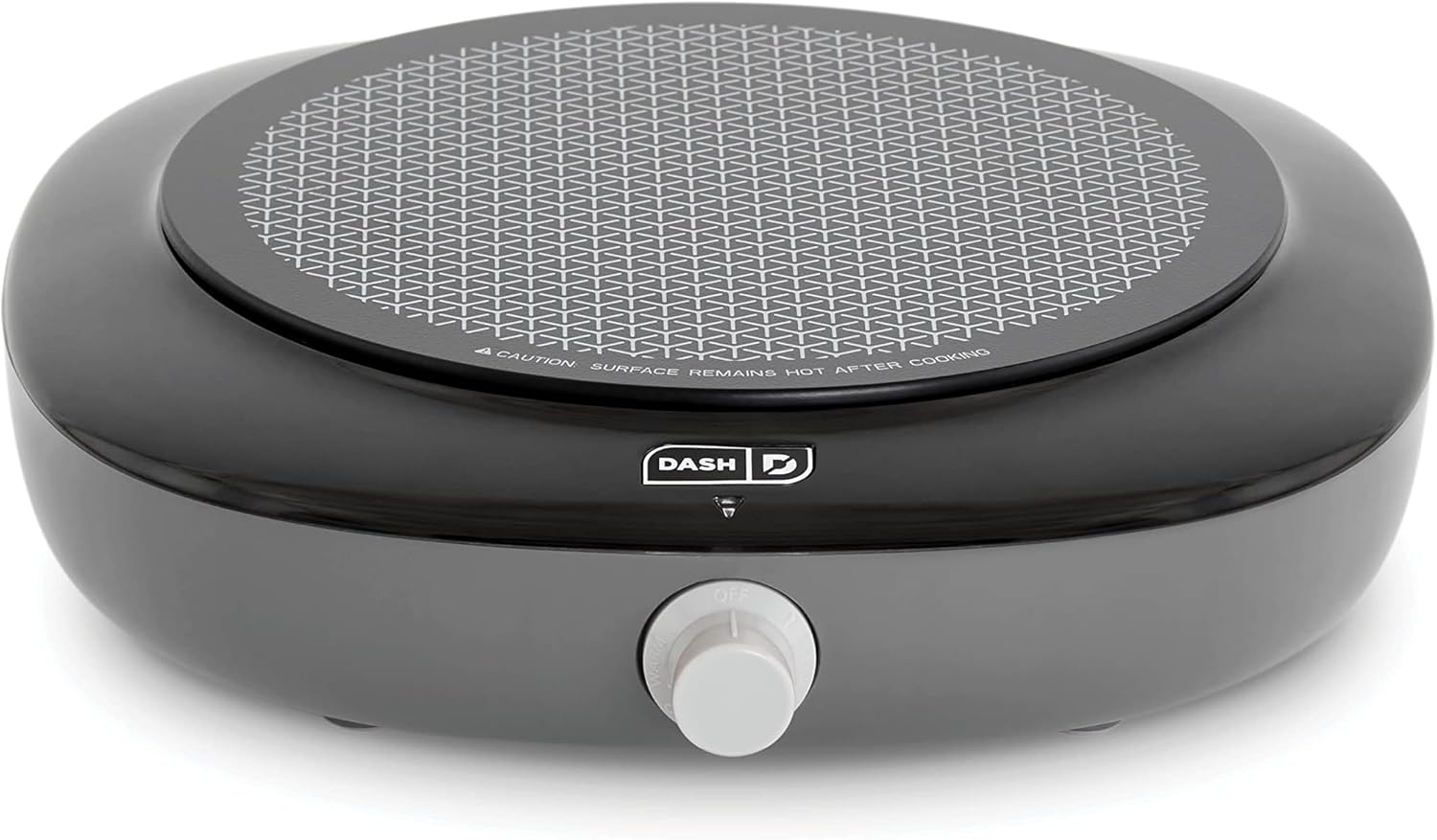
Image: The DASH Everyday Electric Cooktop in Graphite, showcasing its sleek design and single heating surface.
Belangrike voorsorgmaatreëls
To prevent personal injury or property damage, always follow basic safety precautions when using electrical appliances.
- Lees alle instruksies.
- Moenie aan warm oppervlaktes raak nie. Gebruik handvatsels of knoppe.
- Om teen elektriese skok te beskerm, moenie koord, proppe of toestel in water of ander vloeistof dompel nie.
- Noukeurige toesig is nodig wanneer enige toestel deur of naby kinders gebruik word.
- Trek uit die stopcontact wanneer dit nie gebruik word nie en voor skoonmaak. Laat afkoel voor jy dele aan- of afhaal.
- Moenie enige toestel gebruik met 'n beskadigde koord of prop, of nadat die toestel wanfunksioneer of op enige manier beskadig is nie.
- Die gebruik van bykomstighede wat nie deur die toestelvervaardiger aanbeveel word nie, kan beserings veroorsaak.
- Moenie buite gebruik nie.
- Moenie dat koord oor die rand van tafel of toonbank hang, of aan warm oppervlaktes raak nie.
- Moenie op of naby 'n warm gas- of elektriese brander, of in 'n verhitte oond plaas nie.
- Uiterste versigtigheid moet gebruik word wanneer 'n toestel wat warm olie of ander warm vloeistowwe bevat, verskuif word.
- Heg altyd eers die prop aan die toestel vas, en dan die koord in die muurprop. Om te ontkoppel, draai enige beheer na "af" en verwyder dan die prop uit die muurprop.
- Moenie die toestel vir ander as die bedoeling gebruik nie.
- Hierdie toestel het 'n gepolariseerde prop (een lem is breër as die ander). Om die risiko van elektriese skok te verminder, is hierdie prop bedoel om slegs op een manier in 'n gepolariseerde uitlaat te pas. As die prop nie heeltemal in die uitlaat pas nie, draai die prop om. As dit steeds nie pas nie, kontak 'n gekwalifiseerde elektrisiën. Moenie probeer om die prop op enige manier te verander nie.
- 'n Kort kragtoevoerkoord word voorsien om die risiko te verminder as gevolg van verstrengelheid in of struikel oor 'n langer koord.
- Extension cords may be used if care is exercised in their use. If an extension cord is used, the marked electrical rating of the extension cord should be at least as great as the electrical rating of the appliance. The longer cord should be arranged so that it will not drape over the countertop or tabletop where it can be pulled on by children or tripped over unintentionally.
Onderdele en kenmerke
Familiarize yourself with the components of your Everyday Electric Cooktop.
- Infrared Heating Surface: Provides rapid and even heating.
- Temperatuurbeheerknop: Adjusts heat settings.
- Aanwyserlig: Illuminates when the cooktop is heating.
- Keramiek Glas Oppervlak: Duursaam en maklik om skoon te maak.
- Koordberging: Geïntegreerd in die basis vir gerieflike berging.
- Antislipvoete: Verseker stabiliteit tydens gebruik.

Image: The DASH Everyday Electric Cooktop with key dimensions highlighted: 8.5" cooking surface diameter, 11.3" depth, and 10.5" width.

Image: The underside of the cooktop, illustrating the integrated cord storage system for easy wrapping and organization.
Opstelling
- Unpack the cooktop and remove all packaging materials.
- Place the cooktop on a stable, heat-resistant, and dry surface. Ensure there is adequate ventilation around the appliance.
- Ensure the temperature control knob is in the "OFF" position.
- Steek die kragsnoer in 'n standaard elektriese aansluiting.
Bedryfsinstruksies
The DASH Everyday Electric Cooktop features five temperature settings for versatile cooking.
- Place your cookware (maximum 10-inch diameter) centrally on the infrared heating surface.
- Turn the temperature control knob to your desired setting. The indicator light will illuminate, signaling that the cooktop is heating.
- The indicator light will cycle on and off as the cooktop maintains the selected temperature.
- After cooking, turn the knob to the "OFF" position and unplug the appliance. Allow the cooktop to cool completely before cleaning or storing.

Image: The DASH Everyday Electric Cooktop displaying a table of its five temperature settings and their suggested uses, ranging from Warm to Sear.
Temperatuurinstellingsgids
| Instelling | Voorgestelde gebruik |
|---|---|
| Warm | Serving & holding foods at a low warm temperature |
| Laag | Verhit en hou kos saggies teen 'n warm temperatuur |
| Medium | Prut, kook korrels, eiers, roosterbroodjies |
| Hi | Kook vleis, soteer, braai |
| Sear | Kookwater, skroei vleis, stoom |

Image: The DASH Everyday Electric Cooktop in use, with a pan containing bacon and scrambled eggs, demonstrating its cooking capability.
Skoonmaak en Onderhoud
Proper cleaning ensures the longevity and performance of your cooktop.
- Ontkoppel altyd die kookplaat en laat dit heeltemal afkoel voordat jy dit skoonmaak.
- The temperature control knob can be removed for thorough cleaning. Gently pull it straight off.
- Vee die keramiekglasoppervlak af met adamp cloth and mild detergent. For stubborn stains, use a non-abrasive cleaner designed for glass cooktops.
- Do not use abrasive pads, harsh chemicals, or steel wool, as these can scratch the surface.
- Never immerse the cooktop base, cord, or plug in water or any other liquid.
- Dry all parts thoroughly before storing or reusing.
Probleemoplossing
If you experience issues with your DASH Everyday Electric Cooktop, refer to the following common problems and solutions.
| Probleem | Moontlike oorsaak | Oplossing |
|---|---|---|
| Kookplaat verhit nie. | Not plugged in; power outlet malfunction; temperature knob not set. | Ensure the cooktop is securely plugged into a working outlet. Turn the temperature knob to a desired setting. |
| Indicator light is off, but cooktop is hot. | Normale werking. | The indicator light cycles on and off to maintain the set temperature. This is normal. |
| Food cooks too slowly or unevenly. | Incorrect temperature setting; unsuitable cookware; pan too large. | Adjust temperature setting. Use flat-bottomed cookware suitable for electric cooktops. Ensure pan diameter is no more than 10 inches. |
| Cooktop shuts down during use. | Oorverhittingsbeskerming geaktiveer. | Unplug the unit and allow it to cool for at least 30 minutes. Ensure proper ventilation and that the pan is not excessively large or empty. |
Spesifikasies
| Kenmerk | Detail |
|---|---|
| Handelsmerk | DASH |
| Modelnommer | DECT100GBGT06 |
| Kleur | Grafiet |
| Materiaal | Keramiek glas |
| Verhittingselemente | 1 |
| Produk afmetings | 11.3" D x 10.5" B x 2.8" H |
| Wattage | 1200 watt |
| Beheer tipe | Infrarooi Knop |
| Brander tipe | Stralend |
| Kragbron | Elektries |
| Item gewig | 2.1 pond |
| UPC | 810051858280 |
Waarborg
DASH products are warranted to be free from defects in material and workmanship for a period of one (1) year from the date of original purchase when used for normal and intended household use. This warranty covers only the original retail purchaser. A dated sales receipt is required for all warranty claims.
For detailed warranty information and to register your product, please visit the official DASH webwebwerf of kontak kliëntediens.
Kliënte ondersteuning
For further assistance, product registration, or warranty claims, please contact DASH customer support.
- Aanlyn ondersteuning: Visit the official DASH webwebwerf.
- Telefoonondersteuning: Verwys na u produkverpakking of die amptelike webwebwerf vir huidige kontaknommers.
- For a digital copy of this manual, please refer to the product page on Amazon or the manufacturer's webwebwerf.