
1. Inleiding
This manual provides essential instructions for the SOLTECH CCTV Remote Control, model RCWN00001B (also identified as EP10-001090A). This remote is specifically designed for use with various Samsung Wisenet Security & Surveillance Camera Systems, including DVRs and NVRs. Please read this manual thoroughly to ensure proper use and functionality of your remote control.
2. Produk verbyview
The SOLTECH CCTV Remote Control is a dedicated device for managing your Samsung Wisenet security system. It replicates the functionality of the original remote control included with Wisenet All-In-One systems, providing convenient access to your DVR or NVR functions.
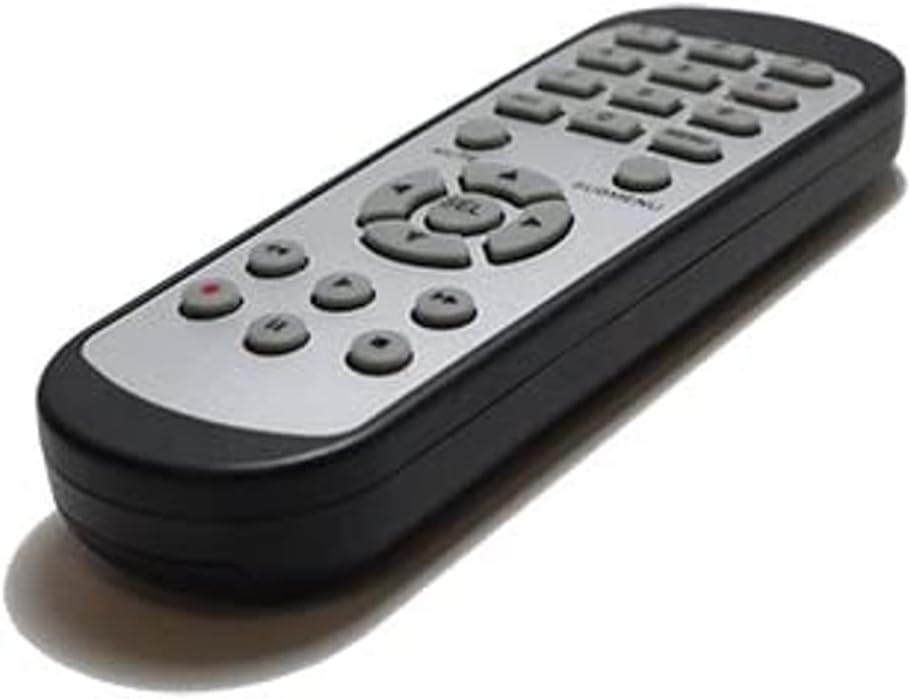
Beeld 2.1: Voorkant view of the SOLTECH CCTV Remote Control (Model RCWN00001B / EP10-001090A).
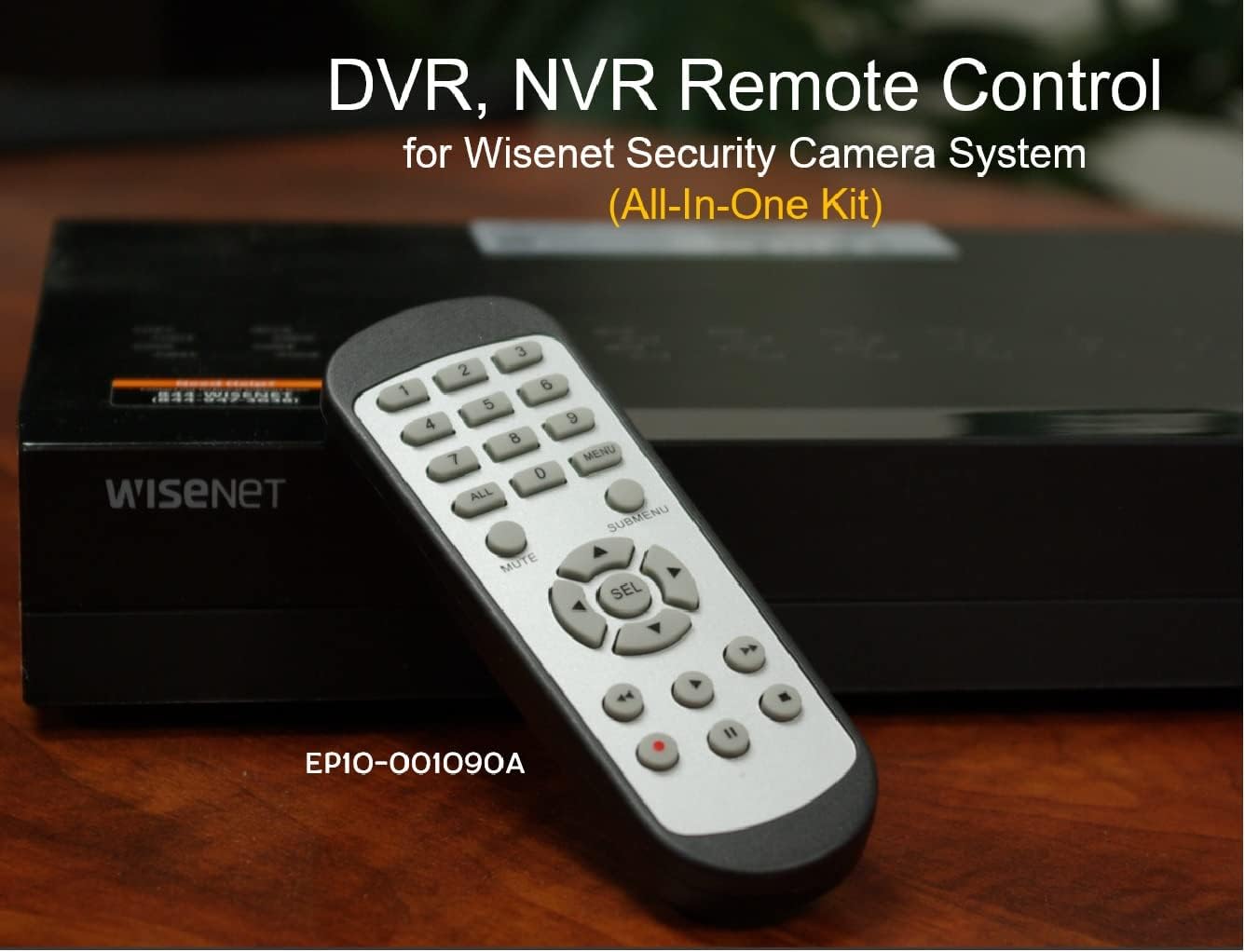
Image 2.2: The remote control positioned on a Wisenet Digital Video Recorder (DVR).
3. Opstelling
This remote control requires two AAA batteries for operation. Batteries are not included with the product and must be purchased separately.
3.1 Battery installasie
- Vind die batterykompartement aan die agterkant van die afstandbeheer.
- Skuif die batteryklepdeksel afwaarts en lig dit af.
- Plaas twee AAA-batterye in en maak seker dat die polariteit (+ en -) korrek is soos aangedui in die kompartement.
- Plaas die batteryklepdeksel terug deur dit terug te skuif totdat dit stewig klik.

Prent 3.1: Agter view van die afstandbeheerder met die batterykompartement oop, wat wys waar AAA-batterye ingesit moet word.
3.2 Aanvanklike verbinding
The SOLTECH CCTV Remote Control is pre-configured for Samsung Wisenet All-In-One System DVRs and NVRs. No additional setup, programming, or pairing is required. Once batteries are installed, the remote is ready for immediate use with compatible systems.
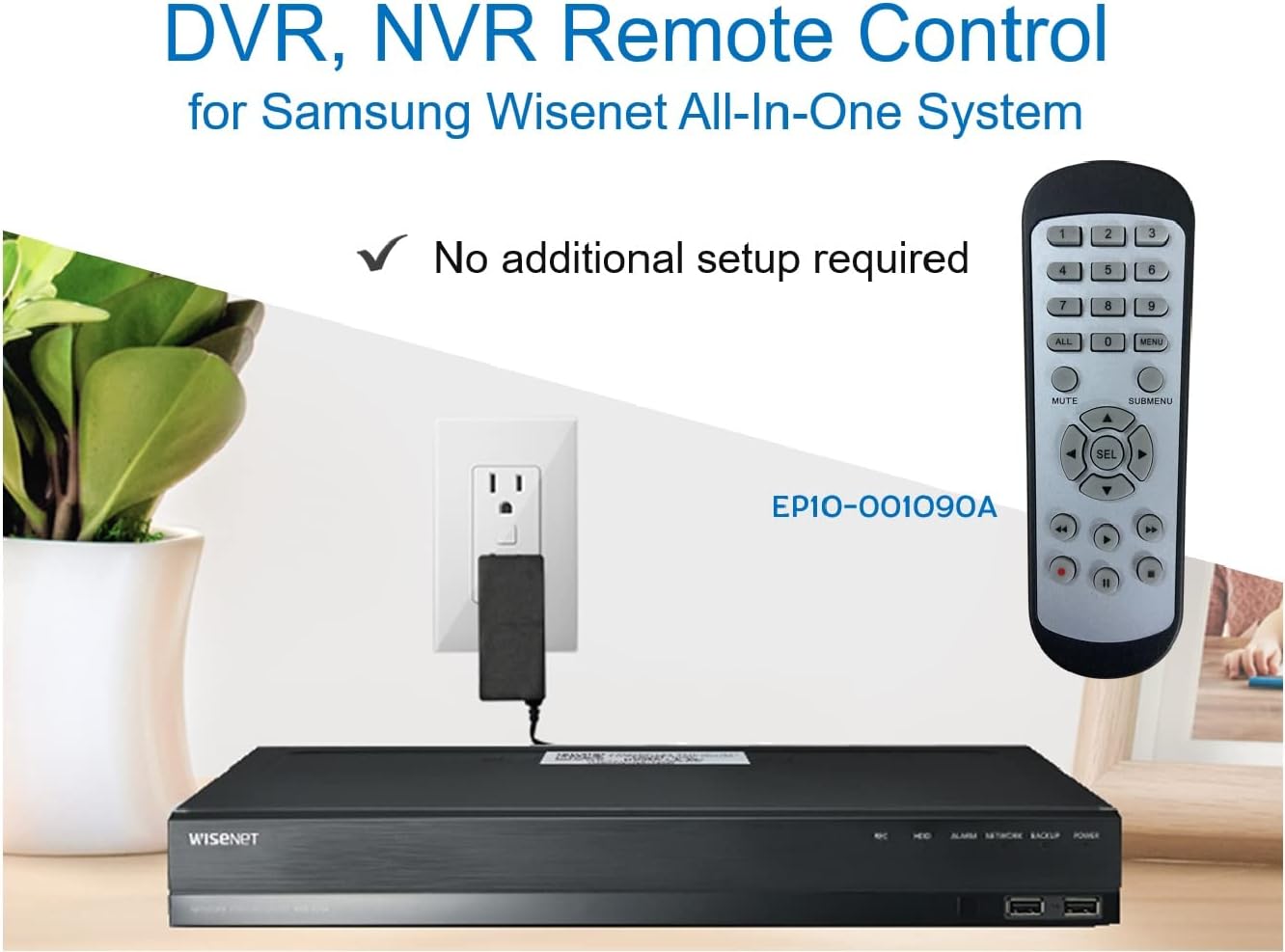
Image 3.2: The remote control shown alongside a Wisenet DVR, illustrating the 'no additional setup required' feature.
4. Bedryfsinstruksies
Point the remote control directly at your Samsung Wisenet DVR or NVR. Press the desired buttons to navigate menus, control playback, switch camera views, and access other functions of your security system. The button layout is standard for Wisenet systems, allowing for intuitive operation.
- Getalknoppies (0-9): Used for direct camera selection or data entry.
- Directional Pad (Up, Down, Left, Right, SEL): Vir menu-navigasie en -keuse.
- DEMPEL: Demp oudio-uitvoer.
- SUBMENU: Accesses sub-menus within the system interface.
- Terugspeelkontroles (Speel, Pouseer, Stop, Vinnig Vorentoe, Terugspoel): Manages recorded footage afspeel.
- OPNAME (Opname): Initiates manual recording.
5. Verenigbaarheid
This remote control is compatible with various Samsung Wisenet All-In-One System Series. It is designed to function as a direct replacement for the original remote controls supplied with these systems.
5.1 Compatible System Series
The remote control is compatible with, but not limited to, the following Samsung Wisenet All-In-One System Series:
- SDH-E95127
- SDH-B94047
- SDH-C94087
- SDH-B73043
- SDH-C85080
- SDH-SF440
- SDH-B74043
- SDH-B74083
- SDH-B74041
- SDH-B74081
- SDH-C85100
- SDR-C85300
- SNK-B73047
- SDH-B74086
- SDH-C73043
- SDR-C73303
- SDH-C74043DF
- SDR-C74303N1T
- SDR-B74301

Image 5.1: The remote control displayed alongside a partial list of compatible Samsung Wisenet All-In-One System Series.

Image 5.2: An illustration showing the remote control's compatibility with a range of Samsung Wisenet security camera systems.
6. Onderhoud
6.1 Batteryvervanging
When the remote control's performance diminishes or it stops responding, replace the AAA batteries. Always replace both batteries at the same time with new ones. Do not mix old and new batteries, or different types of batteries.
6.2 Skoonmaak
Om die afstandbeheerder skoon te maak, gebruik 'n sagte, droë lap. Vir hardnekkige vuiligheid, liggiesampen the cloth with water. Avoid using harsh chemicals, abrasive cleaners, or solvents, as these can damage the remote's surface or internal components.
6.3 Berging
Bêre die afstandbeheerder op 'n koel, droë plek weg van direkte sonlig en uiterste temperature. Indien die afstandbeheerder nie vir 'n lang tydperk gebruik gaan word nie, is dit raadsaam om die batterye te verwyder om lekkasie te voorkom.
7. Probleemoplossing
If you experience issues with your SOLTECH CCTV Remote Control, refer to the following common troubleshooting steps:
- Afstandsbediening reageer nie:
- Kontroleer of die batterye korrek met die korrekte polariteit geplaas is.
- Vervang die batterye met vars AAA-batterye.
- Ensure there is a clear line of sight between the remote control and the infrared receiver on your Wisenet DVR/NVR. Obstructions can block the signal.
- Verify that the remote control is pointed directly at the Wisenet system.
- Intermitterende funksionaliteit:
- Dit dui dikwels op lae batterykrag. Vervang die batterye.
- Ensure no strong light sources (like direct sunlight or bright fluorescent lights) are interfering with the infrared signal.
- Remote Does Not Control My System:
- Confirm that your security system is a Samsung Wisenet All-In-One System and is listed as compatible in Section 5.1. This remote is specifically designed for these systems and may not work with other brands or models.
- As this remote requires no additional setup, if it is not working with a confirmed compatible system after battery replacement, contact customer support.
8. Spesifikasies
| Kenmerk | Detail |
|---|---|
| Modelnommer | RCWN00001B (EP10-001090A) |
| Produk afmetings | 5 x 1.75 x 0.75 duim |
| Item gewig | 1.76 onse |
| Batterye benodig | 2 AAA-batterye (nie ingesluit nie) |
| Vervaardiger | SOLTECH |
| Kleur | Grys |
| Maksimum aantal ondersteunde toestelle | 1 (Wisenet DVR/NVR) |
| Versoenbare toestelle | Samsung Wisenet Security Camera Systems (DVR/NVR) |

Image 8.1: The remote control with its physical dimensions (length, width, thickness) indicated.
9. Waarborg en Ondersteuning
For information regarding product warranty, please refer to the documentation provided with your purchase or contact the seller directly. The seller for this product is SOLTECH America.
For further assistance or technical support, please reach out to the manufacturer or seller through their official contact channels.