
1. Inleiding
Thank you for choosing the ZACO A11s Pro Robot Vacuum and Mop Cleaner. This device is designed to provide efficient and automated cleaning for your home, combining powerful vacuuming with effective mopping capabilities. Featuring advanced laser navigation (LDS) and obstacle detection (TOF), the A11s Pro intelligently maps your home, ensuring thorough coverage and avoiding collisions. With 4000 Pa suction power and a long battery life of up to 150 minutes, it is suitable for various floor types, including hard floors and carpets, and is particularly effective at handling pet hair. This manual provides essential information for setup, operation, maintenance, and troubleshooting to ensure optimal performance of your robot cleaner.

Image 1.1: The ZACO A11s Pro Robot Vacuum and Mop Cleaner.
2. Veiligheidsinstruksies
Before using the ZACO A11s Pro, please read all safety instructions carefully to prevent injury or damage. Keep this manual for future reference.
- Hierdie toestel kan gebruik word deur kinders van 8 jaar en ouer en persone met verminderde fisiese, sensoriese of geestelike vermoëns of 'n gebrek aan ervaring en kennis indien hulle toesig of instruksies ontvang het oor die gebruik van die toestel op 'n veilige manier en die betrokke gevare verstaan .
- Kinders mag nie met die toestel speel nie. Skoonmaak en gebruikersinstandhouding mag nie deur kinders sonder toesig gedoen word nie.
- Gebruik slegs die oorspronklike kragadapter wat deur die vervaardiger verskaf word.
- Moenie die robot in omgewings met oop vlamme, vlambare materiale of korrosiewe vloeistowwe gebruik nie.
- Ensure the charging dock is placed against a wall on a level surface, with adequate clear space around it.
- Remove any loose cables, small objects, or fragile items from the cleaning path before operation to prevent entanglement or damage.
- Do not immerse the robot or its electronic components in water.
- Regularly clean the brushes and filters to maintain optimal performance and prevent blockages.
- As die kragkoord beskadig is, moet dit deur die vervaardiger, sy diensagent of soortgelyke gekwalifiseerde persone vervang word om 'n gevaar te vermy.
3. Pakketinhoud
Pak die boks versigtig uit en maak seker dat alle items teenwoordig en in 'n goeie toestand is. Indien enige items ontbreek of beskadig is, kontak asseblief kliëntediens.
- ZACO A11s Pro Robot Vacuum and Mop Cleaner
- Laaidok
- Kragadapter
- Asblik
- Water Tank (for mopping)
- Syborsels (2 paar)
- Hoë-doeltreffendheidsfilter (vooraf geïnstalleer)
- Skoonmaak gereedskap
- Gebruikershandleiding

Image 3.1: The ZACO A11s Pro with its various accessories, including brushes, charging dock, and cleaning tools.
4. Opstelling
4.1 Laaidokplasing
Place the charging dock against a wall in an open area, ensuring there is at least 0.5 meters (1.6 feet) of clear space on both sides and 1.5 meters (4.9 feet) in front. Connect the power adapter to the charging dock and plug it into a power outlet. Ensure the power cord is neatly arranged to prevent entanglement.
4.2 Aanvanklike laai
Place the robot onto the charging dock. The robot will automatically align and begin charging. For first-time use, fully charge the robot for at least 6 hours. The indicator light on the robot will show charging status.
4.3 App-aflaai en -verbinding
Download the ZACO app from your smartphone's app store (available for iOS and Android). Follow the in-app instructions to connect your ZACO A11s Pro to your home Wi-Fi network. This will enable advanced features like remote control, scheduling, and map management.
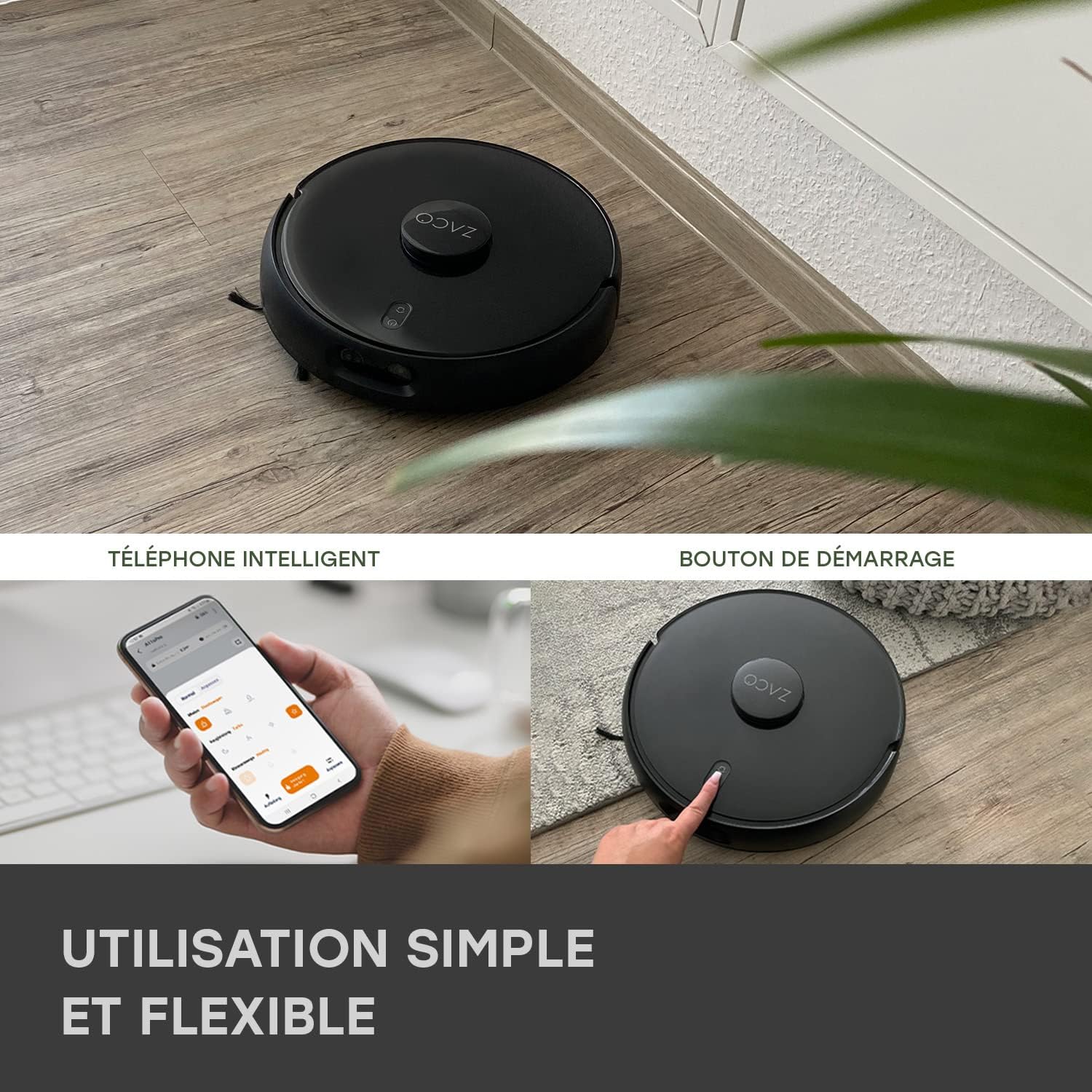
Image 4.1: The ZACO A11s Pro can be controlled via a smartphone app or by pressing the start button on the device.
4.4 Map Creation
For optimal navigation, allow the robot to complete a full cleaning cycle to create an initial map of your home. Ensure all doors are open to areas you wish to be mapped. The laser navigation system (LDS) will accurately scan and store the layout.

Image 4.2: The robot uses Laser Navigation (LDS) and Obstacle Detection (TOF) to map its environment and avoid obstacles.
5. Bedryfsinstruksies
5.1 Starting/Stopping Cleaning
- Handmatige aanvang: Press the power button on the robot once to start a cleaning cycle. Press again to pause.
- Programbeheer: Open the ZACO app, select your robot, and tap 'Start' to begin cleaning. You can also pause or send the robot back to its charging dock via the app.
5.2 Skoonmaakmodusse
The A11s Pro offers versatile cleaning modes:
- Slegs stofsuier: Use the dustbin for dry vacuuming. Ideal for carpets and general debris.
- Slegs mop: Install the water tank and mopping pad for wet mopping. The active mopping function with ultrasonic vibration ensures effective cleaning of hard floors.
- Stofsuig en mop: Use the combined dustbin/water tank for simultaneous vacuuming and mopping.

Image 5.1: The ZACO A11s Pro features an active mopping function with ultrasonic vibration, suitable for parquet, tile, and vinyl floors.
5.3 Scheduling and Zone Cleaning
Using the ZACO app, you can:
- Stel skoonmaakskedules vir spesifieke tye en dae.
- Define virtual walls or no-go zones to restrict the robot from certain areas.
- Select specific rooms or areas for targeted cleaning.
5.4 Stemassistent-integrasie
The ZACO A11s Pro is compatible with Amazon Echo and Google Home. Follow the instructions in the ZACO app to link your robot with your preferred voice assistant for convenient voice control.
6. Onderhoud
Regular maintenance is crucial for the longevity and optimal performance of your robot cleaner. Always turn off the robot and disconnect it from the charging dock before performing any maintenance.
6.1 Skoonmaak van die stofhouer en filter
- Maak die asblik leeg na elke skoonmaaksiklus.
- Tap the filter to remove dust. Rinse the filter under running water if necessary, but ensure it is completely dry before re-installing. Replace the filter every 3-6 months depending on usage.
6.2 Hoofborsel en syborsels
- Remove the main brush and use the cleaning tool to cut and remove tangled hair or debris.
- Check side brushes for wear and tear. Replace them if they are bent or damaged.
6.3 Watertenk en Mopdoek
- Empty any remaining water from the tank after each mopping session.
- Clean the mopping pad thoroughly. It can be hand-washed or machine-washed.
6.4 Sensors en laaikontakte
- Wipe the cliff sensors, obstacle detection sensors, and charging contacts on both the robot and the charging dock with a clean, dry cloth.
7. Probleemoplossing
If you encounter issues with your ZACO A11s Pro, refer to the following common problems and solutions:
| Probleem | Moontlike oorsaak | Oplossing |
|---|---|---|
| Die robot begin nie of reageer nie. | Lae battery; kragskakelaar af; robot vas. | Maak seker dat die robot gelaai is; kontroleer die kragskakelaar; verwyder enige obstruksies. |
| Swak suigprestasie. | Vol stofblik; verstopte filter; deurmekaar borsels. | Maak die stofhouer leeg; maak die filter skoon/vervang dit; maak die hoof- en syborsels skoon. |
| Robot kan nie laaidok vind nie. | Charging dock obstructed; robot too far from dock. | Ensure clear space around dock; manually place robot closer to dock. |
| Navigation errors or rooms not recognized. | Sensors dirty; new obstacles; map corruption. | Clean all sensors; remove new obstacles; reset map in app if necessary. |
| Die dweilfunksie werk nie. | Empty water tank; clogged water outlet; incorrect tank installed. | Fill water tank; clean water outlet; ensure mopping tank is correctly installed. |
| Probleme met programverbinding. | Incorrect Wi-Fi password; router issues; robot offline. | Verify Wi-Fi password; restart router; re-pair robot with app. |
8. Spesifikasies
| Kenmerk | Detail |
|---|---|
| Handelsmerk | ZACO |
| Modelnommer | A11s Pro |
| Kleur | Swart |
| Afmetings (L x B x H) | 35 x 35 x 9.5 cm (13.8 x 13.8 x 3.7 duim) |
| Gewig | 3.4 kilogram (7.5 lbs) |
| Suigkrag | 4000 Pa |
| Batterylewe | Tot 150 minute |
| Battery Tipe | Litium-ioon (1 ingesluit) |
| Watertenk kapasiteit | 550 milliliter |
| Krag | 50 Watt |
| Voltage | 14.4 Volt |
| Geraasvlak | 65 Desibel |
| Tipe navigasie | Laser Navigation (LDS) & Obstacle Detection (TOF) |
| Tipe beheerder | Programbeheer |
| Produkversoenbaarheid | Amazon Echo, Google Home, Slimfoon |
| Oppervlak-aanbeveling | Carpets, Hard Floors, Parquet |
| Spesiale kenmerke | Hard floor brush, Pet hair cleaning |
9. Waarborg en Ondersteuning
ZACO is committed to providing high-quality products and customer satisfaction. The ZACO A11s Pro comes with a commitment to spare parts availability for 2 years. For any questions, technical support, or warranty claims, please contact ZACO customer service. Our German support team is available to assist you.
For further assistance, please visit the official ZACO website or contact our support team directly via the contact information provided on our webwebwerf.