
Inleiding
Thank you for choosing the ciciglow 10-inch Android 11 Tablet. This manual provides essential information for setting up, operating, maintaining, and troubleshooting your device. Please read this manual thoroughly before using your tablet to ensure optimal performance and longevity.
Wat is in die boks
Maak asseblief seker dat al die items wat hieronder gelys word, teenwoordig en in 'n goeie toestand is wanneer u dit uitpak:
- 1 x ciciglow 10-inch Tablet
- 1 x datakabel
- 1 x kragadapter
- 1 x OTG-kabel
- 1 x bedrade koptelefoon
- 1 x Ejection Pin
- 1 x Gebruikershandleiding
Produk verbyview
The ciciglow 10-inch tablet is designed for a versatile user experience, featuring a robust set of hardware and software capabilities.
Sleutel kenmerke:
- 10-duim IPS HD-skerm: Features full-screen eye protection and a dual anti-blue light design to reduce eye strain.
- Powerful 10-Core Processor: Equipped with an MT6711 10-core 2.5GHz CPU, 6GB RAM, and 128GB ROM for smooth performance in gaming and multimedia.
- Long-lasting 8800mAh Battery: Provides extended usage for work, study, entertainment, and creative tasks.
- Android 11-bedryfstelsel: Offers faster internet access, stable video streaming, and smoother application launches.
- Dual SIM/Memory Card Slot: Supports dual SIM dual standby (2 SIM cards or 1 SIM card and 1 memory card simultaneously).
- Dubbele kameras: Features an 8MP front camera and a 20MP rear camera for high-definition photography and video calls.
- Verbinding: Supports 2.4G/5G dual-band Wi-Fi, Bluetooth 5.0, and 4G cellular networks (GSM850/900/1800/1900, WCDMA: 850/2100, LTE: BAND1/3/5/28AB/40/41F).
- GPS and GLONASS Support: For accurate navigation.

Figure 1: The 10-inch IPS HD display with eye protection features.

Figure 2: The tablet's 8800mAh battery ensures extended usage.

Figure 3: Front (8MP) and Rear (20MP) cameras for capturing moments.

Figure 4: The tablet runs on the Android 11 operating system.
Opstelling
1. Aanvanklike laai
Before first use, fully charge the tablet using the provided power adapter and USB-C cable. Connect the USB-C cable to the tablet's Type-C port and the adapter to a power outlet. The charging indicator will show the charging status.
2. Skakel aan/af
- Om aan te skakel: Press and hold the Power button until the ciciglow logo appears on the screen.
- Om af te skakel: Press and hold the Power button until a power-off menu appears. Select "Power off" and confirm.
- Om weer te begin: Kies "Herbegin" in die afskakelkieslys.
3. Inserting SIM/Memory Card
Locate the SIM/memory card tray on the side of the tablet. Use the provided ejection pin to open the tray. Carefully place your SIM card(s) and/or memory card into the designated slots, ensuring correct orientation. Gently push the tray back into the tablet until it clicks into place.
Note: The tablet supports two SIM cards or one SIM card and one memory card simultaneously.
4. Aanvanklike Opstelling Wizard
Upon first power-on, the tablet will guide you through an initial setup process. Follow the on-screen instructions to select your language, connect to Wi-Fi, set up your Google account, and configure other basic settings.
Bedryfsinstruksies
1. Navigasie Basiese Beginsels
- Raak: Tik op 'n ikoon of opsie om dit te kies.
- Swiep: Sleep jou vinger oor die skerm om te blaai of tussen skerms te navigeer.
- Knyp-om-te-Zoem: Gebruik twee vingers om in of uit te zoem op beelde en web bladsye.
- Tuisskerm: Tap the Home button (usually a circle or square icon) to return to the main screen.
- Agter: Tap the Back button (usually a triangle or arrow icon) to return to the previous screen.
- Onlangse toepassings: Tap the Recent Apps button (usually a square or three vertical lines icon) to view en wissel tussen onlangs gebruikte toepassings.
2. Wi-Fi-verbinding
- Gaan na Instellings > Netwerk en internet > Wi-Fi.
- Wi-Fi wissel On.
- Kies jou verlangde Wi-Fi-netwerk uit die lys.
- Voer die wagwoord in indien gevra en tik Koppel.
3. Bluetooth-koppeling
- Gaan na Instellings > Gekoppelde toestelle > Bluetooth.
- Wissel Bluetooth On.
- Ensure the device you want to pair with is in pairing mode.
- Select the device from the "Available devices" list and follow any on-screen prompts to complete pairing.

Figure 5: The tablet supports 5G network connectivity and Bluetooth 5.0 for file oordra.
4. Using Cameras
Open the Camera app from your home screen or app drawer. You can switch between the front and rear cameras, select different modes (photo, video), and adjust settings as needed. Tap the shutter button to take a photo or start/stop video recording.
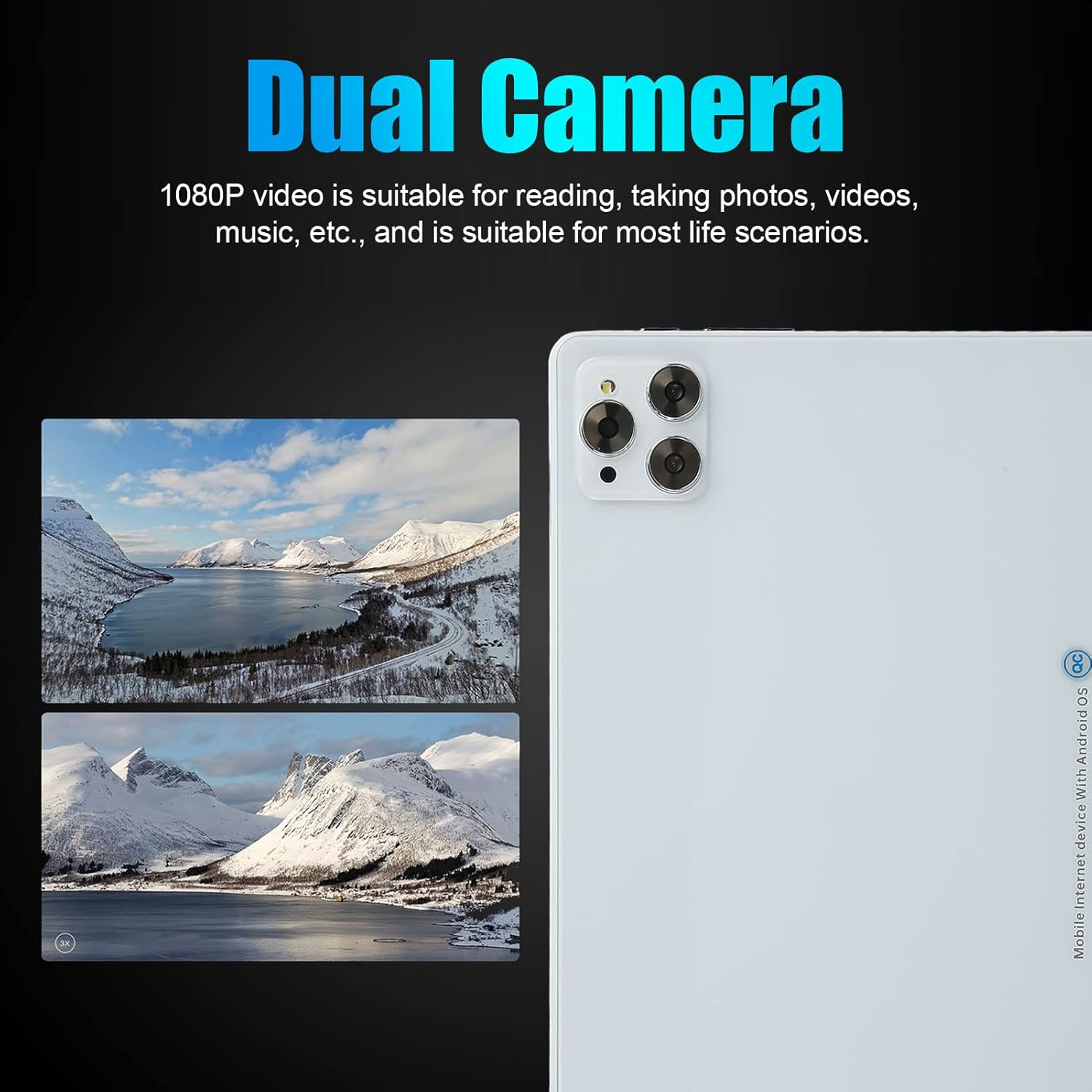
Figure 6: The dual cameras are suitable for various scenarios including reading, taking photos, and videos.
5. GPS-navigasie
The tablet supports GPS and GLONASS for accurate location services. Use pre-installed map applications or download your preferred navigation app from the Google Play Store. Ensure location services are enabled in Instellings > Ligging.

Figure 7: GPS navigation capabilities for indoor and outdoor use.
Onderhoud
- Skoonmaak: Gebruik 'n sagte, pluisvrye lap om die skerm en liggaam van die tablet skoon te maak. Vermy die gebruik van harde chemikalieë of skuurmiddels.
- Batterysorg: To prolong battery life, avoid fully discharging the battery frequently. Charge the tablet regularly and avoid exposing it to extreme temperatures.
- Sagteware-opdaterings: Regularly check for and install system updates to ensure your tablet has the latest features and security patches. Go to Instellings > Stelsel > Stelselopdatering.
- Bergingbestuur: Maak gereeld onnodige dinge skoon files and uninstall unused apps to free up storage space and improve performance.
- Beskerming: Oorweeg die gebruik van 'n beskermende omhulsel en skermbeskermer om teen val en skrape te beskerm.
Probleemoplossing
| Probleem | Moontlike Oplossing |
|---|---|
| Tablet skakel nie aan nie. | Ensure the battery is charged. Connect the tablet to the charger for at least 30 minutes, then try powering on again. |
| Wi-Fi-verbindingsprobleme. | Check if Wi-Fi is enabled in settings. Restart your router and the tablet. Ensure you are entering the correct Wi-Fi password. |
| Programme stort vas of vries. | Close background apps. Clear the cache of the problematic app (Settings > Apps > [App Name] > Storage & cache > Clear cache). Restart the tablet. If the issue persists, consider uninstalling and reinstalling the app. |
| Stadige werkverrigting. | Maak ongebruikte programme toe. Maak kasgeheue en tydelike programme skoon. files. Check for system updates. Consider performing a factory reset as a last resort (back up your data first). |
| SIM-kaart nie bespeur nie. | Ensure the SIM card is correctly inserted into the tray. Restart the tablet. Check if the SIM card is active with your carrier. |
Spesifikasies
| Kenmerk | Detail |
|---|---|
| Modelnommer | cicigloww9ge87rhsp2304-11 |
| Bedryfstelsel | Android 11 |
| Verwerker | MT6711, 10 Cores, 2.5 GHz |
| RAM | 6 GB |
| Interne berging (ROM) | 128 GB |
| Uitbreidbare berging | Ondersteun tot 128 GB geheue kaart |
| Vertoon | 10-inch IPS, 1200 x 1920 HD Resolution |
| Bluetooth | BT5.0 |
| I/O-poorte | 1 x 3.5mm Headphone Jack, 1 x Type-C Port |
| Luidsprekers | Dubbele luidsprekers |
| Mikrofoon | Ondersteun |
| Wi-Fi | Dual-band 2.4G/5G (802.11b, 802.11n) |
| Netwerk Standaard | GSM850/900/1800/1900, WCDMA: 850/2100, LTE: BAND1/3/5/28AB/40/41F (Dual SIM Dual Standby) |
| Swaartekragsensor | Ja |
| GPS/GLONASS | Ondersteun |
| Kameras | Front: 8 MP, Rear: 20 MP |
| Video formate | AVI, MP4, FLV, 3GP, MKV, WMV, etc. |
| Oudioformate | MP3, WMA, OGG, AAC, WAV, FLAC, etc. |
| Beeldformate | JPG / BMP / PNG / GIF |
| Battery | 8800 mAh litiumbattery |
| Afmetings (Pakket) | 29 x 20 x 6 cm |
| Gewig (Pakket) | 800 gram |
| Land van oorsprong | China |
Waarborg en Ondersteuning
Your ciciglow tablet comes with a standard manufacturer's warranty. Please refer to the warranty card included in your package for specific terms and conditions. For technical support, troubleshooting assistance, or warranty claims, please contact the retailer or ciciglow customer service through their official channels. Keep your purchase receipt as proof of purchase.
For further assistance, please visit the official ciciglow webwebwerf of kontak hul ondersteuningspan.