

Inleiding
Welcome to the user manual for your ACAGET Wireless Earbuds. These earbuds are designed to provide a high-fidelity audio experience with advanced features for daily use, sports, and travel. This manual will guide you through setup, operation, maintenance, and troubleshooting to ensure optimal performance and enjoyment of your device.
Pakketinhoud
Verifieer asseblief dat al die items wat hieronder gelys word, in u pakket ingesluit is:
- 1x True Bluetooth Headphone (Wireless Earbuds)
- 1x laaibak
- 1x USB-C-laaikabel
- 1x Earhooks (for secure fit)
- 1x Silicone Earbud Protective Case
- 1x Gebruikershandleiding

Image: The package contents laid out, including the earbuds, charging case, USB-C cable, earhooks, and user manual.
Opstelling
Laai die oordopjes en omhulsel
The charging case has a 300mAh battery and can recharge the earbuds approximately 4 times, providing up to 25 hours of additional playtime. The earbuds themselves offer 4-5 hours of playtime on a single full charge.
To charge the case, connect the provided USB-C charging cable to the charging port on the case and a compatible power source. The indicator light on the case will illuminate to show charging status. A full charge for the case takes approximately 1.5 hours.
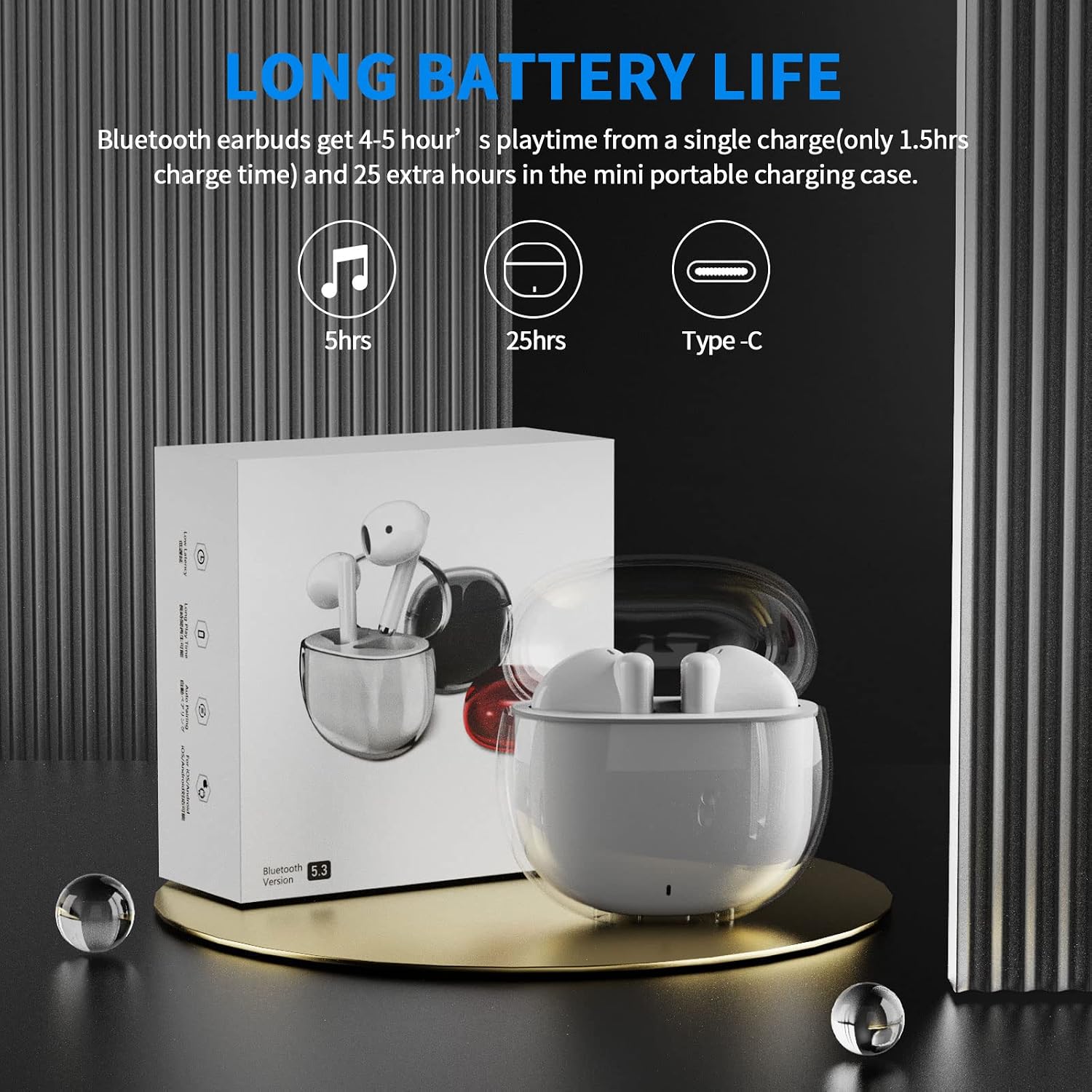
Image: A visual representation of the earbuds' battery life, showing 5 hours for earbuds and 25 hours total with the charging case, and the USB-C charging port.
Koppel aan u toestel
The earbuds feature one-step pairing for quick and easy connection to your devices. They utilize advanced Bluetooth 5.3 technology for a stable and fast connection.
- Maak seker dat jou toestel se Bluetooth aangeskakel is.
- Maak die laaikas oop. Die oorfone sal outomaties aanskakel en in paringsmodus gaan.
- On your device (smartphone, tablet, laptop), go to the Bluetooth settings and select "ACA-i23" from the list of available devices to connect.
- Sodra dit gekoppel is, sal jy 'n bevestigingstoon hoor, en die oorfone sal gereed wees vir gebruik.

Image: A graphic illustrating the advanced Bluetooth 5.3 technology and the one-step pairing process with a smartphone, showing the "ACA-i23" device name.
Video: This official ACAGET video demonstrates the simple one-step pairing process and how to use the smart touch controls for music playback and call management.
Bedryfsinstruksies
Slim raakkontroles
The earbuds feature intuitive touch controls for managing your audio and calls without needing to access your connected device.
- Speel/onderbreek musiek: Dubbeltik op die regteroorknoppie.
- Volgende snit: Tik drie keer op die regteroorknoppie.
- Vorige snit: Tik drie keer op die linkeroorknoppie.
- Beantwoord/beëindig oproep: Dubbeltik op enige van die oordopjes.
- Verwerp oproep: Druk en hou enige oordopjes vir 2 sekondes.
- Wake Up Voice Assistant (Siri): Tik twee keer op die linker oordop.

Image: A visual guide detailing the various touch control gestures for music playback, call management, and voice assistant activation on the earbuds.
Video: This official ACAGET video highlights the ergonomic design, Bluetooth 5.3 features, smart touch controls, long battery life, and the secure fit provided by the included over-ear earhooks.
Onderhoud
Skoonmaak
To maintain optimal performance and hygiene, regularly clean your earbuds and charging case. Use a soft, dry, lint-free cloth. Avoid using harsh chemicals, abrasive materials, or excessive moisture, as these can damage the device.
Waterweerstand
The ACAGET Wireless Earbuds are rated IPX4 waterproof, meaning they are protected against splashing water from any direction. This makes them suitable for use during workouts, in light rain, or when sweating. Let wel: The earbuds are not designed for submersion in water and should not be used for swimming or bathing.
Probleemoplossing
Algemene kwessies en oplossings
Oordopjes koppel nie:
- Maak seker dat beide oordopjes in die laaikas is en volledig gelaai is.
- Make sure Bluetooth is enabled on your device and "ACA-i23" is selected from the available devices.
- Try resetting the earbuds by placing them in the case, closing the lid, and reopening after a few seconds.
Only one earbud charging/working:
- Verify that both earbuds are properly seated in the charging case and making firm contact with the charging pins.
- Clean the charging contacts on both the earbuds and the case with a dry cotton swab to remove any debris.
- As die probleem voortduur, kontak kliëntediens vir verdere hulp.
Klankkwaliteitsprobleme:
- Ensure the earbuds are properly fitted in your ears for optimal sound delivery.
- Kontroleer die klankbron en volumevlakke op jou gekoppelde toestel.
- Move closer to your device to avoid interference or range issues, as the Bluetooth range is up to 15 meters.
Spesifikasies
Tegniese spesifikasies
| Kenmerk | Detail |
|---|---|
| Model Naam | i23 draadlose oordopjes |
| Verbindingstegnologie | Draadloos |
| Draadlose kommunikasietegnologie | Bluetooth |
| Bluetooth weergawe | 5.3 |
| Bluetooth-reeks | 15 meter |
| Batterylewe (Oorfone) | 5 ure |
| Dratas se batterylewe | 25 ure |
| Dratas batterykapasiteit | 300 miljoenamp Ure |
| Laai tyd | 1.5 ure |
| Waterweerstandvlak | IPX4 waterdig |
| Tipe beheer | Mediabeheer |
| Beheer metode | Raak |
| Tipe oudiobestuurder | Dinamiese bestuurder |
| Oudiobestuurdergrootte | 13 millimeter |
| Frekwensiereeks | 20 Hz - 20 000 Hz |
| Sensitiwiteit | 105 dB |
| Impedansie | 32 ohm |
| Item gewig | 3.84 onse |
| Produk afmetings | 5.9 x 4.72 x 1.18 duim |
| Materiaal | Akrielnitril Butadieen Styreen (ABS) |
| Versoenbare toestelle | Compatible with various Bluetooth devices, including cellphones, iPad, laptops, and many Android and iOS smartphones. |
Waarborg en Ondersteuning
Waarborg inligting
ACAGET provides a 90-day refund and 6-month replacement policy for any defect problems with your earbuds. This warranty covers manufacturing defects and ensures your satisfaction with the product.
Kliënte ondersteuning
For any issues, questions, or suggestions regarding your ACAGET Wireless Earbuds, please do not hesitate to contact us through the message system. Our support team is committed to responding immediately to assist you.
For a detailed user guide, you can also refer to the official PDF document: Gebruikershandleiding (PDF).