
Inleiding
Thank you for choosing the Mix Hero T9 Bluetooth 5.3 Earbuds. This manual provides essential information for setting up, operating, and maintaining your new earbuds. Please read it carefully to ensure optimal performance and longevity of your device.
Opstelling
1. Uitpak en Aanvanklike Lading
Upon receiving your Mix Hero T9 Earbuds, carefully unbox all components. Before first use, ensure the charging case and earbuds are fully charged.

Image: The Mix Hero T9 earbuds resting in their charging case, which features an LED display indicating battery levels for both earbuds and the case itself.
Connect the charging case to a power source using the provided USB cable. The LED display on the charging case will show the charging progress. A full charge is indicated when the display shows 100%.
2. Koppeling met jou toestel
The Mix Hero T9 Earbuds feature automatic pairing for convenience.
- Maak die deksel van die laaikas oop. Die oordopjes sal outomaties aanskakel en saambindmodus gaan.
- Navigeer na die Bluetooth-instellings op jou mobiele toestel (slimfoon, tablet of rekenaar).
- Soek vir beskikbare toestelle en kies "T9" uit die lys.
- Once selected, your device will connect to the earbuds. A voice prompt will confirm successful pairing.
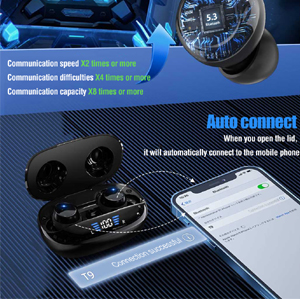
Image: A visual representation of the automatic pairing feature, showing the earbuds connecting to a smartphone upon opening the charging case.
3. Pas die oordopjes aan
For optimal sound quality and comfort, choose the correct ear tip size. The earbuds come with multiple sizes (S, M, L) to ensure a secure fit.
- Plaas die oorknoppie liggies in jou oorkanaal.
- Rotate the earbud slightly until it feels snug and comfortable.
- If the fit is loose or uncomfortable, try a different size ear tip.

Image: An earbud properly seated in an ear, demonstrating a secure and comfortable fit.
Bedryfsinstruksies
1. Skakel aan/af
- Krag aan: Maak die laaikas se deksel oop, en die oordopjes sal outomaties aanskakel.
- Skakel af: Plaas die oorfone terug in die laaikas en maak die deksel toe. Hulle sal outomaties afskakel en begin laai.
2. Raak Kontroles
The Mix Hero T9 Earbuds feature intuitive touch controls on each earbud. The following actions can be performed:
| Aksie | Funksie |
|---|---|
| Single Tap (either earbud) | Speel/pouse musiek, beantwoord/beëindig oproep |
| Double Tap (left earbud) | Vorige snit |
| Double Tap (right earbud) | Volgende snit |
| Long Press (left earbud) | Volume af |
| Long Press (right earbud) | Volume op |
| Triple Tap (either earbud) | Aktiveer Stemassistent (Siri, Google Assistent, ens.) |

Image: A diagram illustrating the various touch control functions on the earbuds, including play/pause, track skipping, volume adjustment, and voice assistant activation.
3. Monaural and Binaural Modes
The earbuds support both monaural (single earbud) and binaural (both earbuds) use.
- Monomodus: You can use either the left or right earbud independently. Simply take one earbud out of the case, and it will connect to your device.
- Binaurale modus: For stereo sound, use both earbuds. They will automatically connect to each other and your device when taken out of the case.
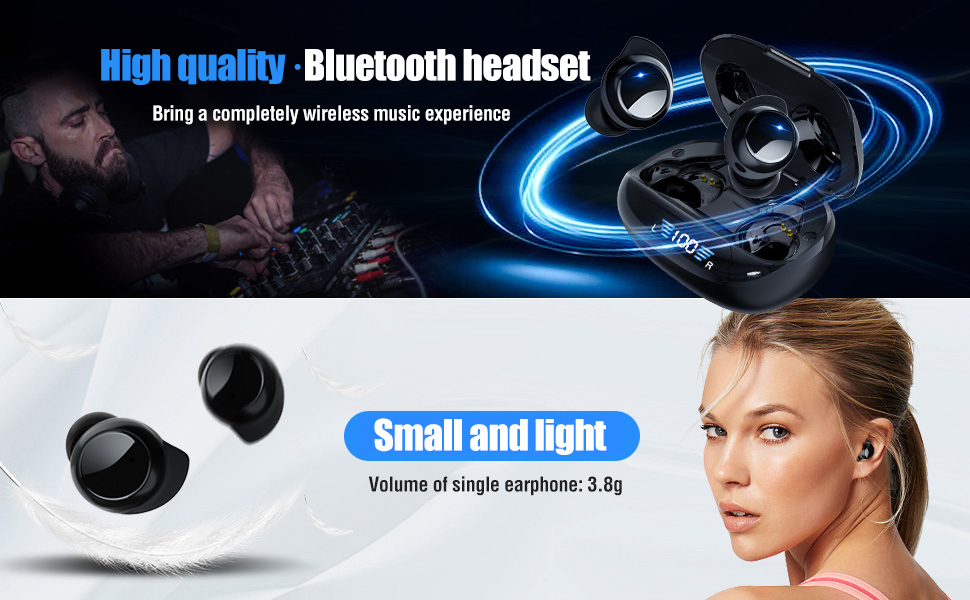
Image: An illustration depicting the flexibility of using the earbuds in either monaural mode (one earbud) or binaural mode (both earbuds).
4. Noise Reduction for Calls
The earbuds incorporate a special noise reduction algorithm (cc8.0) to enhance call clarity by identifying and reducing environmental background noise.
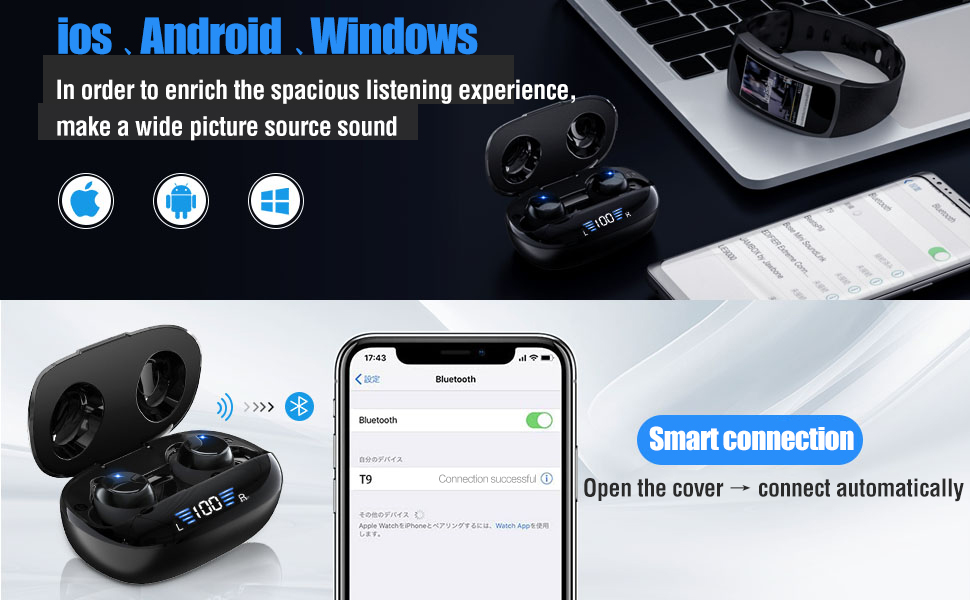
Image: A visual representation of the noise reduction technology, showing sound waves being processed to improve communication clarity.
Onderhoud
1. Skoonmaak
Gereelde skoonmaak help om klankgehalte en higiëne te handhaaf.
- Gebruik 'n sagte, droë, pluisvrye lap om die oorfone en laaikas af te vee.
- Moenie skuurmiddels, oplosmiddels of aërosolsproei gebruik nie.
- Verwyder enige oorsmeer of puin versigtig van die oorpunte en luidsprekermaas met 'n klein, sagte borseltjie of wattestokkie.
2. Waterbestandheid (IPX7)
The Mix Hero T9 Earbuds are IPX7 waterproof, meaning they are protected against immersion in water up to 1 meter for up to 30 minutes. This makes them suitable for workouts and light rain.
- Do not intentionally submerge the earbuds in water for extended periods.
- Maak seker dat die oordopjes droog is voordat jy dit terug in die laaikas sit om skade te voorkom.
- Die laaikas is nie waterdig nie.

Image: The earbuds shown with water droplets, highlighting their IPX7 waterproof and sweat-proof design for durability.
Probleemoplossing
If you encounter issues with your Mix Hero T9 Earbuds, please refer to the following common solutions:
- Geen klank-/verbindingsprobleme nie:
Ensure both earbuds are charged. Place them back in the charging case, close the lid, then open it again to re-initiate pairing. Check your device's Bluetooth settings to ensure "T9" is connected. Try forgetting the device and re-pairing. - Een oordopjes werk nie:
Ensure both earbuds are charged. Sometimes an earbud might be off. Place both earbuds back in the charging case, close the lid, and then open it again. This often resets their connection. - Charging Case LED Display Inaccurate:
The LED display provides an estimate of battery life. If it seems inaccurate, fully charge the case and earbuds, then observe the discharge cycle. - Aanraakkontroles reageer nie:
Ensure your fingers are clean and dry. Try cleaning the touch sensor area on the earbuds. If the issue persists, try resetting the earbuds (refer to manufacturer's support for specific reset instructions if needed). - Lae volume:
Adjust the volume on both your connected device and using the earbud touch controls (long press right for volume up). Ensure ear tips provide a good seal in your ear canal.
Spesifikasies
| Kenmerk | Detail |
|---|---|
| Modelnommer | T9 |
| Handelsmerk | Meng held |
| Verbindingstegnologie | Bluetooth 5.3 |
| Draadlose kommunikasietegnologie | Bluetooth |
| Oorplasing | In Oor |
| Vormfaktor | In Oor |
| Tipe beheer | Mediabeheer |
| Beheer metode | Raak |
| Spesiale kenmerke | Fast Charging, Noise Cancellation, Sweat (IPX7) |
| Headset se batterylewe | Tot 5 uur |
| Die batterylewe van die laaikas | Up to 48 hours (with multiple charges) |
| Item gewig | 2.08 onse |
| Pakket afmetings | 4.61 x 3.43 x 1.65 duim |
Video Gids
Watch this official video for a visual guide on unboxing, charging, pairing, and using the touch controls of your Mix Hero T9 Earbuds.
Video: An instructional video demonstrating the unboxing, charging, pairing, and touch control functionalities of the Mix Hero T9 Wireless Bluetooth Earbuds.
Waarborg inligting
For detailed warranty information regarding your Mix Hero T9 Earbuds, please refer to the official Mix Hero webwebwerf of kontak hul kliëntediens direk. Bewaar u aankoopbewys as bewys van aankoop vir enige waarborgeise.
Kliënte ondersteuning
If you require further assistance or have questions not covered in this manual, please contact Mix Hero customer support through their official webwebwerf of die kleinhandelaar waar jy die produk gekoop het.