
Inleiding
This manual provides detailed instructions for the installation, operation, and maintenance of your INKBIRD IVC-001W 15CM Inline Duct Fan with Smart Controller. This system is designed to provide efficient ventilation, deodorization, dehumidification, and temperature regulation for various indoor environments.
Lees asseblief hierdie handleiding deeglik deur voordat u die produk gebruik om veilige en optimale werkverrigting te verseker.
Veiligheidsinligting
Neem die volgende veiligheidsmaatreëls in ag om beserings of skade aan die toestel te voorkom:
- Elektriese veiligheid: Ensure the power supply matches the fan's requirements. Do not operate with damaged cords or plugs.
- Installasie: Install the fan in a stable location, ensuring proper duct connections to prevent air leaks.
- Onderhoud: Ontkoppel die kragtoevoer voordat u skoonmaak of enige onderhoud uitvoer.
- Kinders en Troeteldiere: Hou die toestel buite bereik van kinders en troeteldiere.
- Omgewing: Do not expose the fan or controller to water or extreme temperatures.
Produkkomponente
The INKBIRD IVC-001W package includes the following:
- 1 x INKBIRD IVC-001W Inline Duct Fan (15CM / 6-inch)
- 1 x Wi-Fi Enabled Smart Controller
- 1 x Temperature and Humidity Probe
- 1 x netsnoer
- Mounting Hardware (e.g., straps, screws)
- Gebruikershandleiding (hierdie dokument)
Opstelling en installasie
Follow these steps to properly install your INKBIRD Inline Duct Fan:
- Uitpak: Verwyder alle komponente versigtig uit die verpakking. Inspekteer vir enige skade.
- Monteer die waaier: Secure the inline duct fan in your desired location (e.g., within a grow tent, basement, or kitchen ductwork). Use the provided mounting hardware to ensure it is stable and vibration-free.
- Connecting Ducting: Connect appropriate ducting to both ends of the fan. Ensure all connections are sealed to prevent air leakage and maximize efficiency.
- Monteer die beheerder: Choose a convenient location for the smart controller. It can be wall-mounted or placed on a flat surface.
- Koppel die beheerder: Connect the fan to the smart controller using the provided cable. Then, connect the temperature and humidity probe to the controller.
- Kragverbinding: Plug the power cord into a standard electrical outlet. The controller screen should illuminate.
- Wi-Fi-opstelling: Download the INKBIRD app on your smartphone. Follow the in-app instructions to connect the smart controller to your Wi-Fi network. This enables remote control and monitoring.

Image: The INKBIRD IVC-001W Inline Duct Fan connected to flexible ducting, shown in an indoor growing environment.

Beeld: 'n Gedetailleerde view of the duct fan illustrating the direction of air flow (inlet and outlet) and its connection to ductwork.
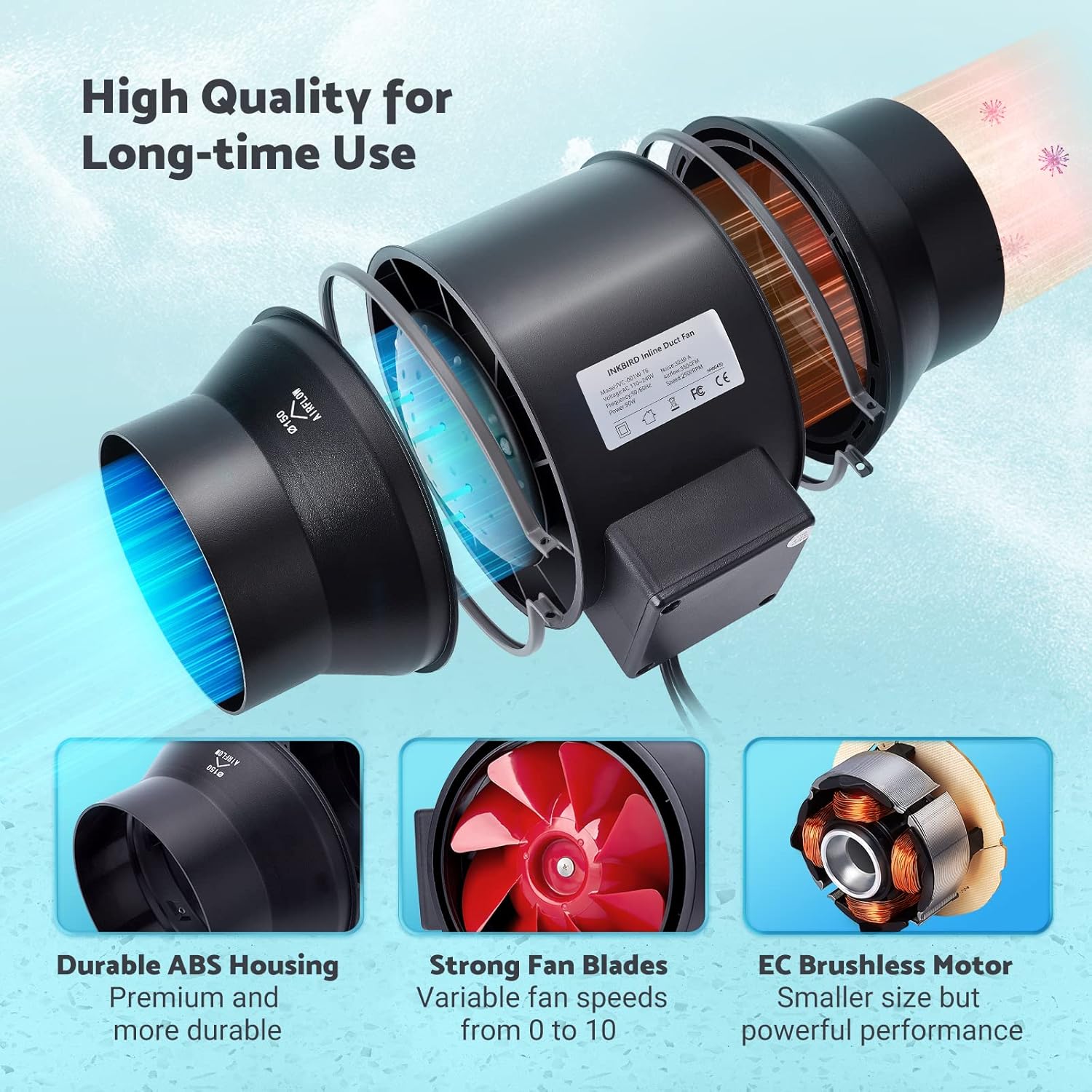
Image: The Wi-Fi enabled smart controller displaying temperature and humidity readings, with its probe connected.
Bedryfsinstruksies
The INKBIRD IVC-001W offers multiple operating modes for flexible environmental control.
Beheerkoppelvlak
The smart controller features a high-definition VA screen displaying current temperature, humidity, fan status, and settings. Buttons on the controller allow for direct interaction.

Beeld: 'n Gedetailleerde view of the smart controller's screen, showing temperature, humidity, and fan speed settings, along with its physical buttons.
Bedryfsmodusse
You can select from Automatic, Manual, or Timer modes:
- Outomatiese modus:
- Set desired temperature and humidity ranges.
- The fan will automatically adjust its speed (0-10) to maintain these preset conditions.
- Ideal for maintaining a consistent environment without constant manual adjustment.
- Handmatige modus:
- Manually set the fan speed from 0 (off) to 10 (maximum).
- The fan will operate at the selected speed until manually changed or turned off.
- Timermodus:
- Program up to 6 individual operating times per day.
- For each time slot, you can customize the start time, running length, and fan speed.
- This mode allows for precise scheduling of ventilation cycles.

Image: Screenshot of the INKBIRD smartphone app demonstrating the Automatic Mode interface, where users can set temperature and humidity thresholds.

Image: Screenshot of the INKBIRD smartphone app demonstrating the Manual Mode interface, allowing users to set a specific fan speed.

Image: Screenshot of the INKBIRD smartphone app demonstrating the Timer Mode interface, where users can schedule multiple fan operations throughout the day.
Smart App Features
The INKBIRD app provides enhanced control and monitoring capabilities:
- Afstandbeheer: Adjust settings and change modes from anywhere.
- Monitering: View intydse temperatuur en humiditeit data.
- Geskiedenis: Access historical temperature and humidity data.
- alarms: Receive notification messages on your phone if detected temperature/humidity reaches preset alarm values.
- Kinderslot: Enable the child lock function via the app or by pressing the '+' and '-' buttons simultaneously on the controller for 2 seconds to prevent unintended changes.
- ECO -modus: The controller supports ECO mode for power saving.
Sleutel kenmerke
- Efficient Air Movement: Provides 350 CFM air volume and 2500 RPM fan speed for effective ventilation, deodorization, dehumidification, and temperature regulation.
- Stil werking: Features an energy-efficient EC motor, producing only 32 dB of noise during operation (measured at 3 meters from the fan connected to a 1-meter duct).
- Veranderlike waaierspoed: Fan speed is adjustable from 0 to 10, allowing precise control over airflow.
- Duursame konstruksie: Built with a durable ABS housing and strong fan blades for long-term use.
- Multi-Fan Control: The smart controller can connect and control two INKBIRD fans simultaneously.
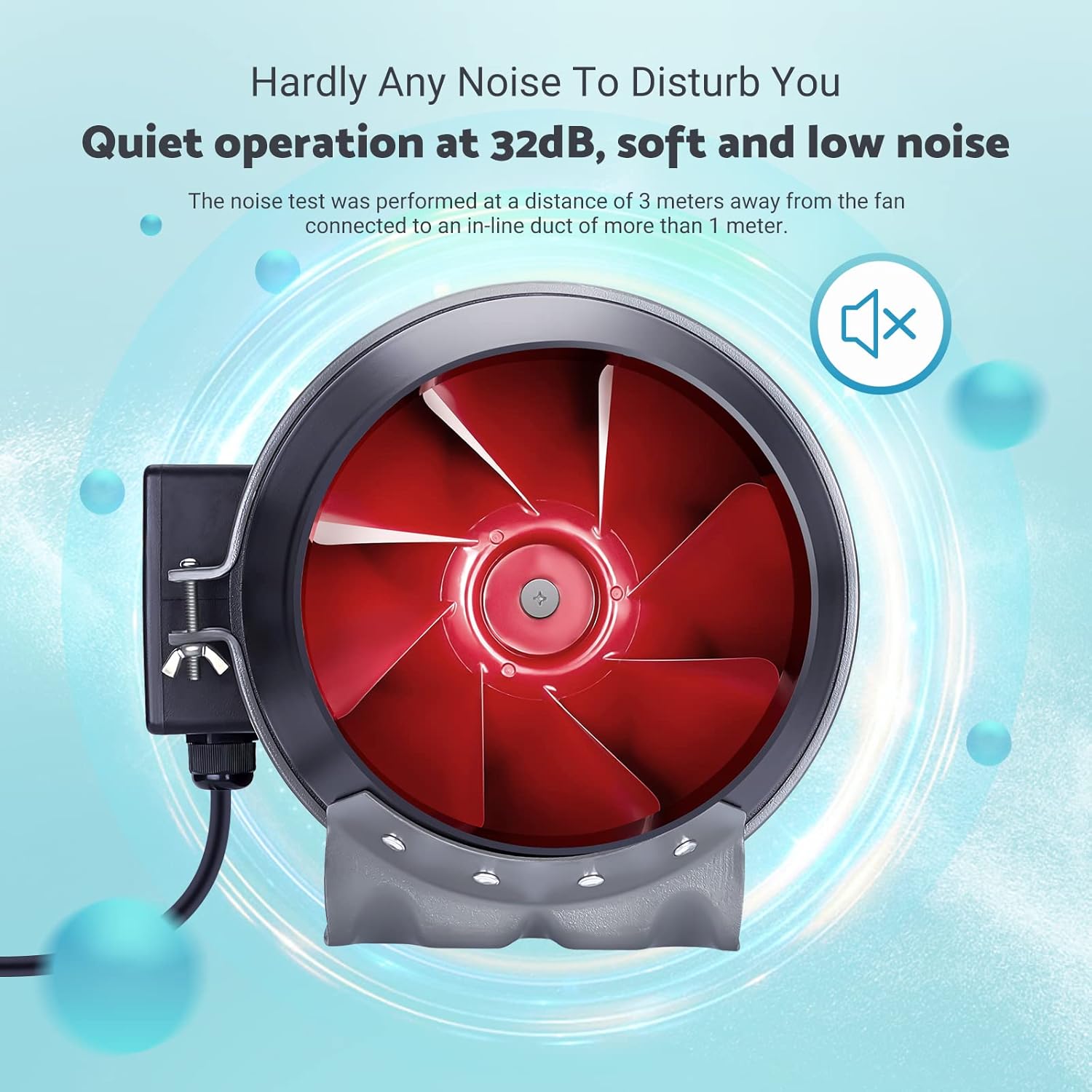
Image: The inline duct fan highlighting its multifunctional capabilities: ventilation, deodorization, humidity regulation, and temperature regulation.

Beeld: 'n Interne view of the fan, emphasizing its quiet operation at 32 dB, with the red fan blades visible.
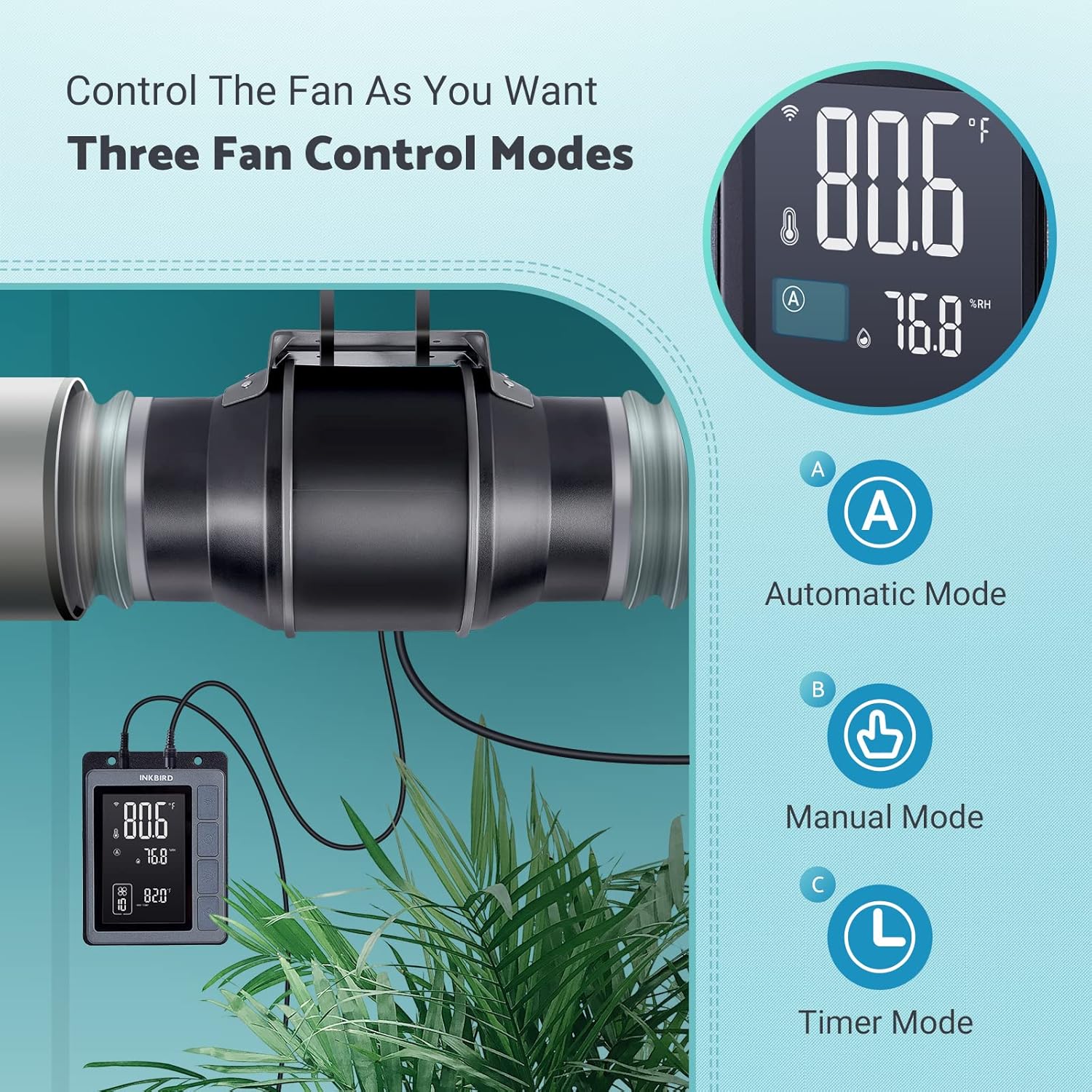
Image: An exploded diagram of the fan, highlighting its durable ABS housing, robust fan blades, and the efficient EC brushless motor.
Onderhoud
Regular maintenance ensures the longevity and efficiency of your INKBIRD Inline Duct Fan.
- Kragontkoppeling: Always unplug the fan from the power source before performing any cleaning or maintenance.
- Buitenste skoonmaak: Wipe the exterior of the fan and controller with a soft, damp lap. Moenie skuur skoonmaakmiddels of oplosmiddels gebruik nie.
- Skoonmaak van waaierblaaie: Periodically inspect the fan blades for dust and debris accumulation. If necessary, carefully remove the fan from the ducting and gently clean the blades with a soft brush or cloth. Ensure no moisture enters the motor housing.
- Sonde skoonmaak: Keep the temperature and humidity probe clean and free from obstructions to ensure accurate readings.
- Kanaalinspeksie: Regularly check the ducting for any blockages, tears, or loose connections that could impede airflow.
Probleemoplossing
If you encounter issues with your INKBIRD Inline Duct Fan, refer to the following common problems and solutions:
| Probleem | Moontlike oorsaak | Oplossing |
|---|---|---|
| Die waaier skakel nie aan nie. | No power supply; loose connection; child lock enabled. | Check power cord connection and outlet. Ensure fan cable is securely connected to the controller. Disable child lock via app or controller buttons. |
| Die waaier loop, maar die lugvloei is swak. | Ducting blockage; fan speed set too low; air leaks in ducting. | Inspect ducting for obstructions. Increase fan speed setting. Check duct connections for leaks and seal if necessary. |
| Onakkurate temperatuur-/humiditeitslesings. | Probe is dirty or obstructed; probe is placed in an unsuitable location. | Clean the probe. Relocate the probe to an area that accurately represents the environment you wish to monitor. |
| Wi-Fi-verbindingsprobleme. | Verkeerde Wi-Fi-wagwoord; router te ver; netwerkinmenging. | Verify Wi-Fi password. Move controller closer to the router. Restart router and controller. Ensure 2.4GHz Wi-Fi network is used. |
| Die waaier is raserig. | High fan speed; loose mounting; debris in fan blades. | Reduce fan speed. Ensure the fan is securely mounted. Disconnect power and inspect/clean fan blades. |
Spesifikasies
| Kenmerk | Detail |
|---|---|
| Handelsmerk | Inkvoël |
| Model | IVC-001W |
| Waaier se deursnee | 15CM (6-inch) |
| Lugvolume | 350 CFM |
| Fan Spoed | 2500 RPM (Maks) |
| Geraasvlak | 32 dB (at 3 meters) |
| Voltage | 24 V |
| Wattage | 50 W |
| Kragbron | Elektries met koord |
| Materiaal | Plastic (ABS Housing) |
| Montage tipe | Muurmontering |
| Spesiale kenmerke | Timer, Wi-Fi Smart Controller, Temperature & Humidity Control, Child Lock, ECO Mode |
| Lengte van die kragsnoer | 150 cm (59 duim) |
| Lengte van die waaier-na-beheerder-koord | 240 cm (94.5 duim) |
| Sonde Lengte | 250 cm (98.43 duim) |
| Produk afmetings | 35D x 26.7W x 28H sentimeter |

Image: A technical diagram illustrating the dimensions of the inline duct fan, smart controller, and the temperature/humidity probe, including cable lengths.
Waarborg en Ondersteuning
The INKBIRD IVC-001W Inline Duct Fan comes with a 2 jaar waarborg vanaf die aankoopdatum.
For technical support, warranty claims, or further assistance, please contact INKBIRD customer service through their official webwebwerf of die kontakinligting wat saam met u produkverpakking verskaf word.
U kan ook die Inkbird Winkel op Amazon vir meer produkinligting en ondersteuningsbronne.