
Formovie M146FCN
Formovie V10 4K Projektor Gebruikershandleiding
Model: M146FCN
Inleiding
Thank you for choosing the Formovie V10 4K Projector. This smart mini home theater projector delivers stunning 4K UHD visuals and immersive audio, designed to enhance your entertainment experience. This manual provides essential information for setting up, operating, maintaining, and troubleshooting your projector to ensure optimal performance and longevity.
Wat is in die boks
Kontroleer asseblief die inhoud van u pakket om seker te maak dat alle items teenwoordig is:
- Formovie V10 4K Projector
- Afstandbeheer
- Kragkoord
- Kragadapter
- Gebruikershandleiding
- Waarborgkaart

Image: The retail box of the Formovie V10 4K Projector, showing the product packaging.
Produk verbyview
Familiarize yourself with the main components of your Formovie V10 projector.

Beeld: Voorkant view of the Formovie V10 4K Projector, highlighting the lens and 4K UHD branding.
- Projeksie lens: Stuur die beeld op die skerm uit.
- Sensors: For auto-focus, keystone correction, and human detection.
- Luidsprekerrooster: Integrated 2x7.5W full-range speakers and 15W independent subwoofer for immersive audio.
- Invoer- / uitvoerpoorte: (Located on the rear/side, refer to specific diagrams in the physical manual for exact placement)
- HDMI (for connecting external devices like gaming consoles, laptops)
- USB 3.0 (for connecting USB drives)
- 3.5mm Audio Out (for external audio systems)
- Ethernet (for wired network connection)
- Krag Invoer
Opstelling
- Plasing: Place the projector on a stable, flat surface or mount it according to your preference. Ensure there are no obstructions in front of the lens. For optimal viewing, position the projector perpendicular to the projection surface.
- Kragverbinding: Connect the power adaptor to the projector's power input port, then plug the power cord into a wall outlet.
- Aanvanklike krag aan: Druk die kragknoppie op die projektor of die afstandbeheerder om die toestel aan te skakel.
- Fokus en sluitsteen-korreksie: The projector features automatic focus and keystone correction. Allow a few moments for the system to adjust the image clarity and shape. Manual adjustments can typically be made via the settings menu if needed.
- Netwerk konneksie:
- Wi-Fi: Navigate to the network settings, select your Wi-Fi network, and enter the password.
- Ethernet: Connect an Ethernet cable from your router to the projector's Ethernet port.
Bedryfsinstruksies
Verbind toestelle
- HDMI-toestelle: Connect your laptop, gaming console, or Blu-ray player to the HDMI port using an HDMI cable. The projector will automatically detect the input or you can select it from the input source menu.
- USB-toestelle: Insert a USB drive into the USB 3.0 port to access media files direk.
- Bluetooth: Pair Bluetooth devices like speakers or headphones via the Bluetooth settings menu. The projector supports Bluetooth 5.
- Skermspieëling: The projector supports various screen mirroring protocols.

Image: Display showing support for Huawei Cast+, Miracast, and Mac Airplay for screen mirroring.
Basiese navigasie
Use the provided remote control to navigate the Android interface. The remote typically includes directional buttons, an OK/Enter button, Back, Home, and Volume controls.
Sleutel kenmerke
- Ongelooflike helderheid: Enjoy excellent image performance in any lighting condition with 2500 ANSI Lumens of brightness.
- Stunning 4K Clarity: Experience breathtaking visuals with 4K resolution (3840 x 2160 pixels) and 8.3 million individual pixels for exceptional clarity.

Image: A graphic emphasizing "TRUE 4K Resolution" for the projector's display capabilities.
- Advanced Color Performance: Features 10-bit color depth, 118% DCI P3 color gamut, and 1024 bits color scale for vibrant and accurate colors.

Image: A graphic detailing the projector's color performance with "10 Bit Color Depth", "118% DCI P3", and "1024 bits Color Scale".
- Built for Gaming: Elevate your gaming with a 240Hz refresh rate and low 12ms latency, ensuring smooth and responsive gameplay.
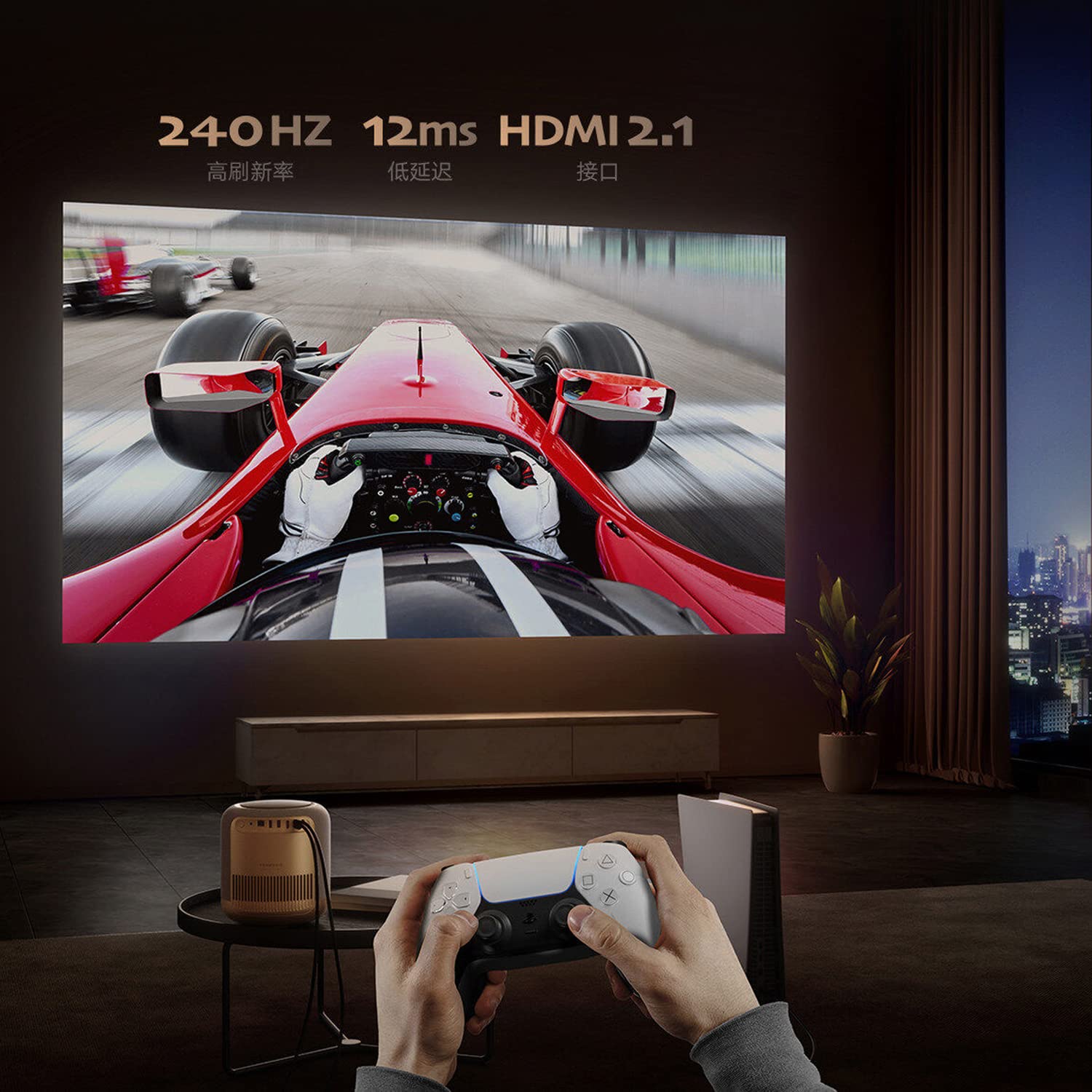
Image: A person playing a racing game projected by the Formovie V10, with text highlighting "240Hz", "12ms", and "HDMI 2.1".
- Meeslepende oudio-ervaring: Enhance your experience with 2x7.5W full-range speakers and a powerful 15W independent subwoofer for rich, dynamic sound.
- Oogbeskerming: Features ToF human detection to automatically adjust brightness and prevent eye injury when someone approaches the light source.

Image: A screen prompt in Chinese warning not to look directly at the light source, demonstrating the ToF human detection feature.
- Veelsydige gebruik: Perfect for movies, gaming, and streaming, this projector offers a comprehensive entertainment solution for any setting.
Spesifikasies
| Kenmerk | Detail |
|---|---|
| Handelsmerk | Formovie |
| Model Naam | FORMOVIE V10 |
| Modelnommer | M146FCN |
| Vertoon tegnologie | 4K UHD |
| Resolusie | 3840 x 2160 piksels |
| Beeldhelderheid | 2500 ANSI lumen |
| Beeldkontrasverhouding | 10000:1 |
| Aspekverhouding | 16:9 |
| Herlaaitempo | 240 Hz |
| Geraasvlak | 28 dB |
| Oudio | 2x7.5W full-range speakers, 15W independent subwoofer |
| Verbindingstegnologie | Bluetooth 5, Wi-Fi, USB 3.0, Ethernet, HDMI |
| Hardeware-koppelvlak | HDMI, LANC, 3.5mm Audio, USB 3.0, Bluetooth 5 |
| Versoenbare toestelle | Laptop, Gaming Console, Tablet, Smartphone, Speaker |
| Produk afmetings | 20 x 20 x 21 cm |
| Item gewig | 3.8 kg |
| Montage tipe | Tafelblad Mount |
| Land van oorsprong | China |
Onderhoud
- Maak die lens skoon: Gebruik 'n sagte, pluisvrye lap wat spesifiek vir optiese lense ontwerp is. Moenie skuurmiddels of doeke gebruik wat die lens kan krap nie.
- Skoonmaak van die Projektorliggaam: Wipe the exterior with a soft, dry cloth. For stubborn marks, a slightly damp cloth can be used, followed by a dry cloth. Avoid using strong detergents or solvents.
- Ventilasie: Ensure the projector's ventilation openings are not blocked to prevent overheating. Do not place the projector on soft surfaces like carpets or blankets that could obstruct airflow.
- Berging: Wanneer dit nie vir lang tye gebruik word nie, bêre die projektor op 'n koel, droë plek, weg van direkte sonlig en uiterste temperature.
Probleemoplossing
| Probleem | Moontlike oorsaak/oplossing |
|---|---|
| Geen krag |
|
| No Image / Blank Screen |
|
| Wasige beeld |
|
| Geen klank nie |
|
| Afstandbeheer werk nie |
|
Waarborg en Ondersteuning
The Formovie V10 4K Projector comes with a 1 jaar waarborg verskaf deur die vervaardiger vanaf die aankoopdatum. Bewaar asseblief u bewys van aankoop vir waarborgeise.
For technical support, service, or warranty inquiries, please contact the authorized distributor or the manufacturer directly. The importer for this product is Aytexcel Private Limited.
Kontakbesonderhede van invoerder:
Aytexcel Private Limited
12 Highland, Pali Hill, Bandra, Mumbai 400050
E-pos: hello@aytexel.com
Kontak: +91.9820022205
For more information, you may also visit the official Formovie store on Amazon: Formovie India Direct Store.
Ask a question about this manual
Ask about setup, troubleshooting, compatibility, parts, safety, or missing instructions. Manuals+ will review the question and use this page’s manual context to help answer it.