
1. Inleiding
This manual provides essential information for the safe and efficient operation of your PowerSmart 40V Power Inverter. Please read and understand all instructions before use to ensure proper functionality and to prevent injury or damage. This inverter is designed to convert 40V DC battery power into 120V AC household power, along with USB-A and USB-C outputs, for various portable power needs.
2. Belangrike veiligheidsinstruksies
- Read all instructions: Before operating the power inverter, carefully read and understand all safety warnings and operating instructions in this manual.
- Keep dry: Do not expose the inverter or battery to rain, moisture, or wet conditions. Water entering the inverter will increase the risk of electric shock.
- Proper ventilation: Ensure adequate ventilation around the inverter during operation to prevent overheating. Do not block ventilation openings.
- Avoid overloading: Do not connect devices that exceed the inverter's rated output wattage. Overloading can damage the inverter and connected devices.
- Use specified batteries and chargers: Only use PowerSmart 40V batteries and the included PowerSmart 40V charger with this product. Using incompatible components may result in fire, electric shock, or injury.
- Keep children away: This product is not a toy. Keep it out of reach of children and untrained individuals.
- Disconnect battery when not in use: Always remove the battery from the inverter when not in use or before performing any maintenance.
- Inspect for damage: Before each use, inspect the inverter, battery, and charger for any signs of damage. Do not use if damaged.
3. Pakketinhoud
Verifieer dat al die items wat hieronder gelys word, in jou pakket ingesluit is:
- 1x PowerSmart 40V Power Inverter
- 1x PowerSmart 40V, 4.0Ah Lithium-Ion Battery
- 1x PowerSmart 40V Battery Charger

This image shows the PowerSmart 40V Power Inverter along with the included 4.0Ah battery and charger, illustrating the complete package contents.
4. Produk verbyview
The PowerSmart 40V Power Inverter is designed for portability and versatility, offering multiple power outputs for various electronic devices.
Sleutelkomponente:
- 120V AC-uitlaat: Provides standard household power for small appliances.
- USB-C-poort: Vir die laai van versoenbare USB-C-toestelle.
- USB-A-poort: Vir die laai van versoenbare USB-A-toestelle.
- Battery Slots: Accommodates one or two PowerSmart 40V batteries.
- Kragknoppie: Activates and deactivates the inverter.
- Aanwyserligte: Display power status and battery charge level.

This image illustrates the various output ports available on the PowerSmart 40V Power Inverter, including the 120V AC outlet, USB-C port, and USB-A port, along with examples of devices they can power.
5. Opstelling
5.1. Die installering van die battery
- Ensure the power inverter is turned off before installing or removing the battery.
- Align the PowerSmart 40V battery with the battery slot(s) on the inverter.
- Skuif die battery in die gleuf totdat dit stewig in plek klik.
- Om die battery te verwyder, druk die battery-ontgrendelingsknoppie (indien teenwoordig) en skuif die battery uit.
5.2. Laai die battery
Use the included PowerSmart 40V Battery Charger to charge the 4.0Ah battery.
- Plug the charger into a standard 120V AC wall outlet.
- Insert the 40V battery into the charger.
- The charger's indicator light will show the charging status. A 4.0Ah battery typically charges in approximately 150 minutes.
- Verwyder die battery sodra dit heeltemal gelaai is.

This image displays the PowerSmart 40V battery charger and a 4.0Ah lithium-ion battery, highlighting the charging process which takes about 150 minutes for a full charge.
6. Operating the Power Inverter
6.1. Skakel aan/af
- With a charged battery (or batteries) installed, press the power button on the inverter to turn it on. An indicator light will illuminate.
- To turn off the inverter, press the power button again.
6.2. Verbind toestelle
The inverter provides clean pure sine wave power, making it suitable for sensitive electronics.
- 120V AC-uitlaat: Plug in devices requiring standard household power, such as small appliances, laptops, or lights. Do not exceed the inverter's rated wattage. With one 40V battery, the output is approximately 150W. With two 40V batteries, the output is 300W.
- USB-C-poort: Connect compatible USB-C devices for charging.
- USB-A-poort: Connect compatible USB-A devices for charging.

This image shows the PowerSmart 40V Power Inverter in an outdoor setting, connected to and powering various digital devices like a laptop, game controllers, and a smartphone, demonstrating its portable utility.
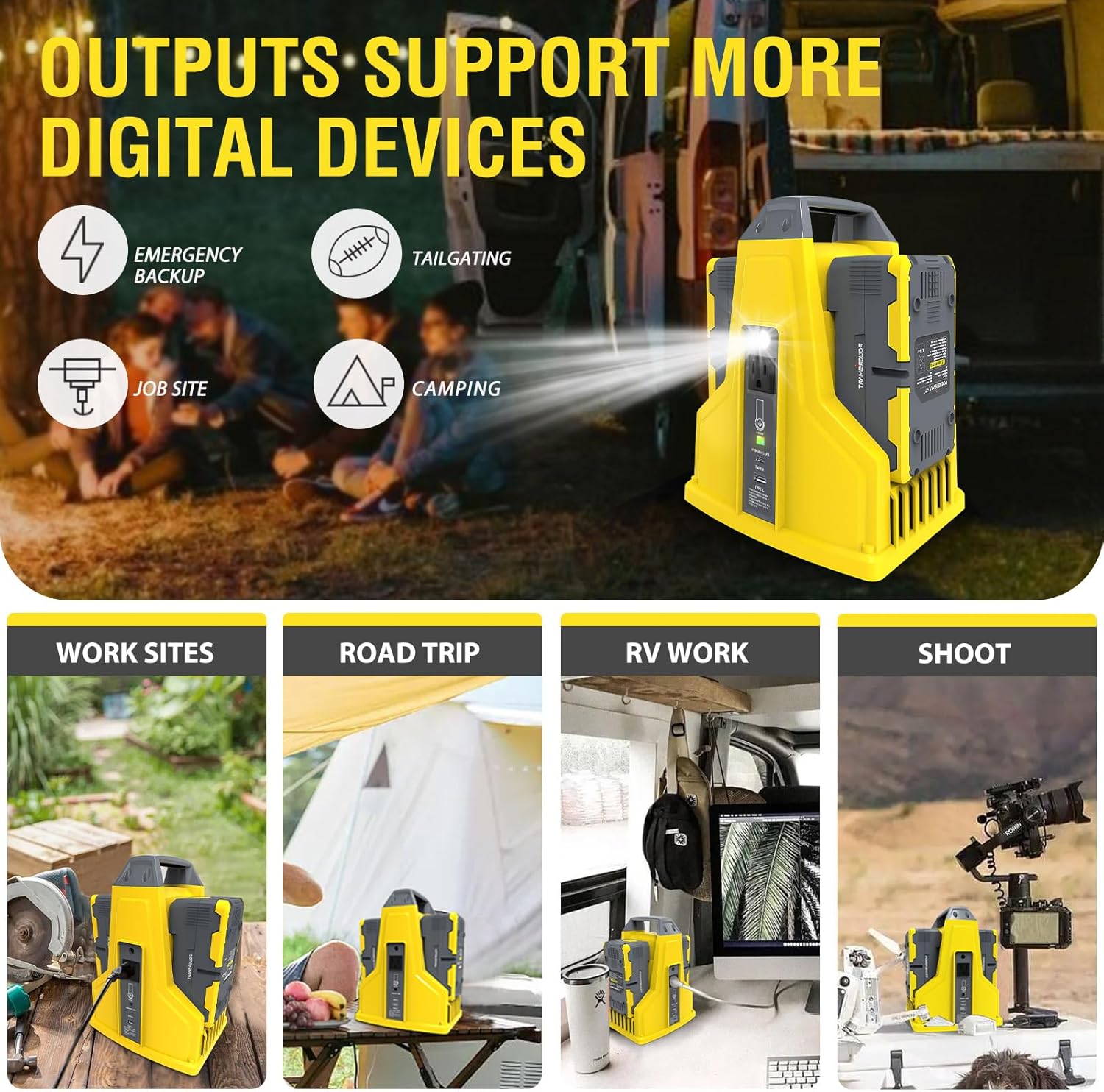
This image demonstrates the PowerSmart 40V Power Inverter successfully powering a small Buddha fountain and a decorative train, showcasing its ability to run low-wattage household items.
7. Onderhoud
7.1. Sorg en berging
- Keep the inverter and battery clean and dry. Use a soft, damp lap vir skoonmaak.
- Store the inverter and battery in a cool, dry place away from direct sunlight, extreme temperatures, and corrosive materials.
- Do not expose the inverter to rain or moisture.
- Regularly inspect the inverter and battery for any signs of damage, such as cracks, frayed wires, or loose connections. Do not use if damaged.
- Vir langtermynberging, maak seker dat batterye gedeeltelik gelaai is (ongeveer 50%) om hul lewensduur te verleng.
8. Probleemoplossing
8.1. Algemene probleme en oplossings
| Probleem | Moontlike oorsaak | Oplossing |
|---|---|---|
| Omskakelaar skakel nie aan nie | Battery nie korrek geïnstalleer of ontlaai nie | Ensure the battery is fully seated in the slot(s) and is adequately charged. |
| Device not powering on from AC outlet | Device exceeds inverter's wattage limit or is incompatible | Check the device's wattage. The inverter provides 150W with one 40V battery and 300W with two 40V batteries. Ensure the device's power requirement is within these limits. |
| USB-poorte laai nie toestelle nie | Inverter not powered on or device incompatibility | Ensure the inverter is turned on. Verify the USB cable and device are compatible. |
| Battery charger indicator not working | Charger not plugged in or faulty battery/charger | Verify the charger is securely plugged into a live wall outlet. Try a different PowerSmart 40V battery if available. If the issue persists, the charger or battery may be faulty. |
8.2. Important Note on Battery Quantity and Output
The PowerSmart 40V Power Inverter is designed to operate with one or two 40V batteries. While the inverter can support a maximum output of 300W, this capacity is achieved only when two PowerSmart 40V, 4.0Ah batteries are installed. The package for this specific product (Model DB9801) includes only one 40V, 4.0Ah battery. Therefore, when operating with the single included battery, the inverter's maximum output will be approximately 150W. To achieve the full 300W output, a second PowerSmart 40V battery must be purchased separately.
9. Spesifikasies
| Kenmerk | Spesifikasie |
|---|---|
| Handelsmerk | PowerSmart |
| Modelnommer | DB9801 |
| Item gewig | 4.34 kilogram (ongeveer 9.57 pond) |
| Uitset Voltage | 120 Volt AC |
| Invoer Voltage (laaier) | 120 Volt AC |
| Connector Tipes | 1x 120V AC Outlet, 1x USB-C, 1x USB-A |
| Aantal poorte | 3 |
| Rated Power (with one 40V battery) | 150 W |
| Rated Power (with two 40V batteries) | 300 W |
| Battery Ingesluit | 1x 40V, 4.0Ah Lithium-Ion Battery |
| Lader Ingesluit | 1x 40V Battery Charger |
| Krag tipe | Suiwer Sinusgolf |
10. Waarborg en Ondersteuning
10.1. Waarborginligting
For detailed warranty terms and conditions, please refer to the warranty documentation provided with your original purchase. Keep your proof of purchase for any warranty claims.
10.2. Kliëntediens
If you encounter any issues, have questions regarding the operation, maintenance, or troubleshooting of your PowerSmart 40V Power Inverter, please contact PowerSmart customer service for assistance. Contact information can typically be found on the product packaging or the official PowerSmart webwebwerf.


