
Inleiding
This manual provides detailed instructions for the installation, operation, and maintenance of your Tiandy TC-C38XS 8MP IR Turret Camera. Please read this manual thoroughly before using the product to ensure correct usage and to prevent damage.
Veiligheidsinligting
- Ensure the power supply meets the camera's requirements (DC 12V or PoE).
- Moenie die kamera blootstel aan uiterste temperature, humiditeit of korrosiewe omgewings nie.
- Vermy dit om die kamera vir lang tye direk op sterk ligbronne te rig.
- Hanteer die kamera versigtig om fisiese skade te voorkom.
- Installasie moet deur gekwalifiseerde personeel uitgevoer word in ooreenstemming met plaaslike elektriese kodes.
Pakketinhoud
Verifieer dat alle komponente in die pakket teenwoordig is:
- Tiandy TC-C38XS IR Turret Camera
- Monteringskroewe en muurproppe
- Waterdigte konnektor vir Ethernet-kabel
- Vinnige Begingids (indien van toepassing)
- Drill Template (if applicable)
Produk verbyview
The Tiandy TC-C38XS is an 8MP IR Turret Camera designed for outdoor surveillance, featuring a full metal housing and advanced imaging capabilities.
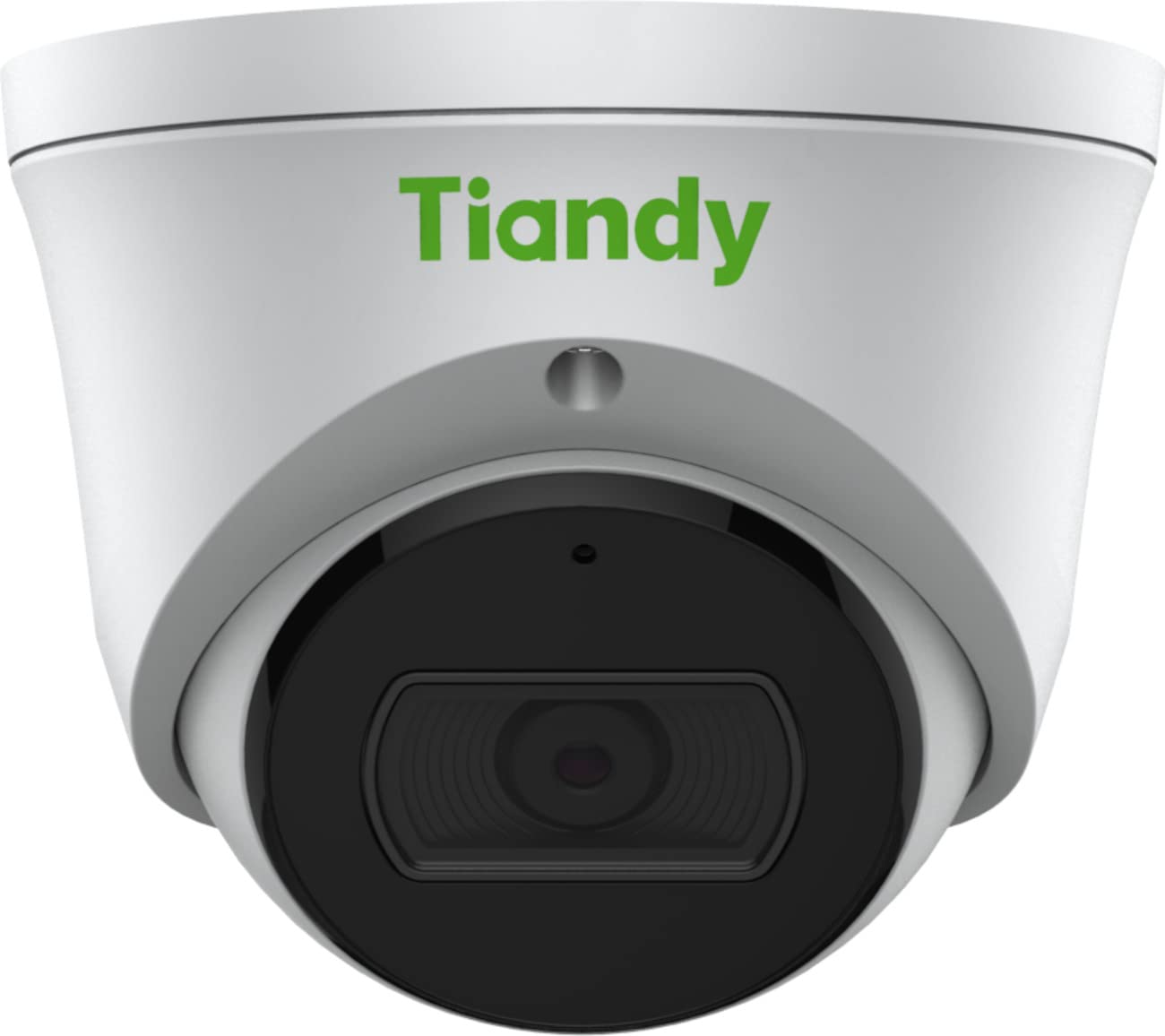
Figuur 1: Voorkant view of the Tiandy TC-C38XS IR Turret Camera, showing the lens and IR illuminators.

Figuur 2: Hoekig view of the Tiandy TC-C38XS IR Turret Camera, highlighting its compact turret design.

Figuur 3: Technical drawing showing the dimensions of the Tiandy TC-C38XS IR Turret Camera (approx. 116.6mm diameter, 96mm height).
Sleutel kenmerke:
- 8 Megapixel Resolusie: Captures video at up to 3840x2160 at 20fps.
- 1/2.8" CMOS Sensor: Provides clear images even in low-light conditions.
- Slim IR: Infrared illumination up to 30 meters (98.42 feet) for night vision.
- 120dB WDR: Wide Dynamic Range for balanced images in high-contrast scenes.
- Ingeboude mikrofoon: Vir oudiomonitering.
- Berging aan boord: Supports MicroSD cards up to 512 GB.
- Full Metal Housing: Durable construction for outdoor use.
Opstelling
1. Monteer die kamera
The TC-C38XS is designed for wall mounting. Choose a suitable location that provides the desired field of view en is binne bereik van netwerk- en kragkabels.
- Use the provided drill template (if included) to mark the screw holes on the mounting surface.
- Boor vlieëniergate en plaas muurproppe indien dit op messelwerk of gips monteer.
- Bevestig die kamerabasis aan die monteeroppervlak met die meegeleverde skroewe.
- Adjust the camera's angle: The camera supports pan 0 to 340°, tilt 0 to 75°, and rotate 0 to 360° for optimal positioning. Loosen the adjustment screws, position the camera, and then tighten the screws to secure it.
2. Bedrading en kragverbinding
The camera supports Power over Ethernet (PoE) or a DC 12V power supply.
- PoE-verbinding: Connect a standard Ethernet cable from a PoE-enabled switch or NVR to the camera's RJ45 port. This provides both power and data connectivity. Ensure the waterproof connector is properly installed to protect the Ethernet port from moisture.
- GS 12V-verbinding: If PoE is not used, connect a DC 12V power adapter (not included) to the camera's power input port. Then, connect a standard Ethernet cable from your network to the camera's RJ45 port for data.
After connecting, the camera will power on and begin its startup sequence.
Bedryf
1. Initial Network Configuration
To access the camera's web interface for configuration, you will need to find its IP address on your network. This can typically be done using a manufacturer-provided IP search tool or by checking your router's connected devices list.
- Koppel jou rekenaar aan dieselfde netwerk as die kamera.
- Maak oop a web blaaier en voer die kamera se IP-adres in.
- Log in using the default username and password (refer to the Quick Start Guide or manufacturer's documentation for default credentials). It is highly recommended to change the default password immediately for security.
2. Basiese funksies
- Leef View: Access the live video feed through the web interface or compatible NVR/VMS software.
- Opname: Configure recording schedules and methods (continuous, motion-triggered) to the on-board MicroSD card (up to 512 GB) or a connected NVR.
- Bewegingsopsporing: Set up motion detection zones and sensitivity. The camera can trigger alarms (e.g., email notifications) upon detection.
- Slim IR: The camera automatically adjusts IR intensity to prevent overexposure in night vision, ensuring clear images up to 30 meters.
- Prentinstellings: Adjust saturation, brightness, contrast, and sharpness via the client software or web browser to optimize image quality.
- Oudio: Utilize the built-in microphone for audio monitoring.
Onderhoud
1. Skoonmaak
Regular cleaning helps maintain optimal image quality.
- Gently wipe the camera lens with a soft, clean cloth. If necessary, use a mild lens cleaning solution.
- Do not use harsh chemicals or abrasive materials, as they can damage the lens coating or housing.
- Periodically clean the camera housing to remove dust and debris.
2. Firmware-opdaterings
Kontroleer die vervaardiger se gereeld webwebwerf vir firmware-opdaterings. Firmware-opdaterings kan werkverrigting verbeter, nuwe funksies byvoeg en sekuriteit verbeter. Volg die instruksies wat saam met die firmware-opdateringspakket verskaf word, noukeurig.
3. Bestuur van mikroSD-kaarte
If using on-board storage, regularly check the status of the MicroSD card. Format the card periodically to maintain performance and prevent data corruption. Back up important recordings before formatting.
Probleemoplossing
| Probleem | Moontlike oorsaak | Oplossing |
|---|---|---|
| No image/No power | Incorrect power supply; Loose cable connection; PoE issue. | Check power adapter (DC 12V) or PoE switch. Ensure all cables are securely connected. |
| Kan nie toegang tot kamera via netwerk kry nie | Incorrect IP address; Network configuration error; Firewall blocking. | Verify IP address. Check network cable. Disable temporary firewall for testing. Ensure camera and computer are on the same subnet. |
| Swak beeldkwaliteit | Dirty lens; Insufficient lighting; Incorrect image settings. | Clean the lens. Adjust image settings (brightness, contrast, WDR). Ensure IR is functioning correctly at night. |
| Bewegingsbespeuring werk nie | Incorrect sensitivity settings; Detection zone not configured; Obstructions. | Review motion detection settings in the web interface. Adjust sensitivity and redraw detection zones. Clear any obstructions in the camera's view. |
| MicroSD card not recording | Card full; Card not formatted; Card faulty; Recording schedule not set. | Check card capacity. Format the MicroSD card via the camera's interface. Replace card if faulty. Verify recording schedule. |
Spesifikasies
| Kenmerk | Detail |
|---|---|
| Model | TC-C38XS |
| Beeldsensor | 1/2.8" CMOS |
| Maks. Resolusie | 3840x2160 (8MP) |
| Raamtempo | Up to 20fps (3840x2160), 30fps (1080p) |
| Min. Verligting | Color: 0.003Lux@ (F1.6, AGC ON), B/W: 0Lux with IR |
| Lens | Vaste 2.8 mm |
| Veld van View (FOV) | Horisontaal: 100.1° |
| IR-reeks | Up to 30m (98.42 feet) with Smart IR |
| Wye dinamiese omvang (WDR) | 120dB |
| Video kompressie | S+265/H.265/H.264/M-JPEG |
| Oudio | Ingeboude mikrofoon |
| Berging aan boord | MicroSD-kaart tot 512 GB |
| Netwerk koppelvlak | 1 RJ45 10M / 100M selfadaptiewe Ethernet-poort |
| Kragtoevoer | DC 12V, PoE (802.3af) |
| Materiaal | Volmetaalbehuising |
| Afmetings | Approx. 4.59 x 4.59 x 3.77 inches (116.6mm diameter, 96mm height) |
| Gewig | Ongeveer. 0.88 pond (0.4 kg) |
| Bedryfsvoorwaardes | Buitelewe gebruik |
| Protokolle | TCP/IP, HTTP, HTTPS, DHCP, DNS, RTP, RTSP, etc. |
| Alarm sneller | Motion Detection, Mask Alarm, Disk Full, etc. |
| Video-analise | Tripwire, Perimeter |
Waarborg inligting
Tiandy products typically come with a limited manufacturer's warranty. For specific warranty terms and conditions, please refer to the warranty card included with your product or visit the official Tiandy webwebwerf. Bewaar u aankoopbewys as bewys van aankoop vir waarborgeise.
Ondersteuning
If you encounter any issues or have questions regarding your Tiandy TC-C38XS camera that are not covered in this manual, please contact your authorized Tiandy reseller or visit the official Tiandy support website for further assistance. You may also find FAQs and additional resources online.
- Vervaardiger: Tiandy
- Modelnommer: TC-C38XS
- UPC: 785249841675