
AWEI A770BL
AWEI A770BL Noise Cancelling Headphones User Manual
Model: A770BL
Inleiding
This manual provides comprehensive instructions for the AWEI A770BL Noise Cancelling Headphones. Learn about its features, setup, operation, maintenance, and troubleshooting to ensure optimal performance and longevity of your device.
Sleutel kenmerke
- Geraasvermindering tegnologie: Removes up to 90% of machine noise for focused listening.
- Hoë-resolusie oudio: Equipped with dual 40mm HD Hi-Res Audio drivers, high-response diaphragm, and lightweight voice coil for superior sound quality.
- Lang batterylewe: Built-in 300mAh battery provides up to 15 hours of continuous playback.
- Veelsydige verbindings: Supports Bluetooth 5.0 for wireless use and includes a 3.5mm audio cable for wired connection.
- Ergonomic & Foldable Design: Features professional-grade protein ear cushions, 100° inward swivel, and 120° inward foldable ear cups for comfort and portability.
- Lae Latensie Spelmodus: Enhances gaming experience with minimal audio delay.
- Automatic Conversion: Seamlessly switches between phone calls and music.
- Intuïtiewe kontroles: Media control with play/pause and song selection.
- iOS Power Display: Supports power display on iOS devices.
- Omringklank: Bied 'n meeslepende klankervaring.
Pakketinhoud
- AWEI A770BL Noise Cancelling Headphones
- Oudiokabel (3.5 mm)
- Laaikabel (USB)
- Gebruikershandleiding
Produk verbyview
Familiarize yourself with the various components of your AWEI A770BL headphones.

Figuur 1: Voorkant view of the AWEI A770BL headphones, showcasing the sleek black design and earcups.
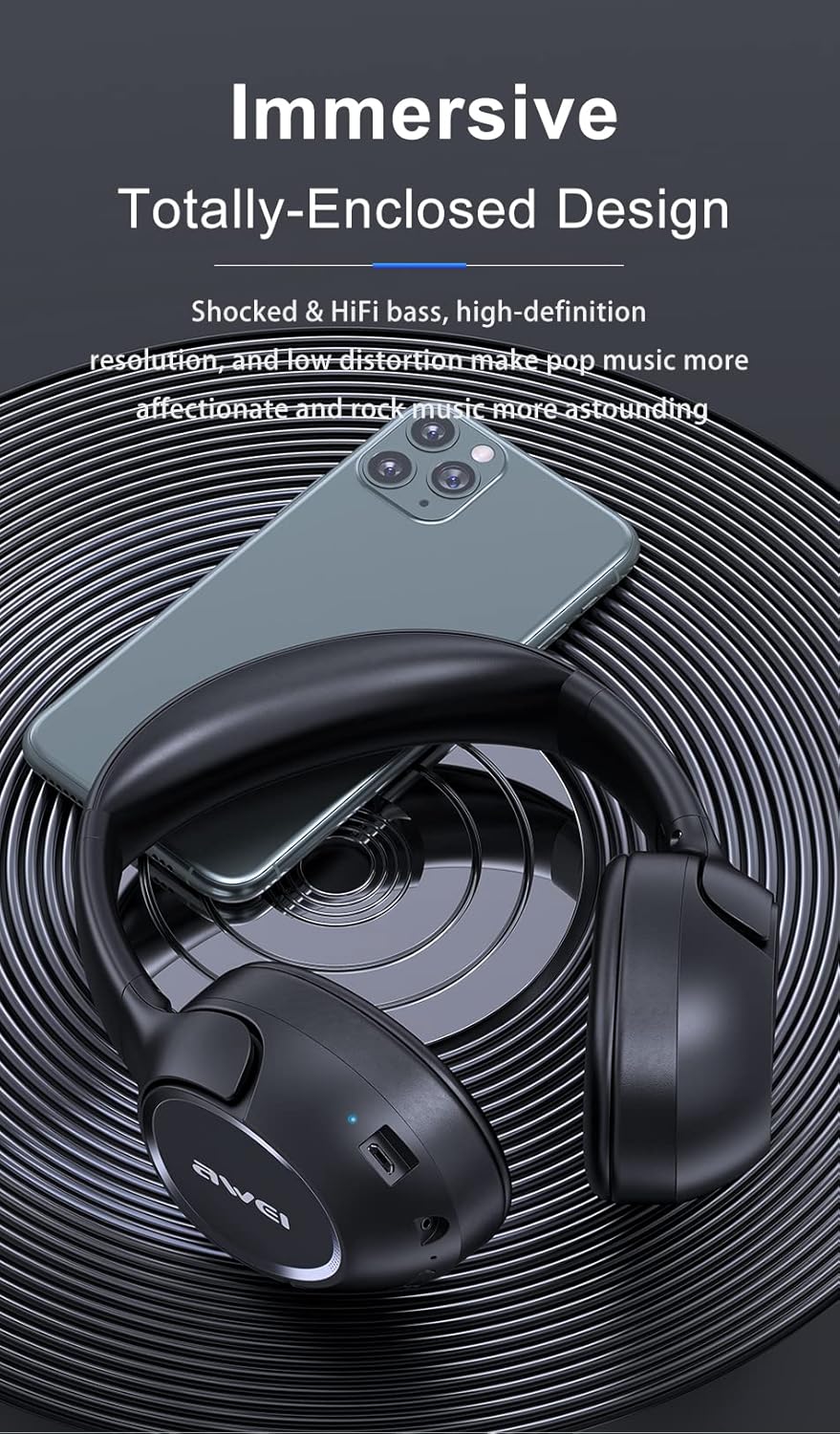
Figure 2: The rotatable earcups of the headphones, designed for flexible fit and sound insulation.

Figure 3: The headphones in their compact, folded state, illustrating ease of storage and portability.
Opstelling
Laai die oorfone
Before first use, fully charge your AWEI A770BL headphones. Connect the provided USB charging cable to the charging port on the headphones and to a compatible USB power source. The LED indicator will show charging status and turn off when fully charged. A full charge provides up to 15 hours of playback.
Bluetooth-koppeling
- Maak seker dat die oorfone afgeskakel is.
- Druk en hou die aan/af-knoppie in totdat die LED-aanwyser blou en rooi flikker, wat paringsmodus aandui.
- Aktiveer Bluetooth op jou toestel (slimfoon, tablet, rekenaar) en soek vir beskikbare toestelle.
- Select "AWEI A770BL" from the list of devices.
- Once connected, the LED indicator will turn solid blue. The headphones have a wireless range of up to 10 meters.
Kabelverbinding
For a wired connection, plug one end of the 3.5mm audio cable into the audio jack on the headphones and the other end into the audio output of your device. This mode is useful when the battery is low or for devices without Bluetooth.
Bedryfsinstruksies
Basiese kontroles
- Krag aan/af: Druk en hou die kragknoppie in.
- Speel/pouse: Druk die multifunksieknoppie een keer.
- Volume op/af: Use the volume buttons.
- Volgende snit: Druk en hou die volume op-knoppie.
- Vorige snit: Druk en hou die volume af-knoppie.
- Beantwoord/beëindig oproep: Druk die multifunksieknoppie een keer.
- Verwerp oproep: Druk en hou die multifunksieknoppie in.
Automatic Phone and Music Conversion
The headphones are designed to automatically switch between music playback and incoming phone calls. When a call comes in, your music will pause, and you can answer the call using the multi-function button. After the call ends, music playback will resume.
Lae Latency Spelmodus
Activate the Low Latency Game Mode for an optimized audio experience during gaming. This mode reduces audio delay, ensuring synchronized sound effects and dialogue. Refer to the specific button combination in the quick start guide for activation.
Onderhoud
- Skoonmaak: Gebruik 'n sagte, droë lap om die oorfone skoon te maak. Moenie skuurmiddels of oplosmiddels gebruik nie.
- Berging: When not in use, store the headphones in a cool, dry place. Utilize the foldable design for compact storage.
- Vermy vog: While water repellent, avoid prolonged exposure to water or high humidity.
- Batterysorg: To preserve battery life, avoid fully discharging the headphones frequently. Charge regularly.
Probleemoplossing
| Probleem | Moontlike oorsaak | Oplossing |
|---|---|---|
| Oorfone skakel nie aan nie | Lae battery | Laai die oorfone ten volle. |
| Kan nie via Bluetooth koppel nie | Oorfone nie in paringsmodus nie / Toestel Bluetooth af | Ensure headphones are in pairing mode (flashing blue/red LED). Turn on Bluetooth on your device. |
| Geen klank nie | Volume too low / Not connected / Wired cable loose | Increase volume. Re-pair Bluetooth or re-insert 3.5mm cable. |
| Swak klankgehalte | Out of range / Interference | Beweeg nader aan die gekoppelde toestel. Vermy sterk elektromagnetiese interferensie. |
Spesifikasies
| Kenmerk | Beskrywing |
|---|---|
| Model Naam | AWEI A770BL |
| Verbindingstegnologie | Draadloos (Bluetooth), Bedraad (3.5mm-aansluiting) |
| Bluetooth weergawe | 5.0 |
| Bluetooth-reeks | 10 meter |
| Geraasbeheer | Aktiewe geraaskansellasie |
| Tipe oudiobestuurder | Dynamic Driver (Dual 40mm HD Hi-Res Audio drivers) |
| Batterylewe | 15 Hours (300mAh built-in battery) |
| Laai tyd | Ongeveer. 2 uur |
| Tipe beheer | Mediabeheer, Aanraking |
| Oorplasing | Op Oor |
| Vormfaktor | Op Oor |
| Produk afmetings | 8.66 x 7.87 x 2.36 duim |
| Item gewig | 8 onse |
| Waterweerstandvlak | Waterafstotend |
| Versoenbare toestelle | Telephones (and other Bluetooth-enabled devices) |
Waarborg en Ondersteuning
AWEI products are manufactured with high-quality standards. For specific warranty information, please refer to the warranty card included with your purchase or contact AWEI customer support directly. For technical assistance or further inquiries, please visit the official AWEI webwebwerf of kontak hul kliëntediensafdeling.
U kan ook die AWEI Store on Amazon vir meer produkinligting en ondersteuningsbronne.
Ask a question about this manual
Ask about setup, troubleshooting, compatibility, parts, safety, or missing instructions. Manuals+ will review the question and use this page’s manual context to help answer it.