
Inleiding
Thank you for choosing the LAMA Kids Smartwatch. This manual provides essential information for the safe and efficient use of your device. Please read it carefully before use and retain it for future reference.
Opstelling
1. Laai die slimhorlosie
Before first use, fully charge the smartwatch. Use the provided magnetic charging cable. Connect the magnetic end to the charging points on the back of the watch and the USB end to a standard USB power adapter (not included).
- 'n Volle laai neem ongeveer 2 uur.
- A fully charged watch provides 5-7 days of battery life, depending on usage.
- Avoid prolonged use or high brightness settings, as this may reduce battery life.
2. App-installasie en -paring
The LAMA Kids Smartwatch requires the FitCloudPro application for full functionality. The app is compatible with smartphones running Android 4.4 or higher, or iOS 8.0 or higher. It is not compatible with PCs, iPads, or other tablets.
- Laai die af FitCloudPro app vanaf jou slimfoon se appwinkel (Google Play Winkel vir Android, Apple App Store vir iOS).
- Maak seker dat Bluetooth op jou slimfoon geaktiveer is.
- Maak die oop FitCloudPro app en volg die instruksies op die skerm om 'n rekening te skep of aan te meld.
- Within the app, navigate to the device pairing section and search for your LAMA Kids Smartwatch.
- Select your smartwatch from the list of available devices to complete the pairing process.
Bedryfsinstruksies
1. Basiese navigasie
The smartwatch features a 1.4-inch touchscreen display. Swipe left, right, up, or down to navigate through menus and functions. Tap to select an option.
2. Activity Tracking and Sport Modes
The watch tracks daily activity including steps, distance, and calories burned. It also offers 20 dedicated sport modes for more precise tracking.

Image: The LAMA Kids Smartwatch showing its activity tracking capabilities, including steps, time, and heart rate, designed to keep children motivated.
To access sport modes:
- Swipe on the watch face to find the "Sport Modes" icon.
- Tik die ikoon om view the list of 20 available activities (e.g., running, walking, cycling, swimming, yoga, basketball, volleyball, football, rowing).
- Select your desired sport mode to start tracking. The watch will display real-time data such as duration, heart rate, distance, calories, and steps.

Image: The smartwatch interface displaying various sport mode icons, illustrating its capability to track 20 different physical activities for children.
3. Hartslagmonitoring
The smartwatch continuously monitors your child's heart rate throughout the day.
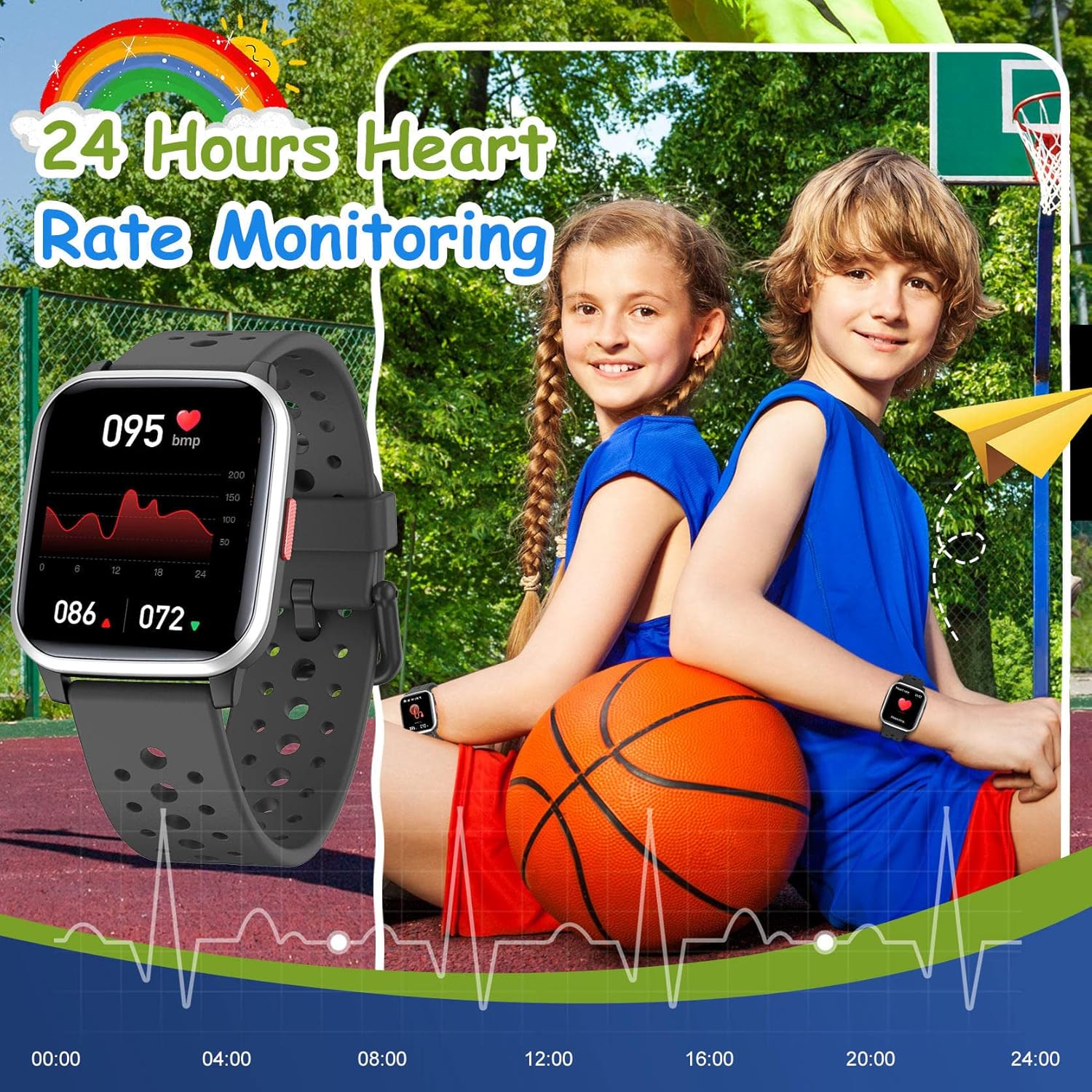
Image: The smartwatch screen showing a detailed 24-hour heart rate monitoring graph, indicating the device's health tracking feature.
Om view heart rate data:
- Swipe to the heart rate monitoring screen on the watch.
- For detailed historical data and trends, open the FitCloudPro app op jou slimfoon.
4. Slaapopsporing
The smartwatch automatically tracks your child's sleep quality at night. This includes sleep duration and patterns.
- Sleep data can be viewed in detail within the FitCloudPro app.
5. Slimkennisgewings
Receive notifications for SMS, calls, and messages from various applications directly on your smartwatch when paired with your smartphone.
- Supported apps include Facebook, Twitter, WhatsApp, Messenger, Instagram, Snapchat, Skype, and Gmail.
- The watch will vibrate to alert you to new messages or missed calls, even if your phone is on silent.
- Enable notification permissions for the FitCloudPro app on your smartphone to ensure proper functionality.
6. Wekker
Set vibrating alarms through the FitCloudPro app.
- In the app, navigate to the alarm settings, set the time, and select a reminder icon.
- The vibrating alarm can wake your child without disturbing others.
7. Speletjies
The smartwatch includes 5 classic puzzle games designed to help develop logical thinking skills.

Image: The smartwatch showing one of its five classic puzzle games, designed to engage children and develop their logical thinking abilities.
To play games:
- Swipe on the watch face to find the "Games" icon.
- Tap to select and choose from the available puzzle games.
8. Aanpassing van horlosieskerms
Personalize the smartwatch with various dynamic watch faces.
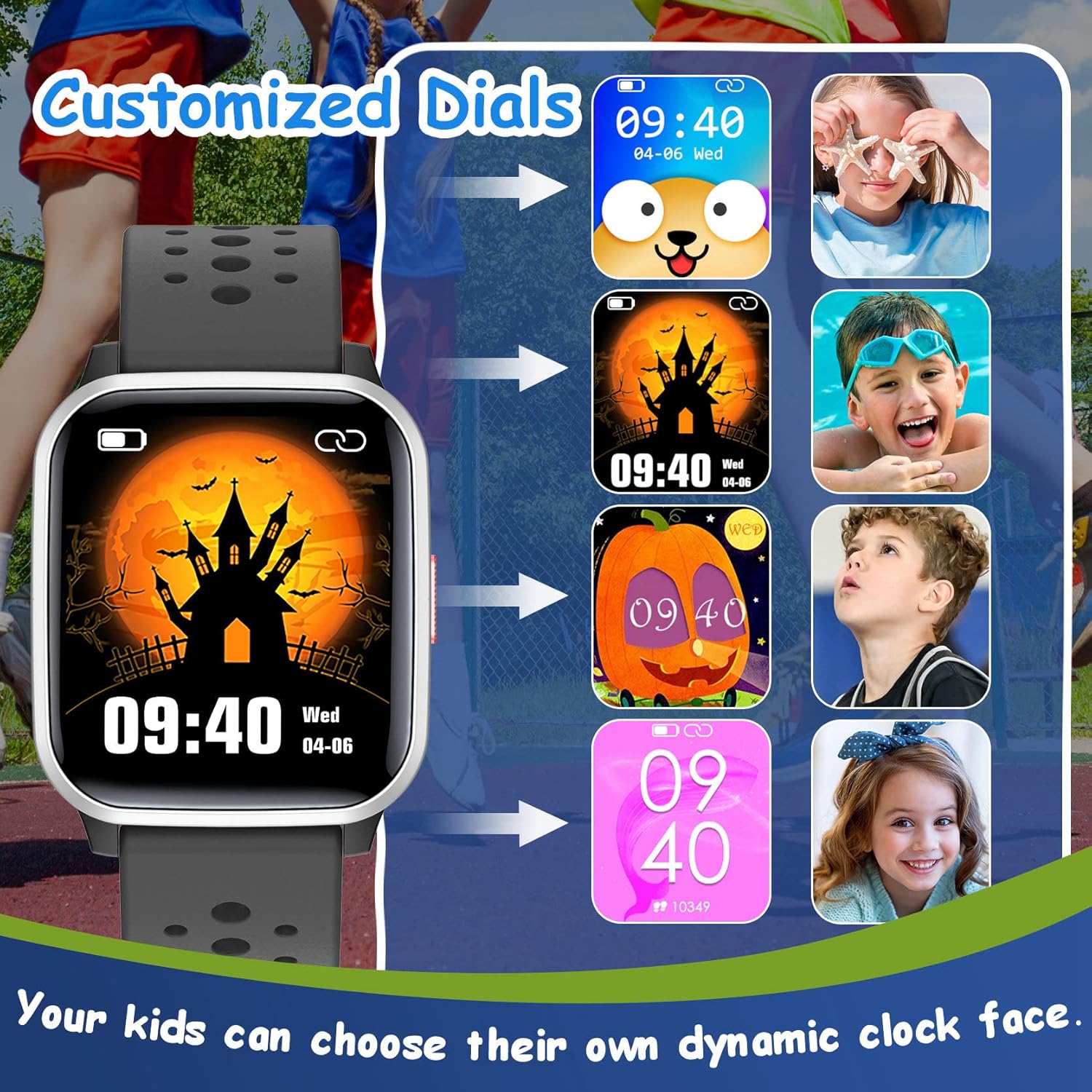
Image: A selection of customizable watch faces for the LAMA Kids Smartwatch, allowing children to choose their preferred display style.
Om die horlosie te verander:
- Long-press on the current watch face on the smartwatch.
- Swipe left or right to browse through available watch faces and tap to select.
- More options may be available through the FitCloudPro app.
9. Ander funksies
- Sittende herinnering: Set reminders in the app to encourage movement after periods of inactivity.
- Kamerabeheer: Use the smartwatch as a remote shutter for your smartphone camera via the app.
- Stophorlosie: Access the stopwatch function directly on the watch for timing activities.
- Female Function: The watch includes a feature to record menstruation cycles, accessible through the app.
Onderhoud
1. Skoonmaak
- Vee die horlosieskerm en -bandjie gereeld af met 'n sagte, damp lap.
- Vermy die gebruik van harde chemikalieë of skuurmiddels, aangesien dit die toestel kan beskadig.
- Maak seker dat die laaikontakte skoon en droog is voor laai.
2. Waterbestandheid (IP68)
The LAMA Kids Smartwatch is IP68 waterproof, meaning it is resistant to dust and can withstand immersion in water up to 1.5 meters for up to 30 minutes. This makes it suitable for activities like swimming, hand washing, and use in rain.

Image: The smartwatch highlighting its IP68 waterproof rating, suitable for various water activities such as swimming and hand washing.
- Do not use the watch in hot water, saunas, or steam rooms, as high temperatures can compromise the seal.
- Vermy om knoppies onder water te druk.
- Rinse the watch with fresh water after exposure to salt water or chlorinated water and dry thoroughly.
3. Batteryversorging
- Om die batterylewe te verleng, vermy om die battery gereeld heeltemal te ontlaai.
- Bêre die horlosie op 'n koel, droë plek wanneer dit nie vir lang tye gebruik word nie.
- Gebruik slegs die meegeleverde laaikabel.
Probleemoplossing
Horlosie skakel nie aan nie:
- Maak seker dat die horlosie volledig gelaai is. Koppel dit vir ten minste 30 minute aan die laaier.
- Druk en hou die aan/af-knoppie vir 10-15 sekondes in om 'n geforseerde herbegin te probeer.
Kan nie met slimfoon koppel nie:
- Maak seker dat Bluetooth op jou slimfoon geaktiveer is.
- Ensure the smartwatch is sufficiently charged.
- Confirm that you are using the correct app: FitCloudPro.
- Herbegin beide jou slimfoon en slimhorlosie.
- Try unpairing any previously connected devices from your phone's Bluetooth settings.
- Ensure your smartphone meets the minimum OS requirements (Android 4.4+ or iOS 8.0+).
Kennisgewings verskyn nie:
- Check that the watch is successfully paired with your smartphone.
- Verify that notification permissions are granted for the FitCloudPro app in your smartphone's settings.
- Ensure notifications are enabled for specific apps within the FitCloudPro toepassing instellings.
- Confirm that your phone's "Do Not Disturb" mode is not active.
Onakkurate aktiwiteitsdata:
- Maak seker dat die horlosie styf om die pols gedra word, nie te los of te styf nie.
- Calibrate the watch's step tracking if an option is available in the app.
- Movement patterns can sometimes affect accuracy; ensure natural arm swings for step counting.
Spesifikasies
| Handelsmerk | LAMA |
| Model | Kinderslimhorlosie |
| Kleur | Swart |
| Skerm grootte | 1.4 duim |
| Bedryfstelsel | Android, iOS |
| Konnektiwiteit | Bluetooth |
| Waterweerstand | IP68 |
| Battery Tipe | Litium-polimeer |
| Batterylewe | 5-7 dae (tipiese gebruik) |
| Laai tyd | Ongeveer. 2 uur |
| Versoenbare app | FitCloudPro |
| Spesiale kenmerke | Heart rate monitor, activity tracking, 20 sport modes, sleep tracking, smart notifications, alarm clock, games, camera control, stopwatch, sedentary reminder, female function. |
Waarborg en Ondersteuning
For warranty information and customer support, please refer to the documentation included with your purchase or contact the retailer where the product was acquired. You may also visit the official LAMA webwebwerf vir verdere hulp.