
1. Inleiding
Dankie vir die aankoopasing the KAGO 4K HDMI Splitter 1 in 10 Out, Model 4K1010. This device is designed to distribute a single HDMI source signal to ten HDMI displays simultaneously. It supports high-resolution video up to 4K@30Hz, 3D visual effects, and various digital audio formats, ensuring a high-quality audio and video experience across multiple screens. This manual provides detailed instructions for setup, operation, and troubleshooting to help you maximize the performance of your HDMI splitter.
2. Veiligheidsinligting
- Maak seker dat die kragadapter ooreenstem met die volumetage requirements of your region.
- Moenie die toestel aan water, vog of uiterste temperature blootstel nie.
- Vermy om die toestel naby hittebronne of in direkte sonlig te plaas.
- Moenie probeer om die toestel self oop te maak of te herstel nie. Verwys alle diens na gekwalifiseerde personeel.
- Ontkoppel die krag tydens weerligstorms of wanneer dit vir lang tye nie gebruik word nie.
- Gebruik slegs die meegeleverde kragadapter.
3. Pakketinhoud
Verifieer asseblief dat alle items in u pakket teenwoordig is:
- KAGO 4K HDMI Splitter 1 in 10 Out (Model: 4K1010)
- Kragadapter (DC 12V/2A)
- Gebruikershandleiding
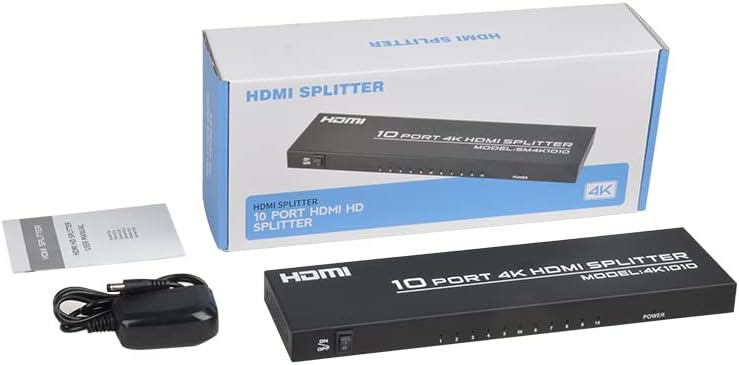
Image: The KAGO 4K HDMI Splitter, its power adapter, and the instruction manual are shown alongside the product packaging.
4. Produk verbyview
The KAGO 4K HDMI Splitter 1 in 10 Out features a robust design with clear labeling for easy connection and operation.
Voorpaneel:
- AAN/UIT -skakelaar: Kragbeheer vir die toestel.
- Output Indicators (1-10): LEDs that illuminate when an HDMI output is connected and active.
- Kragaanwyser: LED that illuminates when the device is powered on.
Agter Paneel:
- HDMI IN: Port for connecting your single HDMI source device.
- HDMI UIT 1-10: Ten ports for connecting your HDMI display devices.
- DC 5V: Power input port for the included power adapter.

Beeld: Bo view showing the power switch and ten output indicator LEDs. Bottom view showing the HDMI input, ten HDMI output ports, and the DC power input.
5. Opstelinstruksies
Follow these steps to set up your KAGO 4K HDMI Splitter:
- Koppel HDMI-bron: Connect an HDMI cable from your source device (e.g., PC, laptop, game console, Blu-ray player) to the HDMI-IN poort op die splitter.
- Koppel HDMI-skerms: Connect HDMI cables from your display devices (e.g., HDTVs, monitors, projectors) to the HDMI UIT 1-10 ports on the splitter. You can connect up to ten displays.
- Koppel krag: Plug the included DC 12V/2A power adapter into the DC 5V port on the splitter, then plug the adapter into a power outlet.
- Krag aan: Flip the ON/OFF switch on the front panel to the 'ON' position. The power indicator and active output indicators will light up.
- Verifieer verbinding: Ensure all connected displays are receiving the signal from your source device.
This device is designed for plug-and-play operation, requiring no additional drivers or software installation.

Image: A visual representation of connecting an HDMI source to the splitter's input and ten HDMI displays to its outputs.
6. Bedryfsinstruksies
The KAGO 4K HDMI Splitter operates automatically once connected and powered on. It duplicates the single HDMI input signal to all connected HDMI outputs.
- Simultaneous Display: All ten connected displays will show the exact same audio and video content from the single HDMI source.
- Resolusie-ondersteuning: The splitter supports resolutions up to 4K (3840x2160) at 30Hz, as well as 1080P, 1080i, 720p, 576p, 576i, 480P, and 480i. It also supports 3D images.
- Oudio-sinchronisasie: The device ensures audio and video are synchronized, supporting various digital audio formats including DTS-HD, Dolby-trueHD, LPCM 7.1, DTS, Dolby-AC3, and DSD.
- Verenigbaarheid: Compatible with a wide range of HDMI-integrated devices and operating systems, including Windows, MS-DOS, Linux, Android, and Mac OS.

Beeld: 'n Visuele eksample of ten monitors simultaneously displaying the same content, illustrating the splitter's core function.

Image: Demonstrates support for 4K high-definition and 3D visual effects.
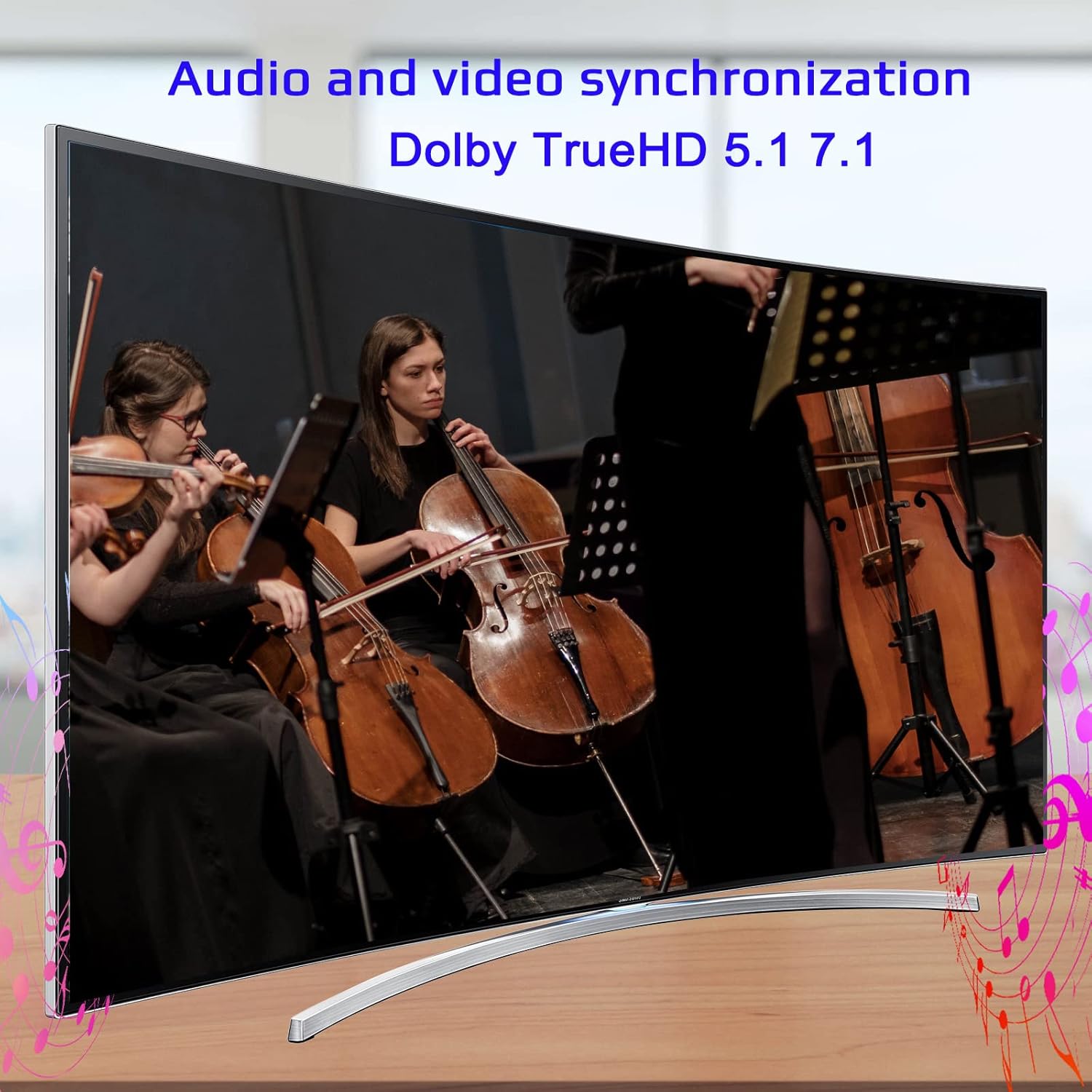
Image: Illustrates the audio and video synchronization capabilities, including Dolby TrueHD 5.1/7.1.

Image: Highlights the splitter's compatibility with various operating systems and its plug-and-play functionality.
7. Probleemoplossing
If you encounter issues with your KAGO 4K HDMI Splitter, please refer to the following common solutions:
| Probleem | Moontlike oorsaak | Oplossing |
|---|---|---|
| No signal on display(s) | Loose HDMI cables, incorrect input selection on TV, power issue. | Check all HDMI cable connections. Ensure the TV input is set to the correct HDMI port. Verify the splitter is powered on and the power indicator is lit. Try a different HDMI cable. |
| Flikkerende of verwronge beeld | Poor quality/lengthy HDMI cables, resolution incompatibility. | Use high-quality HDMI cables (19+1AWG26 standard recommended). Ensure cable lengths are within recommended limits (input 1-10M, output 1-15M). Try a lower resolution on the source device. |
| Geen oudio nie | Audio settings on source/display, faulty HDMI cable. | Check audio settings on your source device and display. Ensure the HDMI cable supports audio transmission. Try a different HDMI cable. |
| Only some outputs work | Faulty output port, issue with specific display/cable. | Test the non-working output with a known good display and cable. Ensure the output indicator LED for that port is lit. |
8. Spesifikasies
| Kenmerk | Detail |
|---|---|
| Modelnommer | 4K1010 |
| Produk afmetings | 11.1 x 3.1 x 1 duim |
| Item gewig | 1.48 pond |
| Connector Tipe | HDMI |
| Ondersteunde resolusies | Up to 4K (3840x2160@30Hz), 1080P, 1080i, 720p, 576p, 576i, 480P, 480i |
| 3D Ondersteuning | Ja |
| Digital Audio Formats | DTS-HD/Dolby-trueHD/LPCM7.1/DTS/Dolby-AC3/DSD |
| Bandwydte | 10.2 Gbps |
| Kragadapter | Inset: AC (50HZ, 60HZ) 100V-240V; Uitset: DC12V/2A |
| Recommended HDMI Cable Length | Input: 1-10M (16ft); Output: 1-15M (48ft) |
| Vervaardiger | Siying |
9. Onderhoud
To ensure the longevity and optimal performance of your KAGO 4K HDMI Splitter, follow these maintenance guidelines:
- Skoonmaak: Gebruik 'n sagte, droë lap om die buitekant van die toestel skoon te maak. Moenie vloeibare skoonmaakmiddels of aërosols gebruik nie.
- Ventilasie: Ensure the device has adequate ventilation. Do not block the ventilation holes. The design promotes efficient heat dissipation to prevent overheating during extended use.

Image: A visual representation of the splitter's heat dissipation design, indicating it remains cool during operation.
10. Waarborg en Ondersteuning
KAGO products are designed for reliability and performance. For warranty information or technical support, please refer to the contact details provided with your purchase or visit the official KAGO webwebwerf. Bewaar asseblief u bewys van aankoop vir enige waarborgeise.