
Moowhsh G35
Moowhsh Smartwatch G35 User Manual
Comprehensive guide for your Moowhsh Smartwatch G35.
1. Inleiding
Welcome to the Moowhsh Smartwatch G35 user manual. This guide provides detailed instructions on how to set up, operate, and maintain your new smartwatch. Please read this manual thoroughly to ensure optimal performance and longevity of your device.
The Moowhsh Smartwatch G35 is designed for women, featuring AMOLED display, Bluetooth calling capabilities, fitness tracking, and health monitoring functions. It is compatible with both Android phones and iPhones.
2. Wat is in die boks
- Moowhsh Smartwatch G35 (with one band attached)
- Additional Watch Band
- Laai kabel
- Gebruikershandleiding (hierdie dokument)

Image: Moowhsh Smartwatch G35 in pink with an additional metal band and charging cable.
3. Opstelling
3.1 Aanvanklike laai
Before first use, fully charge your smartwatch. Connect the magnetic charging cable to the charging points on the back of the watch and plug the USB end into a compatible power adapter (not included) or a computer USB port. A full charge takes approximately 2 hours.

Image: Close-up of the smartwatch connected to its magnetic charging cable.
3.2 App-installasie en -paring
To unlock the full features of your Moowhsh Smartwatch G35, you need to install the "FitCloudPro" app on your smartphone.
- Skakel die Bluetooth-funksie op jou foon aan.
- Open the Google Play Store (for Android) or App Store (for iPhone).
- Soek vir "FitCloudPro" and download the app.
- Open the "FitCloudPro" app, navigate to "Device", find "G35", and bind it.
- To enable the answer/call function, open the drop-down menu of the watch and light up the "Audio mode" function icon. Then, open your phone's "Settings" and enter the "Bluetooth" interface. Find "G35 (LE)" and click to connect it. Once connected, you can use the watch to answer/make calls anytime.

Image: Visual guide showing the steps to connect the smartwatch to the FitCloudPro app and enable Bluetooth calling.
4. Bediening van jou slimhorlosie
4.1 Basiese navigasie
The Moowhsh Smartwatch G35 features a 1.3-inch HD AMOLED touch screen. Swipe left, right, up, or down to navigate through different menus and functions. The physical buttons on the side can also be used for quick access to certain features or to return to the main screen.

Image: Close-up of the smartwatch display highlighting its 1.3-inch HD AMOLED touch screen with 331 PPI pixel density and 360x360 resolution.
4.2 Maak en ontvang oproepe
Once paired via Bluetooth, you can make and receive calls directly from your watch. The watch features a built-in HIFI speaker and microphone.
- Om 'n oproep te maak: Access the "Telephone" function on the watch, dial the number, or select from your frequent contacts.
- Om 'n oproep te ontvang: When a call comes in, the watch will ring. Tap the green icon to answer or the red icon to reject.

Image: Smartwatch displaying call interface with options for crystal quality mic, high-fidelity speakers, answer/make call, call records, and sync contacts.
Video: Demonstrates the smartwatch's Bluetooth calling feature, showing how to answer calls and use the dial pad. This video highlights the convenience of making and receiving calls directly from the wrist.
4.3 Gesondheidsmonitering
The smartwatch is equipped with BIO3.0 + G-sensor smart chip and PCG optical monitoring technology for comprehensive health tracking.
- Hartslagmonitering: Provides 24/7 heart rate monitoring.
- Bloedsuurstof (SpO2): Measures blood oxygen levels and provides abnormality warnings.
- Slaapmonitering: Tracks sleep quality, including deep sleep, light sleep, and awake time.
- Bloeddrukmonitering: Monitors blood pressure.

Image: Smartwatch display showing health tracking features: 24/7 Heart Rate, Blood Oxygen (SpO2), and Sleep Tracking.

Image: A person sleeping with the smartwatch on, showing the sleep tracking interface on the watch and a graph of sleep patterns (Awake, Light Sleep, Deep Sleep).
Video: This video demonstrates the various health monitoring functions of the smartwatch, including heart rate, blood pressure, and blood oxygen tracking. It visually explains how these features contribute to overall health management.
4.4 Fiksheidsopsporing
The smartwatch supports 19 sports modes and automatically records daily steps, distance, and calories burned.
- Sportmodusse: Walking, Running, Climbing, Cycling, Yoga, Pingpong, Skipping, Tennis, Football, Elliptical, Hula Hoop, Golf, Long Jump, Sit-ups, Volleyball, Rugby, Baseball, Basketball, and more.
- Aktiwiteitsrekords: Track your steps, distance, and calories burned throughout the day.

Image: A person stretching with the smartwatch on, showing various sports mode icons like walking, running, climbing, cycling, and more. It emphasizes the watch as a fitness partner.
Video: This video showcases the smartwatch's ability to track various sports activities and monitor steps, calories, and distance. It highlights the watch's utility as a comprehensive fitness companion.
4.5 Smart Notifications and Music Control
Receive notifications for calls, SMS, WhatsApp, Instagram, and other apps directly on your wrist. You can also control music playback on your phone through the smartwatch.

Image: Smartwatch displaying a music control interface, with play/pause, skip forward/backward options, next to a smartphone playing music.

Image: A hand pointing to the smartwatch display showing various app notification icons like WhatsApp, Facebook, Instagram, and SMS.
5. Onderhoud
5.1 Skoonmaak
Regularly clean your smartwatch and bands to prevent skin irritation and maintain device hygiene. Use a soft, lint-free cloth. For stubborn spots, dampMaak die lap met water skoon. Vermy die gebruik van harde chemikalieë of skuurmiddels.
5.2 Waterweerstand
The Moowhsh Smartwatch G35 is 5ATM waterproof, splash-proof, and dust-proof. This means it can withstand splashes, rain, and brief immersion in shallow water. However, it is not suitable for hot showers, saunas, or diving. Avoid prolonged exposure to water to ensure device longevity.
Image: Smartwatch being splashed with water, illustrating its 5ATM waterproof rating.
5.3 Batterylewe
A full charge provides approximately 7 days of high-intensity use, 14 days of daily use, and up to 30 days of standby time. To maximize battery life, reduce screen brightness, disable unnecessary notifications, and limit continuous heart rate monitoring.
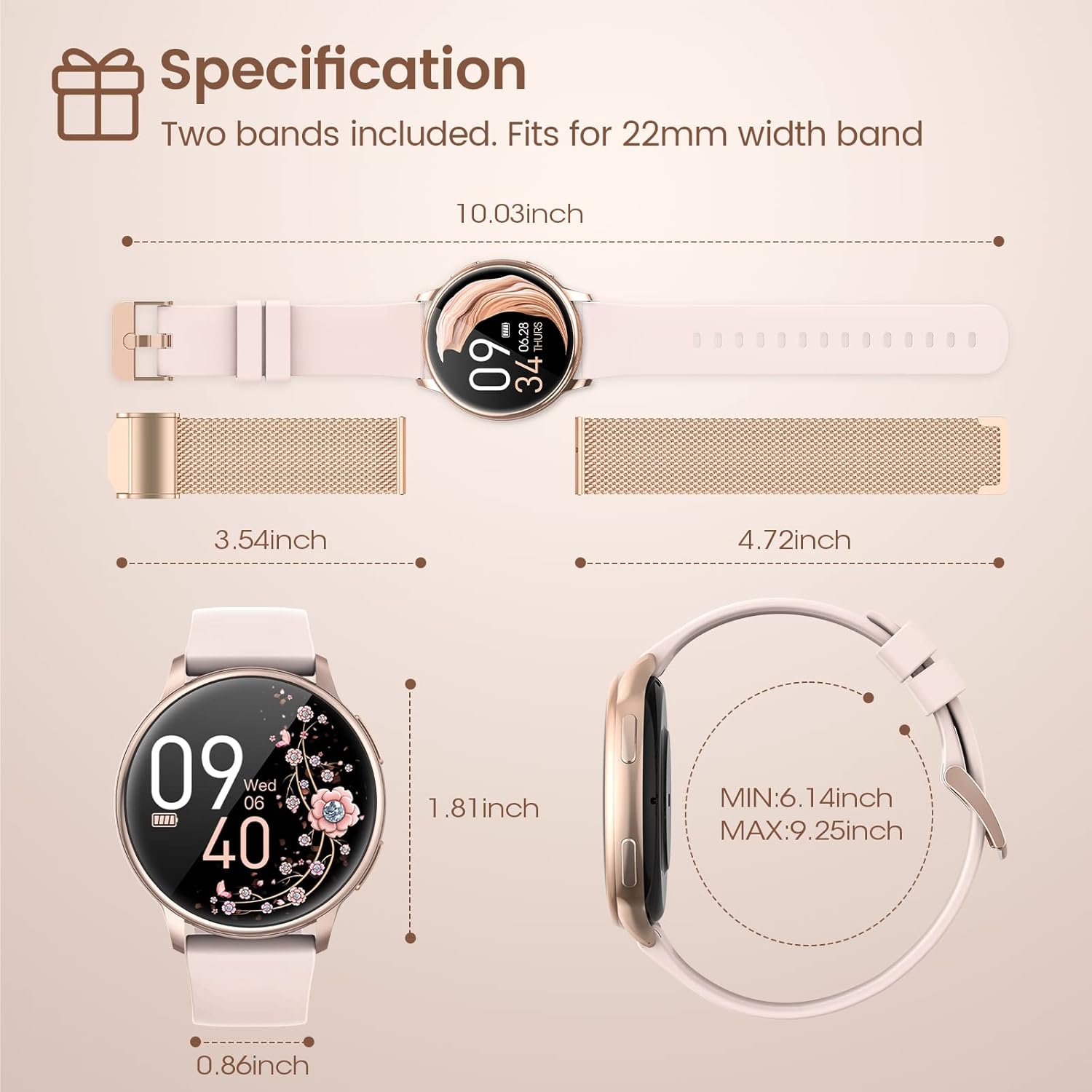
Image: Smartwatch display showing "14 Days" battery life, with smaller text indicating 2 hours for full charge, 7 days for high intensity use, 14 days for daily use, and 30 days for standby.
6. Probleemoplossing
| Probleem | Oplossing |
|---|---|
| Horlosie skakel nie aan nie. | Ensure the watch is fully charged. Check the charging cable and adapter. |
| Unable to pair with phone. | Make sure Bluetooth is enabled on your phone and the watch. Restart both devices. Ensure the "FitCloudPro" app is installed and updated. Check if "G35 (LE)" is connected in your phone's Bluetooth settings for calling. |
| Onakkurate gesondheidsdata. | Ensure the watch is worn snugly on your wrist, not too tight or too loose. Keep the sensor clean. Avoid excessive movement during measurements. |
| Kennisgewings verskyn nie. | Check app notification settings within the "FitCloudPro" app. Ensure the app has necessary permissions on your phone. Keep the app running in the background. |
| Kort batterylewe. | Reduce screen brightness, disable continuous heart rate monitoring, and turn off unnecessary notifications. |
7. Spesifikasies
- Model: G35
- Handelsmerk: Moowhsh
- Skermgrootte: 1.3 duim AMOLED
- Resolusie: 360*360
- Geheue berging kapasiteit: 64 MB
- Battery kapasiteit: 300 mAh
- Verbindingstegnologie: Bluetooth
- Bedryfstelsel: Android, iOS-versoenbaar
- Waterweerstand: 5ATM (Splash-proof, Dust-proof)
- Item gewig: 7.76 onse
8. Waarborg en Ondersteuning
For warranty information and customer support, please refer to the official Moowhsh webwebwerf of kontak u kleinhandelaar. Bewaar u aankoopbewys as bewys van aankoop vir enige waarborgeise.
You can also refer to the official User Manual (PDF) available at: https://manuals.plus/m/69f6ff61a31a35cc97c4cc2210c0eef8e467e60f736f1d0a48b110860f389812
Ask a question about this manual
Ask about setup, troubleshooting, compatibility, parts, safety, or missing instructions. Manuals+ will review the question and use this page’s manual context to help answer it.