
HOCO EW15
Hoco EW15 Clear Explore Edition TWS Wireless Headset User Manual
Model: EW15
Inleiding
Thank you for choosing the Hoco EW15 Clear Explore Edition TWS Wireless Headset. This manual provides detailed instructions on how to set up, operate, and maintain your new headset. Please read this manual carefully before use to ensure optimal performance and longevity of your device.
The Hoco EW15 features Bluetooth v5.1 for stable connectivity, a 30mAh headset battery providing up to 4 hours of call and music time, and a 300mAh charging case for extended use. Its translucent design offers a unique aesthetic, showcasing die interne komponente.
Pakketinhoud
- Hoco EW15 Clear Explore Edition True Wireless BT Headset (Left and Right Earbuds)
- Laaikas
- USB-laaikabel
- Gebruikershandleiding
Produk verbyview




Opstelling
Charging the Headset and Case
Before first use, fully charge the Hoco EW15 headset and its charging case.
- Plaas albei oorfone in die laaikas. Maak seker dat hulle behoorlik vas is.
- Connect the USB charging cable to the charging port on the case and to a compatible USB power source (e.g., computer USB port, wall adapter).
- The indicator light on the charging case will show charging status. It takes approximately 1.5 hours to fully charge the case and 1 hour for the headset.
- Sodra dit ten volle gelaai is, ontkoppel die laaikabel.
Bind saam met 'n toestel
The Hoco EW15 supports automatic pairing and master-slave switching.
- Maak die laaikas oop. Die oorfone sal outomaties aanskakel en in paringsmodus gaan.
- Aktiveer Bluetooth op jou toestel (slimfoon, tablet, ens.).
- Soek vir beskikbare Bluetooth-toestelle en kies "Hoco EW15" uit die lys.
- Once connected, you will hear a confirmation tone, and the indicator light on the earbuds will change.
- After the initial pairing, the earbuds will automatically connect to the last paired device when taken out of the case, provided Bluetooth is enabled on the device.
Bedryfsinstruksies
Raak kontroles
The Hoco EW15 earbuds feature touch-sensitive controls for easy operation.
| Aksie | Funksie |
|---|---|
| Enkele tik (linker/regs oordopje) | Speel/Pauseer Musiek, Beantwoord/Beëindig Oproep |
| Dubbeltik (linkeroorknoppie) | Vorige Snit |
| Dubbeltik (regteroorknoppie) | Volgende Snit |
| Drievoudige tik (linker/regs oordopje) | Aktiveer stemassistent (Siri, Google Assistent) |
| Lang druk (2 sekondes) | Verwerp oproep |
| Lang druk (5 sekondes) | Aan/Af (wanneer nie in die geval nie) |
Belbestuur
- Oproepe beantwoord / beëindig: Tik een keer op enige oordopje.
- Verwerp oproepe: Druk lank op enige van die oordopjes vir 2 sekondes.
Stemassistent
Triple tap either earbud to activate your device's voice assistant (e.g., Siri for iOS, Google Assistant for Android).
Onderhoud
Proper maintenance ensures the longevity and performance of your Hoco EW15 headset.
- Skoonmaak: Gebruik 'n sagte, droë, pluisvrye lap om die oorfone en laaikas skoon te maak. Moenie skuurmiddels of oplosmiddels gebruik nie.
- Berging: Wanneer dit nie gebruik word nie, bêre die oordopjes in hul laaikassie om hulle te beskerm en gelaai te hou.
- Vermy water: Die oorfone is nie waterdig nie. Vermy blootstelling aan water, vog of uiterste temperature.
- Laai: Use the provided charging cable and a certified power adapter. Avoid overcharging.
Probleemoplossing
If you encounter issues with your Hoco EW15 headset, refer to the following common solutions:
- Earbuds not pairing with each other or with device:
- Maak seker dat beide oordopjes gelaai is.
- Place both earbuds back into the charging case, close the lid, wait a few seconds, then open the lid again. This often resets the connection.
- On your device, forget or delete "Hoco EW15" from the Bluetooth device list, then try pairing again.
- Ensure your device's Bluetooth is enabled and within 10 meters of the earbuds.
- Geen geluid of lae volume:
- Kontroleer die volumevlak op beide jou toestel en die oordopjes.
- Maak seker dat die oorfone behoorlik aan jou toestel gekoppel is.
- Maak enige puin van die oordopjes se luidsprekers skoon.
- Laaikas laai nie:
- Check the charging cable and power adapter. Try a different cable or adapter.
- Maak seker dat die laaipoort op die kas skoon en vry van puin is.
- Microphone quality is poor:
- Ensure the microphone opening on the earbuds is not obstructed.
- Try using the earbuds in a quieter environment.
Spesifikasies

| Kenmerk | Detail |
|---|---|
| Produk Naam | EW15 Clear Explore Edition true wireless BT headset |
| Bluetooth weergawe | Bluetooth 5.1 (Chip: JL AC6973) |
| Battery Capacity (Headset) | 30mAh (elke oordopjes) |
| Batterykapasiteit (laaikas) | 300mAh |
| Gesels-/musiektyd | Tot 4 uur |
| Bystandtyd | 120 uur |
| Charging Time (Headset) | Ongeveer 1 uur |
| Laaityd (kas) | Ongeveer 1.5 uur |
| Versendingsreeks | Tot 10 meter (hindernisvry) |
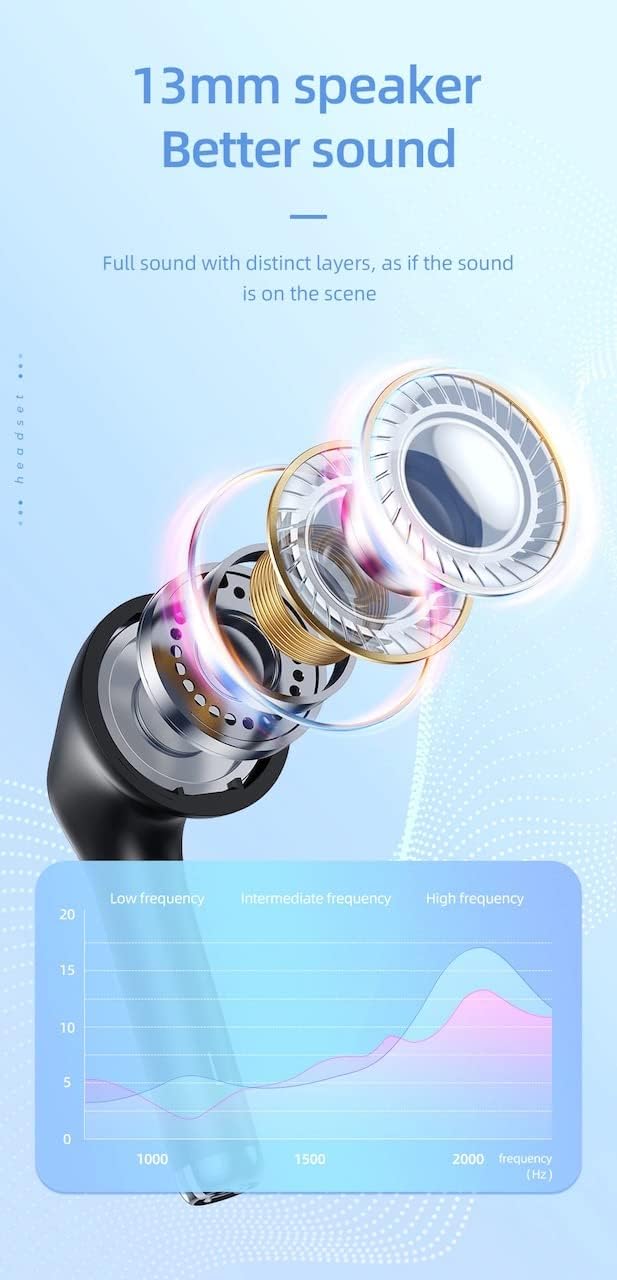
| Luidsprekergrootte | 13 mm |
| Frekwensierespons | 20-20000Hz |
| Produk afmetings | 5.45 x 4.7 x 2.5 cm (Case) |
| Gewig | Whole device 40g, single headset 3g |
| Materiaal | Plastiek |
Waarborg en Ondersteuning
For warranty information and technical support, please refer to the official HOCO webwebwerf of kontak u plaaslike verspreider.
Amptelik Webwebwerf: www.hocotech.com
Bewaar asseblief u aankoopbewys vir enige waarborgaansprake.
Ask a question about this manual
Ask about setup, troubleshooting, compatibility, parts, safety, or missing instructions. Manuals+ will review the question and use this page’s manual context to help answer it.