
Inleiding
Thank you for choosing the MISTRAL Blade Free Fan with Air Purifier MBFAP250. This appliance combines the comfort of a powerful fan with the health benefits of an air purifier, featuring a certified HEPA filter. This manual provides essential information for the safe and efficient operation, maintenance, and troubleshooting of your new appliance. Please read it thoroughly before use and retain it for future reference.
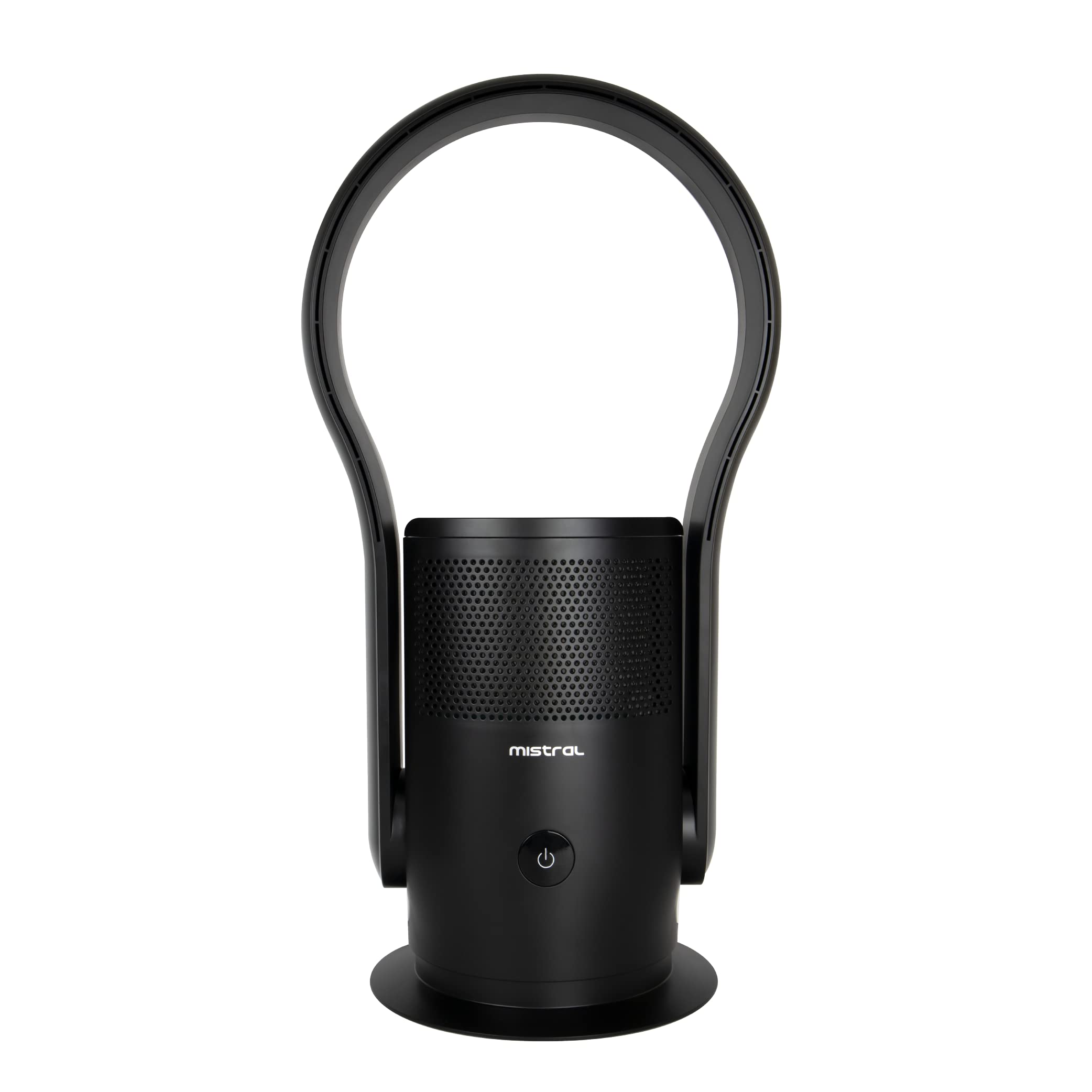
Beeld: Voorkant view of the MISTRAL Blade Free Fan with Air Purifier MBFAP250, showcasing its sleek, blade-free design and black finish.
Belangrike veiligheidsinstruksies
Volg altyd basiese veiligheidsmaatreëls wanneer elektriese toestelle gebruik word om die risiko van brand, elektriese skok en beserings aan persone te verminder.
- Lees alle instruksies voordat u die toestel gebruik.
- Verseker die kragtoevoer voltage stem ooreen met die graderingsetiket op die toestel.
- Moenie die toestel, koord of prop in water of ander vloeistowwe dompel nie.
- Unplug from the outlet when not in use, before cleaning, or before moving the appliance.
- Moenie enige toestel gebruik met 'n beskadigde koord of prop, of nadat die toestel wanfunksioneer of op enige manier beskadig is nie.
- Hou die toestel buite bereik van kinders en troeteldiere.
- Do not block air openings or operate near flammable materials.
- Gebruik slegs op 'n plat, stabiele oppervlak.
- Hierdie toestel is slegs vir binnenshuise gebruik.
Produk verbyview en komponente
Familiarize yourself with the main parts of your MISTRAL Blade Free Fan with Air Purifier.

Image: The MISTRAL Blade Free Fan with Air Purifier MBFAP250, illustrating its overall dimensions: 35.51cm depth, 26.49cm width, and 68.3cm height. Key components visible include the base, main body with air intake grilles, and the bladeless air outlet loop.
- Air Outlet Loop: The bladeless section where purified air is expelled.
- Hoofliggaam: Contains the motor, air purification system, and control panel.
- Beheerpaneel: Digital display and sensor touch buttons for operation.
- Luginlaatroosters: Located on the main body, where air is drawn in for purification.
- Basis: Provides stability and houses the oscillation mechanism.
- Kragkabel: Vir aansluiting op 'n elektriese aansluiting.
- Afstandbeheer: Vir gerieflike werking vanaf 'n afstand.
Opstelling
- Uitpak: Carefully remove the appliance from its packaging. Retain packaging materials for future storage or transport.
- Plasing: Place the fan on a firm, level surface, ensuring there is at least 30cm of clear space around the unit for optimal airflow. Avoid placing it near curtains or other objects that could obstruct the air intake or outlet.
- Kragverbinding: Insert the power plug into a suitable electrical outlet. Ensure the outlet voltage voldoen aan die toestel se vereistes.
- Filter Installation (if not pre-installed):
- Locate the filter compartment, usually at the bottom or rear of the main body.
- Maak die kompartement se deksel oop.
- Insert the HEPA filter, ensuring it is correctly oriented as indicated by markings.
- Maak die kompartement se deksel stewig toe.
Bedryfsinstruksies
Your MISTRAL Blade Free Fan with Air Purifier can be operated using the sensor touch buttons on the unit or the provided remote control.
Beheerpaneel en digitale skerm

Beeld: Sykant view of the MISTRAL Blade Free Fan with Air Purifier, highlighting the location of the digital display and sensor touch buttons on the main body.
- Kragknoppie (⏻): Druk om die eenheid AAN of AF te skakel.
- Spoedkeuse: Use the speed control button (often indicated by fan icon or +/-) to cycle through 9 available speed settings. The current speed will be shown on the digital display.
- Ossillasieknoppie (↻): Press to activate or deactivate the 80-degree left and right auto-oscillation function.
- Timer-knoppie: (If available) Press to set an auto-off timer.
- Modusknoppie: (If available) To switch between different modes (e.g., fan only, purification only, combined).
Afstandbeheer werking
The remote control provides convenient access to all functions. Ensure the remote control has batteries installed and is pointed towards the appliance's receiver.
- Krag: Skakel die eenheid aan of af.
- Spoed +/-: Adjusts the fan speed (1-9).
- ossillasie: Toggles the 80-degree oscillation.
- Afteller: Stel die outomatiese afskakeltimer.
- Modus: Kies bedryfsmodusse.
Onderhoud
Gereelde onderhoud verseker optimale prestasie en verleng die lewensduur van u toestel.
- Skoonmaak van die buitekant:
- Ontkoppel altyd die toestel voordat dit skoongemaak word.
- Vee die buite-oppervlaktes af met 'n sagte, damp lap. Moenie skuur skoonmaakmiddels of oplosmiddels gebruik nie.
- Maak seker dat geen water die interne komponente binnedring nie.
- Cleaning Air Intake Grilles:
- Use a soft brush or a vacuum cleaner with a brush attachment to remove dust and debris from the air intake grilles.
- Regular cleaning prevents airflow obstruction.
- HEPA-filtervervanging:
- The HEPA filter has a limited lifespan and should be replaced periodically (e.g., every 6-12 months, depending on usage and air quality).
- Refer to the filter compartment instructions for specific replacement procedures.
- Always use genuine MISTRAL replacement filters to ensure proper performance and filtration efficiency.
- A filter indicator light (if present) will illuminate when it's time to replace the filter.
Probleemoplossing
Voordat u kliëntediens kontak, raadpleeg asseblief die volgende probleemoplossingsgids vir algemene probleme.
| Probleem | Moontlike oorsaak | Oplossing |
|---|---|---|
| Toestel skakel nie aan nie. | No power supply; Power cord not securely plugged in. | Check if the power outlet is working; Ensure the power cord is firmly plugged into both the appliance and the wall outlet. |
| Swak lugvloei. | Air intake/outlet blocked; Filter is dirty or clogged. | Clear any obstructions from air intake/outlet; Clean or replace the HEPA filter. |
| Eenheid is raserig. | Unit not on a stable surface; Foreign object inside; Filter incorrectly installed. | Place on a flat, stable surface; Unplug and check for foreign objects (if safe to do so); Reinstall filter correctly. |
| Afstandbeheer werk nie. | Batteries are dead or incorrectly inserted; Remote not pointed at receiver. | Replace batteries; Ensure correct polarity; Point remote directly at the appliance's control panel. |
Spesifikasies
| Kenmerk | Detail |
|---|---|
| Handelsmerk | MISTRAL |
| Model | MBFAP250 |
| Produk Afmetings (D x B x H) | 35.5D x 26.5W x 68.3H sentimeter |
| Kleur | Swart |
| Kragbron | Elektries met koord |
| Beheer metode | Remote, Sensor Touch Buttons |
| Fan Snelhede | 9 keuses |
| ossillasie | 80-degree Left and Right Auto-Oscillation |
| Filter tipe | Gesertifiseerde HEPA |
| Contaminant Filtration Capability | 99.97% |
| Spesiale kenmerke | Integrated fan for cooling, HEPA filter for effective allergen reduction, Digital display |
Waarborg en Ondersteuning
This MISTRAL appliance comes with a standard manufacturer's warranty. Please refer to the warranty card included in your product packaging for specific terms and conditions, including warranty period and coverage details.
For technical support, service, or to purchase replacement parts (such as HEPA filters), please contact MISTRAL customer service through their official webwebwerf of die kontakinligting wat in u waarborgdokumentasie verskaf word.
Note: Always provide your model number (MBFAP250) when contacting customer support.