
1. Inleiding
Thank you for choosing the Wiko T50 smartphone. This manual provides essential information on how to set up, operate, and maintain your device. Please read this manual carefully before using your Wiko T50 to ensure proper functionality and safety.
2. Veiligheidsinligting
Always follow basic safety precautions when using your Wiko T50 to reduce the risk of injury, electric shock, fire, or damage to the device.
- Moenie die toestel blootstel aan uiterste temperature, direkte sonlig of hoë humiditeit nie.
- Use only Wiko-approved chargers and accessories.
- Vermy om die toestel te laat val of aan ernstige impakte bloot te stel.
- Moenie probeer om die toestel self uitmekaar te haal of te herstel nie. Raadpleeg gekwalifiseerde dienspersoneel.
- Hou die toestel weg van pasaangeërs en ander mediese toestelle.
3. Pakketinhoud
Ensure all items are present in your Wiko T50 package:
- Wiko T50 Smartphone
- Lader
- Lithium Polymer Battery (pre-installed or included)
- Gebruikershandleiding (hierdie dokument)
4. Produk verbyview
Familiarize yourself with the physical features of your Wiko T50 smartphone.
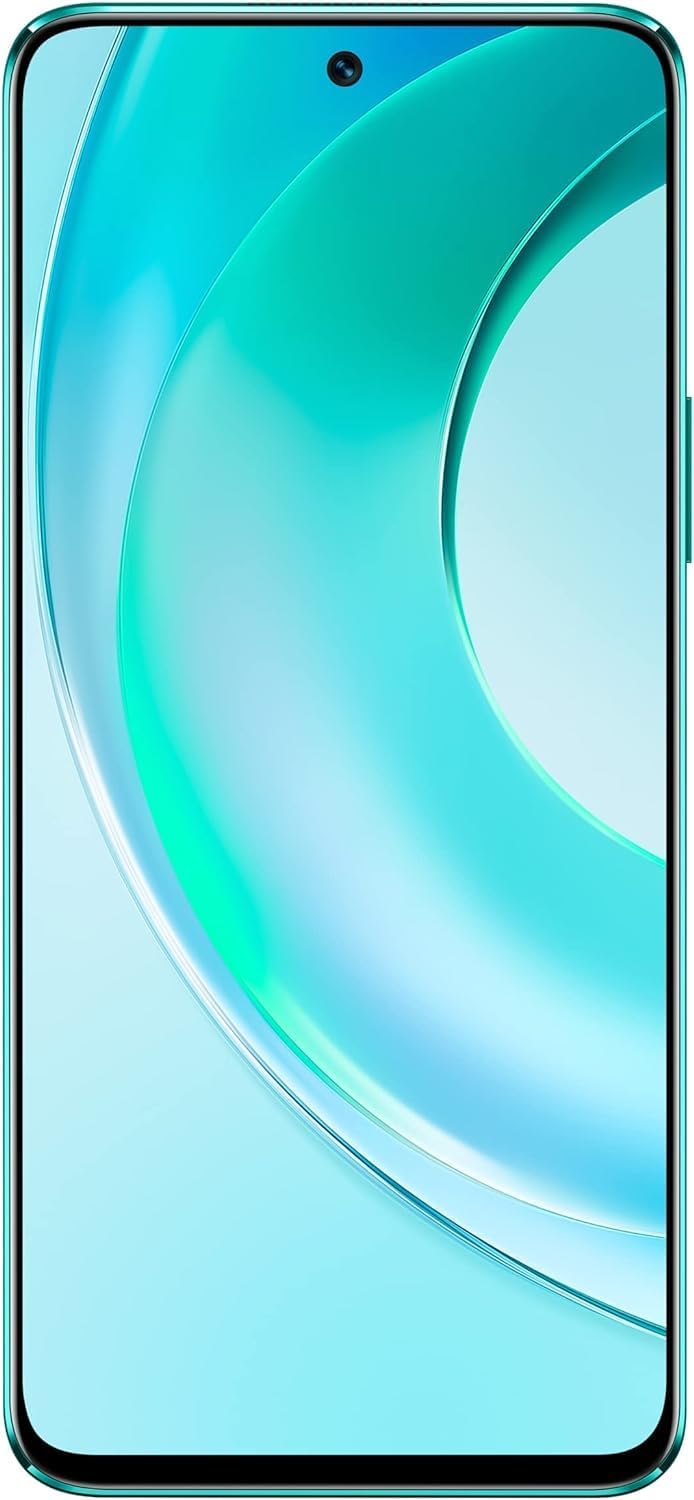
Figuur 4.1: Voorkant view of the Wiko T50 smartphone, showcasing its large display and front camera.

Figuur 4.2: Agter view of the Wiko T50 smartphone in Aqua Green, highlighting the triple camera module and Wiko branding.

Figuur 4.3: Regterkant view of the Wiko T50 smartphone, showing the power button and volume rocker.

Figuur 4.4: Linkerkant view of the Wiko T50 smartphone, showing the SIM tray.
Sleutelkomponente:
- Vertoon: 6.6-inch FHD+ borderless display for immersive viewing.
- Kameras: 64MP AI Triple Camera system on the rear, featuring a 120-degree ultra-wide angle lens. Front camera for selfies and video calls.
- Knoppies: Power button and volume rocker located on the right side for easy access.
- Poorte: USB-poort vir laai en data-oordrag.
- SIM-laai: Dual SIM support for flexible connectivity.
5. Opstelling
5.1 SIM-kaarte insit
- Vind die SIM-laai aan die linkerkant van die toestel.
- Gebruik die meegeleverde SIM-uitwerpgereedskap om die skinkbord oop te maak.
- Plaas jou Nano-SIM-kaarte versigtig in die aangewese gleuwe. Maak seker dat die goue kontakte na onder wys.
- Gently push the SIM tray back into the slot until it clicks into place.
5.2 Laai die battery
- Connect the charger to the USB port at the bottom of your Wiko T50.
- Steek die laaier in 'n kragaansluiting.
- The device supports 40W fast charging. The battery indicator on the screen will show charging progress.
- Sodra dit ten volle gelaai is, ontkoppel die laaier.
5.3 Aan-/afskakel
- Om aan te skakel: Press and hold the Power button on the right side until the Wiko logo appears.
- Om af te skakel: Druk en hou die aan/af-knoppie in, en kies dan 'Skakel af' uit die opsies op die skerm.
6. Bedryf
6.1 Basiese Navigasie (Android 11.0)
- Raakskerm: Navigate the device using touch gestures such as tap, swipe, pinch-to-zoom.
- Tuisskerm: Die sentrale spilpunt vir jou programme en widgets.
- Kennisgewings: Swiep af vanaf die bokant van die skerm na view kennisgewings en vinnige instellings.
- App-laai: Vee opwaarts van die onderkant van die skerm om toegang tot alle geïnstalleerde toepassings te verkry.
6.2 Kameragebruik
Your Wiko T50 features a 64MP AI Triple Camera system.
- Maak die Kamera-toepassing oop vanaf jou tuisskerm of toepassinglaai.
- Select your desired mode (Photo, Video, Portrait, Pro, etc.).
- Tik die sluiterknoppie om 'n foto te neem of om 'n video-opname te begin/stop.
- Switch between the main lens and the 120-degree ultra-wide lens for different perspectives.
6.3 Konnektiwiteit
- Wi-Fi: Go to Settings > Network & internet > Wi-Fi to connect to available Wi-Fi networks.
- Bluetooth: Gaan na Instellings > Verbonde toestelle > Verbindingsvoorkeure > Bluetooth om met Bluetooth-toestelle te koppel.
- Mobiele data (4G LTE): Maak seker dat jou SIM-kaart aktief is en mobiele data geaktiveer is in Instellings > Netwerk en internet > Mobiele netwerk.
- USB: Connect your device to a computer using a USB cable for file oordrag of laai.
7. Onderhoud
- Skoonmaak: Gebruik 'n sagte, pluisvrye lap om die skerm en die toestel se liggaam skoon te maak. Vermy die gebruik van harde chemikalieë of skuurmiddels.
- Sagteware-opdaterings: Regularly check for and install software updates to ensure optimal performance and security. Go to Settings > System > System update.
- Batterysorg: To prolong battery life, avoid fully discharging the battery frequently. Charge the device before the battery level drops too low.
- Bergingbestuur: Maak gereeld onnodige dinge skoon files en programme om stoorplek vry te maak en toestelspoed te handhaaf.
8. Probleemoplossing
Hier is oplossings vir algemene probleme wat jy mag teëkom:
| Probleem | Oplossing |
|---|---|
| Toestel skakel nie aan nie | Maak seker dat die battery gelaai is. Koppel die laaier aan en wag 'n paar minute voordat jy weer probeer aanskakel. |
| Battery raak vinnig leeg | Close unused apps, reduce screen brightness, disable Wi-Fi/Bluetooth when not in use. Check for background app activity. |
| Kan nie aan Wi-Fi koppel nie | Restart your Wi-Fi router and the phone. Ensure you have entered the correct Wi-Fi password. |
| Programme stort vas of vries | Restart the device. Clear the cache of the problematic app (Settings > Apps > [App Name] > Storage & cache > Clear cache). |
| Geen netwerksein nie | Ensure SIM card is properly inserted. Check if airplane mode is off. Try restarting the device. Contact your network provider if the issue persists. |
9. Spesifikasies
Detailed technical specifications for the Wiko T50 smartphone:
| Kenmerk | Spesifikasie |
|---|---|
| Model Naam | T50 |
| Item Modelnommer | W-P861-03 |
| Bedryfstelsel | Android 11.0 |
| Geïnstalleerde RAM-grootte | 6 GB |
| Geheue berging kapasiteit | 128 GB |
| SVE Model | Snapdragon |
| SVE-spoed | 2 GHz |
| Skerm grootte | 6.6 duim |
| Resolusie | 1080 x 2400 |
| Herlaaitempo | 60 Hz |
| Kleur | Aqua Groen |
| Batterykraggradering | 4000 mAh (unspecified rating) |
| Vormfaktor | Kroeg |
| Draadlose Kommunikasietegnologieë | Sellulêr |
| Verbindingstegnologieë | Bluetooth, Wi-Fi, USB |
| GPS | GLONASS |
| Ander kamera-funksies | Agter |
| Device Interface_Primary | Mikrofoon, Aanraakskerm |
| Item gewig | 260 g |
| Pakket afmetings | 27.8 x 24.4 x 10.2 cm |
| Datum Eerste Beskikbaar | 15 Mei 2022 |
10. Waarborg en Ondersteuning
Wiko provides a limited warranty for its products. Please refer to the warranty card included with your purchase for specific terms and conditions. For technical support, service, or further inquiries, please visit the official Wiko webwebwerf of kontak hul kliëntediens.
Hou jou aankoopbewys vir waarborgeise.