
1. Inleiding
Thank you for choosing the OFANTOP 52 Inch Smart Ceiling Fan. This modern ceiling fan is designed for both indoor and outdoor use, featuring a quiet DC motor, integrated dimmable LED lighting, and smart control options. Please read this manual thoroughly before installation and operation to ensure safe and efficient use.
Sleutel kenmerke sluit in:
- Silent Reversible DC Motor with 6 speeds.
- Integrated 20W Dimmable LED Light with 3 color temperatures (3000K, 4500K, 6000K) and memory function.
- Convenient Remote Control and Wi-Fi/Bluetooth Functionality for app and voice control (Alexa, Google Assistant).
- Suitable for Indoor and Exterior Use (Porch, Bedroom, Living Room, Patio, Dining Room).
- ETL Certified for safety and quality.
2. Veiligheidsinligting
Volg altyd basiese veiligheidsmaatreëls wanneer u elektriese toestelle installeer en gebruik om die risiko van brand, elektriese skok en persoonlike besering te verminder.
- Lees alle instruksies noukeurig deur voordat jy begin met installasie.
- Maak seker dat die krag by die stroombreker afgeskakel is voor installasie of onderhoud.
- Alle bedrading moet in ooreenstemming wees met nasionale en plaaslike elektriese kodes. Raadpleeg 'n gekwalifiseerde elektrisiën as u onseker is oor die bedrading.
- Die monteringsstruktuur moet die gewig van die waaier (ongeveer 16.46 pond) kan dra.
- Do not operate the fan with damaged wiring or if it is not functioning correctly.
- Hou hande, hare en klere weg van die waaierlemme tydens werking.
- This fan is designed for 120 Volts AC/DC power sources.
3. Pakketinhoud
Verifieer dat alle komponente teenwoordig is voordat u met die installasie begin:
- Plafonwaaier Motorbehuising
- 3 Fan Blades (Plastic)
- Geïntegreerde LED-ligstel
- Afstandbeheer
- Downrods (5" and 10" included)
- Montagebeugel
- Hardewarepak (skroewe, draadmoere, ens.)
- Gebruikershandleiding (hierdie dokument)
4. Spesifikasies
| Kenmerk | Spesifikasie |
|---|---|
| Handelsmerk | OFANTOP |
| Model Naam | 52YFT-7068 |
| Kleur | 52'' Matte White |
| Produk afmetings | 52" D x 52" B x 16.6" H |
| Item gewig | 16.46 pond |
| Kragbron | AC/DC |
| Voltage | 120 Volt |
| Wattage | 35 watt |
| Aantal lemme | 3 |
| Bladmateriaal | Plastiek |
| Lugvloeikapasiteit | 6031 kubieke voet per minuut (CFM) |
| Ligte tipe | Integrated LED (20W) |
| Ligte kenmerke | Dimmable, 3 Color Temperatures (3000K, 4500K, 6000K), Memory Function |
| Beheer metode | Remote, App (Smart Life), Voice (Alexa, Google Assistant) |
| Spoedinstellings | 6 |
| Binne/buiteluggebruik | Outdoor, Indoor (IP44 rated for outdoor use) |
| Sertifisering | ETL Gesertifiseer |

Figure 4.1: Fan Dimensions and Mounting Options. The fan is 52 inches in diameter. It supports downrod mount and angled mount (max 20 degrees). Ideal for rooms 144-400 sq ft.
5. Installasie
This ceiling fan is designed for easy installation. Follow these steps carefully. It is recommended to have two people for installation.
5.1 Kontrolelys voor die installasie
- Maak seker dat die krag by die stroombreker afgeskakel is.
- Bevestig dat alle pakketinhoud teenwoordig en onbeskadig is.
- Gather necessary tools: Phillips screwdriver, flathead screwdriver, wire strippers, electrical tape, ladder.
5.2 Monteer die bracket
- Bevestig die monteerbeugel aan die plafon-aansluitingsboks. Maak seker dat die aansluitingsboks stewig aan die boustruktuur vasgemaak is en die waaier se gewig kan ondersteun.
- Use the provided screws and washers to attach the bracket firmly.
5.3 Assembling the Fan
- Attach the chosen downrod (5" or 10") to the fan motor housing. Feed the electrical wires from the fan through the downrod.
- Secure the downrod to the motor housing with the provided pin and screw.
- Carefully attach the fan blades to the motor housing using the blade screws. Ensure they are tightly secured.

Figure 5.1: Assembled OFANTOP 52 Inch Smart Ceiling Fan.
5.4 Bedrading van die waaier
- Hang the fan assembly onto the mounting bracket using the hanger ball.
- Connect the electrical wires from the fan to the corresponding wires from the ceiling using wire nuts. Typically, black to black (live), white to white (neutral), and green/bare copper to green/bare copper (ground).
- Maak seker dat alle verbindings stewig is en indien nodig met elektriese band geïsoleer is.
5.5 Finale Vergadering
- Skuif die afdak teen die plafon op en bevestig dit aan die monteerbeugel met die meegeleverde skroewe.
- Install the integrated LED light kit according to the specific instructions provided with the light module.
Once installation is complete, restore power at the circuit breaker and test the fan's functionality.
6. Bedryfsinstruksies
The OFANTOP Smart Ceiling Fan offers multiple control methods for your convenience.
6.1 Afstandbeheer werking
The included remote control allows full functionality of the fan and light.
- Waaier AAN/AF: Druk die aan/af-knoppie om die waaier aan of af te skakel.
- Fan Spoed: Kies uit 6 waaierspoed (1-6) om lugvloei aan te pas.
- Lig AAN/UIT: Druk die ligknoppie om die lig aan of af te skakel.
- Ligverduistering: Use the dimming buttons to adjust light brightness (0% to 100%).
- Kleur temperatuur: Cycle through 3 color temperatures (3000K Warm White, 4500K Natural White, 6000K Cool White). The light has a memory function, retaining the last setting.
- Fan Direction (Reversible): Press the reverse button to switch between summer mode (downward airflow for cooling) and winter mode (upward airflow for warm air circulation).
- Afteller: Stel die waaier om outomaties af te skakel na 1, 4 of 8 uur.

Figure 6.1: Reversible Dual-direction Motor for year-round comfort.
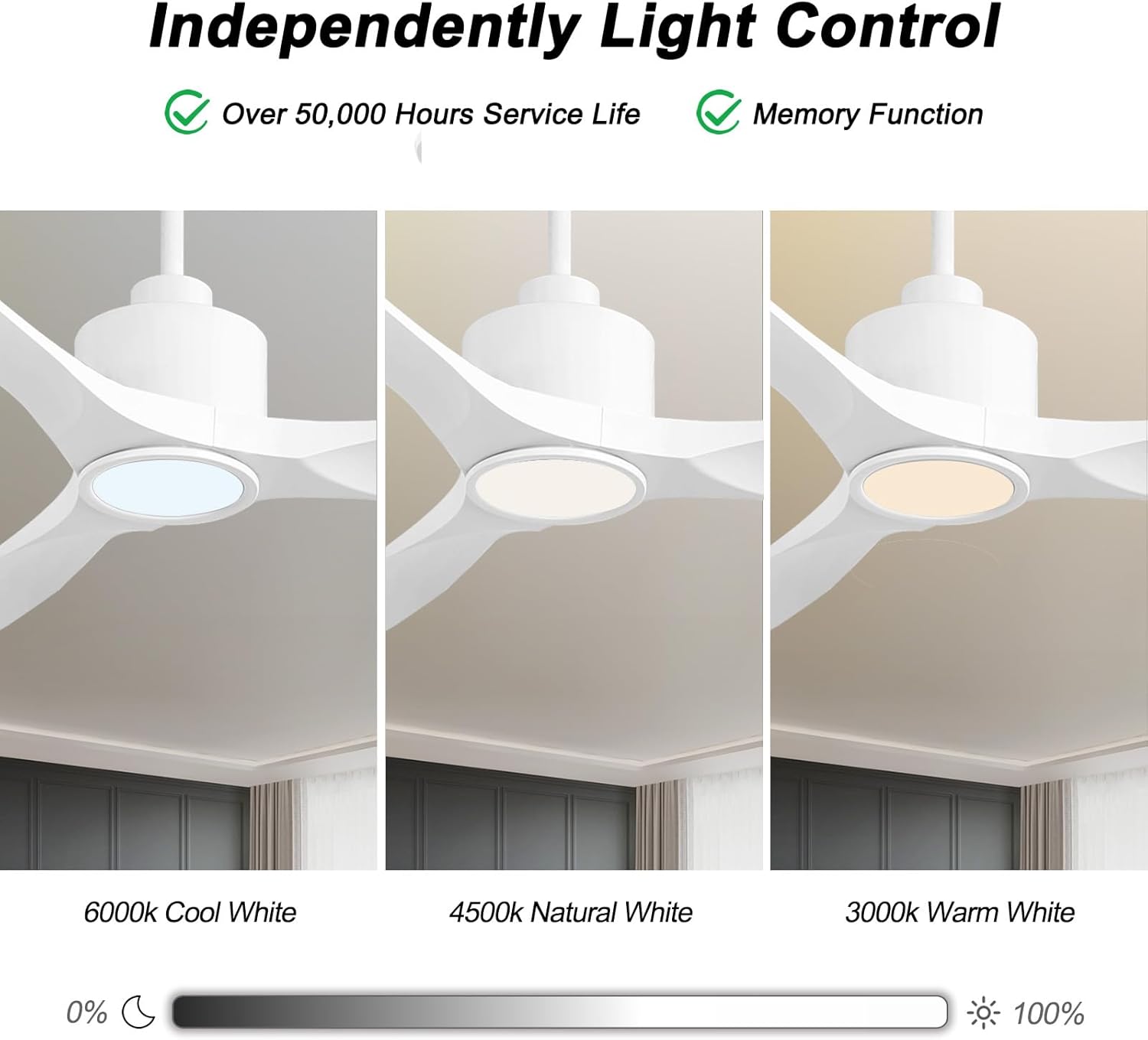
Figure 6.2: Independent Light Control with Dimmable and Color Temperature options.
6.2 Smart Control (Wi-Fi & Bluetooth)
The fan can be controlled via a smartphone app (Smart Life) and integrated with voice assistants like Amazon Alexa and Google Assistant.
- Programopstelling: Download the "Smart Life" app from your device's app store. Follow the in-app instructions to pair your ceiling fan. This typically involves putting the fan into pairing mode (refer to the app for specific steps) and connecting it to your home Wi-Fi network.
- Stembeheeropstelling: Once paired with the Smart Life app, enable the "Smart Life" skill in your Amazon Alexa or Google Home app. Link your Smart Life account to your voice assistant account. You can then use voice commands to control the fan and light.
Example stemopdragte:
- "Alexa, turn on the living room fan."
- "Hey Google, set the fan speed to 3."
- "Alexa, change the fan light to warm white."
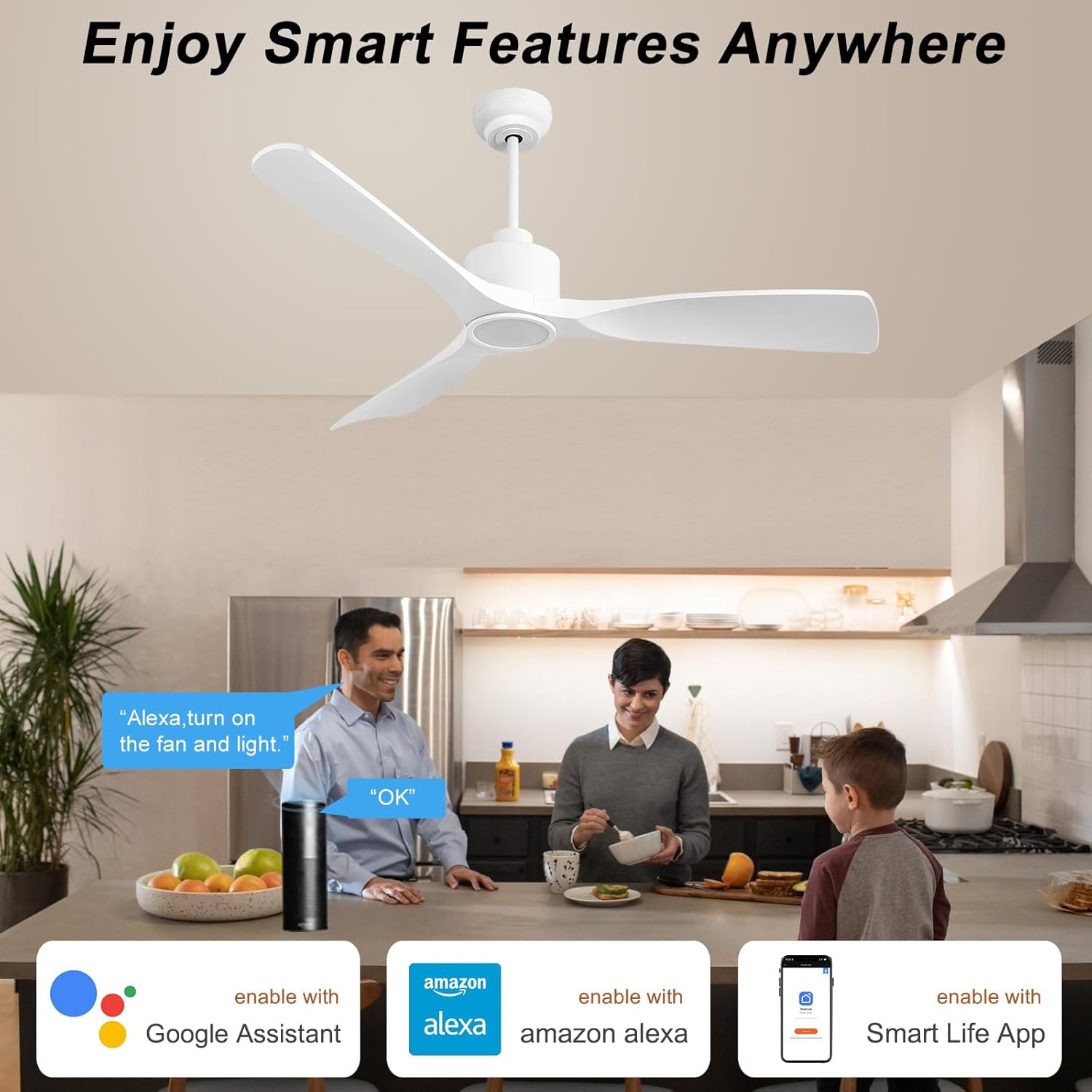
Figure 6.3: Enjoy Smart Features Anywhere with app and voice control.
7. Onderhoud
Gereelde onderhoud verseker die lang lewensduur en optimale werkverrigting van jou plafonwaaier.
- Skoonmaak: Om te verhoed dat die afwerking gekrap word, maak die waaier skoon met 'n sagte, damp cloth. Do not use abrasive cleaners or solvents. The fan blades may collect dust due to their shape, but they are easy to clean with a duster or swiffer.
- Lembalans: Check the blade screws periodically to ensure they are tight. Loose screws can cause wobbling and noise.
- Ligbron: The integrated LED light is designed for over 50,000 hours of service life and is not user-replaceable.
- Motor: The DC motor is designed for quiet and efficient operation and requires no lubrication.

Figure 7.1: ETL Certified DC Motor ensures quiet and energy-efficient performance.
8. Probleemoplossing
As jy probleme met jou waaier ondervind, verwys na die volgende algemene probleme en oplossings:
| Probleem | Moontlike oorsaak | Oplossing |
|---|---|---|
| Waaier begin nie | Geen krag na die waaier nie; Los draadverbindings; Afstandbeheerder se battery is laag. | Check circuit breaker. Ensure all wiring connections are secure. Replace remote control battery. |
| Fan wiebel | Los lemskroewe; Ongebalanseerde lemme; Los monteringsbeugel. | Tighten all blade screws. Check blade balance (balancing kit may be needed). Ensure mounting bracket is securely fastened. |
| Lig werk nie | Loose wire connection to light kit; Light kit failure. | Check light kit wiring. If integrated LED, contact customer support if it fails prematurely. |
| Afstandbeheer werk nie | Battery low/dead; Remote not paired with fan. | Replace battery. Refer to pairing instructions in the full user manual (PDF) or contact support. |
| Smart control (App/Voice) issues | Wi-Fi connectivity issues; Incorrect app pairing; Voice assistant skill not enabled. | Check Wi-Fi connection. Re-pair fan in Smart Life app. Ensure Smart Life skill is enabled and linked in your voice assistant app. |
For more detailed troubleshooting or issues not listed here, please refer to the full User Manual (PDF) or contact customer support.
9. Waarborg en Ondersteuning
OFANTOP stands behind the quality of its products. For warranty information, product support, or to inquire about replacement parts (e.g., remote control), please contact OFANTOP customer service directly.
- Vervaardiger: OFANTOP
- Modelnommer: 52YFT-7068
- Kliëntediens: Refer to the contact information provided in your product packaging or on the official OFANTOP webwebwerf.
- Aanlyn hulpbronne: 'n Gedetailleerde gebruikershandleiding (PDF) is beskikbaar vir aflaai by https://manuals.plus/m/8aec2114059cd6b69cff677e7d21870e99ddd14f8acdc846631f0b96ef88e8c4.
Hou asseblief u modelnommer en aankoopdatum gereed wanneer u ondersteuning kontak.