
1. Inleiding
This manual provides essential information for setting up, operating, and maintaining your NiPoGi Mini PC AM02PRO. Please read this guide thoroughly before using the device to ensure optimal performance and longevity. The NiPoGi Mini PC is a compact and powerful desktop computer designed for various applications, including office work, home entertainment, and light gaming.
2. Pakketinhoud
Verifieer dat alle items in die pakket teenwoordig is:
- NiPoGi Mini PC AM02PRO
- Kragadapter
- HDMI kabel
- Gebruikershandleiding
3. Produk verbyview
The NiPoGi Mini PC AM02PRO features an AMD Ryzen 7 5700U processor, offering efficient performance in a small form factor. It supports dual display output and high-speed connectivity.
Beeld: Voorkant view of the NiPoGi Mini PC AM02PRO, showcasing sy kompakte ontwerp.
3.1 Verwerker en Werkverrigting
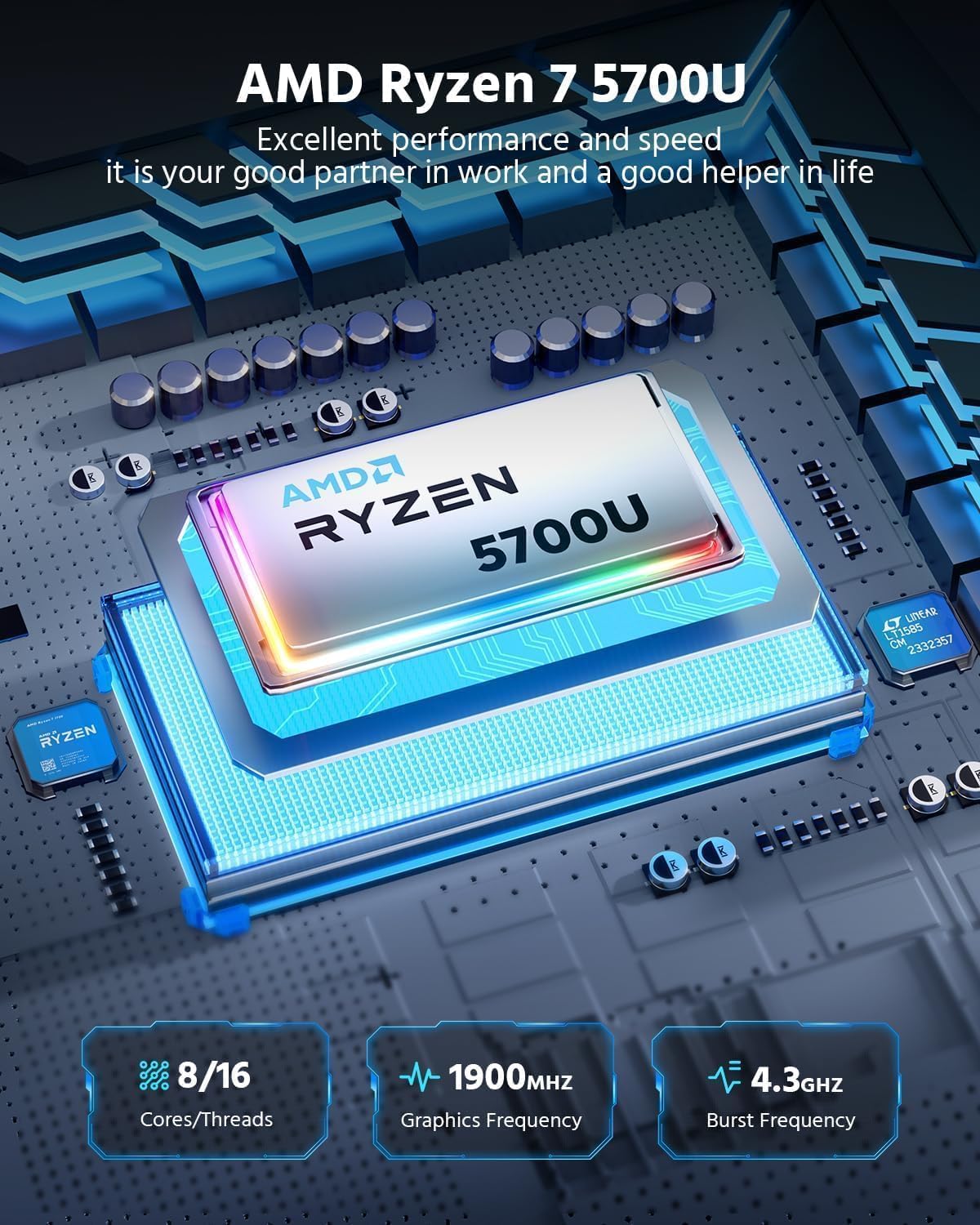
Equipped with an AMD Ryzen 7 5700U processor, this mini PC delivers excellent performance for multitasking, productivity, and multimedia. It features 8 cores and 16 threads, with a burst frequency up to 4.3 GHz and integrated Radeon Graphics with a frequency of 1900 MHz.
Beeld: Gedetailleerd view of the AMD Ryzen 7 5700U processor, highlighting its core count, graphics frequency, and burst frequency.
3.2 Geheue en berging
The device comes with 32GB DDR4 RAM (16GB x 2) and a 512GB M.2 SSD. The RAM is expandable up to 64GB via two SODIMM slots, and the M.2 SSD supports expansion up to 2TB, providing ample space and speed for your applications and data.

Beeld: Intern view of the mini PC, illustrating the dual SO-DIMM memory slots and the M.2 SSD slot for memory and storage expansion.
3.3 Poorts en Konnektiwiteit
The Mini PC offers a comprehensive set of ports for various peripherals and displays:
- 1x HDMI 2.0 (4K@60Hz)
- 1x DisplayPort
- 4x USB 3.0-poorte
- 1x Gigabit Ethernet LAN (RJ45)
- 1x USB-C-poort
- 1x Microphone jack
- 1x DC Power input
- 1x Power-knoppie
Wireless connectivity includes Wi-Fi 6 (802.11ax) and Bluetooth 5.2, ensuring fast and stable network connections and peripheral pairing.
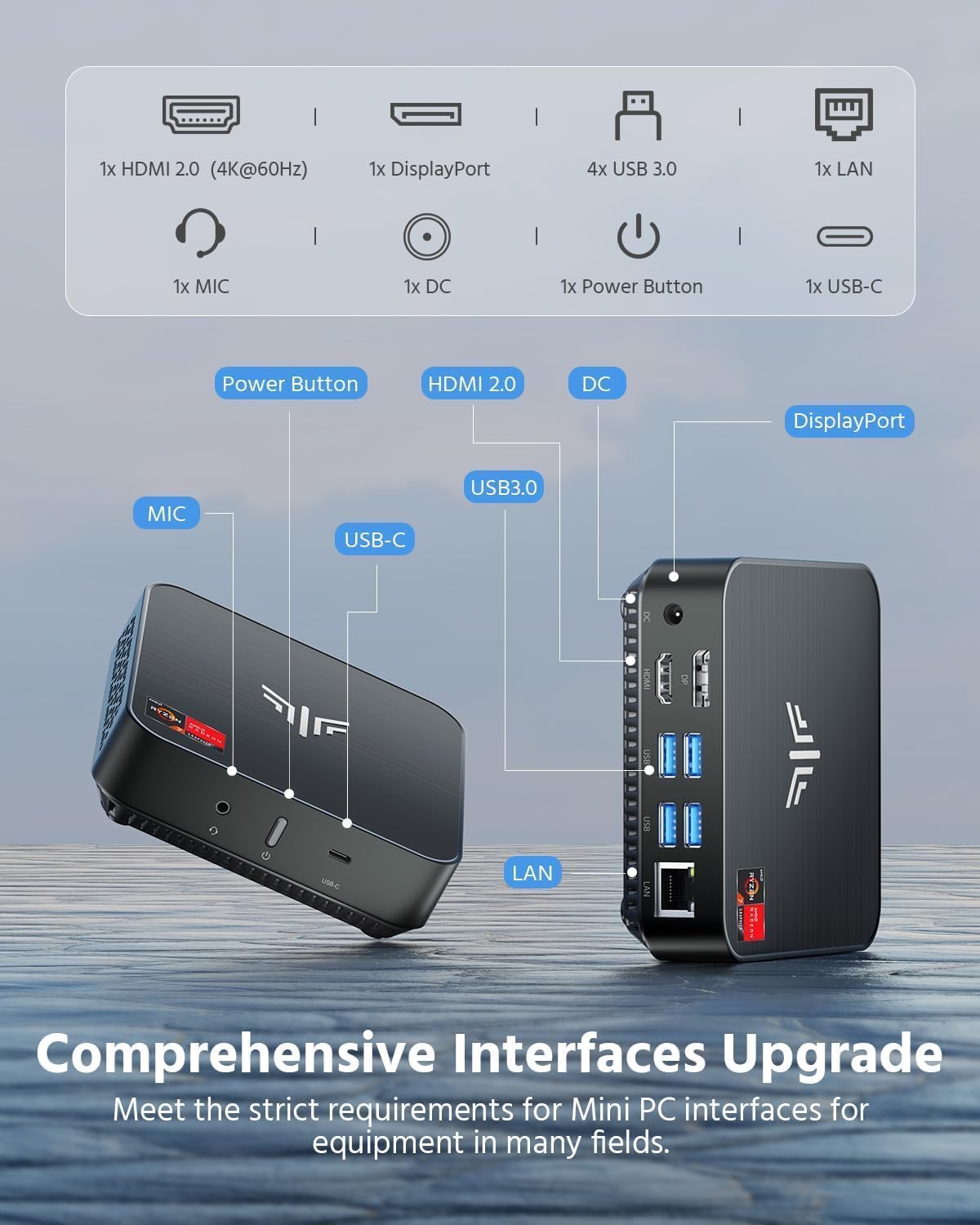
Image: Diagram showing the various ports available on the NiPoGi Mini PC, including HDMI, DisplayPort, USB 3.0, USB-C, LAN, and audio jacks.
3.4 Dual Display Support
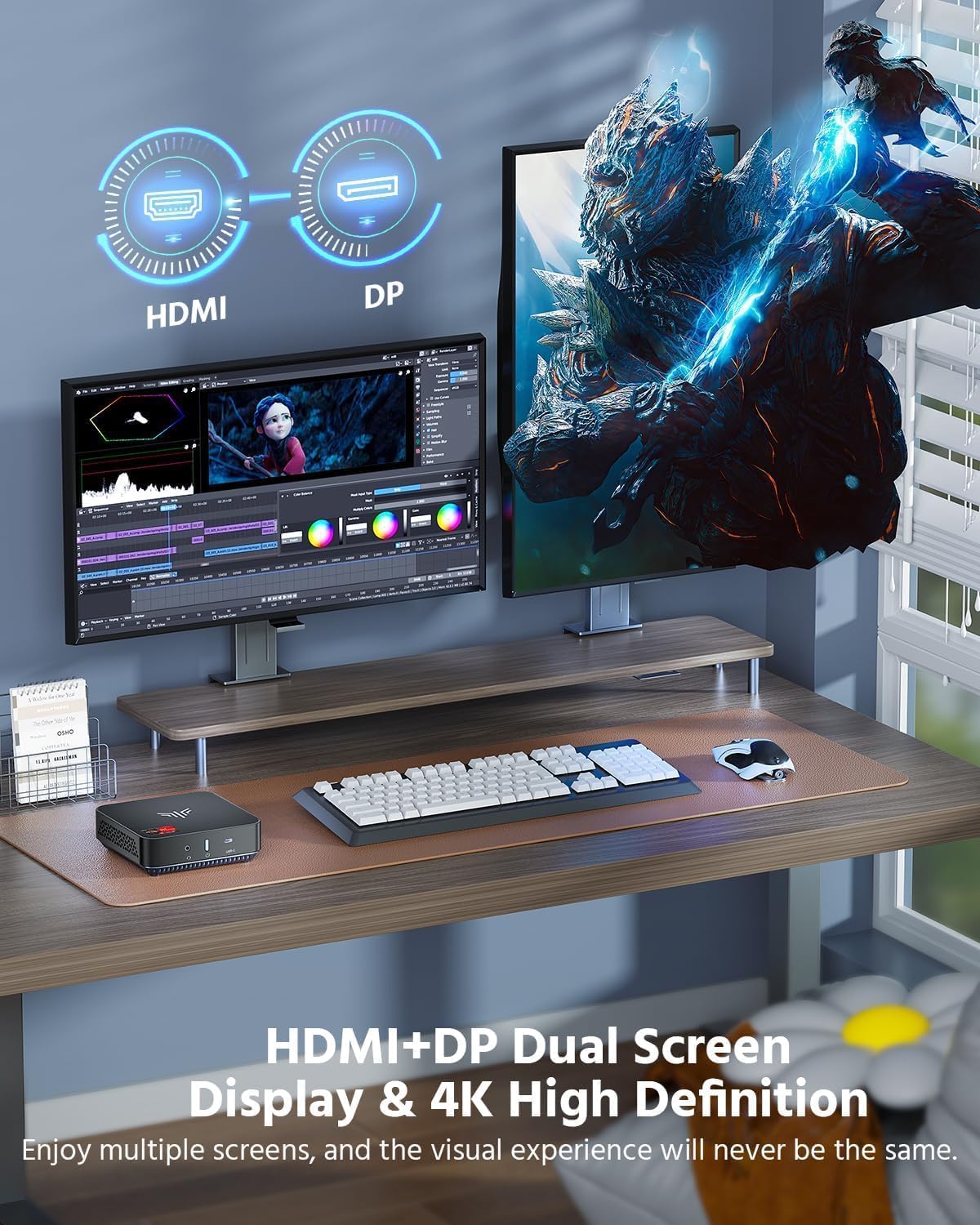
The Mini PC supports dual 4K display output at 60Hz via HDMI and DisplayPort, allowing for an extended desktop experience and enhanced productivity.
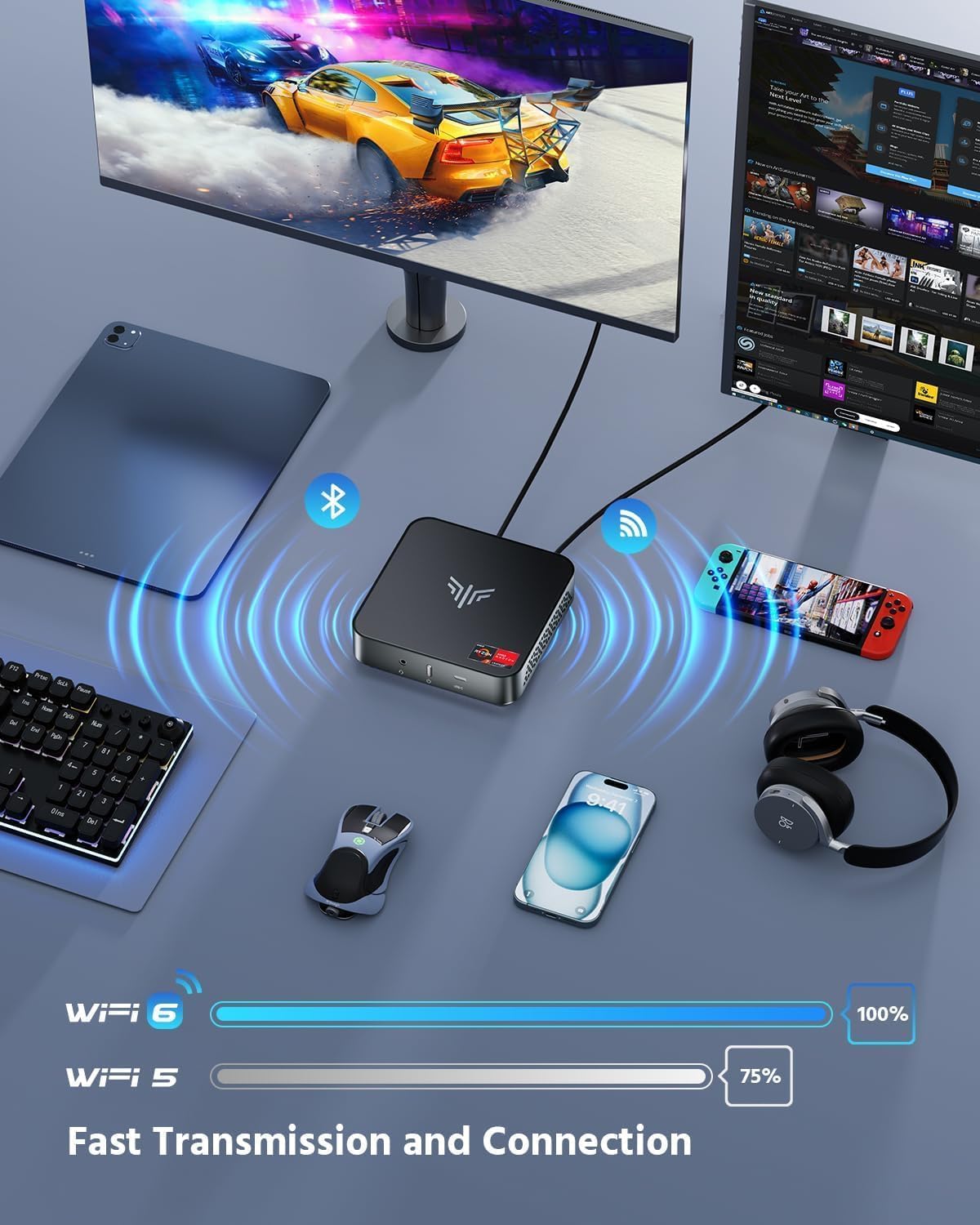
Image: A NiPoGi Mini PC connected to two monitors, demonstrating its dual 4K display capabilities for an immersive visual experience.
3.5 Installasie-opsies
The compact design allows for flexible placement. It can be placed on a desk or mounted to the back of a monitor using a VESA mount bracket (not included), helping to optimize your workspace.
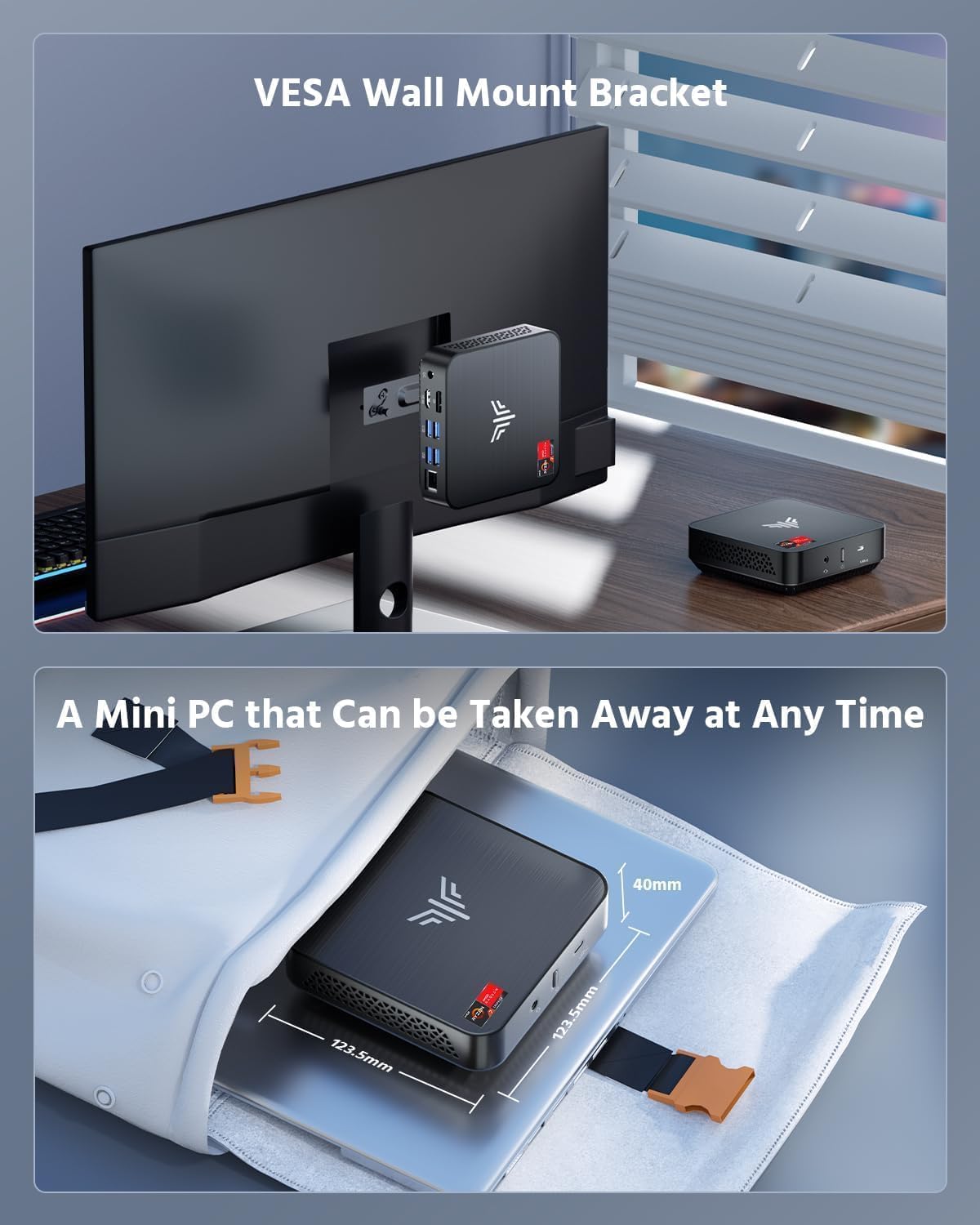
Image: The NiPoGi Mini PC shown mounted on the back of a monitor using a VESA bracket, and also highlighting its small size for portability.
4. Opstelinstruksies
Follow these steps to set up your NiPoGi Mini PC:
- Koppel aan 'n skerm: Connect the Mini PC to your monitor or TV using the provided HDMI cable or a DisplayPort cable.
- Koppel randapparatuur: Koppel jou sleutelbord, muis en enige ander USB-toestelle aan die beskikbare USB-poorte.
- Koppel aan krag: Koppel die kragadapter aan die GS-invoerpoort op die Mini-rekenaar, en steek dan die adapter in 'n kragaansluiting.
- Krag aan: Press the power button on the Mini PC. The device will boot up, and you should see the operating system on your display.
- Aanvanklike opstelling: Follow the on-screen instructions to complete the Windows 11 Pro initial setup, including language, region, network connection, and user account creation.
5. Bedryfsinstruksies
5.1 Krag aan/af
- Om aan te skakel: Druk een keer die kragknoppie.
- Om af te sluit: Klik die Start-knoppie in Windows en kies dan Aan/uit > Skakel af.
- Om weer te begin: Klik die Start-knoppie in Windows en kies dan Aan/Uit > Herbegin.
- Om te slaap: Klik die Start-knoppie in Windows en kies dan Aan/uit > Slaapmodus.
5.2 Netwerkverbinding
- Bedrade verbinding: Connect an Ethernet cable from your router/modem to the LAN port on the Mini PC.
- Draadlose verbinding: In Windows, click the Wi-Fi icon in the taskbar, select your network, enter the password, and click Connect.
5.3 BIOS-instellings
To access the BIOS settings, press the DEL key repeatedly during startup when the NiPoGi logo appears. Here you can configure boot options, system time, and other hardware settings.
6. Onderhoud
Gereelde onderhoud help om die lang lewensduur en optimale werkverrigting van jou mini-rekenaar te verseker.
- Skoonmaak: Use a soft, dry cloth to clean the exterior of the Mini PC. For dust accumulation in vents, use compressed air. Ensure the device is powered off and unplugged before cleaning.
- Sagteware-opdaterings: Kontroleer gereeld vir en installeer Windows-opdaterings en dryweropdaterings om stelselstabiliteit en -sekuriteit te verseker.
- Ventilasie: Ensure the Mini PC is placed in a well-ventilated area and that its vents are not obstructed to prevent overheating.
- Data-rugsteun: Rugsteun gereeld belangrike data na 'n eksterne skyf of wolkberging om dataverlies te voorkom.
7. Probleemoplossing
If you encounter issues with your Mini PC, refer to the following common troubleshooting steps:
| Probleem | Moontlike Oplossing |
|---|---|
| Geen vertoon op monitor nie |
|
| Mini-rekenaar skakel nie aan nie |
|
| Geen internet konneksie nie |
|
| Die stelsel is stadig of reageer nie |
|
8. Spesifikasies
Detailed technical specifications for the NiPoGi Mini PC AM02PRO:
| Kenmerk | Detail |
|---|---|
| Modelnommer | AM02PRO |
| Verwerker | AMD Ryzen 7 5700U (8 Kerne/16 Drade, tot 4.3 GHz) |
| Grafika | Integrated Radeon Graphics (1900 MHz) |
| Bedryfstelsel | Windows 11 Pro |
| RAM | 32GB DDR4 (2x 16GB SO-DIMM, expandable to 64GB) |
| Berging | 512GB M.2 NGFF SSD (expandable to 2TB) |
| Draadlose konneksie | Wi-Fi 6 (802.11ax), Bluetooth 5.2 |
| Bedrade konneksie | Gigabit Ethernet (RJ45) |
| Video-uitset | 1x HDMI 2.0 (4K@60Hz), 1x DisplayPort (4K@60Hz) |
| USB-poorte | 4x USB 3.0, 1x USB-C |
| Oudio | 1x Microphone Jack |
| Afmetings (L x B x H) | 12 x 12 x 4 cm |
| Gewig | 470 gram |
9. Waarborg en Ondersteuning
The NiPoGi Mini PC AM02PRO comes with a 1-year warranty. For technical assistance or warranty claims, please contact NiPoGi customer support. 24/7 support is available to assist you with any issues or questions you may have.