
Inleiding
The Naxa NSH-3001 Wi-Fi Smart Camera provides reliable home security monitoring with 24/7 HD recording capabilities. This camera allows you to check in on your home remotely from anywhere using your smartphone. It features motion detection, two-way audio communication, night vision, and customizable activity alerts.
This manual provides detailed instructions for setting up, operating, and maintaining your Naxa NSH-3001 Wi-Fi Smart Camera to ensure optimal performance and security.
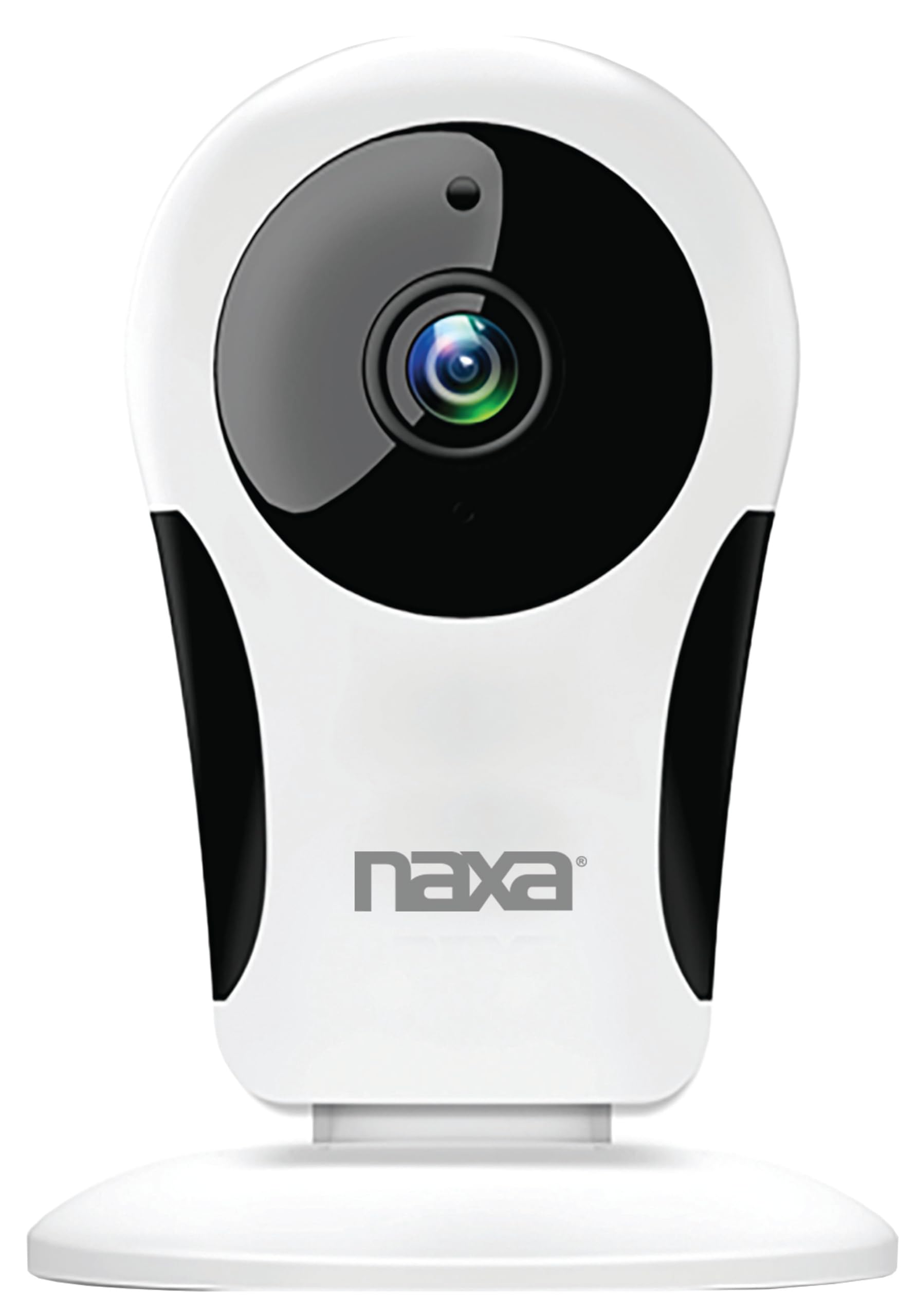
Beeld: Voorkant view of the Naxa NSH-3001 Wi-Fi Smart Camera, showing the lens and Naxa logo.
Wat is in die boks
Upon unpacking your Naxa NSH-3001 Wi-Fi Smart Camera, please ensure all the following components are present:
- Wi-Fi-slimkamera
- Wisselstroomadapter
- USB kabel
- Gebruikershandleiding (hierdie dokument)
Produk verbyview
Familiarize yourself with the main components of your Naxa NSH-3001 Wi-Fi Smart Camera.

Image: The Naxa NSH-3001 Wi-Fi Smart Camera displayed alongside icons representing its key features: HD Resolution, Encrypted ID, 2-Way Audio, Cloud Service, Motion Detection, IR Night Vision, Time Scheduling, and Hotspot capability.
- Kameralens: Vang video footage.
- Infrarooi (IR) LED's: Provide night vision capabilities.
- Mikrofoon: Vir klankinvoer en tweerigtingkommunikasie.
- Spreker: Vir klankuitset en tweerigtingkommunikasie.
- Mikro -USB -poort: Vir kragaansluiting.
- Herstel-knoppie: Word gebruik om die kamera na fabrieksinstellings terug te stel.
- Micro SD -kaartgleuf: For local storage of recorded footage (Micro SD card not included).
Opstelgids
1. Skakel die kamera aan
- Connect the provided USB cable to the camera's Micro USB port.
- Koppel die ander kant van die USB-kabel aan die AC-kragadapter.
- Steek die wisselstroomadapter in 'n standaard elektriese aansluiting.
- The camera will power on, and an indicator light will show its status (refer to the camera's LED indicator guide for specific light patterns).
2. Laai die Smart Life-app af
The Naxa NSH-3001 camera is controlled via the Smart Life app. Download it to your smartphone:
- For iOS devices, search for "Smart Life" in the Apple App Store.
- For Android devices, search for "Smart Life" in the Google Play Store.
- Install the app and create an account if you don't already have one.

Image: The Naxa NSH-3001 Wi-Fi Smart Camera shown with the Smart Life app logo and icons for the Apple App Store and Google Play, indicating app compatibility.
3. Koppel aan Wi-Fi
Ensure your smartphone is connected to a 2.4 GHz Wi-Fi network. The NSH-3001 camera only supports 2.4 GHz Wi-Fi.
- Open the Smart Life app and tap "Add Device" or the "+" icon.
- Select "Security & Video Surveillance" and then "Smart Camera".
- Follow the on-screen instructions in the app to connect your camera to your Wi-Fi network. This typically involves scanning a QR code generated by the app with the camera's lens.
- Once connected, the camera's indicator light will change (refer to the LED indicator guide), and you will see the camera added to your app.
4. Monteer die kamera
The NSH-3001 camera is designed for wall mount installation, but can also be placed on a flat surface. Choose a location that provides the desired viewing angle (105 degrees) and is within range of your Wi-Fi signal.

Image: The Naxa NSH-3001 Wi-Fi Smart Camera positioned on a nightstand in a bedroom, demonstrating a typical indoor placement.
- For wall mounting, use appropriate screws and anchors (not included) to secure the camera's base to the wall.
- Pas die kamera se hoek aan om die verlangde area te dek.
Bedryfsinstruksies
Leef View en Afstandtoegang
Once connected, you can access your camera's live feed from anywhere using the Smart Life app on your smartphone.
- Open the Smart Life app and select your NSH-3001 camera from the device list.
- The live video stream will appear.
Tweerigting-klankkommunikasie
The camera supports two-way audio, allowing you to hear and speak through the camera.
- In die lewendige view interface of the app, tap the microphone icon to speak.
- Tap the speaker icon to listen to audio from the camera's location.
Bewegingsopsporing en waarskuwings
The camera can detect motion and send real-time push notifications to your phone.
- Navigate to the camera settings within the Smart Life app.
- Aktiveer "Bewegingsopsporing" en pas sensitiwiteitsvlakke aan soos nodig.
- Configure alert schedules and notification preferences.
Nagvisie
The NSH-3001 features an IR-cut filter for clear night vision, automatically switching between day and night modes based on ambient light.
- Night mode activates automatically in low-light conditions.
- The IR-cut filter ensures optimal clarity in both day and night recordings.
Video-opname en -berging
The camera supports 24/7 HD recording. Footage can be stored locally or via cloud service (subscription may be required).
- Mikro SD-kaartberging: Insert a compatible Micro SD card (up to 128GB, not included) into the camera's SD card slot for continuous or event-based recording.
- Wolkberging: Check the Smart Life app for available cloud storage options and subscription details.
- Review opgeneem footage directly through the Smart Life app.
Video Tuning
Adjust video parameters directly from your smartphone for optimal image quality.
- Within the Smart Life app, access video settings to adjust contrast, brightness, saturation, and sharpness.
Tydskedulering
Set schedules for camera operation, recording, or alerts.
- Use the Smart Life app's scheduling feature to define specific times for motion detection, recording, or other functions.
Onderhoud
Proper maintenance ensures the longevity and optimal performance of your Naxa NSH-3001 Wi-Fi Smart Camera.
- Skoonmaak: Vee die kameralens en -liggaam liggies af met 'n sagte, droë lap. Vermy die gebruik van harde chemikalieë of skuurmiddels.
- Sagteware-opdaterings: Regularly check the Smart Life app for firmware updates for your camera. Keeping the firmware updated ensures you have the latest features and security enhancements.
- Plasing: Ensure the camera is placed in a stable location and protected from extreme temperatures, direct sunlight, and moisture.
Probleemoplossing
If you encounter issues with your Naxa NSH-3001 Wi-Fi Smart Camera, refer to the following common solutions:
| Probleem | Moontlike Oplossing |
|---|---|
| Kamera koppel nie aan Wi-Fi nie |
|
| No video feed in the app |
|
| Bewegingswaarskuwings nie ontvang nie |
|
| Tweerigting-oudio werk nie |
|
If problems persist, please contact Naxa customer support.
Spesifikasies
| Kenmerk | Detail |
|---|---|
| Model Naam | NSH-3001 |
| Handelsmerk | Naxa |
| Verbindingstegnologie | Wi-Fi (2.4 GHz) |
| Video-opname-resolusie | 720p |
| Viewing Hoek | 105 grade |
| Spesiale kenmerk | Motion Sensor, Night Vision, Two-Way Audio |
| Binne/buiteluggebruik | Indoor, Outdoor (Note: IP54 rating suggests splash resistance, not full outdoor weatherproofing) |
| Kragbron | Elektries met koord |
| Versoenbare toestelle | Smartphone (via Smart Life App) |
| Montage tipe | Muurmontering |
| Berging | Mikro SD-kaart (tot 128 GB, nie ingesluit nie), Wolkberging (opsioneel) |
| Afmetings (L x B x H) | 3.2 x 3.2 x 4.3 duim |
| Item gewig | 3.2 onse |
| Materiaal | Plastiek |
| Internasionale Beskermingsgraad | IP54 |
Waarborg en Ondersteuning
Naxa Electronics, Inc. manufactures the NSH-3001 Wi-Fi Smart Camera. For specific warranty information, please refer to the warranty card included with your product or visit the official Naxa webwebwerf.
For technical support, troubleshooting assistance beyond this manual, or inquiries about your product, please contact Naxa customer service. Contact details can typically be found on the Naxa webwebwerf of op die produkverpakking.
Naxa Official Webwebwerf: www.naxa.com