
1. Inleiding
Dankie vir die aankoopasing the EZVALO Multifunctional Digital Alarm Clock. This device combines an alarm clock, FM radio, Bluetooth speaker, wireless phone charger, night light, and USB-C PD fast charger into one compact unit. This manual provides detailed instructions for setup, operation, and maintenance to ensure optimal performance and longevity of your product.
2. Veiligheidsinligting
- Lees alle instruksies noukeurig voor gebruik.
- Hou die toestel weg van water, vog en hoë temperature.
- Moenie die toestel self uitmekaar haal of probeer herstel nie. Kontak kliëntediens vir bystand.
- Maak seker dat die kragadapter versoenbaar is met jou plaaslike kragtoevoer.
- Avoid placing metal objects, pop sockets, or credit cards on the wireless charging pad to prevent interference or damage.
- Gebruik slegs die meegeleverde kragadapter.
3. Pakketinhoud
- EZVALO Digital Alarm Clock
- Kragadapter
- Gebruikershandleiding
4. Produk verbyview
The EZVALO Digital Alarm Clock features a sleek design with intuitive controls for its various functions. Below is an illustration of the device and its key components.

Figuur 1: Bo view of the EZVALO Digital Alarm Clock, highlighting the wireless charging pad and control buttons.
Beheerpaneel:
- Rolwiel: Pas volume aan.
- Alarm Setting Button: Gaan na alarminstellingsmodus.
- Klokinstellingsknoppie: Press once to enter time setting mode. Press and hold to switch between 12-hour and 24-hour format.
- Sluimer-knoppie: Press to snooze; press and hold to turn off the alarm.
- Helderheidaanpassingsknoppie: Cycles through the brightness settings of the display. Press and hold to turn on and off the halo light.
- Modusskakelaar: Cycles through speaker modes: Bluetooth mode / FM Radio Mode / Speaker off.
- Duimwielskakelaar: In Bluetooth mode, go to the previous or next song. Press for play/pause. In FM Radio mode, go to the previous or next channel. Hold down for channel auto-scan. In Time setting mode, set the clock.

Figuur 2: Voorkant view of the EZVALO Digital Alarm Clock showing the time display and fabric finish.

Figuur 3: Agter view of the EZVALO Digital Alarm Clock, illustrating the USB-C and USB-A charging ports.
5. Opstelling
5.1 Kragverbinding
Connect the provided power adapter to the DC IN port on the back of the alarm clock and plug it into a wall outlet. The display will light up.
5.2 Stel die tyd in
- Druk die Klokinstellingsknoppie once to enter time setting mode. The hour digits will flash.
- Gebruik die Duimwiel skakelaar om die uur aan te pas.
- Druk die Klokinstellingsknoppie again to switch to minute setting. The minute digits will flash.
- Gebruik die Duimwiel skakelaar om die minuut aan te pas.
- Druk die Klokinstellingsknoppie 'n derde keer om te bevestig en die tydinstellingsmodus te verlaat.
- Om tussen 12-uur en 24-uur formaat te wissel, druk en hou die Klokinstellingsknoppie.
5.3 Stel die alarm in
The device supports two independent alarm settings.
- Druk die Alarminstellingsknoppie once to enter Alarm 1 setting mode. The alarm hour digits will flash.
- Gebruik die Duimwiel skakelaar om die alarmuur aan te pas.
- Druk die Alarminstellingsknoppie again to switch to alarm minute setting. The minute digits will flash.
- Gebruik die Duimwiel skakelaar om die alarmminuut aan te pas.
- Druk die Alarminstellingsknoppie a third time to select the alarm sound (e.g., FM radio, buzzer).
- Druk die Alarminstellingsknoppie a fourth time to confirm and activate Alarm 1. An alarm icon will appear on the display.
- Repeat steps 1-6 for Alarm 2 by pressing the Alarminstellingsknoppie twee keer aanvanklik.
5.4 Bluetooth -koppeling
- Druk die Modusskakelaar until 'BT' appears on the display, indicating Bluetooth mode. The 'BT' icon will flash, signifying pairing mode.
- On your mobile device, enable Bluetooth and search for 'EZVALO Clock'.
- Select 'EZVALO Clock' to pair. Once connected, the 'BT' icon will stop flashing.
5.5 FM-radio-instelling
- Druk die Modusskakelaar until 'FM' appears on the display, indicating FM Radio mode.
- Om outomaties te skandeer en beskikbare stasies te stoor, druk en hou die Duimwiel skakelaar.
- To manually tune or switch between saved stations, rotate the Duimwiel skakelaar.
5.6 Draadlose laai
Place your Qi-compatible device (e.g., smartphone, earbuds) on the wireless charging pad located on top of the alarm clock. Ensure the device is centered on the charging symbol. The charging indicator on the clock display will illuminate to confirm charging. Note: Remove any metal objects, pop sockets, or thick cases that may interfere with charging.
5.7 USB-laai
The device includes a USB-C PD fast charging port and a standard USB-A port on the back. Connect your devices using appropriate USB cables to these ports for charging.
Video 1: Demonstrates using the alarm clock as a Bluetooth speaker and charging multiple devices simultaneously.
Video 2: 'n Herhalingview of the LED Digital Alarm Clock, showcasing die kenmerke en funksionaliteit daarvan.
6. Bedryfsinstruksies
6.1 Aanpassing van die skermhelderheid
Druk die Helderheidsaanpassingsknoppie to cycle through 5 brightness levels for the LED display, including an OFF setting for undisturbed sleep.
6.2 Using the Night Light
Druk en hou die Helderheidsaanpassingsknoppie to turn the warm halo night light on or off. This light is located at the bottom of the clock and can provide a soothing ambiance.
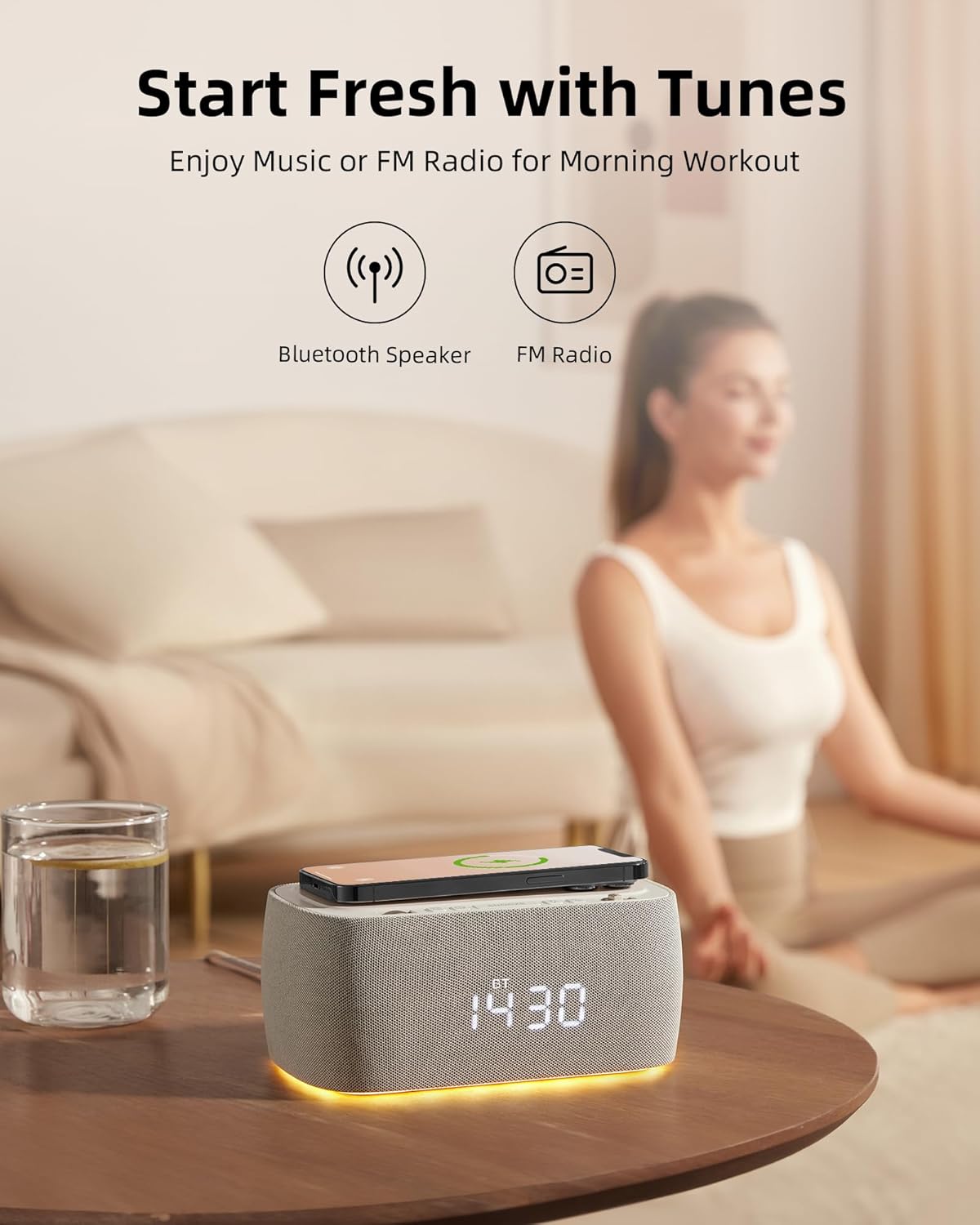
Figure 4: The EZVALO Digital Alarm Clock with its warm halo night light illuminated.
6.3 Musiek speel via Bluetooth
Once paired (refer to section 5.4), you can play music from your connected device. Use the Duimwiel skakelaar to skip tracks (rotate) or play/pause (press).
6.4 Using FM Radio
In FM Radio mode (refer to section 5.5), use the Duimwiel skakelaar to navigate between saved stations or manually tune. Adjust the volume using the Rolwiel.
6.5 Snooze -funksie
Wanneer 'n alarm afgaan, druk die Sluimer-knoppie to temporarily silence the alarm for a set period (typically 9 minutes). To turn off the alarm completely, press and hold the Sluimer-knoppie.
Video 3: 'n Omvattende oorsigview of the alarm clock's features and benefits for a bedroom setup.
7. Kenmerke
The EZVALO Digital Alarm Clock is designed with multiple functionalities to enhance your daily routine:
- 6-in-1-funksionaliteit: Large clock display, Bluetooth speaker, FM radio, Wireless Phone Charger, Night light, USB-C PD Fast Charger.
- Digital FM Radio: Features digital tuning from 87.5MHz to 108.0MHz with 30 levels of volume adjustment.
- Dubbele alarminstellings: Conveniently set two separate alarms for different schedules.
- Stereo Speaker with Bluetooth 5.0: Dual speaker design for rich stereo sound, offering faster speed and greater range (10m distance) for music and audiobooks.
- Dimbare LED-skerm: 5 brightness levels, including an OFF setting, to suit your preference and ensure undisturbed sleep.
- Halo Night Light: Emits a warm light from the bottom, ideal for a gentle sleep aid or low-light navigation.
- Draadlose laaiblok: Provides up to 7.5W for iOS and 10W for Android devices.
- Additional USB-C Fast Charging Port: Boost charges PD-enabled phones from 0 to 50% in approximately 30 minutes.
- USB-A-laaipoort: Offers an additional charging option for other devices.

Figure 5: Visual representation of the 6-in-1 features of the EZVALO Digital Alarm Clock.
Video 4: Highlights how the 7-in-1 alarm clock can simplify your routine and reduce screen time.
8. Onderhoud
8.1 Skoonmaak
To clean the device, gently wipe the surfaces with a soft, dry cloth. Do not use abrasive cleaners, solvents, or harsh chemicals, as these may damage the finish or internal components.
8.2 Berging
When not in use for extended periods, unplug the device and store it in a cool, dry place away from direct sunlight and extreme temperatures.
9. Probleemoplossing
If you encounter any issues with your EZVALO Digital Alarm Clock, please refer to the following common problems and solutions:
- Toestel word nie aangeskakel nie: Maak seker dat die kragadapter stewig aan beide die toestel en 'n werkende kragpunt gekoppel is.
- Draadlose laai werk nie: Check that your device is Qi-compatible and properly centered on the charging pad. Remove any thick cases, metal objects, or magnetic attachments that may interfere with charging.
- Alarm klink nie: Verify that the alarm is set correctly and activated (alarm icon visible on display). Check the alarm volume.
- Bluetooth-paringsprobleme: Ensure the clock is in Bluetooth pairing mode ('BT' flashing) and your device's Bluetooth is enabled and searching. Try unpairing and re-pairing if issues persist.
- Poor FM radio reception: Extend the FM antenna (if applicable) and try repositioning the device for better signal. Perform an auto-scan to find stronger stations.
- Display too bright/dim: Gebruik die Helderheidsaanpassingsknoppie to cycle through the desired brightness levels.
Indien die probleem voortduur nadat u hierdie oplossings probeer het, kontak asseblief kliëntediens.
10. Spesifikasies
| Kenmerk | Spesifikasie |
|---|---|
| Handelsmerk | EZVALO |
| Modelnommer | PEG_WOMENMOBILEPURCHASE-609312726093-6 |
| Kleur | Grys |
| Tipe vertoon | Digitale LED |
| Kragbron | Elektries met koord |
| Produk afmetings | 7.08"B x 3.14"H |
| Item gewig | 2.16 pond |
| Materiaal | Akrielnitril Butadieen Styreen (ABS) |
| Verbindingstegnologie | USB-C, Bluetooth 5.0 |
| Draadlose laai-uitset | Up to 10W (Android), 7.5W (iOS) |
| USB-C PD Fast Charging | Ja |
| FM-radiofrekwensie | 87.5MHz tot 108.0MHz |
11. Waarborg en Ondersteuning
EZVALO products are designed and manufactured to the highest quality standards. For warranty information or technical support, please refer to the contact details provided with your purchase or visit the official EZVALO webwebwerf. Hou asseblief u modelnommer en aankoopdatum gereed wanneer u ondersteuning kontak.