
Xetron XT-LMG-10X-EU
Xetron HVAC Digital Manifold Gauge User Manual
Model: XT-LMG-10X-EU
1. Inleiding
The Xetron LMG-10X Digital Manifold Gauge is an advanced tool designed for HVAC and refrigeration systems. It provides precise measurements for pressure, temperature, vacuum, and automatically calculates superheat and subcooling. This manual will guide you through the setup, operation, and maintenance of your device.

Figure 1: Xetron LMG-10X Digital Manifold Gauge with included accessories.
2. Veiligheidsinligting
Always read and understand all safety warnings and instructions before using the device. Failure to follow these instructions may result in electric shock, fire, or serious injury.
- Maak seker dat alle verbindings veilig is voordat dit gebruik word.
- Moenie die toestel vir lang tye aan uiterste temperature of direkte sonlig blootstel nie.
- Use only specified accessories and probes.
- Hou die toestel weg van water en ander vloeistowwe.
- Verwys diens slegs na gekwalifiseerde personeel.
3. Pakketinhoud
Verifieer dat al die items wat hieronder gelys word, in u pakket teenwoordig is:
- 1 x Xetron Digital Manifold Gauge (LMG-10X)
- 2 x Clamp Temperatuurprobes
- 1 x Dratas
- 1 x Gebruikershandleiding (hierdie dokument)

Figure 2: What's in the box - Xetron Digital Manifold and Clamp Temperature Probes.
4. Opstelling
4.1. Aanvanklike aanskakeling
- Insert batteries into the compartment on the back of the unit (if not pre-installed).
- Druk en hou die kragknoppie (⏻) om die toestel aan te skakel.
- The LCD screen will illuminate and display the initial measurement interface.
4.2. Connecting Probes and Hoses
Koppel die clamp temperature probes to the designated ports on the manifold. Ensure a secure connection. Refrigerant hoses (not included) can be connected to the 1/4" SAE threaded connectors at the bottom of the unit.
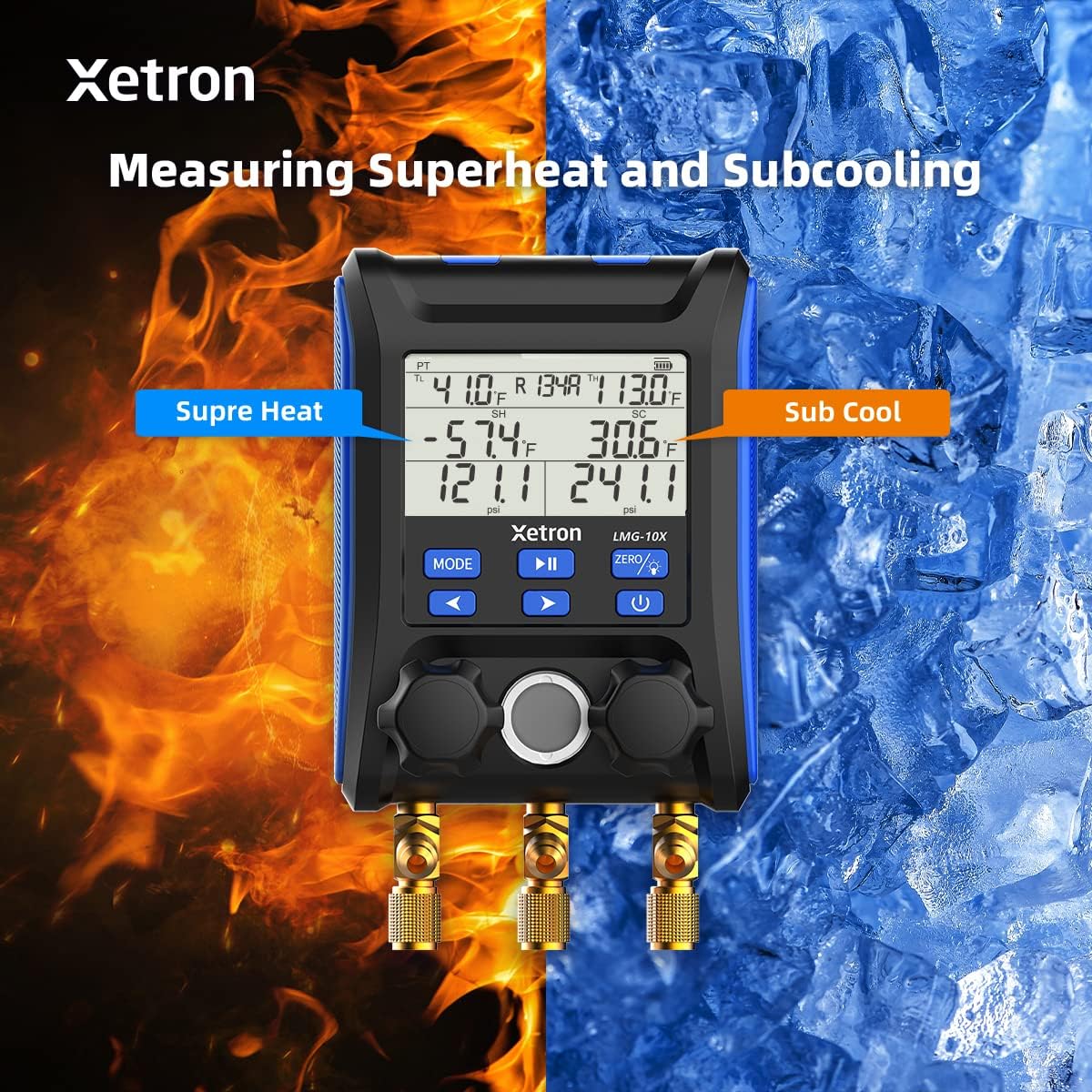
Figure 3: Connecting the Xetron LMG-10X to an HVAC system.
5. Bedryfsinstruksies
5.1. Pressure and Temperature Measurement Mode
This mode displays real-time pressure and temperature readings, along with calculated saturation temperatures (VSAT, LSAT).

Figure 4: Interface for Pressure and Temperature Measurement Mode.
5.2. Superheat and Subcooling Measurement
The device automatically calculates superheat (SH) and subcooling (SC) values based on the selected refrigerant and measured parameters.

Figure 5: Display showing Superheat and Subcooling measurements.
5.3. Pressure Hold Test Mode
To enter Pressure Hold Test mode, briefly press the MODUS knoppie gevolg deur die SPEEL/POUSEER button from VAC mode. This mode allows you to monitor pressure changes over time.

Figure 6: Interface for Pressure Hold Test Mode.
5.4. Unit Settings and Auto Shutdown
The device allows for conversion of various measurement units and configuration of automatic shutdown settings.

Figure 7: Temperature Unit Setting.
Figure 8: Pressure Unit Setting.
Figure 9: Auto Shutdown OFF.
Figure 10: Auto Shutdown ON.
6. Built-in Refrigerant Database
The Xetron LMG-10X comes with a comprehensive database of 88 types of refrigerants, allowing for accurate calculations and measurements across various systems.

Figure 11: Partial list of supported refrigerants.
7. Onderhoud
7.1. Skoonmaak
Vee die toestel af met 'n sagte, damp lap. Moenie skuurmiddels of oplosmiddels gebruik nie. Maak seker dat die toestel droog is voor berging.
7.2. Berging
Store the device in its carrying case in a cool, dry place when not in use. Remove batteries if storing for extended periods to prevent leakage.
8. Probleemoplossing
| Probleem | Moontlike oorsaak | Oplossing |
|---|---|---|
| Toestel skakel nie aan nie. | Low or dead batteries; incorrectly inserted batteries. | Vervang batterye; maak seker dat die polariteit korrek is. |
| Onakkurate lesings. | Probes not properly connected; incorrect refrigerant selected. | Check probe connections; verify selected refrigerant matches system. |
| Die skerm is dof of flikker. | Lae batterykrag. | Vervang batterye. |
9. Spesifikasies
- Model: XT-LMG-10X-EU
- Afmetings (L x B x H): 37 x 30 x 10 cm (14.57 x 11.81 x 3.94 duim)
- Item gewig: 1.2 kg (2.65 lbs)
- Materiaal: Akrielnitril Butadieen Styreen (ABS)
- Refrigerant Database: 88 tipes
- Funksies: Pressure & Temperature Measurement, Vacuum Measurement, Pressure Hold Test, Automatic Shutdown, Temperature Compensation
10. Waarborg en Ondersteuning
Xetron offers a one-year warranty for the LMG-10X Digital Manifold Gauge. For any questions or support needs, please contact Xetron customer service. We are committed to providing lifetime customer service.
For further assistance, please visit the official Xetron webwebwerf of kontak hul ondersteuningskanale.