
1. Produk verbyview
The Oladance OWS1 Open Ear Headphones offer a unique open-ear design for comfort and situational awareness. These wireless Bluetooth 5.2 headphones feature dual 16.5mm drivers for high-quality sound and extended battery life, making them suitable for various activities.
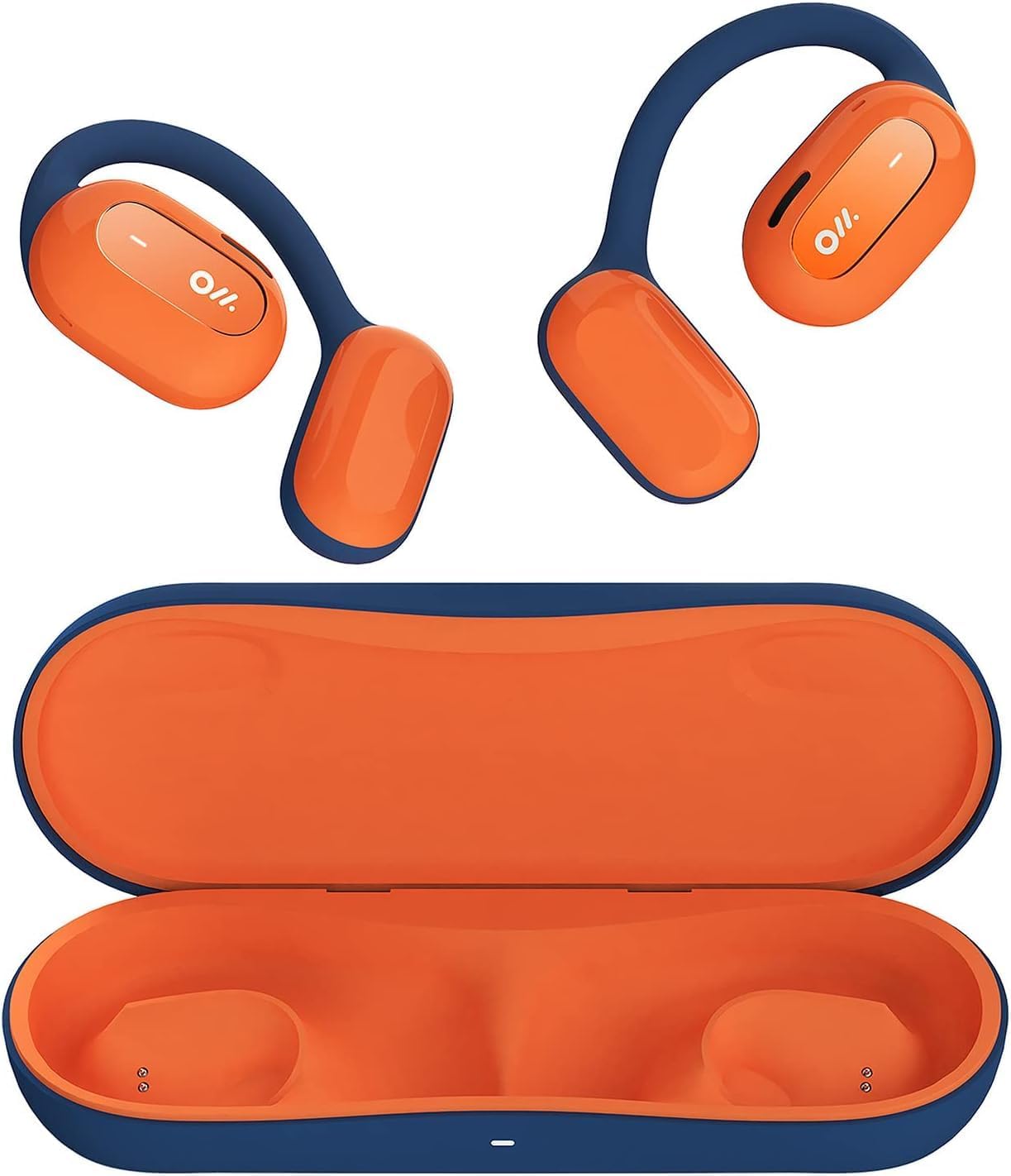
Image 1: Oladance OWS1 Open Ear Headphones and their carry case.
2. Wat is in die boks
- 1 × Oladance Wearable Stereo (Pair of Open Ear Headphones)
- 1 × Non-charging Carry Case
- 1 × Tipe-C-kabel
- 1 × Gebruikershandleiding
3. Sleutel kenmerke
- True Open Ear Design: Earbuds rest gently on top of the ear, avoiding insertion into the ear canal for enhanced comfort and situational awareness.
- 360° Superior Sound: Equipped with dual powerful 16.5mm dynamic drivers and bio-diaphragm technology for rich, clear audio across all volume levels.
- Anti-Hearing Loss Focus: Designed to prevent common health issues associated with traditional earbuds by not blocking the ear canal, reducing pressure and potential hearing damage.
- Extended 16-Hour Playtime: Features a built-in 160mAh battery and low-consumption algorithms, providing up to 16 hours of continuous playback on a single charge. Note: A separate charging case is required for extended playtime beyond the included carry case.
- Veilige en gemaklike pasvorm: Multi-point support system distributes weight evenly across the ear, ensuring a stable and comfortable fit for various activities.

Image 2: The Oladance OWS1 headphones are designed for a secure and comfortable fit, ideal for activities like yoga.
4. Opstelgids
4.1 Aanvanklike laai
Before first use, fully charge your Oladance OWS1 headphones. Connect the provided Type-C cable to the charging port on the headphones and a compatible USB power source. The LED indicator will show charging status.
4.2 Aan-/afskakel
- Om aan te skakel: Press and hold the power button (location typically on one of the earbud units) for approximately 2-3 seconds until you hear an audible prompt or see an LED indicator light up.
- Om af te skakel: Press and hold the power button for approximately 3-5 seconds until you hear an audible prompt or the LED indicator turns off.
4.3 Bluetooth -koppeling
- Maak seker dat die oorfone afgeskakel is.
- Press and hold the power button for approximately 5-7 seconds until the LED indicator flashes red and blue alternately. This indicates the headphones are in pairing mode.
- Gaan na die Bluetooth-instellings op jou toestel (slimfoon, tablet, rekenaar).
- Soek vir "Oladance OWS1" in the list of available devices.
- Select "Oladance OWS1" to connect. Once connected, the LED indicator will typically flash blue slowly or turn off, and you will hear a confirmation tone.

Image 3: The Oladance OWS1 headphones are designed for an ergonomic and stable fit during various activities.
5. Bedryfsinstruksies
5.1 Basiese kontroles
| Funksie | Aksie |
|---|---|
| Speel/Pause Musiek | Druk die multifunksieknoppie een keer. |
| Volgende Snit | Double press the Multi-function button. |
| Vorige Snit | Druk drie keer op die multifunksieknoppie. |
| Volume op | Single press the Volume + button. |
| Volume af | Single press the Volume - button. |
| Beantwoord/beëindig oproep | Single press the Multi-function button during an incoming call or active call. |
| Verwerp oproep | Press and hold the Multi-function button for 2 seconds during an incoming call. |
| Aktiveer stemassistent | Druk en hou die multifunksieknoppie vir 2 sekondes in. |
5.2 Meerpuntverbinding
The Oladance OWS1 headphones support multi-point connection, allowing them to be connected to two Bluetooth devices simultaneously. This enables seamless switching between devices without re-pairing.
- Ensure the headphones are paired with the first device.
- Put the headphones into pairing mode again (usually by holding the power button until the LED flashes red and blue).
- On the second device, search for "Oladance OWS1" in the Bluetooth settings and connect.
- The headphones should now be connected to both devices. Audio will automatically switch to the device playing content or receiving a call.

Image 4: The open-ear design allows for comfortable extended wear, even during work or calls.
6. Sorg en Onderhoud
- Skoonmaak: Use a soft, dry cloth to wipe the headphones. Avoid using harsh chemicals or abrasive materials.
- Berging: Store the headphones in their provided non-charging carry case when not in use to protect them from dust and damage.
- Waterweerstand: The headphones are water-resistant (IPX4 rated). Avoid submerging them in water or exposing them to high-pressure water jets. Dry thoroughly if they get wet.
- Temperatuur: Vermy die blootstelling van die oorfone aan uiterste temperature (warm of koud) of hoë humiditeit.

Image 5: The included carry case protects your Oladance OWS1 headphones during transport and storage.
7. Probleemoplossing
- Kan nie aanskakel nie
- Ensure the headphones are fully charged. Connect them to a power source using the Type-C cable.
- Kan nie met toestel saambind nie
- Ensure the headphones are in pairing mode (LED flashing red and blue).
- Skakel jou toestel se Bluetooth af en aan.
- Vee vorige Bluetooth-verbindings op jou toestel uit.
- Beweeg die oorfone nader aan jou toestel.
- Geen klank of lae volume nie
- Kontroleer die volumevlakke op beide die oorfone en jou gekoppelde toestel.
- Maak seker dat die oorfone behoorlik aan jou toestel gekoppel is.
- Probeer om klank vanaf 'n ander toepassing of bron te speel.
- Intermitterende verbinding
- Maak seker dat daar geen obstruksies tussen die oorfone en jou toestel is nie.
- Vermy sterk elektromagnetiese interferensie.
- Keep the headphones within the effective Bluetooth range (typically 10 meters).
8. Produkspesifikasies
| Kenmerk | Detail |
|---|---|
| Modelnommer | OLA02 |
| Handelsmerk | Oladance |
| Verbindingstegnologie | Draadloos (Bluetooth 5.2) |
| Oorplasing | Oop oor |
| Vormfaktor | Oop oor |
| Bestuurder grootte | Dual 16.5mm Dynamic Drivers |
| Batterylewe (gemiddeld) | Tot 16 ure |
| Laai tyd | Ongeveer 2 ure |
| Waterweerstandvlak | Waterbestand (IPX4) |
| Mikrofoonformaat | Ingeboude |
| Tipe beheer | Mediabeheer (Knoppies) |
| Materiaal | Plastiek |
| Produk afmetings | 13 x 11 x 457.2 cm |
| Item gewig | 260 g |

Image 6: A close-up of the Oladance OWS1 headphones, highlighting their design and color.
9. Waarborg en Ondersteuning
Oladance products are covered by a limited warranty. For detailed warranty information, product support, or service inquiries, please refer to the official Oladance webwebwerf of kontak hul kliëntediens direk. Bewaar u bewys van aankoop vir waarborgeise.
Vir verdere hulp, besoek asseblief: www.oladance.com