
1. Inleiding
This manual provides instructions for the proper use and care of your kwmobile Neoprene Pouch. This universal sleeve is designed to protect tablets measuring between 12.4 and 12.9 inches. Please read this manual carefully to ensure optimal performance and longevity of your product.

Image 1.1: The kwmobile Neoprene Pouch, designed for portability and protection.
2. Produkkenmerke
- Neoprene Design: The pouch is constructed from lightweight and water-resistant neoprene material.
- Ritssluiting: Features a secure zipper closure to keep your device safely enclosed.
- Beskerming: Provides protection against scratches, minor bumps, and splashes.
- Liggewig en draagbaar: Designed for easy carrying and convenient storage within a larger bag.
2.1 Water-Resistant Material
The neoprene material offers a degree of water resistance, helping to protect your tablet from light splashes and moisture. It is not fully waterproof and should not be submerged in water.

Image 2.1: Demonstrating the water-resistant properties of the neoprene material.
2.2 Secure Zipper and Protection
The durable zipper ensures that your tablet remains securely inside the pouch. The elastic neoprene also provides a cushioning effect against minor impacts.
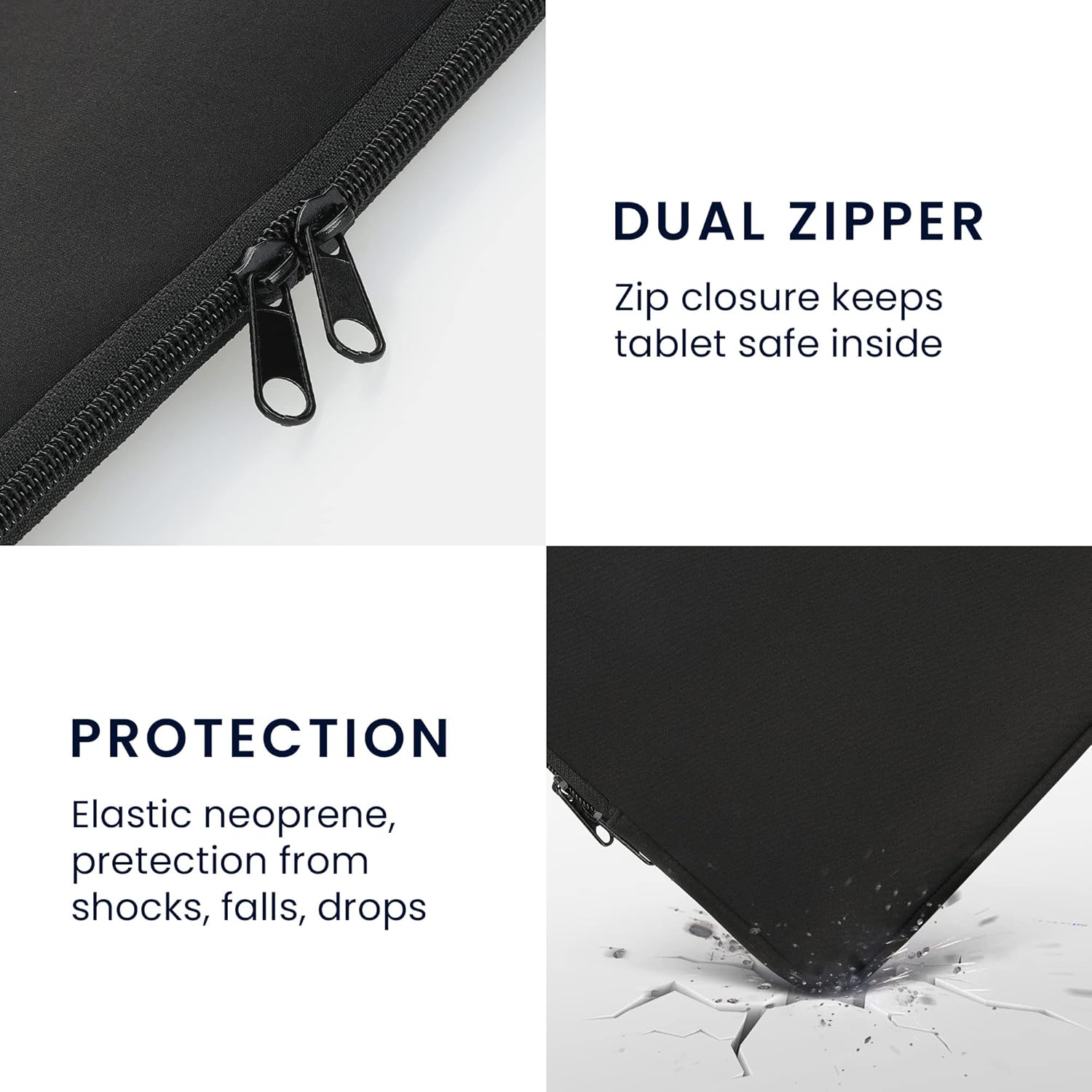
Image 2.2: Detail of the zipper and the protective qualities of the material.
3. Verenigbaarheid
This kwmobile Neoprene Pouch is designed for tablets with screen sizes ranging from 12.4 to 12.9 inches. It is compatible with various models, including but not limited to:
- Apple iPad: 12.9 (2021)
- Samsung Galaxy Tab S8+ (2021)
- Samsung Galaxy Tab S7 FE
- Samsung Galaxy Tab S7 Plus
Please verify your tablet's dimensions to ensure a proper fit.
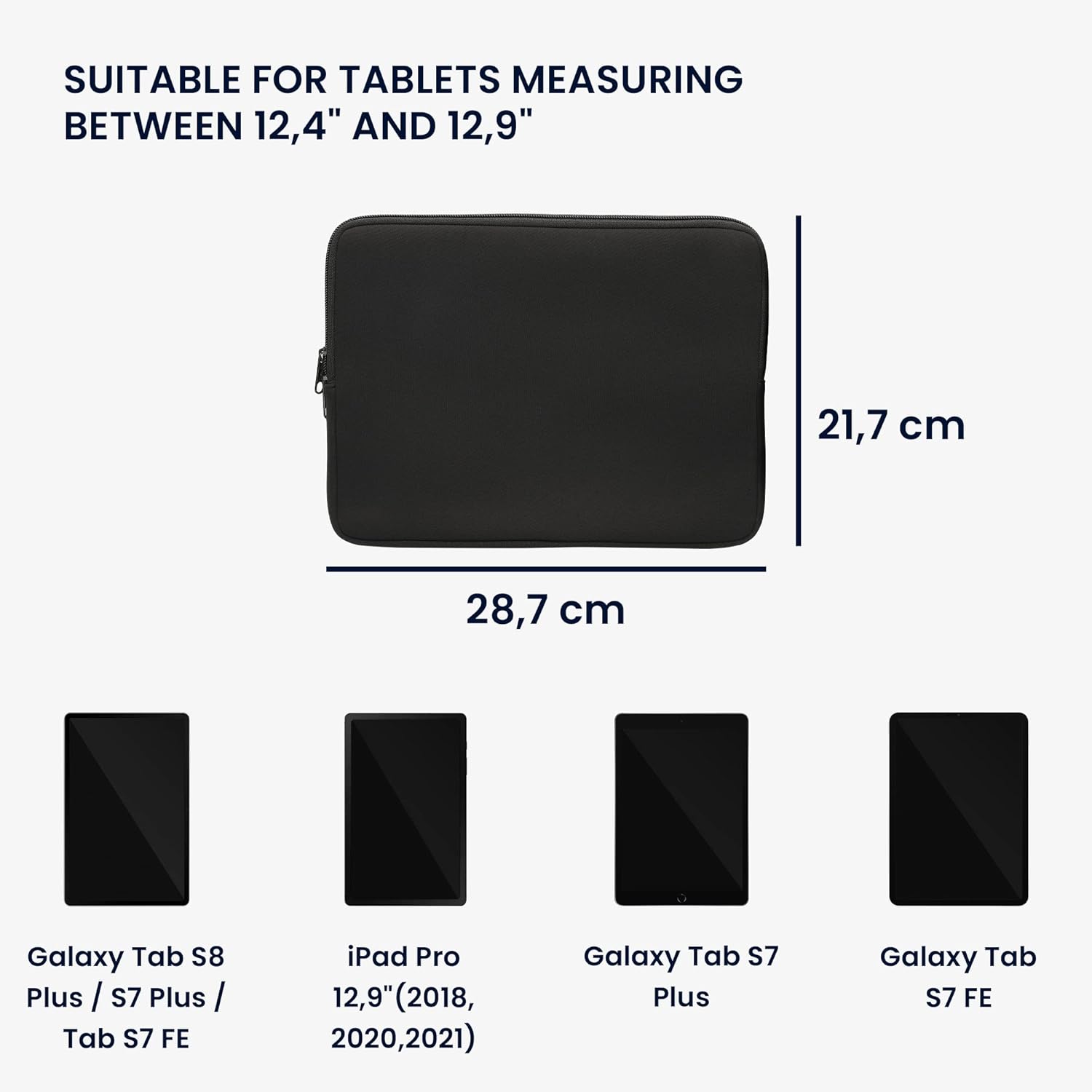
Image 3.1: Pouch dimensions and examples of compatible tablet models.
4. Opstelling en gebruik
4.1 Invoeging van jou tablet
- Maak die ritssluiting heeltemal oop.
- Carefully slide your tablet into the pouch. Ensure it is centered to provide even protection.
- Maak die ritssluiter stewig toe.

Image 4.1: Preparing to insert a tablet into the pouch.
4.2 Carrying the Pouch
The slim design allows the pouch to be easily carried by hand or slipped into a larger bag, backpack, or briefcase for added protection during transport.
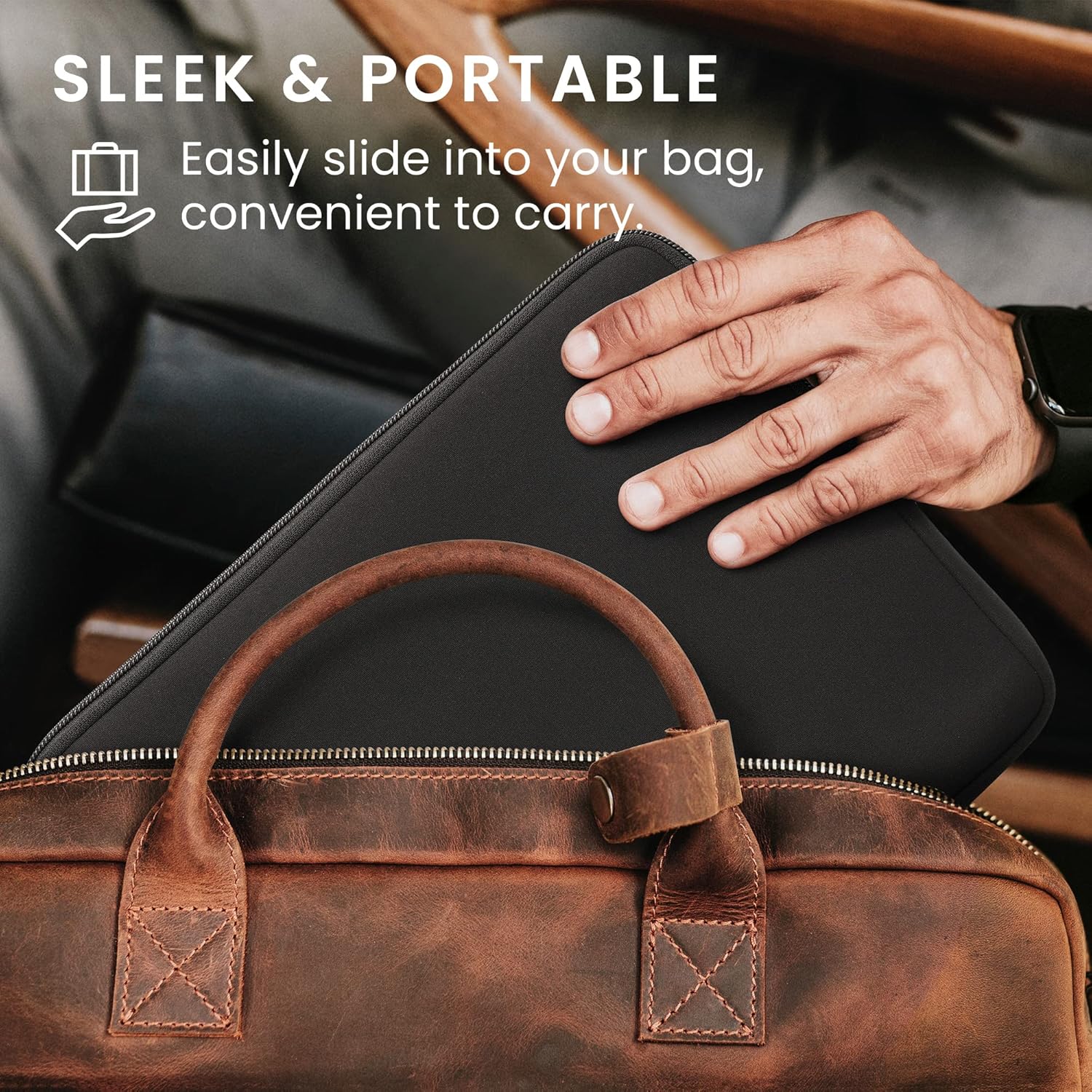
Image 4.2: The pouch being placed into a bag for convenient transport.
5. Onderhoud
To maintain the quality and appearance of your neoprene pouch, follow these guidelines:
- Skoonmaak: Vee die buitekant met adamp lap en sagte seep indien nodig. Vermy harde chemikalieë of skuurmiddels.
- Droog: Allow the pouch to air dry completely before reinserting your tablet. Do not use direct heat sources like hair dryers.
- Berging: Berg in 'n koel, droë plek weg van direkte sonlig wanneer dit nie gebruik word nie.
6. Probleemoplossing
6.1 Pouch Feels Too Snug
If the pouch feels very tight when inserting your tablet, especially with an existing cover or keyboard attached, ensure your tablet's dimensions are within the specified range (12.4"-12.9"). Neoprene has some elasticity, and the fit may become slightly easier with repeated use. If the fit is excessively tight, it may not be the correct size for your device with its accessories.
7. Spesifikasies
| Kenmerk | Detail |
|---|---|
| Handelsmerk | kwmobiel |
| Modelnommer | 57319.01 |
| Compatible Device Size | 12.4" - 12.9" Tablets |
| Materiaal | Neopreen |
| Kleur | Swart |
| Vormfaktor | Mou |
| Skulp tipe | Sag |
| Waterweerstandvlak | Waterbestand |
| Bykomende kenmerke | Liggewig |
| Item afmetings | 15.55 x 9.84 x 0.3 duim (ongeveer) |
8. Waarborg en Ondersteuning
For information regarding warranty, returns, or product support, please refer to the kwmobile official website or contact the retailer from whom you purchased the product. You can also visit the kwmobile Store on Amazon vir meer besonderhede en kontakopsies.