
AUNA BX-4200
Auna Arizona Jukebox Mini User Manual
Model: BX-4200
Inleiding
This manual provides detailed instructions for the safe and efficient operation of your Auna Arizona Jukebox Mini. Please read this manual thoroughly before using the device and retain it for future reference.
The Auna Arizona Jukebox Mini combines vintage aesthetics with modern technology, offering a versatile audio experience. Enjoy features such as Bluetooth connectivity, CD playback, USB and SD card support, and FM/DAB+ radio, all housed in a classic 1950s-style design with integrated LED lighting.
Veiligheidsinstruksies
- Lees alle instruksies voordat u die toestel gebruik.
- Hou die toestel weg van water en vog.
- Moenie die toestel aan direkte sonlig of uiterste temperature blootstel nie.
- Verseker behoorlike ventilasie; moenie enige ventilasie-openinge blokkeer nie.
- Gebruik slegs die kragadapter wat by die toestel voorsien is.
- Moenie probeer om die toestel self te herstel nie. Verwys alle diens na gekwalifiseerde personeel.
- Maak die toestel slegs met 'n droë lap skoon.
Produk verbyview
Voorpaneel kontroles en kenmerke
The Auna Arizona Jukebox Mini features an intuitive layout for easy access to all functions.

Prent: The Auna Arizona Jukebox Mini, highlighting its aesthetic appeal and integrated LED lighting in a home environment.
- Kragknoppie: Skakel die eenheid aan of af.
- Volumebeheer: Pas die klank-uitsetvlak aan.
- Bronkieser: Switches between FM/DAB+ Radio, CD, Bluetooth, USB, and SD modes.
- CD-speler: Front-loading slot for audio and MP3 CDs.
- USB-poort: Vir die koppeling van USB-flash drives.
- SD-kaartgleuf: For inserting SD/MMC memory cards.
- LED Lighting Switch: Controls the LED lighting system (static or color-changing).
- Vertoon skerm: Shows current mode, track information, or radio frequency.
Opstelling
- Uitpak: Carefully remove the jukebox from its packaging. Ensure all components are present: the main unit and power cable.
- Plasing: Place the jukebox on a stable, flat surface. Ensure adequate ventilation around the unit. The compact size makes it suitable for tables or dressers. Four rubber feet are provided to protect surfaces.
- Kragverbinding: Connect the supplied power cable to the AC input on the back of the jukebox and then plug it into a standard 100-240V, 50/60Hz wall outlet.
- Antenna: Extend the FM/DAB+ antenna for optimal radio reception.
Bedryfsinstruksies
1. Skakel aan/af
Druk die Krag button on the front panel to turn the jukebox on or off.
2. Bronkeuse
Gebruik die Bronkieser knob or button to cycle through available modes: FM/DAB+ Radio, CD, Bluetooth, USB, and SD.
3. Bluetooth-werking
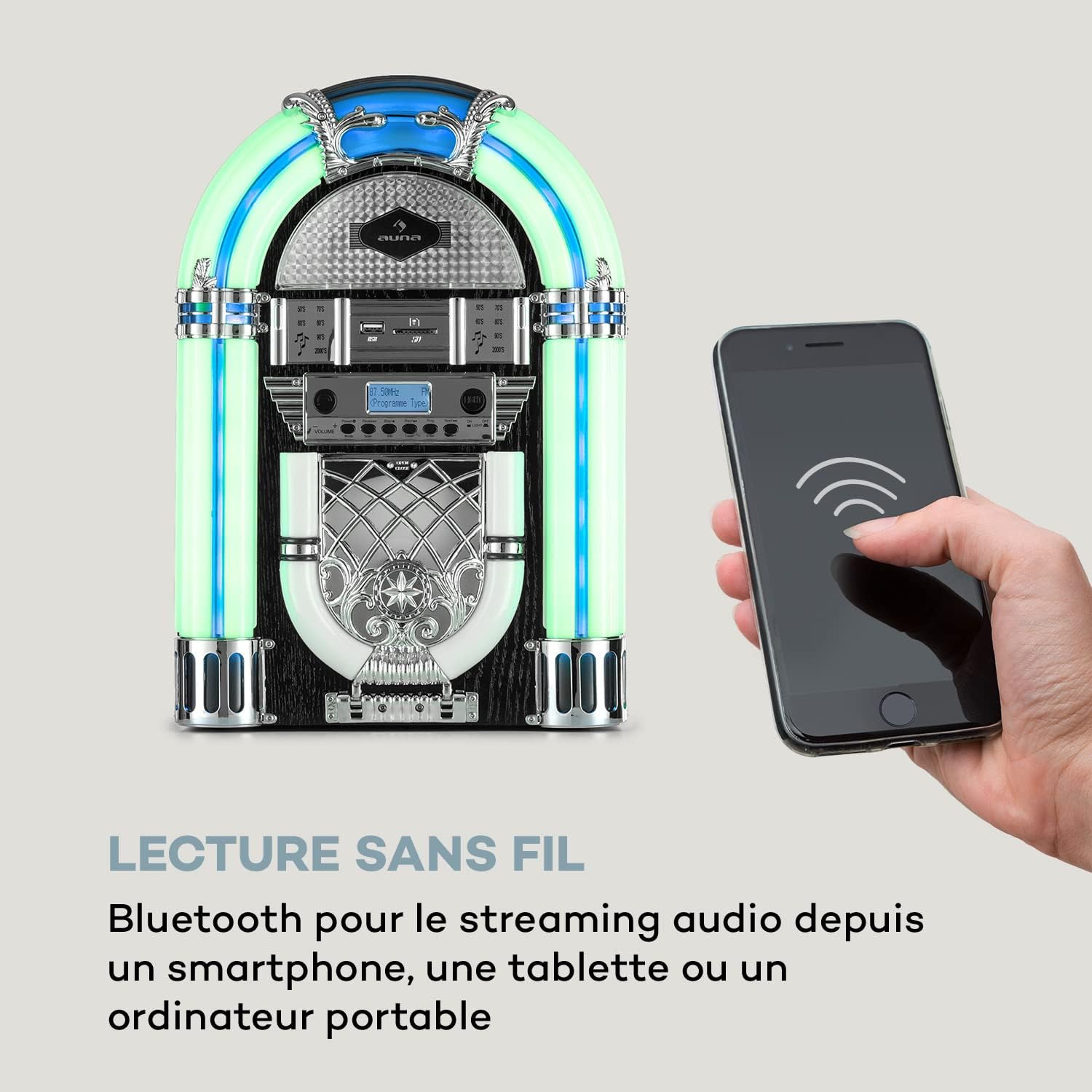
Prent: The Auna Arizona Jukebox Mini demonstrating its wireless Bluetooth connectivity with a smartphone.
- Kies Bluetooth mode using the Source Selector. The display will show "BT" or "PAIRING".
- Aktiveer Bluetooth op jou slimfoon, tablet of ander Bluetooth-geaktiveerde toestel en soek vir beskikbare toestelle.
- Select "Auna Arizona" (or similar name) from the list. Once paired, the jukebox will indicate a successful connection.
- Start playing music on your connected device. Audio will stream wirelessly to the jukebox.
4. CD speel

Prent: 'n Gedetailleerde view of the front-loading, vertical CD player on the Auna Arizona Jukebox Mini.
- Kies CD mode using the Source Selector.
- Gently insert an audio CD or MP3 CD into the front-loading CD slot. The disc will be automatically drawn in.
- Playback should begin automatically. Use the control buttons (Play/Pause, Skip, Stop) to manage playback.
5. USB/SD-kaartterugspeel

Prent: A close-up showing the USB port and SD card slot, demonstrating the versatile connectivity options of the jukebox.
- Plaas 'n USB-flash drive in die USB-poort of 'n SD/MMC-kaart in die SD kaartgleuf.
- Kies USB or SD mode using the Source Selector.
- The jukebox will automatically detect and begin playing compatible MP3 files. Use the control buttons to navigate tracks.
6. FM/DAB+ Radio Operation
- Kies FM or DAB+ mode using the Source Selector.
- Trek die antenna heeltemal uit vir die beste ontvangs.
- Gebruik die Frekwensie-aanpassing knob or buttons to manually tune to your desired station.
- For FM, the frequency range is 87.5 - 108 MHz. For DAB+, the frequency range is 174.928 - 239.200 MkHz.
7. LED-beligtingstelsel
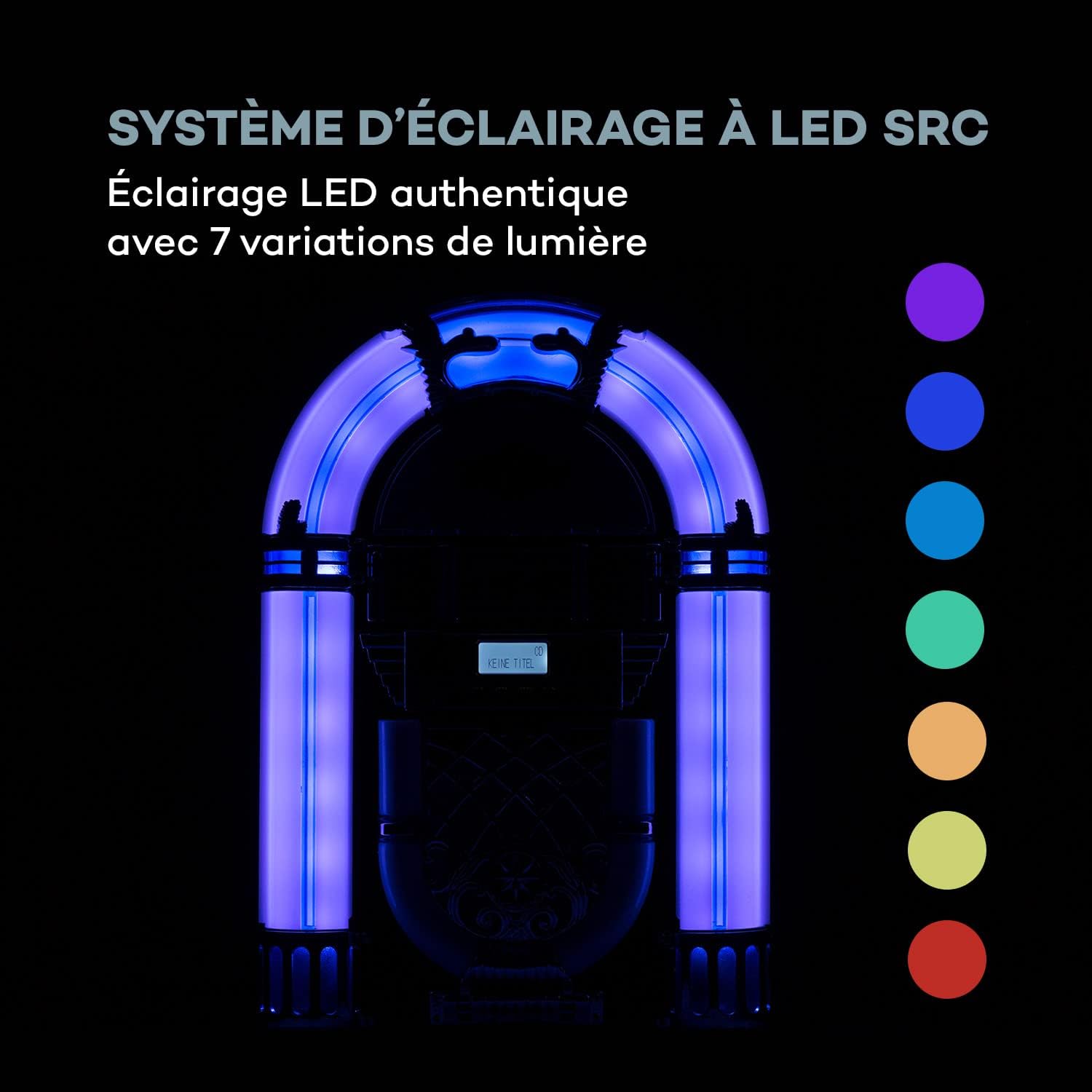
Prent: The SRC LED lighting system of the Auna Arizona Jukebox Mini, illustrating its 7 color variations.
The jukebox features an SRC LED lighting system with 7 variations. Use the LED-beligtingskakelaar to turn the lights on/off or to cycle through static colors and color-changing modes.
Onderhoud
- Skoonmaak: Wipe the exterior of the jukebox with a soft, dry cloth. Do not use liquid cleaners or abrasive materials.
- CD-speler: Periodically clean the CD lens with a specialized CD lens cleaner disc.
- Berging: Indien u die eenheid vir 'n lang tydperk bêre, trek die stekker uit die stopcontact en bêre dit op 'n koel, droë plek.
Probleemoplossing
| Probleem | Moontlike oorsaak | Oplossing |
|---|---|---|
| Geen krag nie | Kragkabel nie gekoppel nie; aansluiting nie aktief nie. | Ensure power cable is securely plugged in. Check the wall outlet with another device. |
| Geen klank nie | Volume too low; incorrect source selected; device not paired (Bluetooth). | Increase volume. Select the correct input source. Re-pair Bluetooth device. |
| CD speel nie | CD inserted incorrectly; CD is dirty or scratched; unsupported CD format. | Re-insert CD correctly. Clean or replace CD. Ensure it's an audio CD or MP3 CD. |
| Swak radio-ontvangs | Antenna nie uitgestrek nie; swak sein. | Fully extend and adjust the antenna. Try repositioning the unit for better signal. |
| Probleme met Bluetooth-paring | Jukebox not in pairing mode; device too far; interference. | Ensure jukebox is in Bluetooth pairing mode. Move device closer. Reduce interference from other electronics. |
Spesifikasies
| Handelsmerk | AUNA |
| Modelnommer | BX-4200 |
| Kraguitset | 2 x 2 Watt RMS |
| Kragtoevoer | 100-240V, 50/60Hz |
| Konnektiwiteit | Bluetooth, USB, SD/MMC Card Reader |
| CD-versoenbaarheid | CD, CD-MP3, CD-R, CD-RW |
| Radio Frequencies (FM) | 87.5 - 108 MHz |
| Radio Frequencies (DAB+) | 174.928 - 239.200 MkHz |
| Tipe luidspreker | Stereo |
| Gelykmaker | 2-band |
| Afmetings (BxHxD) | Ongeveer 26.5 x 39 x 16 cm |
| Gewig | Ongeveer. 2.3 kg |
| Kabellengte (krag) | Ongeveer. 180 cm |
| LED Beligting | SRC LED System with 7 variations |
Waarborg en Ondersteuning
Auna products are designed for quality and reliability. For warranty information, please refer to the documentation included with your purchase or visit the official Auna website. For technical support or service inquiries, please contact Auna customer service.
Note: Availability of spare parts and software updates is not specified in the product information.
Ask a question about this manual
Ask about setup, troubleshooting, compatibility, parts, safety, or missing instructions. Manuals+ will review the question and use this page’s manual context to help answer it.