
Inleiding
Thank you for choosing the MageGee GT860 96-Key Wired RGB Backlit Gaming Keyboard. This keyboard is designed for both gaming and daily use, featuring a compact layout, ergonomic design, and customizable RGB backlighting. This manual will guide you through the setup, operation, and maintenance of your new keyboard to ensure optimal performance and user experience.
Pakketinhoud
- MageGee GT860 96-Key Wired RGB Backlit Gaming Keyboard
- Gebruikershandleiding
Produk verbyview
Sleutelborduitleg
The MageGee GT860 features a 92% compact layout, retaining essential keys while offering a space-saving design. It includes a full numeric keypad and function keys.

Image: The MageGee GT860 keyboard showcasing its 96-key layout with RGB backlighting and black and yellow keycaps.

Beeld: 'n Gedetailleerde view of the standard 96-key layout with full RGB backlighting, highlighting the compact yet functional design.
Sleutel kenmerke
- 92% Kompakte Uitleg: Offers a balance between full functionality and a space-saving design.
- Membraan met meganiese gevoel: Utilizes advanced imitation mechanical technology for a tactile typing experience.
- Ergonomiese ontwerp: Key layout is engineered for comfortable use during extended periods, reducing fatigue.
- RGB-agterbeligting: Features multiple lighting modes and colors, with adjustable brightness and breathing speed.
- Plug and Play: No drivers required for basic functionality.
- Wye verenigbaarheid: Supports Windows 10, 8, 7, XP, VISTA, and Mac OS.
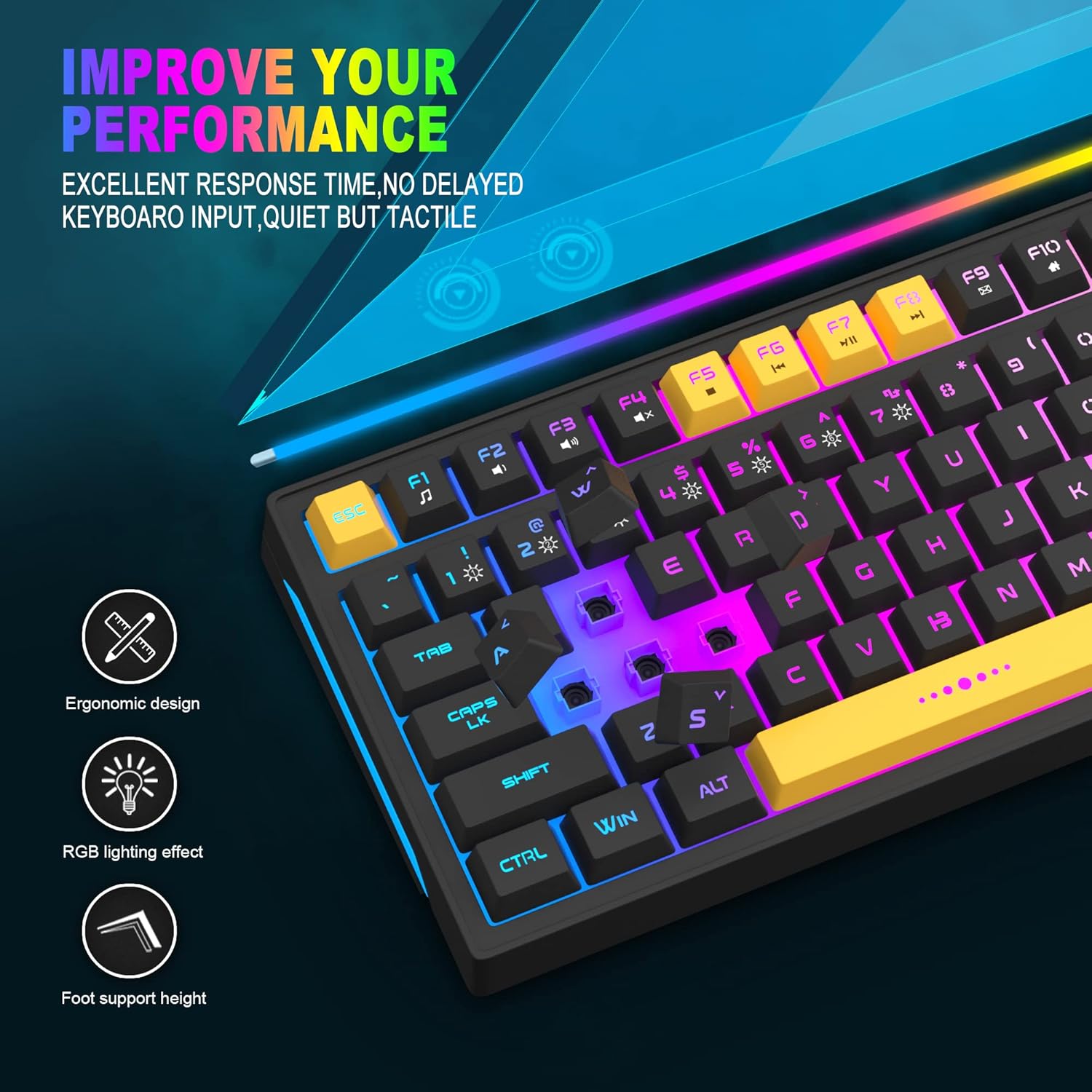
Image: Close-up showing the ergonomic design and RGB lighting effect of the keyboard, emphasizing comfort and visual appeal.

Beeld: 'n Kant view of the keyboard illustrating its thoughtful ergonomic design with a 7-degree tilt for improved typing posture.
Opstel instruksies
- Unpack the keyboard and ensure all package contents are present.
- Koppel die USB-kabel vanaf die sleutelbord aan 'n beskikbare USB-poort op jou rekenaar.
- The keyboard is plug-and-play and should be automatically recognized by your operating system (Windows, Mac OS). No additional drivers are typically required for basic functionality.
- Once connected, the RGB backlighting will illuminate, indicating the keyboard is powered on and ready for use.
Bedryfsinstruksies
RGB-agterligbeheer
The MageGee GT860 keyboard features customizable RGB backlighting with various modes and effects.
- Verander beligtingmodusse: Druk die FN key combined with keys 1 deur 6 to cycle through different RGB lighting effects and colors.
- Verstel van helderheid: Use specific key combinations (refer to keyboard legends or experiment with FN + Arrow keys if not explicitly labeled) to increase or decrease backlight brightness.
- Aanpassing van asemhalingspoed: Some modes allow adjustment of the breathing or animation speed.

Image: The keyboard displaying various RGB backlit lighting modes, illustrating the range of color options available.

Image: A dynamic view van die sleutelbordvertoningasing its 18 RGB LED light effects, highlighting the vibrant backlighting.
Multimedia- en funksietoetse
The keyboard includes dedicated function keys (F1-F12) that can be accessed by pressing the FN sleutel gelyktydig met die verlangde F-sleutel indruk.
| Sleutel kombinasie | Funksie |
|---|---|
| FN + F1 | Mediaspeler |
| FN + F2 | Volume af |
| FN + F3 | Volume op |
| FN + F4 | Demp |
| FN + F5 | Vorige Snit |
| FN + F6 | Volgende Snit |
| FN + F7 | Speel / Pouse |
| FN + F8 | Stop |
| FN + F9 | E-pos |
| FN + F10 | Tuisblad |
| FN + F11 | Scroll Lock |
| FN + F12 | Sakrekenaar |

Image: Diagram illustrating the various multimedia and function key combinations using the FN key (FN + F1-F12).
Onderhoud
To ensure the longevity and optimal performance of your MageGee GT860 keyboard, follow these maintenance guidelines:
- Skoonmaak: Regularly clean the keyboard with a soft, dry cloth. For deeper cleaning, use compressed air to remove dust and debris from between the keys. A slightly damp cloth (not wet) can be used for keycap surfaces.
- Vermy vloeistowwe: Moenie vloeistowwe op die sleutelbord mors nie. Indien 'n gemors plaasvind, ontkoppel die sleutelbord onmiddellik van jou rekenaar en laat dit heeltemal droog word voordat jy dit weer koppel.
- Berging: Bêre die sleutelbord op 'n koel, droë plek weg van direkte sonlig en uiterste temperature wanneer dit nie vir lang tye gebruik word nie.
- Kabelversorging: Vermy die USB-kabel te veel te buig of te draai om interne skade te voorkom.

Beeld: 'n Nabyskoot view of the keyboard with some keycaps removed, showing the underlying switches. This illustrates the internal structure for cleaning purposes.
Probleemoplossing
If you encounter issues with your MageGee GT860 keyboard, please refer to the following common troubleshooting steps:
- Sleutelbord reageer nie:
- Ensure the USB cable is securely connected to both the keyboard and your computer's USB port.
- Probeer om die sleutelbord aan 'n ander USB-poort op jou rekenaar te koppel.
- Toets die sleutelbord op 'n ander rekenaar om te bepaal of die probleem met die sleutelbord of jou stelsel is.
- Agterbeligting werk nie of is verkeerd:
- Verifieer dat die sleutelbord behoorlik gekoppel is en krag ontvang.
- Cycle through the RGB lighting modes using FN + 1-6 to ensure a mode is selected.
- Adjust the brightness settings.
- Sleutels registreer nie:
- Clean the affected keys to remove any debris that might be obstructing the switch.
- Ensure no software conflicts are present (e.g., other keyboard drivers or gaming software).
- Onverwagte gedrag:
- Herbegin jou rekenaar.
- If the issue persists, contact MageGee customer support for further assistance.
Spesifikasies
| Kenmerk | Detail |
|---|---|
| Handelsmerk | MageGee |
| Model | GT860 |
| Uitleg | 96 Sleutels (92% Kompak) |
| Konnektiwiteit | Bedraad USB |
| Agterlig | RGB Backlit (Multiple modes) |
| Tipe sleutel | Membrane with Mechanical Feeling |
| Ergonomie | Ergonomiese ontwerp |
| Versoenbare bedryfstelsel | Windows 10, 8, 7, XP, VISTA, Mac OS |
| Produk afmetings | 35.56 x 10.16 x 5.08 cm (14 x 4 x 2 duim) |
| Gewig | 744 g (1.64 lbs) |
| Voltage | 5 Volt |
| Kleur | Swart Geel |
Waarborg en Ondersteuning
For warranty information or technical support, please refer to the documentation provided with your purchase or contact MageGee customer service directly. Contact details can typically be found on the manufacturer's official webwebwerf of op die produkverpakking.
Bewaar asseblief u aankoopbewys vir enige waarborgaansprake.