
Strong SRT8119
Gebruikershandleiding
Strong SRT 8119 Digital Terrestrial DVB-T2 HDMI Decoder with Display
Model: SRT8119
1. Inleiding
This manual provides comprehensive instructions for the installation, operation, and maintenance of your Strong SRT 8119 Digital Terrestrial DVB-T2 HDMI Decoder. Please read this manual carefully before using the device to ensure proper functionality and to prevent damage.
The Strong SRT 8119 is designed to receive free-to-air TV programs in high definition, supporting the H.265 standard. It offers features such as recording capabilities, a 700-channel memory capacity, Electronic Program Guide (EPG), parental controls, and various channel editing options for an enhanced viewondervinding.
2. Veiligheidsinligting
Always observe the following safety precautions to avoid electric shock, fire, or damage to the device:
- Moenie die toestel aan reën of vog blootstel nie.
- Moenie die c oopmaak nieasing. Verwys alle diens na gekwalifiseerde personeel.
- Ensure proper ventilation around the device. Do not block ventilation openings.
- Gebruik slegs die kragadapter wat by die toestel voorsien is.
- Ontkoppel die toestel van die kragtoevoer tydens weerligstorms of wanneer dit vir lang tye nie gebruik word nie.
- Hou die toestel weg van direkte sonlig, hittebronne en sterk magnetiese velde.
3. Pakketinhoud
Verifieer dat alle items in die pakket teenwoordig is:
- Strong SRT 8119 Digital Terrestrial DVB-T2 HDMI Decoder
- Afstandbeheerder (met 2 AAA-batterye ingesluit)
- Gebruikershandleiding (hierdie dokument)
- Kragadapter

Figure 3.1: Packaging of the Strong SRT 8119 decoder, showing the product box with branding and key features listed.
4. Produk verbyview
4.1. Voorpaneel

Figuur 4.1: Voorkant view of the Strong SRT 8119 decoder, featuring the display, Strong logo, Dolby Audio branding, and a USB port on the right.
- Vertoon: Shows channel number or time.
- USB-poort: For connecting USB storage devices for media playback and software updates.
- Kragaanwyser: Indicates the device's power status.
4.2. Agterpaneel

Figuur 4.2: Agter view of the Strong SRT 8119 decoder, clearly showing the input and output ports labeled for connection to a terrestrial antenna, HDMI TV, SCART TV, and S/PDIF coaxial audio output.
- MIER IN: Connects to your terrestrial antenna.
- HDMI: High-Definition Multimedia Interface output for connecting to an HD TV.
- TV SCART: SCART output for connecting to older TVs.
- Coaxial S/PDIF: Digitale oudio-uitvoer.
- DC IN: Power input for the external power adapter.
4.3. Afstandbeheer

Figure 4.3: The remote control for the Strong SRT 8119 decoder, showing various buttons for power, channel navigation, volume, menu access, EPG, media playback, and numeric input.
The remote control allows full operation of the decoder. Familiarize yourself with the button layout for easy navigation.
5. Opstelling
5.1. Connecting the Decoder
- Koppel Antenna: Koppel jou terrestriële antennakabel aan die MIER IN port on the rear panel of the decoder.
- Koppel aan TV:
- For HD TVs: Connect an HDMI cable from the HDMI port on the decoder to an available HDMI input on your TV.
- For older TVs: Connect a SCART cable from the TV SCART port on the decoder to the SCART input on your TV.
- Koppel krag: Insert the power adapter cable into the DC IN port on the decoder, then plug the adapter into a wall outlet.
- Plaas batterye in: Open the battery compartment on the remote control and insert the two AAA batteries, observing polarity.
5.2. Eerste keer installasie
Upon first power-on, the decoder will guide you through the initial setup process:
- Kies jou voorkeur Taal.
- Kies jou Land.
- The decoder will then perform an automatic channel scan. This may take several minutes. Do not interrupt this process.
- Once the scan is complete, the decoder will display the first available channel.
6. Bedryfsinstruksies
6.1. Basiese werking
- Krag aan/af: Druk die KRAG knoppie op die afstandbeheer.
- Kanaalverandering: Gebruik die CH +/- buttons or enter the channel number directly using the numeric keypad.
- Volumebeheer: Gebruik die VOL +/- knoppies.
- Kieslystoegang: Druk die SPYSKAART button to access system settings and features. Use arrow keys to navigate and OK te bevestig.
6.2. Electronic Program Guide (EPG)
The EPG provides a schedule of current and upcoming programs.
- Druk die EPG knoppie op die afstandbeheer.
- Navigate through channels and program times using the arrow keys.
- Druk OK aan view details about a selected program.
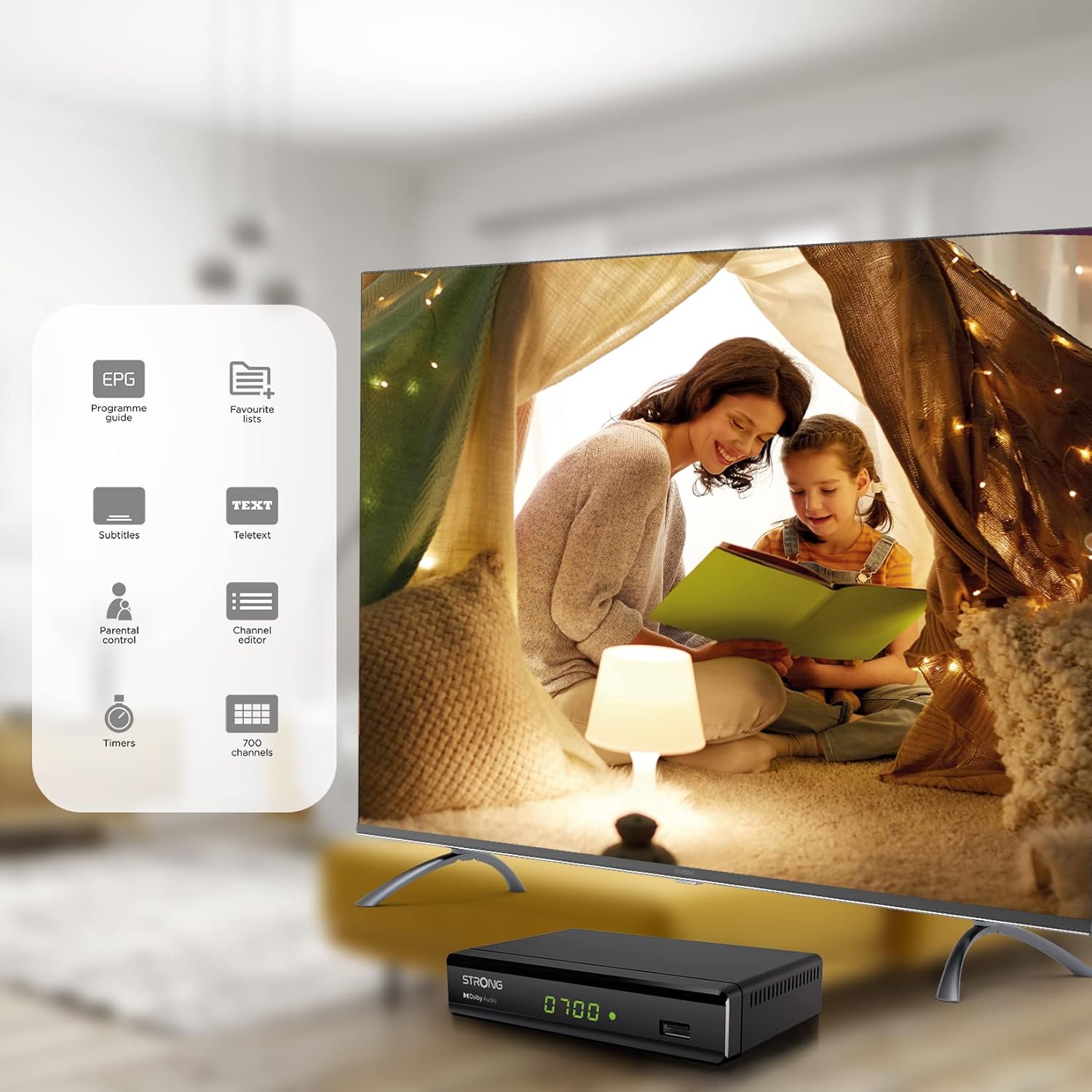
Figure 6.1: Visual representation of the Strong SRT 8119's features, including Electronic Program Guide (EPG), favorite lists, subtitles, teletext, parental control, channel editor, timers, and 700 channel capacity.
6.3. Media Playback and Recording (USB)
The decoder supports media playback from a USB storage device connected to the front USB port. Note: Recording function may not be active in all regions (e.g., Italy).
- Insert a USB flash drive or external hard drive into the front USB port.
- Druk die MEDIA button on the remote control to access the media player.
- Navigeer na die gewenste file (video, audio, image) and press OK te speel.
- To record a program, press the REC button during live TV. Ensure a USB device with sufficient free space is connected.
- To schedule a recording, use the EPG and select the program, then follow the on-screen prompts to set a timer.

Figure 6.2: The Strong SRT 8119 decoder shown in a living room setting, highlighting its USB playback and recording capabilities. A note indicates that recording is not implemented for Italy.
6.4. Kanaalbestuur
- Channel Editor: Access the channel editor via the SPYSKAART to move, delete, or lock channels.
- Favorite Lists: Create up to 4 favorite lists for TV and radio programs for quick access to your preferred channels.
- Ouerbeheer: Set a password to restrict access to certain channels or programs.
7. Onderhoud
- Skoonmaak: Use a soft, dry cloth to clean the exterior of the decoder. Do not use liquid or aerosol cleaners.
- Sagteware-opdatering: Periodically check the Strong website for available software updates. Updates can typically be installed via the USB port.
- Berging: If storing the device for an extended period, disconnect it from power and store in a cool, dry place.
8. Probleemoplossing
| Probleem | Moontlike oorsaak | Oplossing |
|---|---|---|
| Geen krag nie | Kragkabel nie gekoppel nie; Kragaansluiting foutief. | Check power connections; Try a different outlet. |
| Geen sein / "Geen sein" boodskap | Antenna not connected; Antenna faulty; Incorrect input selected on TV. | Check antenna connection; Ensure antenna is working; Select correct HDMI/SCART input on your TV. |
| Geen beeld nie, maar klank is teenwoordig | Video cable (HDMI/SCART) loose or faulty. | Check video cable connections; Try a different cable. |
| Afstandbeheer werk nie | Batteries depleted or inserted incorrectly; Obstruction between remote and decoder. | Replace batteries; Ensure correct polarity; Remove obstructions; Point remote directly at the decoder. |
| Kan nie programme opneem nie | USB device not connected or full; Recording function not available in your region. | Connect a USB device with sufficient space; Check regional limitations for recording. |
9. Spesifikasies
| Modelnommer | SRT8119 |
| Produk afmetings | 4.41 x 5.98 x 1.5 duim |
| Item gewig | 9.5 onse |
| Verbindingstegnologie | Antenna (DVB-T2), HDMI, SCART, USB, Coaxial S/PDIF |
| Video-enkodering | H.265 |
| Kanaalkapasiteit | 700 kanale |
| Batterye | 2 AAA-batterye (ingesluit vir afstandbeheer) |
| Klankuitvoermodus | Omring |
| Surround Sound Channel-konfigurasie | 5.1 |
10. Ondersteuning
For further assistance, technical support, or to find useful resources, please visit the official Strong website. You can also find information and support on their Facebook profile and LinkedIn page.
Note: Specific contact numbers or direct links are not provided in this manual. Please refer to the official Strong webwebwerf vir die mees onlangse ondersteuningsinligting.
Ask a question about this manual
Ask about setup, troubleshooting, compatibility, parts, safety, or missing instructions. Manuals+ will review the question and use this page’s manual context to help answer it.