
1. Inleiding
Dankie vir die aankoopasing the Audizio Monza DAB+ FM Radio with Bluetooth. This manual provides essential information for the safe and correct operation of your device. Please read it thoroughly before use and retain it for future reference.
The Audizio Monza is a versatile portable radio offering DAB+ digital radio, FM radio, and Bluetooth connectivity for wireless audio streaming. It features a 2.4-inch full-color display, alarm functions, and a universal headphone output.
2. Veiligheidsinstruksies
- Moenie die eenheid aan reën of vog blootstel om elektriese skok te vermy nie.
- Do not open the housing; there are no user-serviceable parts inside.
- Gebruik slegs die meegeleverde kragadapter.
- Hou die eenheid weg van hittebronne en direkte sonlig.
- Verseker voldoende ventilasie rondom die eenheid.
- Maak slegs skoon met 'n droë lap.
3. Pakketinhoud
- Audizio Monza DAB+ FM Radio
- Kragadapter
- Gebruikershandleiding (hierdie dokument)
4. Produk verbyview
4.1 Voorpaneelkontroles
The front panel features a 2.4-inch full-color display, control buttons, and a central rotary knob for navigation and volume control.

'n Duidelike front view of the Audizio Monza radio, showing the digital radio display tuned to 'NPO Radio 2' with current time and signal strength indicator. The control knobs and buttons are visible.
4.2 Agterpaneelverbindings
The rear panel includes the power input and a headphone jack.

The back panel of the Audizio Monza radio, indicating the DC 9V power input and a 3.5mm headphone jack. This illustrates the universal headphone output feature, which mutes the speakers when headphones are connected.
5. Opstelling
5.1 Kragverbinding
- Connect the supplied power adapter to the DC 9V input on the rear of the radio.
- Steek die kragadapter in 'n geskikte muuraansluiting.
5.2 Aanvanklike aanskakeling en taalkeuse
- Druk die aan / af-knoppie (U) om die radio aan te skakel.
- The display will prompt you to select a language. Use the rotary knob to navigate and press OK om jou keuse te bevestig.
5.3 Antenna-aanpassing
Extend the telescopic antenna fully for optimal DAB+ and FM radio reception. Adjust its position for the best signal quality.
6. Bedryfsinstruksies
6.1 Moduskeuse
Druk die MODUS button to switch between DAB+ Radio, FM Radio, and Bluetooth modes.
6.2 DAB+ Radiowerking
- Select DAB+ Radio mode using the MODUS knoppie.
- The radio will automatically perform a full scan for available DAB+ stations upon first use or if no stations are found. To initiate a scan manually, press the SKANDEER knoppie.
- Use the rotary knob to browse through the list of available stations. Press OK om 'n stasie te kies.
- Om 'n stasie as 'n voorafinstelling te stoor, druk en hou die VOORINSTEL button. Use the rotary knob to select a preset number (1-10) and press OK te bevestig.
- Om 'n voorafbepaalde stasie te herroep, druk kortliks die VOORINSTEL button, then use the rotary knob to select the desired preset and press OK.
6.3 FM-radiowerking
- Kies FM-radiomodus met behulp van die MODUS knoppie.
- To automatically scan for the next available station, press the SKANDEER knoppie.
- To manually tune, rotate the rotary knob.
- Saving and recalling FM presets follows the same procedure as DAB+ presets (see 6.2).
6.4 Bluetooth-werking
- Kies Bluetooth-modus met behulp van die MODUS button. The display will show "Bluetooth Connected" or "Bluetooth Pairing".
- On your Bluetooth-enabled device (e.g., smartphone, MP3 player, laptop), enable Bluetooth and search for available devices.
- Select "Audizio Monza" from the list of devices.
- Sodra dit gekoppel is, kan jy klank vanaf jou toestel na die radio stroom.
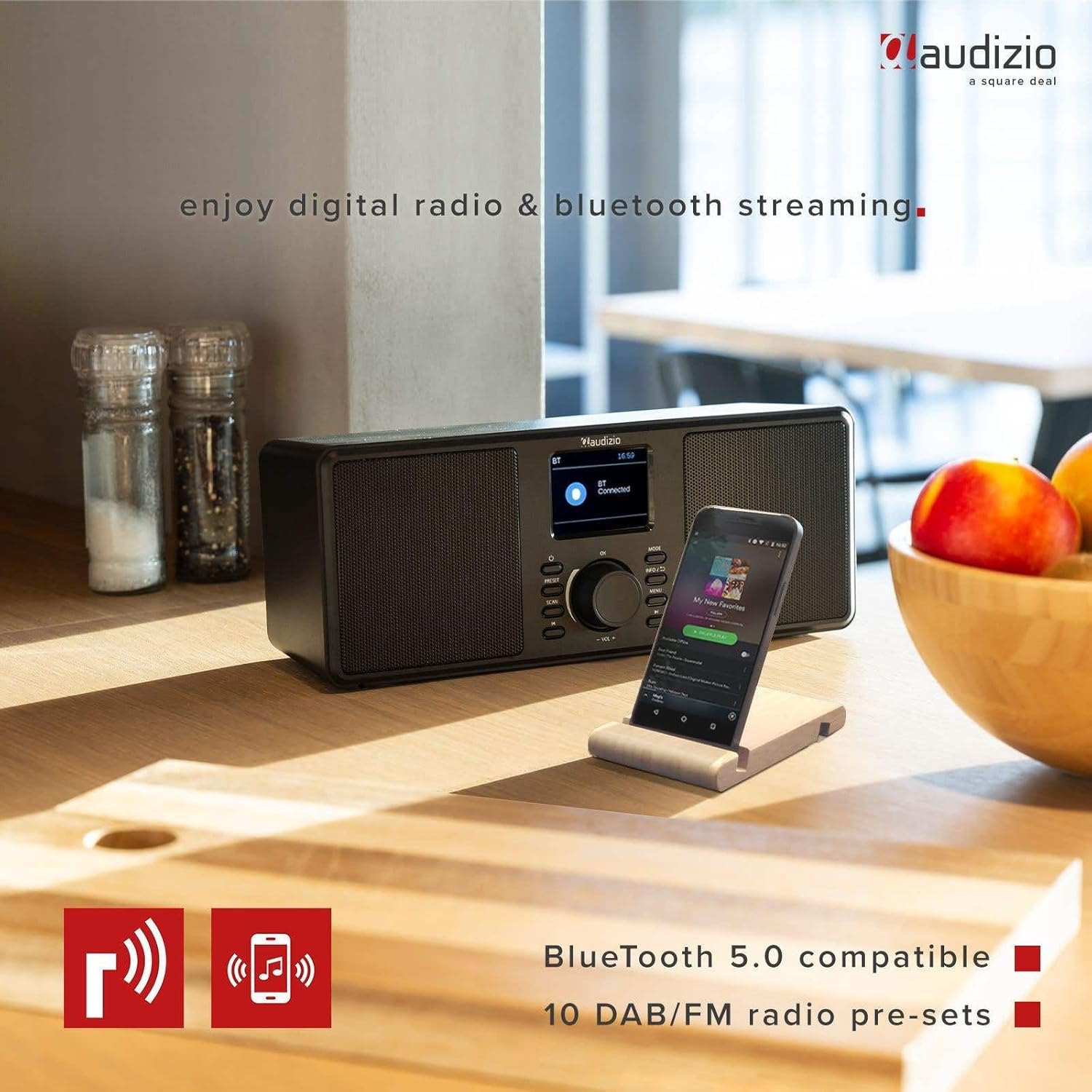
The Audizio Monza radio shown next to a smartphone, illustrating its Bluetooth streaming capability for playing music from mobile devices. The image highlights Bluetooth 5.0 compatibility and 10 DAB/FM radio pre-sets.
6.5 Alarm- en Sluimerfunksie
The radio includes an alarm function with DAB/FM/buzzer wake-up options.

A close-up of the radio's screen displaying detailed alarm settings, including Alarm 2 status (Off), frequency (Daily), wake-up time (06:00), source (Digital Radio), preset (Last Listened), and duration (60 minutes).
- Druk die SPYSKAART button and navigate to the Alarm settings.
- Follow the on-screen prompts to set the alarm time, source (DAB, FM, or Buzzer), frequency (Daily, Weekdays, Weekends, Once), and duration.
- As die alarm klink, druk die SLUIMER button (often integrated with the OK knoppie of 'n toegewyde knoppie) om dit tydelik stil te maak.
- Om die alarm af te skakel, druk die KRAG knoppie.
6.6 Gebruik van oorfone
Connect 3.5mm headphones to the headphone jack on the rear panel. The radio's speakers will automatically mute when headphones are connected.
7. Onderhoud
7.1 Skoonmaak
Wipe the radio's surface with a soft, dry, lint-free cloth. Do not use abrasive cleaners, waxes, or solvents as they may damage the finish.
7.2 Berging
If storing the radio for an extended period, disconnect it from the power outlet and store it in a cool, dry place away from direct sunlight and extreme temperatures.
8. Probleemoplossing
| Probleem | Moontlike oorsaak | Oplossing |
|---|---|---|
| Geen krag nie | Kragadapter nie gekoppel of foutief. | Maak seker dat die kragadapter stewig aan die radio en 'n werkende kragaansluiting gekoppel is. |
| No radio reception / Poor sound quality | Antenna not extended or poorly positioned. Weak signal. | Fully extend and adjust the telescopic antenna. Try moving the radio to a different location. Perform a new station scan. |
| Bluetooth verbind nie | Radio not in Bluetooth mode. Device not in pairing mode or out of range. | Ensure the radio is in Bluetooth mode. Make sure your device's Bluetooth is on and in pairing mode. Move your device closer to the radio. |
| Geen geluid van luidsprekers nie | Volume te laag. Oorfone gekoppel. | Increase the volume. Disconnect headphones if not in use. |
| Radio presets not saving | Verkeerde stoorprosedure. | Maak seker dat jy die VOORINSTEL button to save, and then press OK to confirm the preset number. |
9. Spesifikasies
| Kenmerk | Spesifikasie |
|---|---|
| Handelsmerk | Audizio |
| Model | Monza (102.420) |
| Afmetings (L x B x H) | 36 x 14.5 x 15.5 cm |
| Gewig | 1.4 kg |
| Vertoon grootte | 2.4 duim |
| Tuner Tegnologie | DAB+, FM |
| Ondersteunde radiobande | VHF II (87.5-108 MHz), VHF III (174-240 MHz) |
| Verbindingstegnologie | Bluetooth |
| Hardeware-koppelvlak | 3.5 mm oudio |
| Speaker Output Power (Max) | 50 Watt |
| Kragbron | Battery (external power adapter required) |
| Frekwensie | 60 Hz |
| Spesiale kenmerk | Draagbaar |
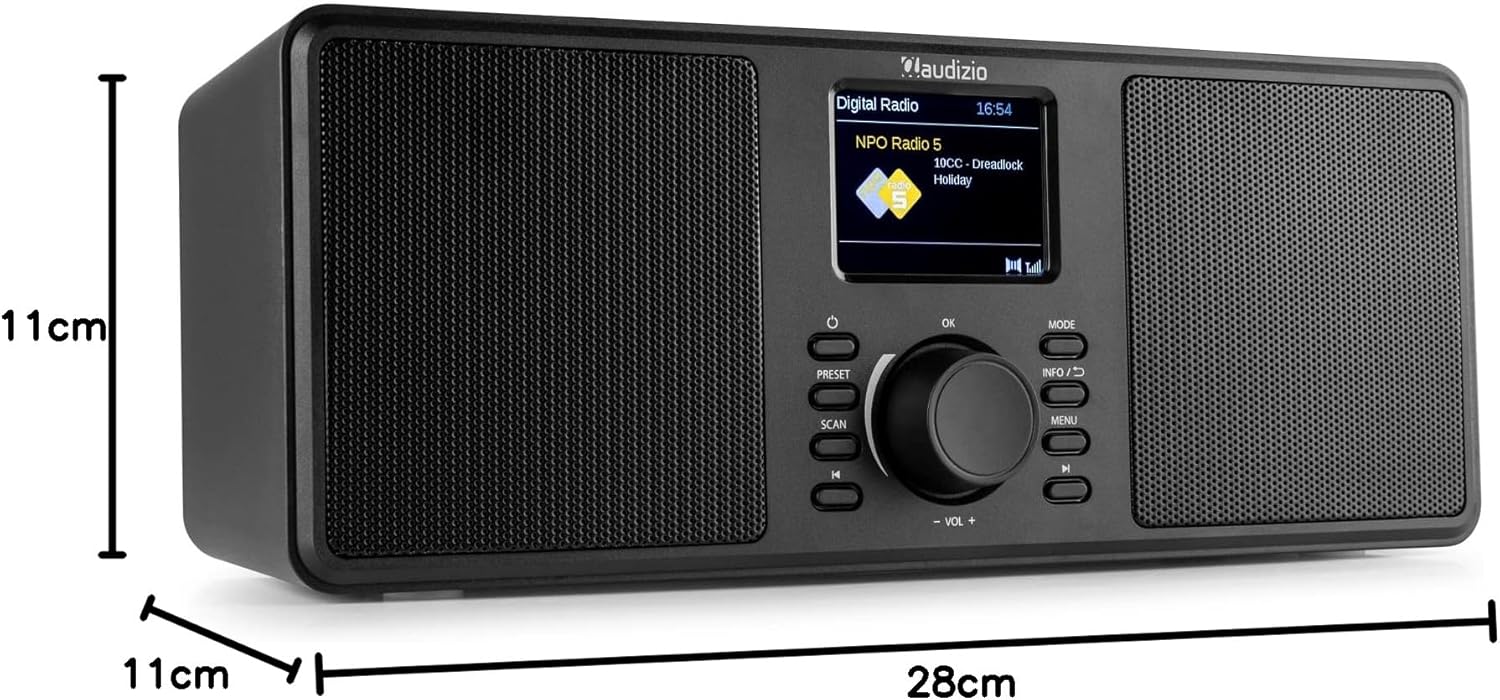
An image illustrating the physical dimensions of the Audizio Monza radio: 28cm width, 11cm height, and 11cm depth.
10. Waarborg en Ondersteuning
10.1 Waarborginligting
Warranty terms and conditions are typically provided with your purchase documentation or can be found on the official Audizio webwebwerf. Bewaar asseblief u bewys van aankoop vir enige waarborgeise.
10.2 Kliëntediens
For technical support or service inquiries, please refer to the contact information provided in your purchase documentation or visit the official Audizio webwebwerf vir hul kliëntediensbesonderhede.