
Intel BX8071512100
Intel Core i3-12100 Alder Lake SVE Gebruikershandleiding
Brand: Intel | Model: BX8071512100
1. Inleiding en oorview
This manual provides essential information for the installation, operation, and maintenance of your Intel Core i3-12100 Alder Lake Desktop Processor. Please read this guide thoroughly before proceeding with installation to ensure proper functionality and longevity of your product.
Produkbeskrywing
The Intel Core i3-12100 is a high-quality desktop processor designed for various computing needs. It is part of the 12th Generation Alder Lake series, offering reliable performance for everyday tasks, gaming, and multimedia. For detailed care instructions, always refer to the manufacturer's product information sheet or packaging.
Sleutel kenmerke
- Kernkonfigurasie: 4 Kerne, 8 Drade
- Basisfrekwensie: 3.3 GHz
- Maksimum Turbo-frekwensie: Tot 4.3 GHz
- Kas: 12MB Slimkasgeheue
- Sok tipe: LGA 1700
- Termiese ontwerpkrag (TDP): 60 W
- Geïntegreerde grafika: Intel UHD Graphics 730 (where applicable, check specific model)

Figuur 1.1: Voorkant view of the Intel Core i3-12100 processor packaging.
2. Opstelgids
Proper installation is crucial for the performance and stability of your system. Please follow these steps carefully.
Voor jy begin
- Ensure your motherboard supports the LGA 1700 socket and is compatible with 12th Generation Intel processors.
- Versamel die nodige gereedskap: Phillips-skroewedraaier, termiese pasta (indien dit nie vooraf op die verkoeler aangebring is nie) en antistatiese polsbandjie.
- Werk in 'n skoon, goed beligte en statiesvrye omgewing.
- Unplug your computer from the power outlet and discharge any residual power.
Installasie stappe
- Berei die moederbord voor: Maak die SVE-sokkel-bevestigingshefboom op jou moederbord oop. Lig die laaiplaat op.
- Installeer die verwerker: Carefully align the triangular arrow on the corner of the processor with the corresponding arrow on the CPU socket. Gently place the processor into the socket. Do not force it.
- Beveilig die verwerker: Lower the load plate and then push down the retention lever until it clicks into place.
- Wend termiese pasta aan (indien nodig): As jou SVE-verkoeler nie vooraf aangebringde termiese pasta het nie, dien 'n klein ertjie-grootte hoeveelheid toe in die middel van die SVE se geïntegreerde hitteverspreider (IHS).
- Installeer die SVE-verkoeler: Align the cooler with the mounting holes around the CPU socket. Gently press down and secure the cooler according to its specific mounting mechanism (e.g., push pins, screws, or backplate).
- Koppel koelerwaaier: Connect the CPU cooler's fan cable to the 'CPU_FAN' header on your motherboard.
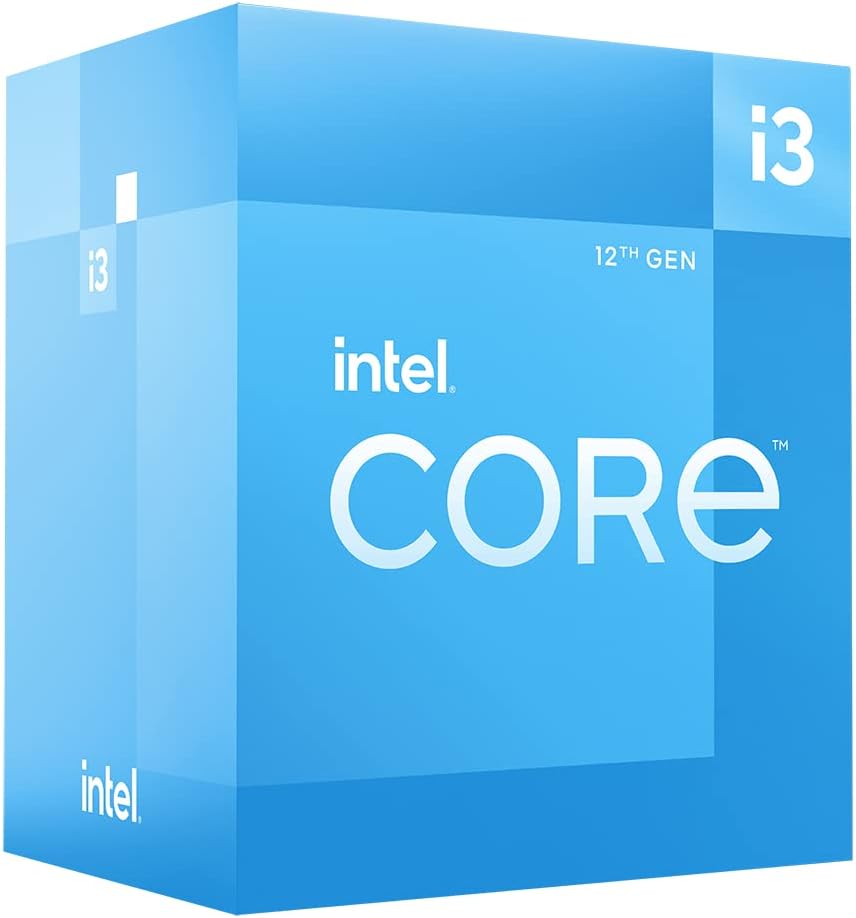
Figuur 2.1: Hoekig view of the Intel Core i3-12100 processor packaging.

Figuur 2.2: Kant view of the Intel Core i3-12100 processor packaging.
3. Bediening van u verwerker
Once installed, your Intel Core i3-12100 processor will operate automatically within your system. Here are some general considerations for optimal performance.
Termiese Bestuur
Maintaining proper cooling is essential for processor longevity and stable performance. Ensure your CPU cooler is functioning correctly and that your PC case has adequate airflow. High temperatures can lead to performance throttling or system instability.
Prestasie-oorwegings
The Intel Core i3-12100 is designed to dynamically adjust its clock speed based on workload and thermal conditions. This technology, known as Intel Turbo Boost Technology, allows the processor to reach higher frequencies (up to 4.3 GHz) when needed, providing a responsive computing experience.

Figure 3.1: The processor box in a typical desktop computing environment.

Figure 3.2: Visual representation of the processor's performance capabilities in a gaming scenario.

Figure 3.3: Illustrative image demonstrating the processor's architecture and platform compatibility.

Figure 3.4: Marketing image highlighting the processor's role in enhancing gaming performance.
4. Onderhoud
Minimal maintenance is required for your processor itself, but ensuring its operating environment is clean and cool will prolong its lifespan.
Stofverwydering
- Regularly clean dust from your CPU cooler's heatsink and fan using compressed air.
- Ensure your PC case filters are clean to prevent dust buildup inside the system.
Hertoediening van termiese pasta
Over time, thermal paste can dry out and become less effective. If you notice consistently high temperatures, consider reapplying fresh thermal paste to the CPU's IHS. This typically involves removing the CPU cooler, cleaning off old paste, and applying new paste before reattaching the cooler.
5. Probleemoplossing
If you encounter issues with your system after installing the processor, refer to the common problems and solutions below.
| Probleem | Moontlike oorsaak | Oplossing |
|---|---|---|
| Stelsel begin nie / Geen skerm nie | CPU not seated correctly, CPU power cable disconnected, incompatible motherboard BIOS. | Re-seat the CPU, ensure all power cables are connected, update motherboard BIOS (if possible, using a compatible CPU). |
| System boots but shuts down quickly | Overheating due to improper cooler installation or insufficient thermal paste. | Check CPU cooler mounting pressure, reapply thermal paste, ensure CPU fan is connected and spinning. |
| Poor performance / Throttling | High temperatures, power limits, background processes. | Monitor CPU temperatures, ensure adequate cooling, check power settings in BIOS/OS, close unnecessary applications. |
| Stelselonstabiliteit / Ineenstortings | Overheating, faulty RAM, unstable power supply, driver issues. | Verify CPU temperatures, test RAM, check power supply, update chipset and graphics drivers. |
6. Tegniese spesifikasies
Detailed specifications for the Intel Core i3-12100 processor.
| Kenmerk | Detail |
|---|---|
| Handelsmerk | Intel |
| Reeks | I3 1200 |
| Item Modelnommer | BX8071512100 |
| Verwerker handelsmerk | Intel |
| SVE Model | kern i3 |
| SVE-spoed | 3.3 GHz |
| Aantal verwerkers | 4 |
| CPU-sok | LGA 1700 |
| Item gewig | 10.6 onse |
| Produk afmetings | 1.18 x 0.79 x 0.04 duim |
| Kleur | black / black |
| Rekenaar geheue tipe | GDDR4 |
| Voltage | 1 Volt |
| Taal | Engels |
| Datum Eerste Beskikbaar | 11 Mei 2022 |
7. Waarborg en Ondersteuning
Intel provides a standard warranty for its processors. Please retain your proof of purchase for warranty claims.
Waarborg inligting
The Intel Core i3-12100 processor is manufactured by Intel. For specific warranty terms and conditions, please refer to the official Intel warranty documentation included with your product or visit the official Intel support webterrein. Waarborgdekking sluit tipies defekte in materiale en vakmanskap in onder normale gebruik.
Additional Protection Plans
Optional protection plans may be available for purchase from retailers. For example, a 4-Year Protection Plan or a Complete Protect plan may be offered. These plans are separate from the manufacturer's warranty and provide extended coverage or additional benefits.
Tegniese Ondersteuning
For technical assistance, troubleshooting beyond this manual, or warranty inquiries, please contact Intel's official customer support. You can typically find contact information on the Intel webwebwerf of binne jou produkverpakking.
Aanlyn hulpbronne: Visit the official Intel website for drivers, software, and additional support documentation.
Ask a question about this manual
Ask about setup, troubleshooting, compatibility, parts, safety, or missing instructions. Manuals+ will review the question and use this page’s manual context to help answer it.