
MageGee V510
MageGee V510 Wireless RGB Gaming Keyboard User Manual
Model: V510
Inleiding
This manual provides detailed instructions for the setup, operation, maintenance, and troubleshooting of your MageGee V510 Wireless RGB Gaming Keyboard. Please read this manual carefully before using the product to ensure optimal performance and longevity.

Image: MageGee V510 Wireless RGB Gaming Keyboard, showcasing its full layout and vibrant backlighting.
1. Opstelinstruksies
1.1 Pakketinhoud
- MageGee V510 Wireless RGB Gaming Keyboard
- 2.4G USB-ontvanger
- Type-C laaikabel
- Gebruikershandleiding (hierdie dokument)
1.2 Die sleutelbord koppel
- Locate the 2.4G USB receiver. It is typically stored in a compartment on the keyboard or included separately in the packaging.
- Plug the 2.4G USB receiver into an available USB port on your PC or laptop.
- Turn on the keyboard using the power switch, usually located on the side or back of the keyboard.
- The keyboard should automatically connect to your device. If not, ensure the receiver is properly inserted and the keyboard is powered on.
The 2.4G wireless connection provides a stable transmission with reduced latency, offering a working distance of up to 10 meters.
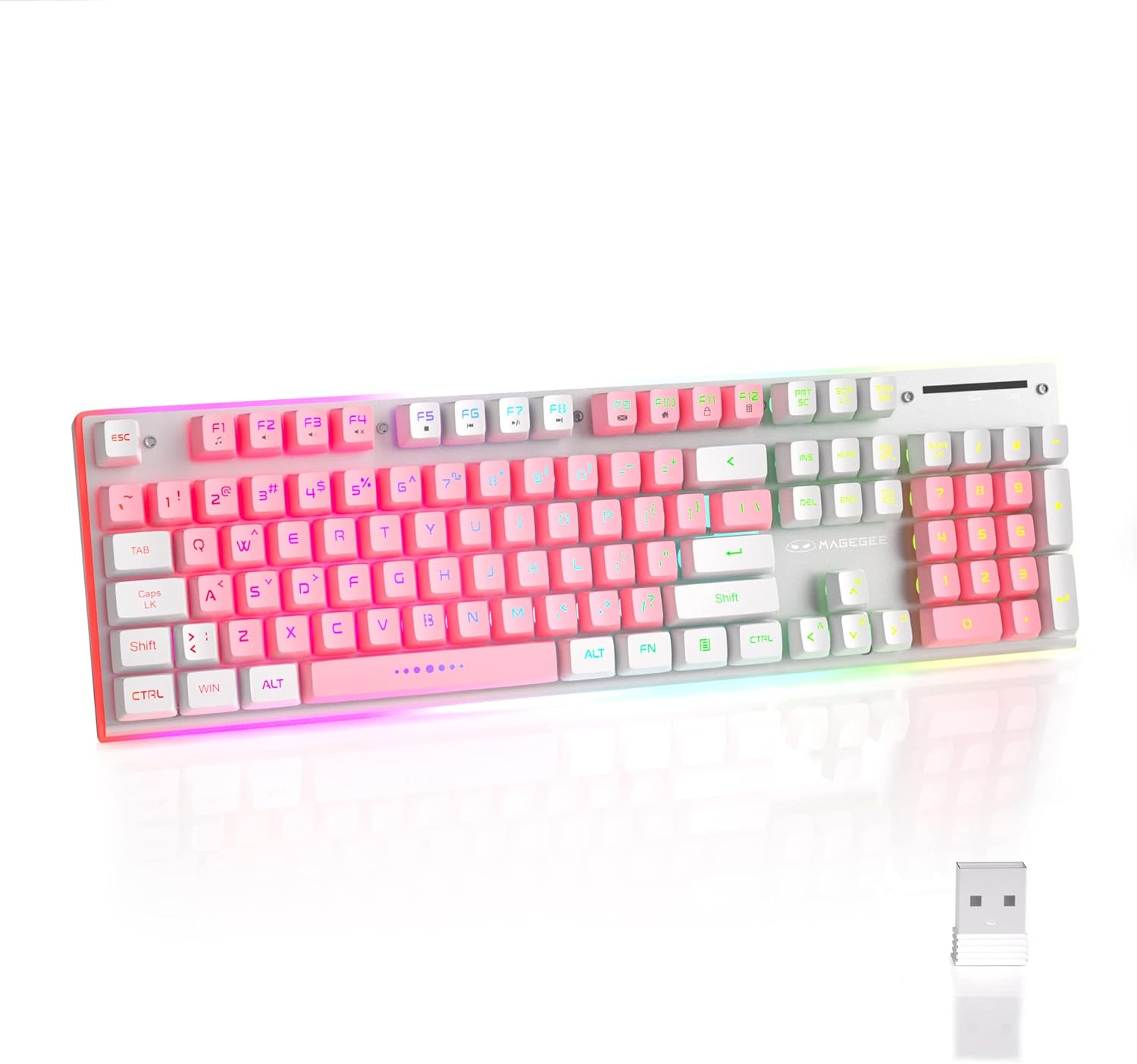
Image: The MageGee V510 keyboard shown alongside its compact 2.4G USB receiver, ready for wireless connection.

Image: Diagram illustrating the wireless connection between the keyboard and a laptop via the USB receiver, indicating a stable connection.
2. Bedryfsinstruksies
2.1 RGB-agterligbeheer
The V510 keyboard features dynamic RGB backlighting and unique side ambient lighting.
- Switch Backlight Effect: Druk Fn + 1-5 to cycle through multiple backlight modes and 8 different colors.
- Skakel agterlig aan/af: Druk Fn + Scr (Scroll Lock key) to toggle the backlight on or off. Turning off the backlight conserves battery.
- Brighten/Dim Light: Druk Fn + ↑ (Up Arrow) to increase brightness, and Fn + ↓ (Pyltjie af) om helderheid te verlaag.
- Pas ligspoed aan: Druk Fn + ← (Left Arrow) to slow down the light effect speed, and Fn + → (Right Arrow) to speed up the light effect.

Image: Visual guide to RGB backlight controls on the MageGee V510 keyboard, showing key combinations for changing effects, brightness, and speed.

Image: The MageGee V510 keyboard highlighting its unique surround LED strip, providing ambient lighting around all sides, not just keycap glow.

Image: A series of MageGee V510 keyboards demonstrating various brilliant RGB backlighting modes and switchable colors.
2.2 Multimedia-kortpadsleutels
The keyboard includes 12 multimedia shortcut keys for quick access to frequently used programs and functions.
| Sleutel kombinasie | Funksie |
|---|---|
| Fn + F1 | Speler |
| Fn + F2 | Volume af |
| Fn + F3 | Volume op |
| Fn + F4 | Demp |
| Fn + F5 | Laaste liedjie |
| Fn + F6 | Volgende Liedjie |
| Fn + F7 | Speel / Pouse |
| Fn + F8 | Stop |
| Fn + F9 | Tuis |
| Fn + F10 | Pos |
| Fn + F11 | My rekenaar |
| Fn + F12 | Gunstelinge |

Image: A diagram illustrating the 12 multimedia shortcut keys (Fn + F1-F12) and their corresponding functions on the MageGee V510 keyboard.
2.3 Laai die sleutelbord
The MageGee V510 keyboard is equipped with a 2000mAh rechargeable battery.
- Connect the included Type-C charging cable to the charging port on the keyboard and to a USB power source (e.g., computer USB port, USB wall adapter).
- Charging time: Approximately 3.5 to 4 hours for fast charging, or 8 to 10 hours for slow charging.
- Battery life: Up to 20 hours of continuous use with RGB backlight, or up to 60 hours with monochrome backlight.

Beeld: Nabyskoot view of the MageGee V510 keyboard's side, showing the power switch and the Type-C charging port.

Image: Graphic displaying the 2000mAh battery capacity and up to 60 hours of usage time for the MageGee V510 keyboard.
3. Onderhoud
3.1 Skoonmaak van die sleutelbord
The MageGee V510 features a waterproof design and floating keycaps for easy cleaning.
- To clean dust and debris, use a soft brush or compressed air.
- For spills, gently wipe the surface with a damp cloth. Ensure the keyboard is powered off and disconnected from any charging cable before cleaning.
- Avoid submerging the keyboard in water.

Image: The MageGee V510 keyboard with water droplets on its surface, illustrating its waterproof design and floating keycaps for easy cleaning.
3.2 Keycap Information
The keyboard uses mixed-color double-shot keycaps, which are wear-resistant, durable, and do not fade. The keycaps are removable for deeper cleaning or customization.

Beeld: Nabyskoot view of the MageGee V510 keyboard's mixed-color double-shot keycaps, showing a keycap removed to reveal the underlying switch mechanism.
4. Probleemoplossing
- Sleutelbord reageer nie:
- Ensure the 2.4G USB receiver is securely plugged into a USB port on your computer.
- Verify the keyboard's power switch is in the "ON" position.
- Check the battery level. If low, connect the charging cable.
- Probeer om die USB-ontvanger in 'n ander USB-poort te koppel.
- Herbegin jou rekenaar.
- Agterlig werk nie:
- Maak seker dat die agterlig nie afgeskakel is nie (druk Fn + Scr).
- Check backlight brightness (press Fn + ↑).
- Maak seker dat die sleutelbord voldoende batterylading het.
- Sleutels registreer nie of spook nie:
- The keyboard features 25-key anti-ghosting. If issues persist, ensure the keyboard is clean and free of debris under the keycaps.
- Probeer om die USB-ontvanger weer aan te sluit.
- Konnektiwiteitsprobleme:
- Ensure there are no significant obstructions between the keyboard and the USB receiver.
- Vermy die plasing van die ontvanger naby sterk steuringsbronne (bv. Wi-Fi-routers, ander draadlose toestelle).
If you encounter any persistent issues, please contact MageGee customer support for assistance.
5. Spesifikasies
| Kenmerk | Detail |
|---|---|
| Handelsmerk | MageGee |
| Model | V510 |
| Verbindingstegnologie | 2.4G Draadloos (USB Ontvanger) |
| Sleutelbordbeskrywing | Gaming, Standard 104-key layout |
| Spesiale kenmerke | Ergonomic, RGB Backlit, Waterproof, 25-key Anti-ghosting, Metal Panel, Detachable Keycaps |
| Versoenbare toestelle | Laptop, PC (Win 2000 / XP / ME / 7 / 8 / 10 / Vista / Mac) |
| Kleur | Wit/pienk |
| Agterlig Kleurbestuur | RGB |
| Materiaal | Plastic (with metal panel) |
| Battery kapasiteit | 2000mAh |
| Wireless Range | Tot 10 meter |
| Afmetings | Approx. 422mm (17.40in) x 133mm (5.37in) x 37mm (1.47in) |

Image: Technical drawing of the MageGee V510 keyboard showing its length (422mm), width (133mm), and height (37mm).

Beeld: Syprofile of the MageGee V510 keyboard illustrating its ergonomic design with an 8-degree tilt and adjustable foot supports.

Beeld: 'n Oorview graphic highlighting key features of the MageGee V510 keyboard, including 2.4G Wireless, RGB Backlight, Surround Lighting, Mixed-Color Keycaps, Large Battery Capacity, Anti-Ghosting, and Ergonomic Design.
6. Waarborg en Ondersteuning
MageGee is committed to providing quality products and customer satisfaction.
- For any product issues or inquiries, please contact MageGee customer support.
- Verwys na u aankoopdokumentasie vir spesifieke waarborgbepalings en -voorwaardes.
Contact information for support is typically available on the official MageGee webwebwerf of deur jou kleinhandelaar.
Ask a question about this manual
Ask about setup, troubleshooting, compatibility, parts, safety, or missing instructions. Manuals+ will review the question and use this page’s manual context to help answer it.