
Final ZE3000
Final ZE3000 True Wireless Earbuds User Manual
Model: ZE3000
Inleiding
Thank you for choosing the Final ZE3000 True Wireless Earbuds. This manual provides essential information for the proper setup, operation, and maintenance of your earbuds to ensure an optimal audio experience. Please read this manual thoroughly before use.
Wat is in die boks
- Final ZE3000 True Wireless Earbuds (Left and Right)
- Laaikas
- USB-C-laaikabel
- Gebruikershandleiding (hierdie dokument)
- Oordoppe (verskillende groottes)

Image: Final ZE3000 True Wireless Earbuds and their charging case, displayed in black.
Produk verbyview
The Final ZE3000 earbuds are designed for high-fidelity sound reproduction with a focus on comfort and stable wireless connectivity. Each earbud features a touch control panel and an LED indicator.

Beeld: Nabyskoot view of the Final ZE3000 earbuds, highlighting their unique geometric design and audiophile-level quality.

Image: The Final ZE3000 charging case, showcasing its premium SHIBO textured finish.
Opstelling
1. Laai die oordopjes en houer
Before first use, fully charge the earbuds and charging case. Connect the supplied USB-C cable to the charging port on the case and a USB power source. The LED indicator on the case will show charging status. A full charge takes approximately 1.5 hours.

Image: Final ZE3000 earbuds placed inside their charging case.
2. Koppel met 'n Toestel
- Open the charging case. The earbuds will automatically enter pairing mode, and the LED indicators on the earbuds will flash.
- Aktiveer Bluetooth op jou toestel (slimfoon, tablet, ens.).
- Soek vir available Bluetooth devices and select "ZE3000" from the list.
- Sodra dit gekoppel is, sal die LED-aanwysers op die oorfone ophou flikker.
The ZE3000 uses Bluetooth 5.2 for a stable connection up to 10 meters.

Image: A smartphone screen showing the 'ZE3000' listed as an available Bluetooth device for pairing.
3. Pas die oordopjes aan
Proper fit is crucial for sound quality and comfort. Choose the eartips that provide the best seal and comfort for your ears. Gently insert the earbuds into your ear canals and twist slightly until they feel secure.
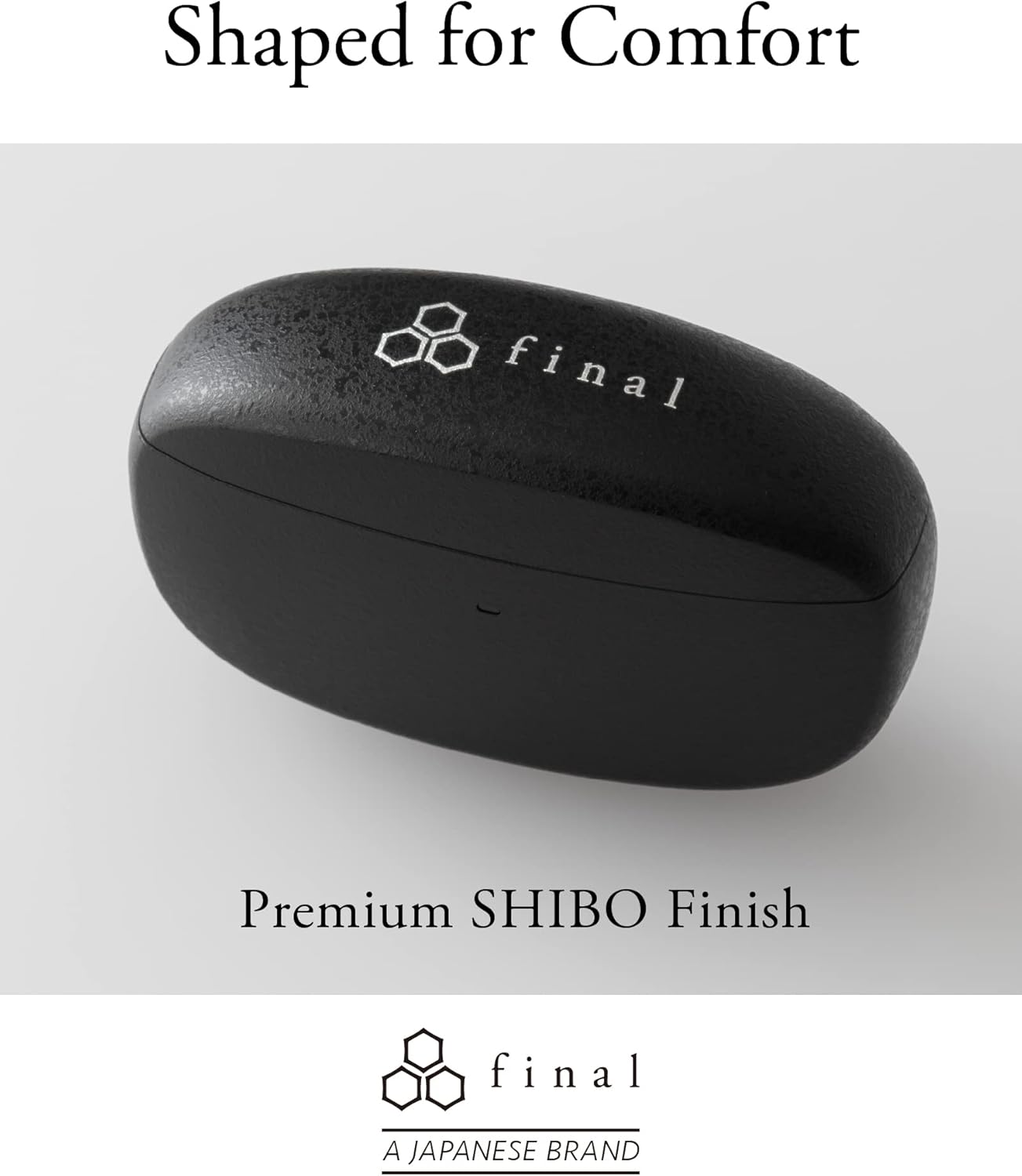
Image: A person demonstrating the correct way to wear the Final ZE3000 earbuds for a secure and comfortable fit.
Bedryfsinstruksies
Raak kontroles
The ZE3000 earbuds feature intuitive touch controls on the outer surface of each earbud.

Image: Diagram illustrating the location of the touch control panel, microphone, and LED indicator on the earbud.
| Aksie | Funksie |
|---|---|
| Enkele tik (links/regs) | Speel/pouse musiek, beantwoord/beëindig oproep |
| Dubbeltik (Regs) | Volgende snit |
| Dubbeltik (links) | Vorige snit |
| Drievoudige tik (regs) | Volume op |
| Drievoudige tik (links) | Volume af |
| Langdruk (Links/Regs) | Aktiveer stemassistent |
Krag aan/af
- Krag aan: Maak die laaikas oop, en die oordopjes sal outomaties aanskakel en aan die laaste gekoppelde toestel koppel.
- Skakel af: Plaas die oorfone terug in die laaikas en maak die deksel toe. Hulle sal outomaties afskakel en begin laai.
Onderhoud
Skoonmaak
Maak jou oordopjes en laaikas gereeld skoon om werkverrigting en higiëne te handhaaf.
- Gebruik 'n sagte, droë, pluisvrye lap om die oorfone en laaikas af te vee.
- Verwyder die oordoppe en maak dit skoon met sagte seep en water, droog dit dan deeglik af voordat jy dit weer vasmaak.
- Maak die laaikontakte op beide die oordopjes en die omhulsel versigtig skoon met 'n droë wattestokkie.
Berging
Wanneer dit nie gebruik word nie, bêre die oorfone in hul laaikassie om hulle te beskerm en te verseker dat hulle gelaai bly.
Waterweerstand (IPX4)
The Final ZE3000 earbuds are IPX4 water-resistant, meaning they are protected against splashing water from any direction. They are not designed for submersion in water. Avoid exposing them to heavy rain, showering, or swimming.
Probleemoplossing
- Geen klank-/verbindingsprobleme nie:
- Maak seker dat die oorfone gelaai is.
- Verifieer dat Bluetooth op jou toestel geaktiveer is en dat die oorfone gekies is.
- Probeer om die oordopjes met jou toestel te ontkoppel en weer te koppel.
- Maak seker dat geen ander toestelle aktief aan die oorfone gekoppel is nie.
- Een oordopjes werk nie:
- Plaas albei oordopjes terug in die houer, maak die deksel toe, wag 'n paar sekondes en maak dan weer oop.
- Check charging contacts for debris.
- Aanraakkontroles reageer nie:
- Maak seker dat jou vingers skoon en droog is.
- Probeer om die oordopjes weer te begin deur hulle in die houer te plaas en die deksel toe te maak.
Spesifikasies
| Kenmerk | Detail |
|---|---|
| Modelnommer | ZE3000 |
| Verbindingstegnologie | Bluetooth 5.2 |
| Draadlose kommunikasie | Bluetooth |
| Tipe oudiobestuurder | Dinamiese bestuurder |
| Frekwensiereeks | 20 Hz - 20 000 Hz |
| Batterylewe (Oorfone) | Tot 7 uur |
| Totale speeltyd (met omhulsel) | Tot 35 uur |
| Laai tyd | Ongeveer. 1.5 uur |
| Tipe beheer | Raak Beheer |
| Waterweerstandvlak | IPX4 (Waterbestand) |
| Bluetooth-reeks | 10 meter |
| Item gewig | 42 gram (totaal) |
| Produk afmetings | 1.38 x 2.76 x 0.98 duim |
Ondersteuning
For further assistance or inquiries, please visit the official Final store or contact customer support.