
Logitech M650
Logitech Signature M650 Draadlose Muis Gebruikershandleiding
Model: M650
Inleiding
The Logitech Signature M650 Wireless Mouse is designed for enhanced productivity and comfort. Featuring an adaptive SmartWheel for precise and fast scrolling, silent clicks with SilentTouch technology, and customizable side buttons, it offers a versatile and quiet user experience. This mouse connects wirelessly via Bluetooth Low Energy or the Logi Bolt USB receiver, making it compatible with a wide range of operating systems including PC, Mac, and Chromebook.
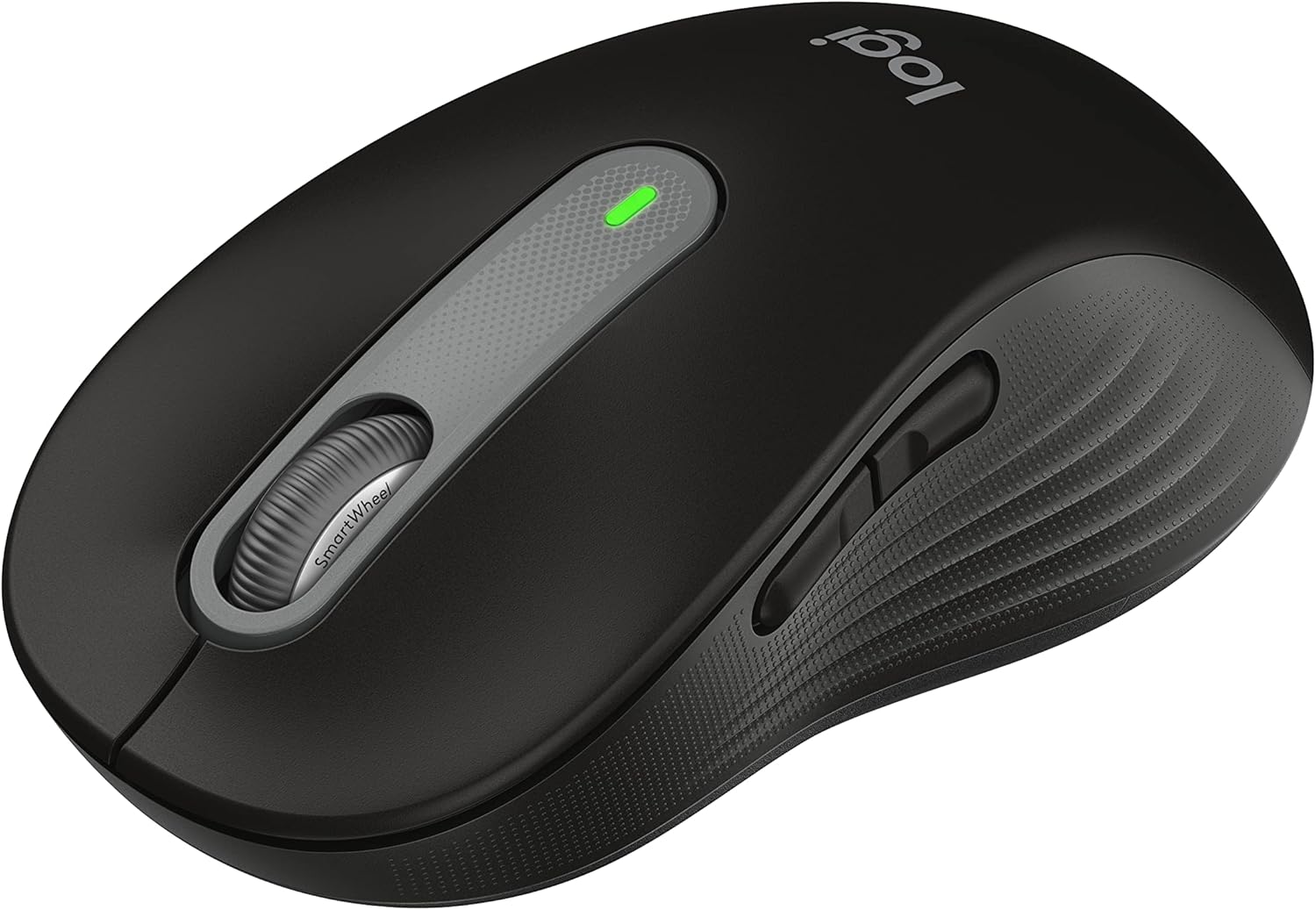
Figure 1: Logitech Signature M650 Wireless Mouse (Black)
Opstelling
1. Uitpak en aanvanklike inspeksie
Carefully remove all components from the packaging. Ensure the mouse and the Logi Bolt USB receiver are present. The mouse comes with a pre-installed battery.

Figure 2: Logitech Signature M650 Packaging
2. Koppel jou muis
The Signature M650 offers two connection methods: Logi Bolt USB receiver or Bluetooth Low Energy.
Opsie A: Logi Bolt USB-ontvanger
- Remove the Logi Bolt USB receiver from the mouse's battery compartment.
- Koppel die Logi Bolt USB-ontvanger aan 'n beskikbare USB-poort op jou rekenaar.
- Turn on the mouse using the power switch located on the bottom. The LED indicator should turn solid green, indicating a successful connection.
Opsie B: Bluetooth Lae Energie
- Skakel die muis aan met die kragskakelaar aan die onderkant.
- Press and hold the connect button on the bottom of the mouse until the LED indicator starts blinking rapidly, indicating pairing mode.
- On your computer, open Bluetooth settings and select the Logitech Signature M650 from the list of available devices to pair.

Figure 3: Connect via Bluetooth or Logi Bolt USB receiver
3. Installering van Logitech Options+ sagteware
To unlock the full potential of your Signature M650, including customizable buttons and advanced SmartWheel settings, download and install the Logitech Options+ software from the official Logitech webwerf (www.logitech.com/optionsplus). This software is available for Windows and macOS.
Bedryfsinstruksies
1. Basiese Muisfunksies
- Links klik: Primêre aksie, seleksie.
- Regs klik: Kontekskieslys.
- Rolwiel: Vertical scrolling.
2. SmartWheel Scrolling
The SmartWheel automatically switches between two modes:
- Lyn-vir-lyn presisie: Ideal for detailed work and navigating documents.
- Supersnelle Gratis Draai: Om vinnig deur lang bladsye te blaai web pages or spreadsheets. Simply flick the wheel to activate.

Figuur 4: Presisie- en spoedblaai met SmartWheel
3. Customizable Side Buttons
The two side buttons on your Signature M650 can be customized using the Logitech Options+ software. You can assign them to various shortcuts such as back/forward navigation, copy/paste, or other functions to enhance your workflow.

Figure 5: Customize buttons to your favorite shortcuts
4. SilentTouch Technology
The Signature M650 features SilentTouch technology, which reduces clicking noise by 90% compared to traditional mice. This allows for a quieter work environment, minimizing distractions for you and those around you.

Figure 6: 90% less clicking noise with SilentTouch technology
5. Ergonomics and Sizing
The mouse is designed for comfort during long hours of use, featuring a contoured shape, soft thumb area, and rubber side grips. The M650 is available in different sizes to accommodate various hand sizes, ensuring an optimal fit.

Figure 7: Designed for small-to-medium sized hands

Figure 8: Comfort shape and feel with rubber side grips

Figure 9: Available in two sizes (M650 and M650 L)
Onderhoud
1. Battery vervanging
The Logitech Signature M650 boasts a 24-month battery life, which may vary based on usage. When the battery is low, the LED indicator on the mouse will turn red. To replace the battery:
- Vind die batterykompartement aan die onderkant van die muis.
- Maak die kompartement se deksel oop.
- Verwyder die ou AA-battery.
- Plaas 'n nuwe AA-battery in en maak seker dat die polariteit korrek is.
- Maak die batterykompartement se deksel stewig toe.
2. Skoonmaakinstruksies
Om optimale werkverrigting en voorkoms te handhaaf, maak jou muis gereeld skoon:
- Gebruik 'n sagte, pluisvrye lap dampeindig met water of 'n ligte skoonmaakoplossing.
- Vermy die gebruik van harde chemikalieë, skuurmiddels of oplosmiddels.
- Moenie die muis in water of enige vloeistof dompel nie.
- Maak die optiese sensor aan die onderkant van die muis skoon met 'n droë wattestokkie om akkurate dophou te verseker.
Probleemoplossing
| Probleem | Moontlike oorsaak | Oplossing |
|---|---|---|
| Muis reageer nie | Low battery; Receiver unplugged; Bluetooth not paired. | Replace battery; Re-insert Logi Bolt receiver; Re-pair Bluetooth connection. |
| Onreëlmatige beweging van die wyser | Dirty optical sensor; Unsuitable surface. | Clean optical sensor; Use on a clean, non-reflective surface or mouse pad. |
| Syknoppies werk nie | Logitech Options+ not installed or configured. | Install Logitech Options+ software and customize button assignments. |
Vir verdere hulp, verwys asseblief na die amptelike Logitech-ondersteuning website or the User Guide PDF.
Video 1: Produk Verbyview Video. Hierdie video bied 'n algemene oorsigview of the Logitech Signature M650 Wireless Mouse, demonstrating its key features and design.
Spesifikasies
- Model: M650 (910-006268)
- Verbinding: Bluetooth Low Energy, Logi Bolt USB Receiver (Radio Frequency)
- Bewegingsopsporingstegnologie: Opties
- Batterylewe: Tot 24 maande (kan wissel na gelang van gebruiker- en rekenaartoestande)
- Kragbron: 1 x AA-battery (ingesluit)
- Stille klikke: Yes, with SilentTouch Technology (90% less click noise)
- Aanpasbare knoppies: Yes, via Logitech Options+ software
- SmartWheel: Yes, adaptive scroll
- ergonomie: Contoured shape, soft thumb area, rubber side grips
- Afmetings (LxBxH): 4.22 x 2.43 x 0.1 inches (approximate, for Small-Medium size)
- Gewig: 3.57 onse (ongeveer)
- Hardeware Platform Verenigbaarheid: PC, Linux, Mac
- Bedryfstelselversoenbaarheid: Linux, Chrome OS, Windows, macOS
- Materiaal: Made with recycled plastic (specific percentage may vary by color/model)
- Land van oorsprong: China
- Eerste beskikbaar: 11 Januarie 2022
Waarborg en Ondersteuning
Logitech-produkte kom gewoonlik met 'n beperkte hardewarewaarborg. Vir spesifieke waarborgbesonderhede, registrasie en tegniese ondersteuning, besoek asseblief die amptelike Logitech-ondersteuning. webwebwerf of verwys na die dokumentasie wat by u produk ingesluit is.
You can also download the full User Guide in PDF format from the following link: Logitech Signature M650 User Guide (PDF)
For software downloads and advanced customization, visit: Logitech Options+